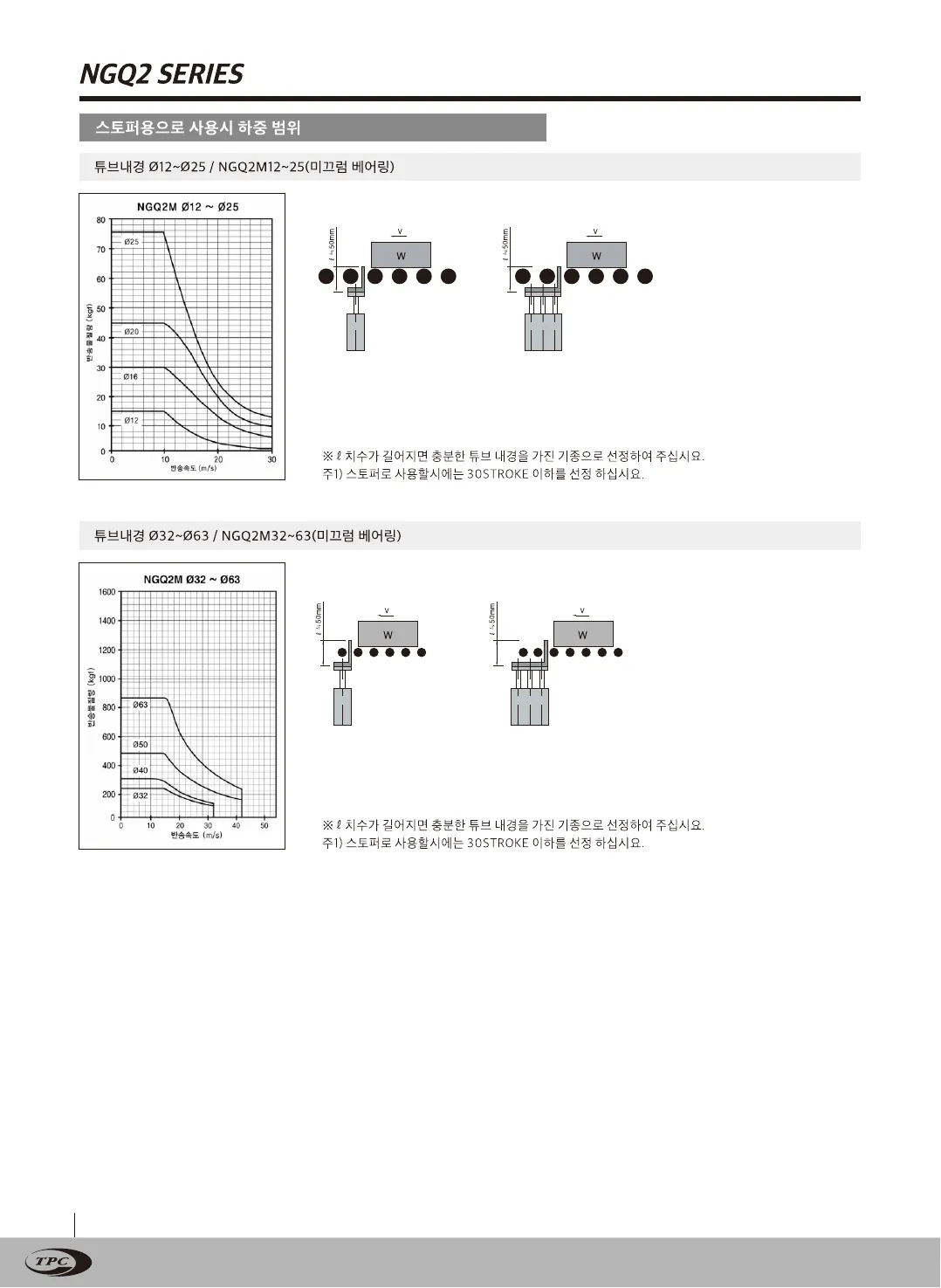
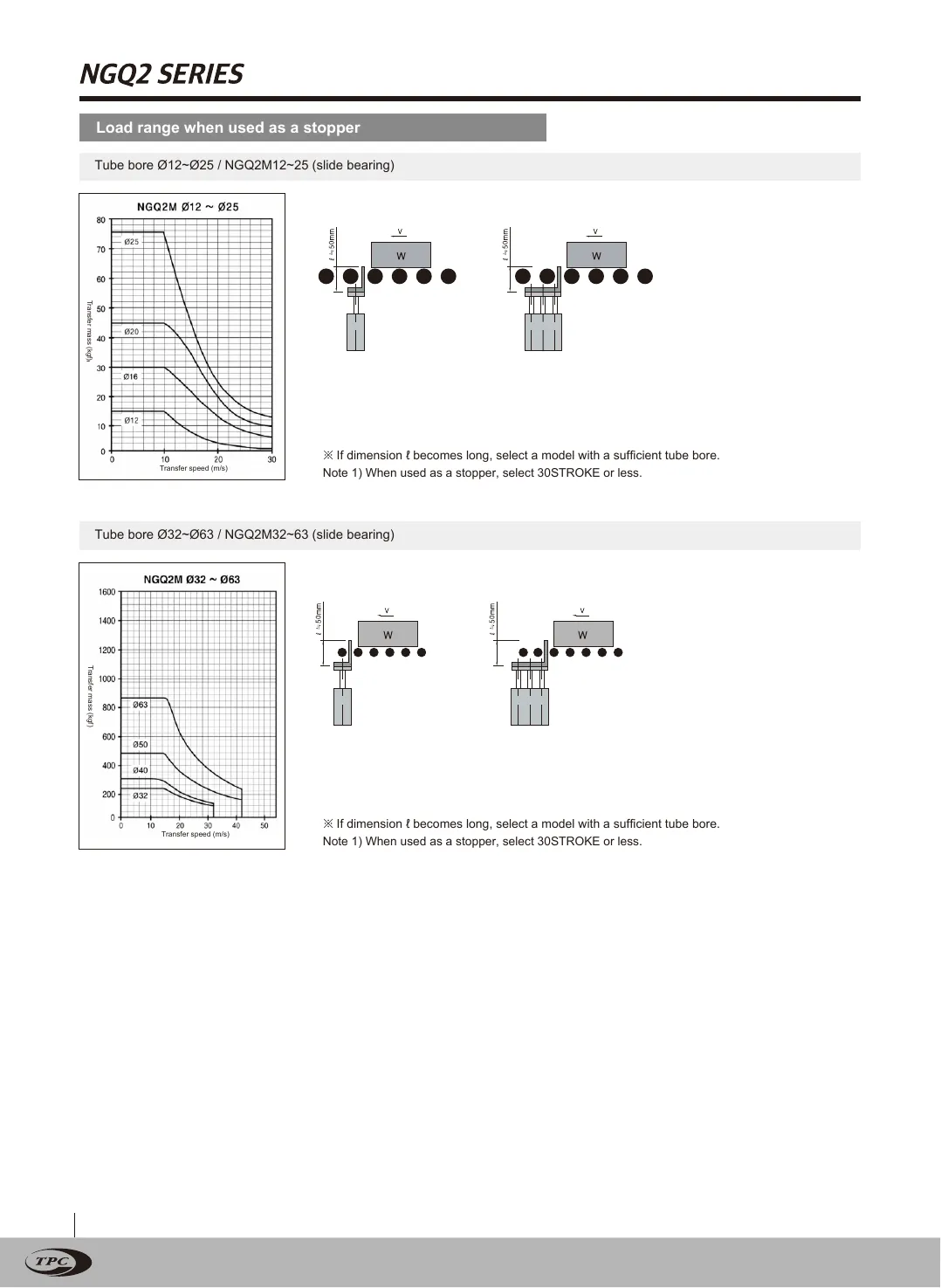
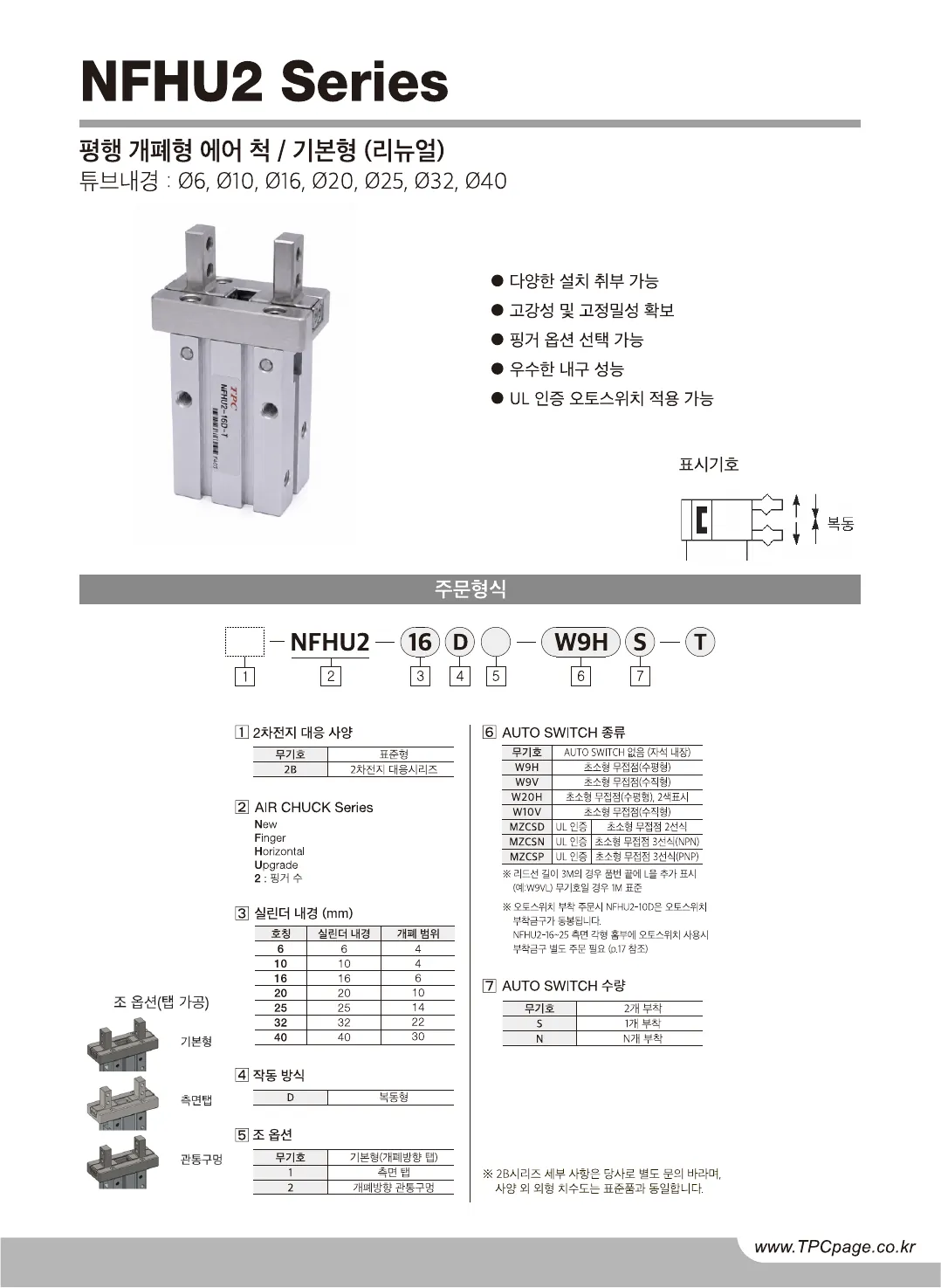
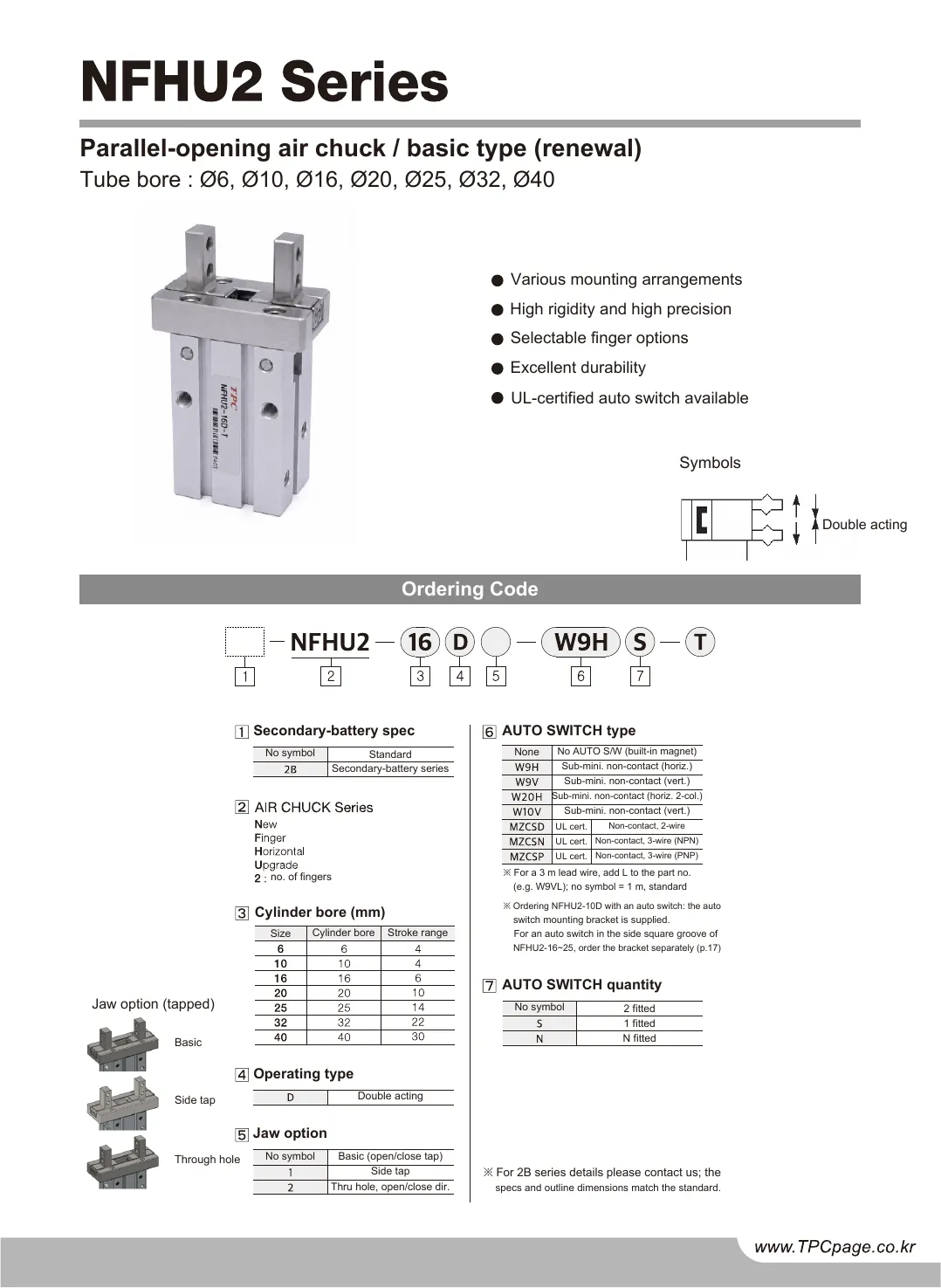
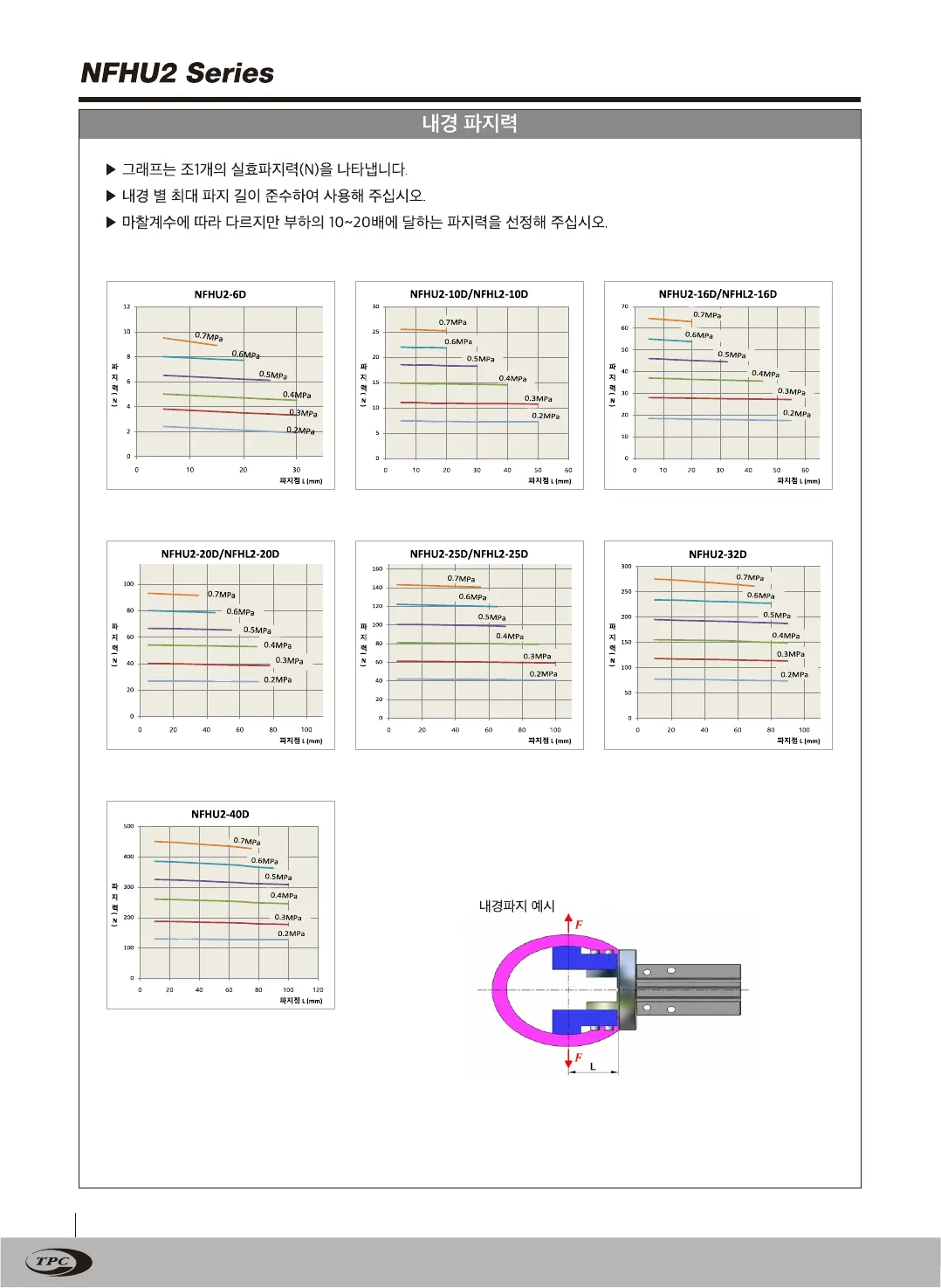
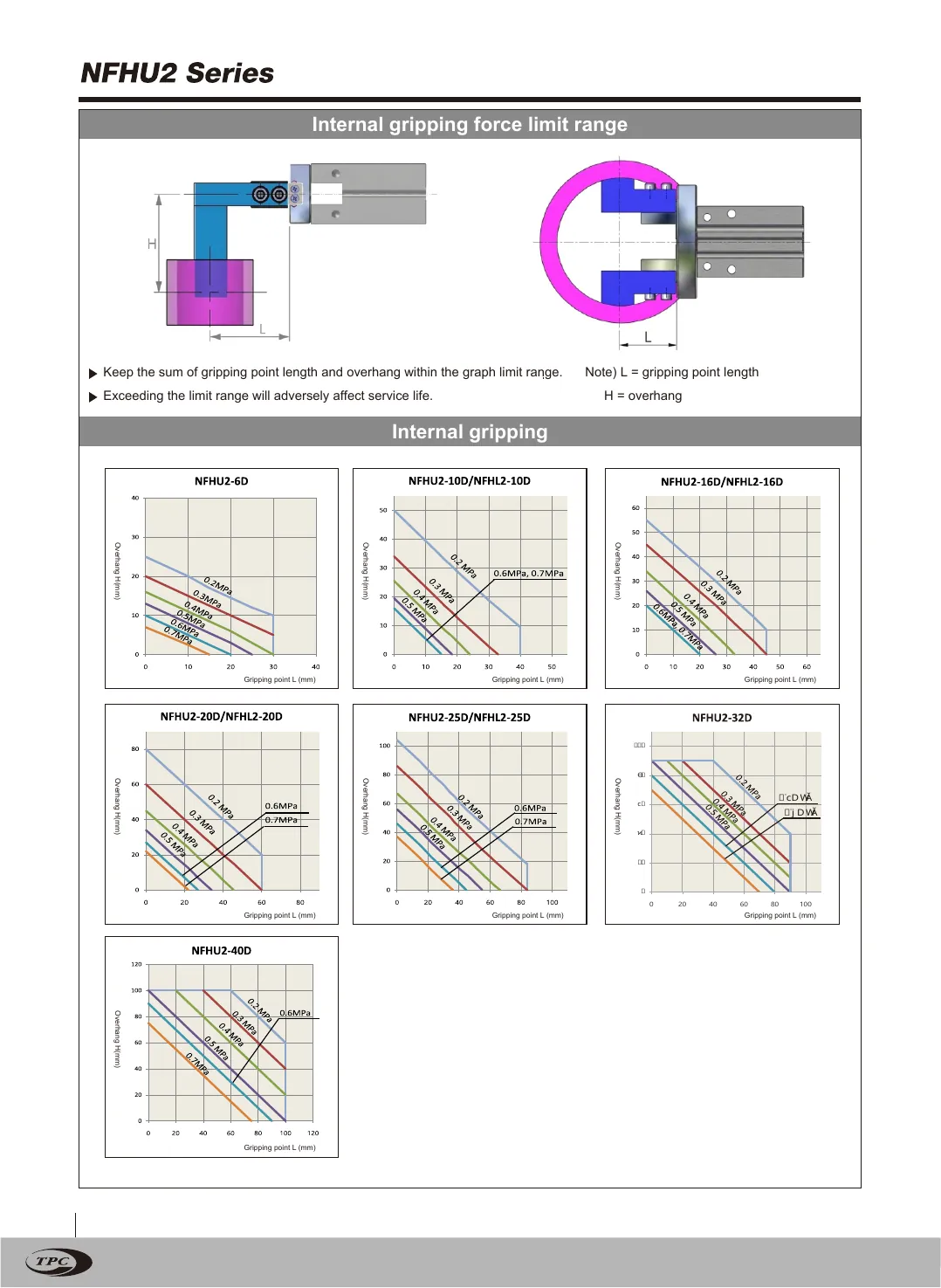
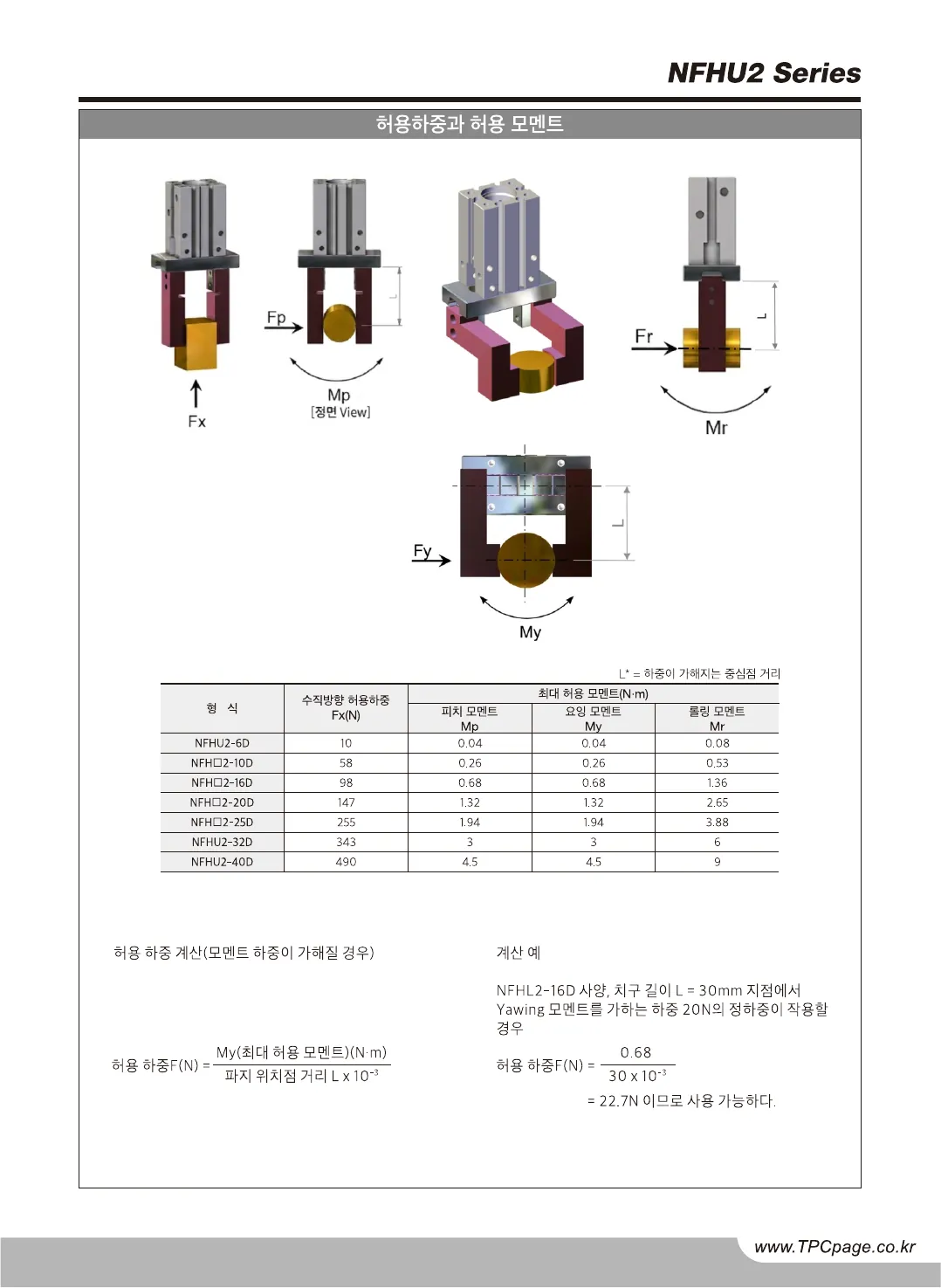
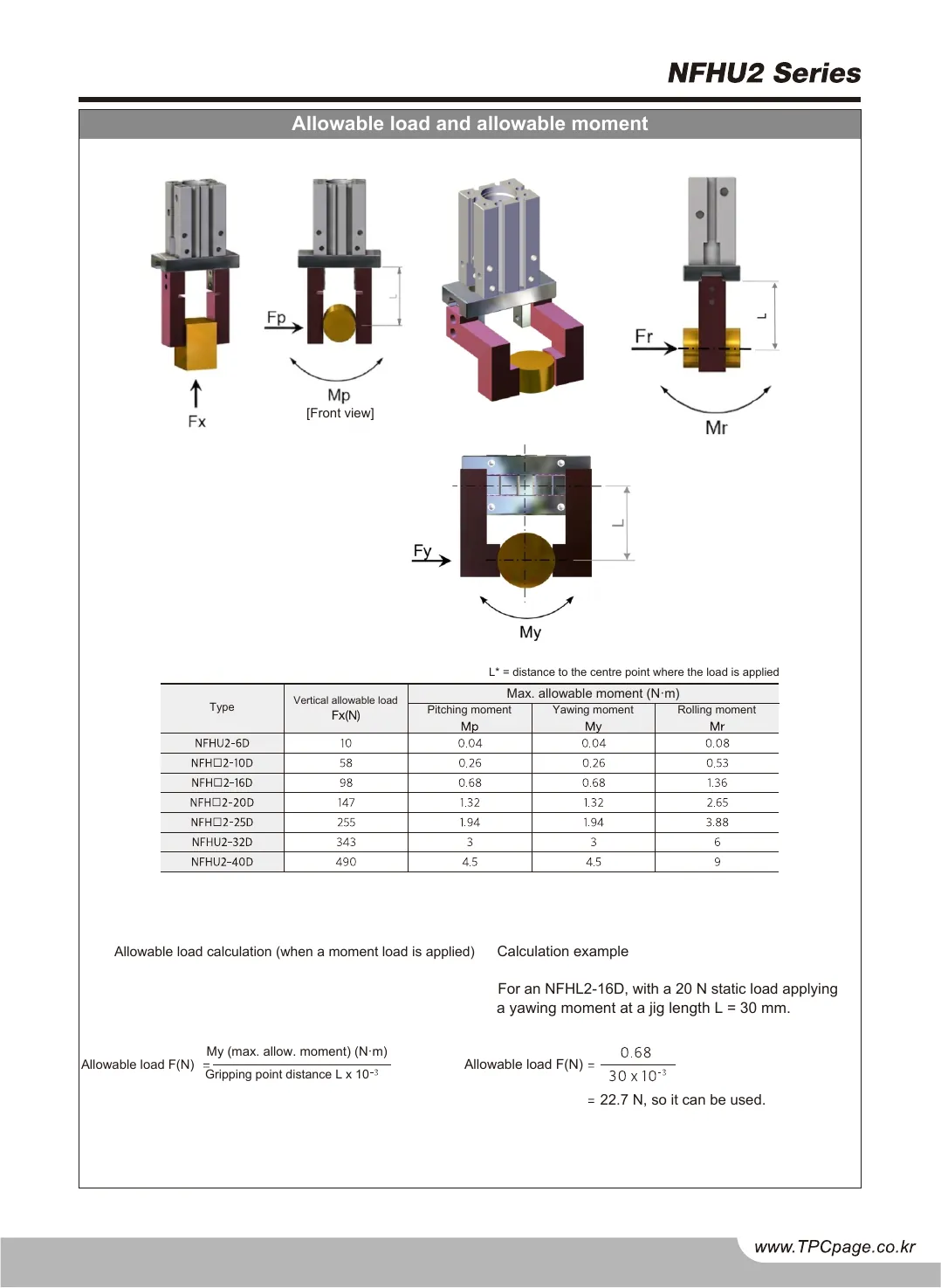
Sheet 04 · Catalog twins · per-project delivery

Your catalog, in the other language Page for page

Send the catalog PDF you already print from. What comes back is the same document in the other language, KR to EN or EN to KR: the same page count, the same page geometry, the drawings, tables and charts exactly as drawn, with the text replaced in place. Nothing is re-laid out and nothing is re-drawn, so the second language stops falling behind the first.
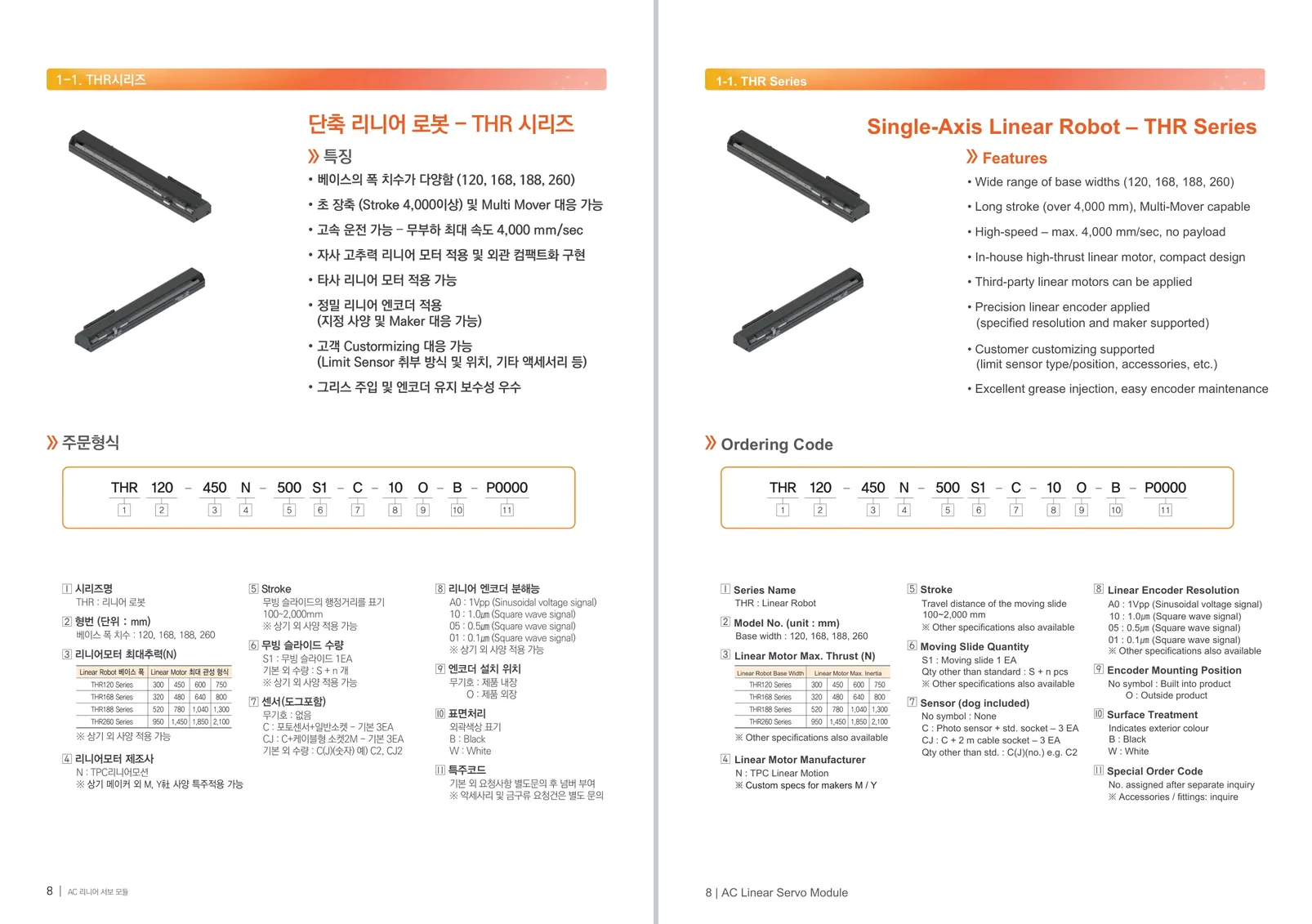

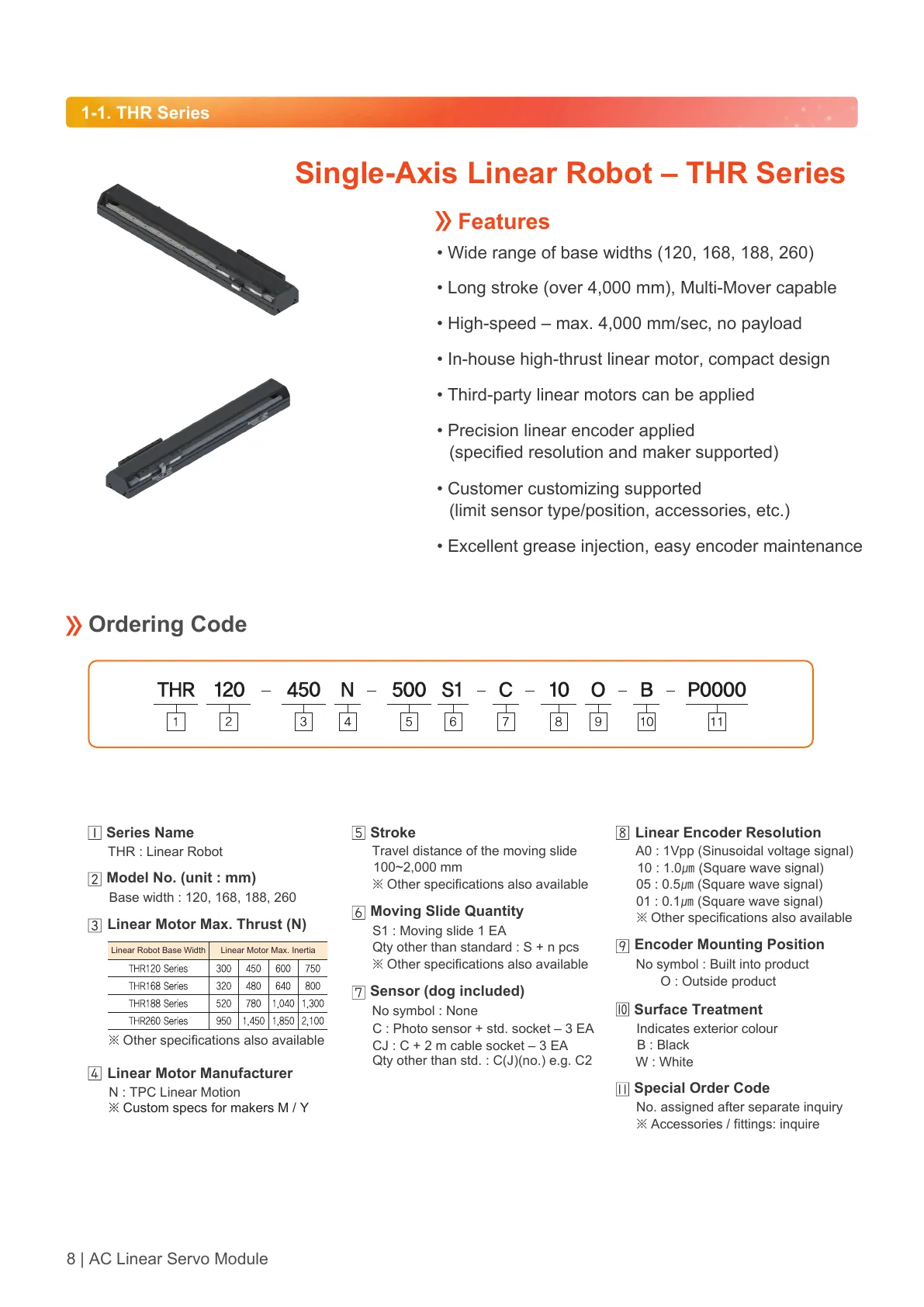
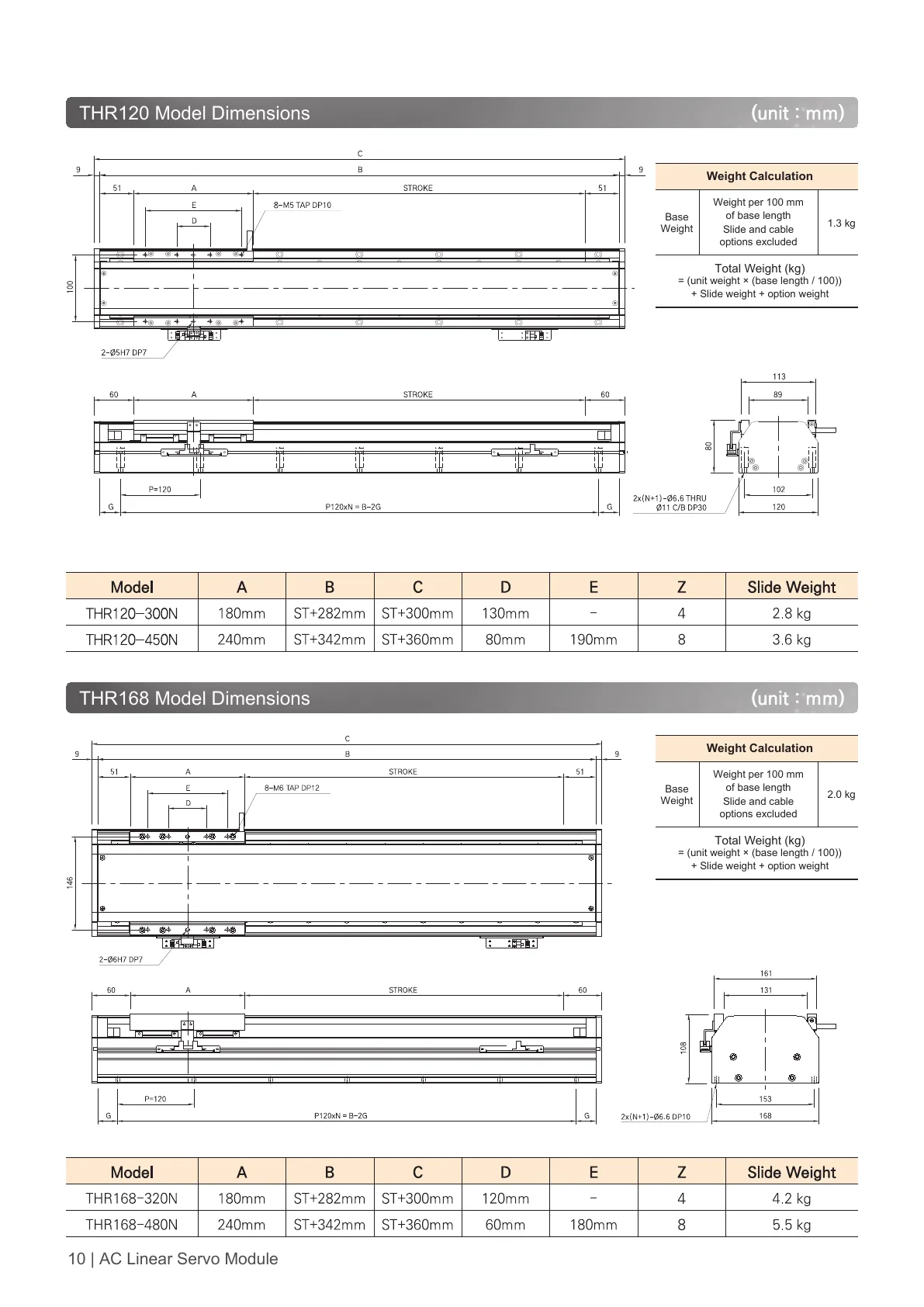
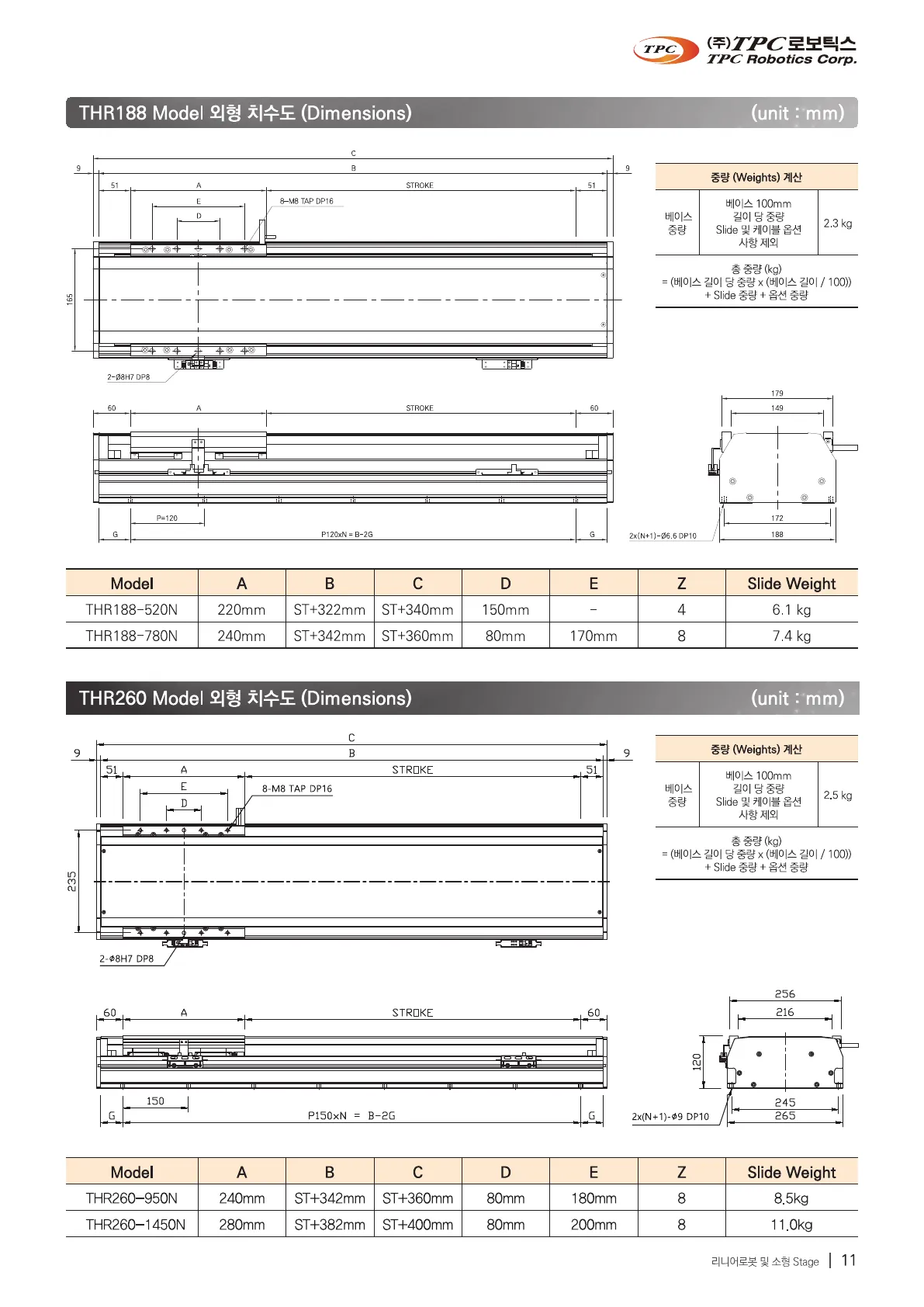
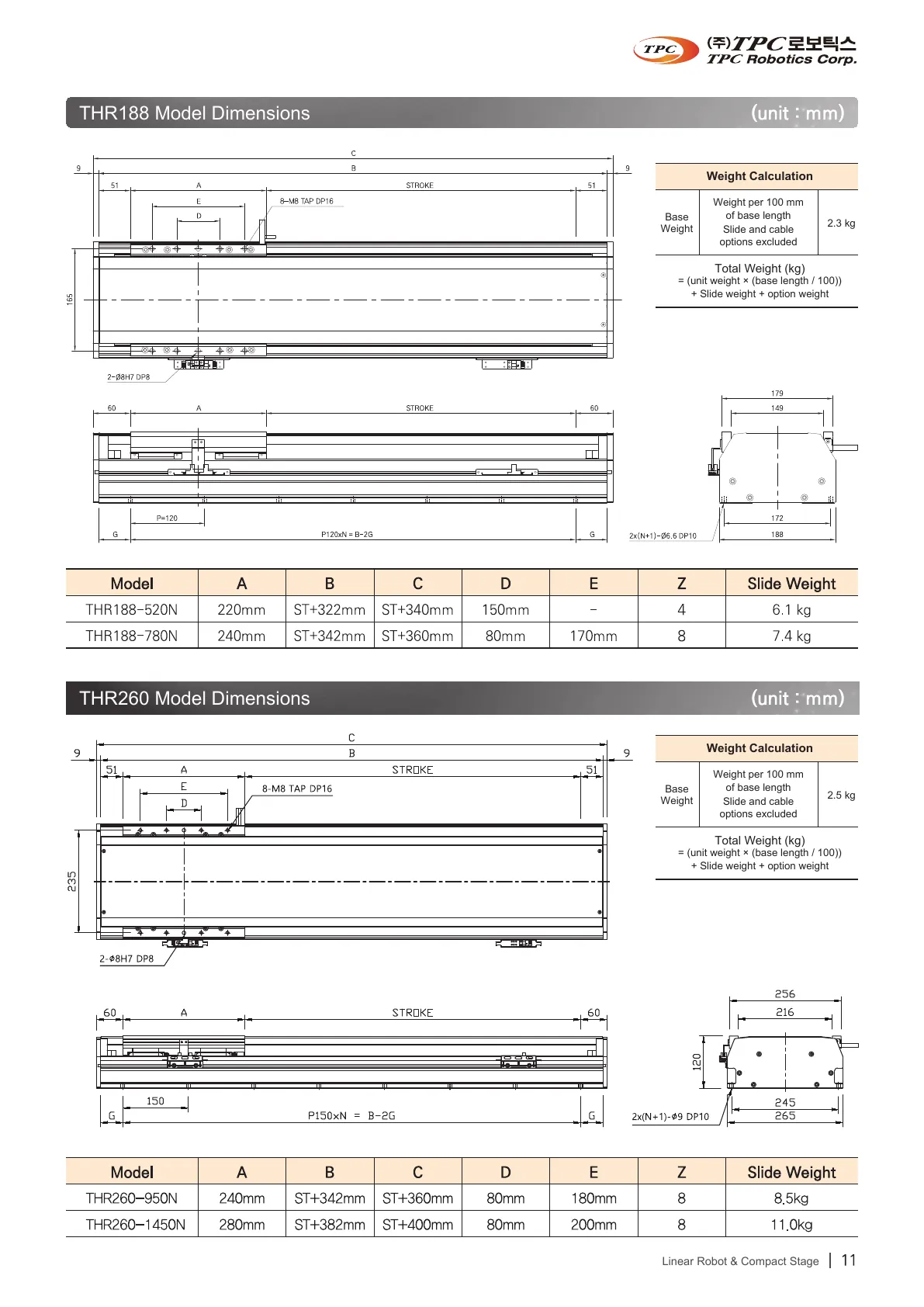
FIG · THR Page 1 · original and twin
Page 1 of the THR catalog twice: the Korean original on the left and its English twin on the right, with the same layout, drawings and tables
THR, TLR, AQ2, NGQ2 and NFHU2 catalogs, 56 pages Twins of five TPC catalogs Per-project delivery
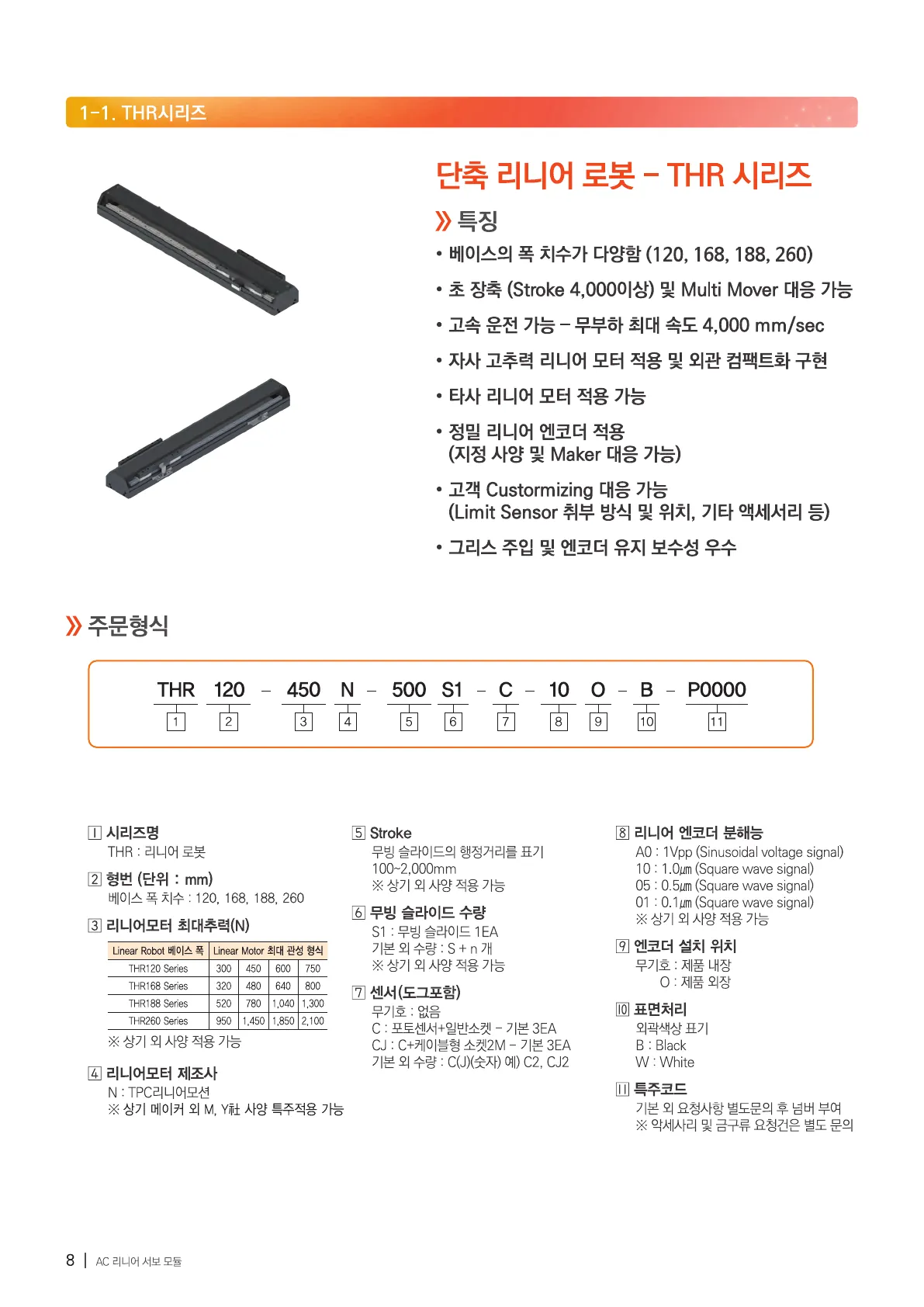
FIG · COMPARE VIEWER Original and twin, the same page side by side · pick a catalog and a page
Page
Original · KRTHR catalog, page 1, Korean original
Twin · ENTHR catalog, page 1, English twin
THR catalog, page 1, Korean original
THR catalog, page 1, English twin
OriginalTwin
Drag the divider or use the arrow keys50 %
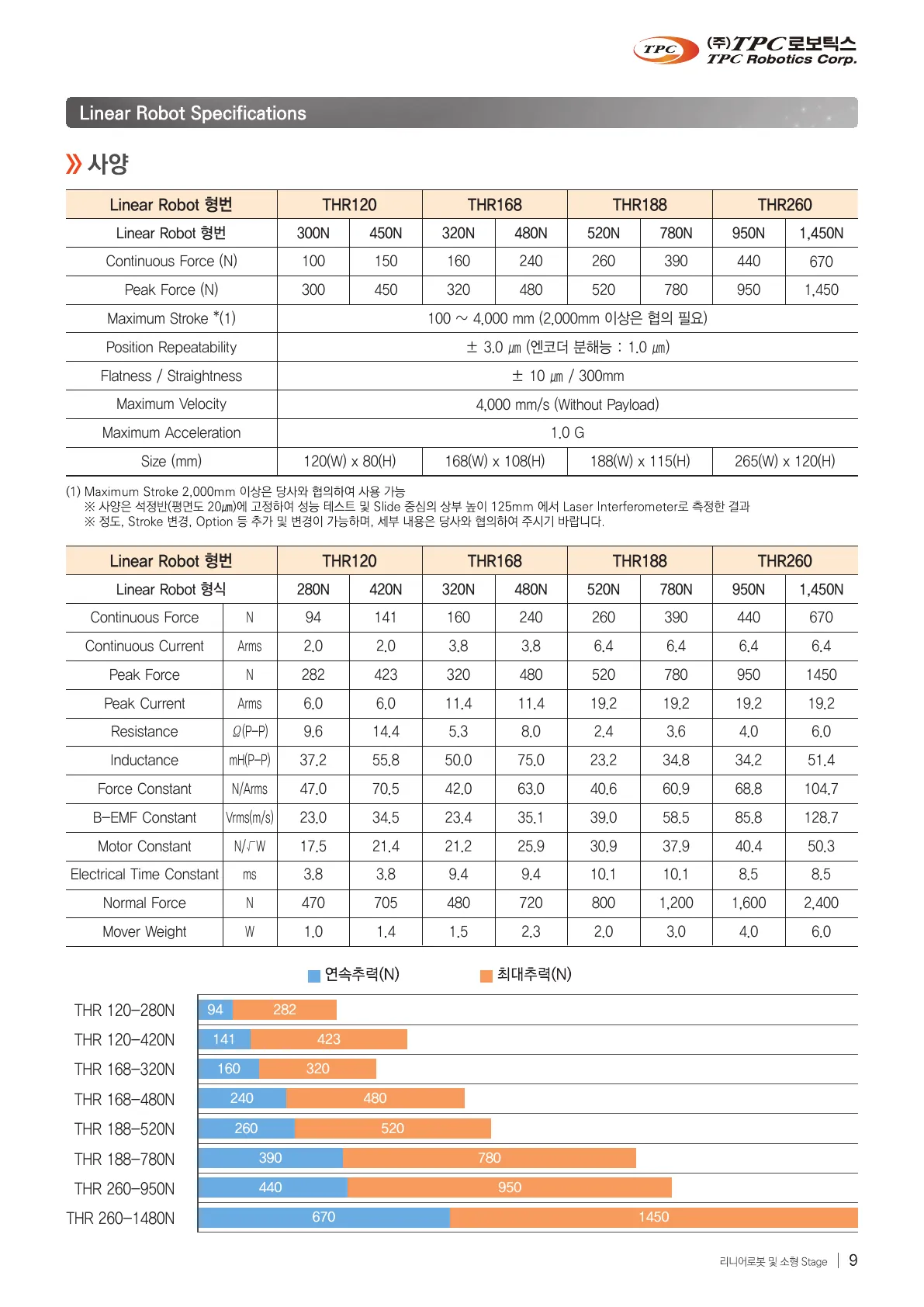
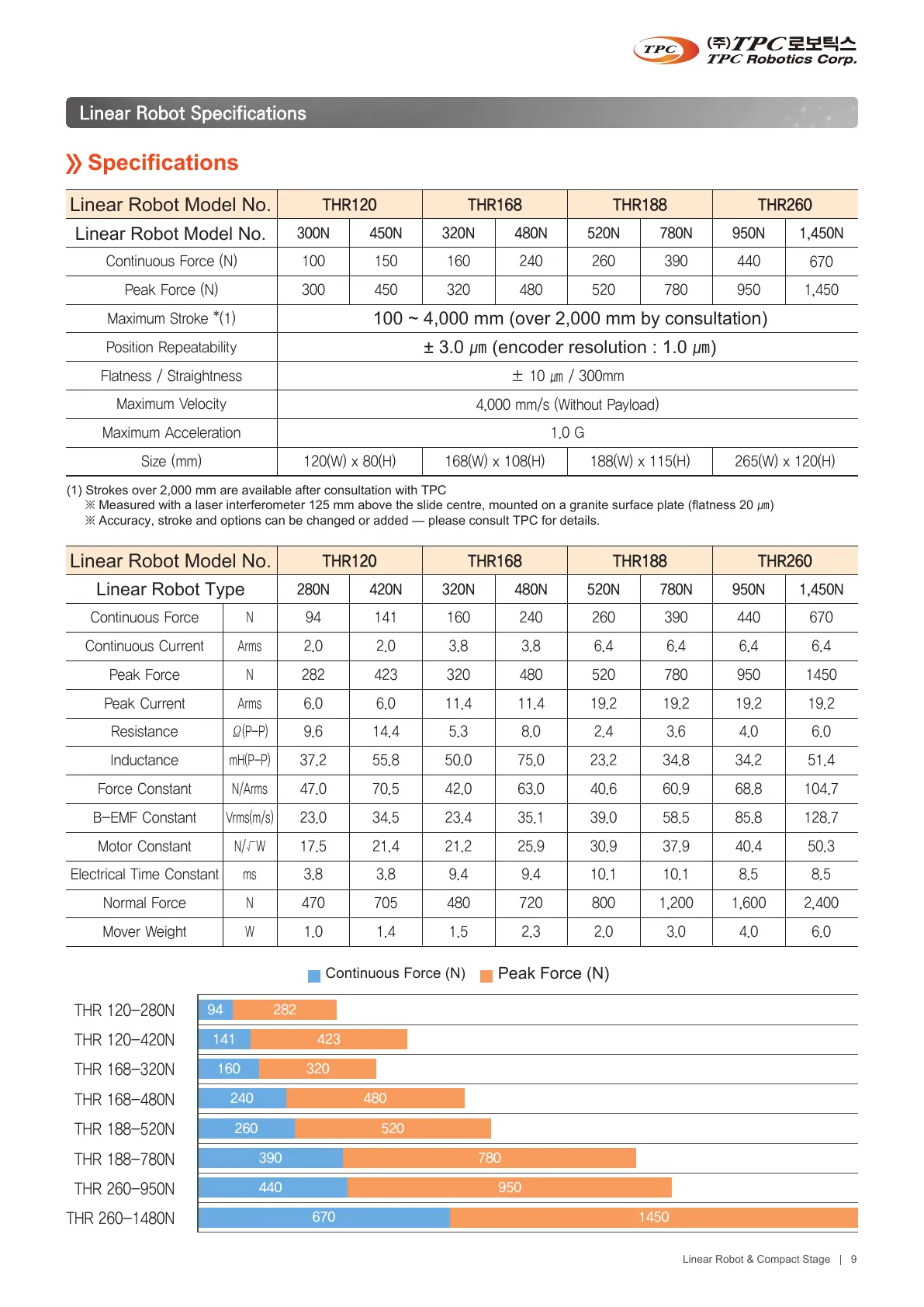
Original · KRTHR catalog, page 2, Korean original
Twin · ENTHR catalog, page 2, English twin
THR catalog, page 2, Korean original
THR catalog, page 2, English twin
OriginalTwin
Drag the divider or use the arrow keys50 %
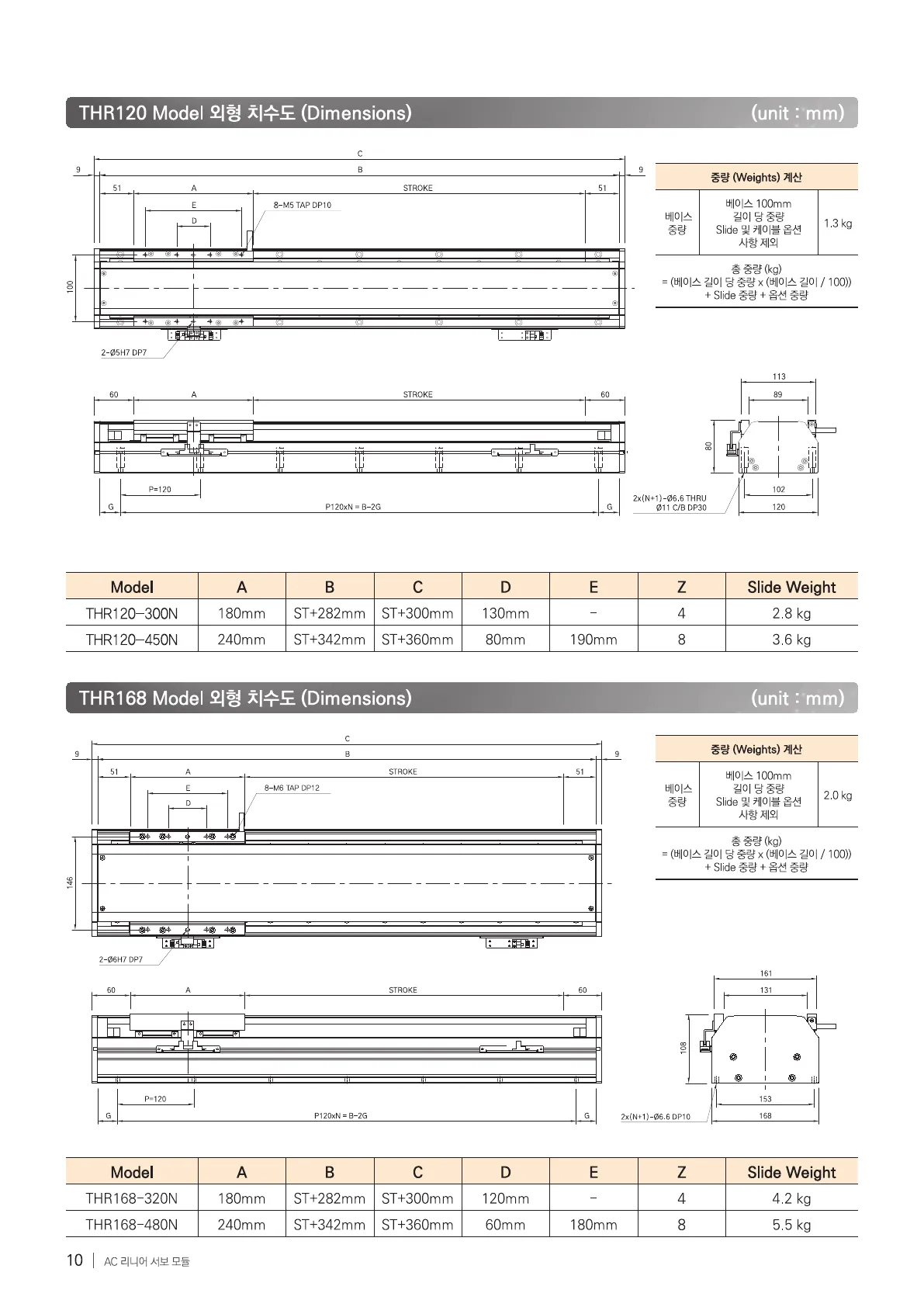
Original · KRTHR catalog, page 3, Korean original
Twin · ENTHR catalog, page 3, English twin
THR catalog, page 3, Korean original
THR catalog, page 3, English twin
OriginalTwin
Drag the divider or use the arrow keys50 %
Original · KRTHR catalog, page 4, Korean original
Twin · ENTHR catalog, page 4, English twin
THR catalog, page 4, Korean original
THR catalog, page 4, English twin
OriginalTwin
Drag the divider or use the arrow keys50 %
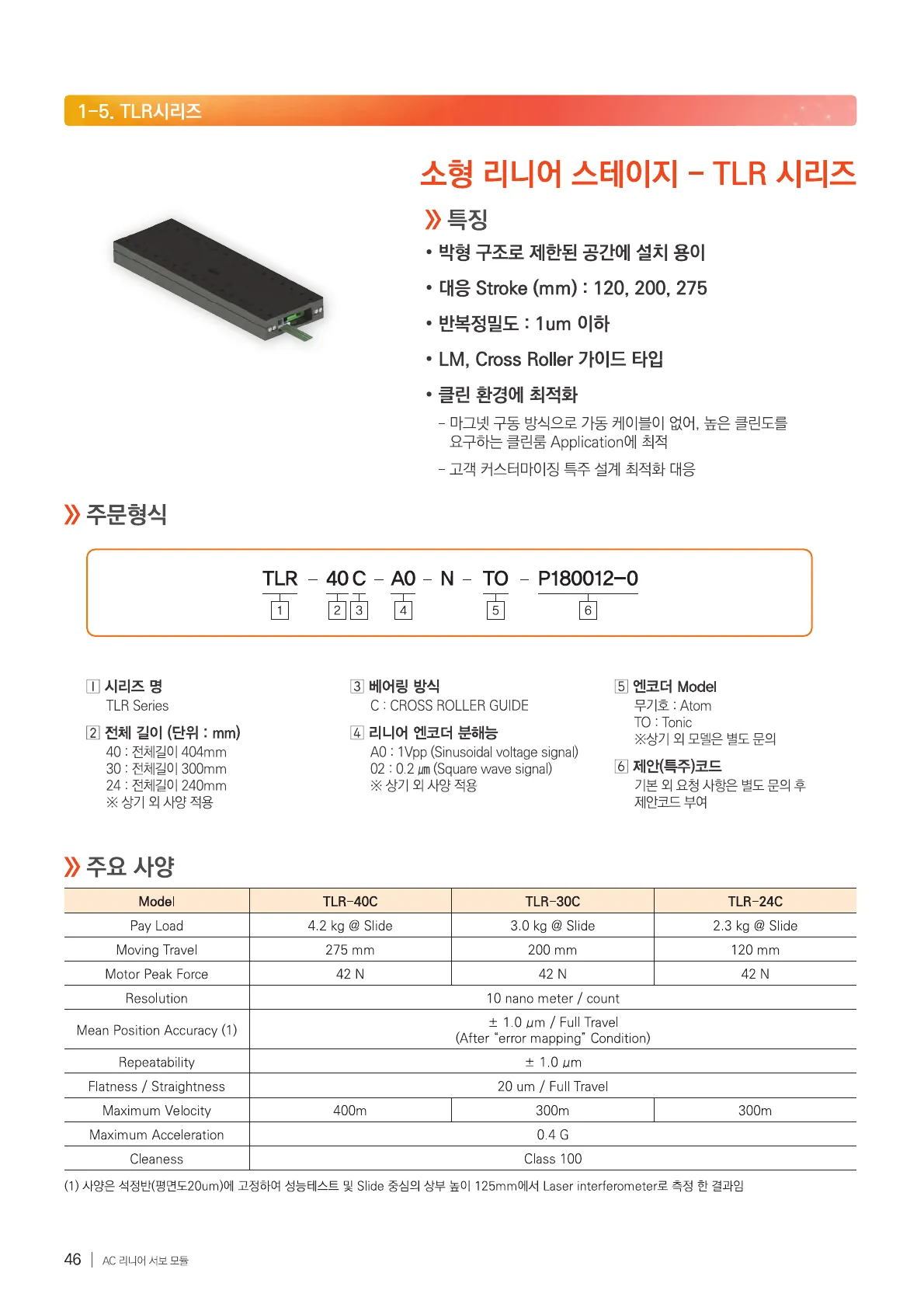
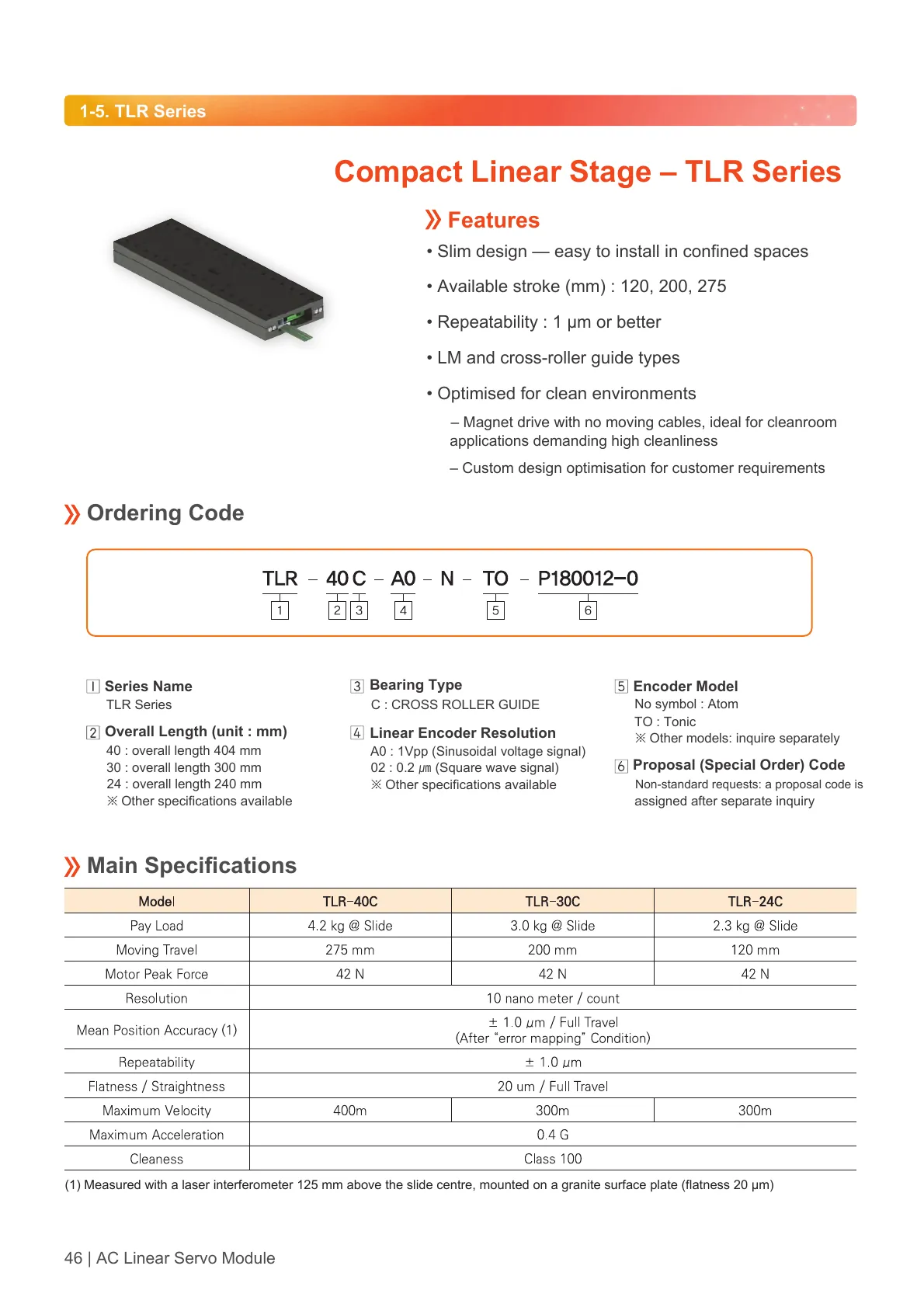
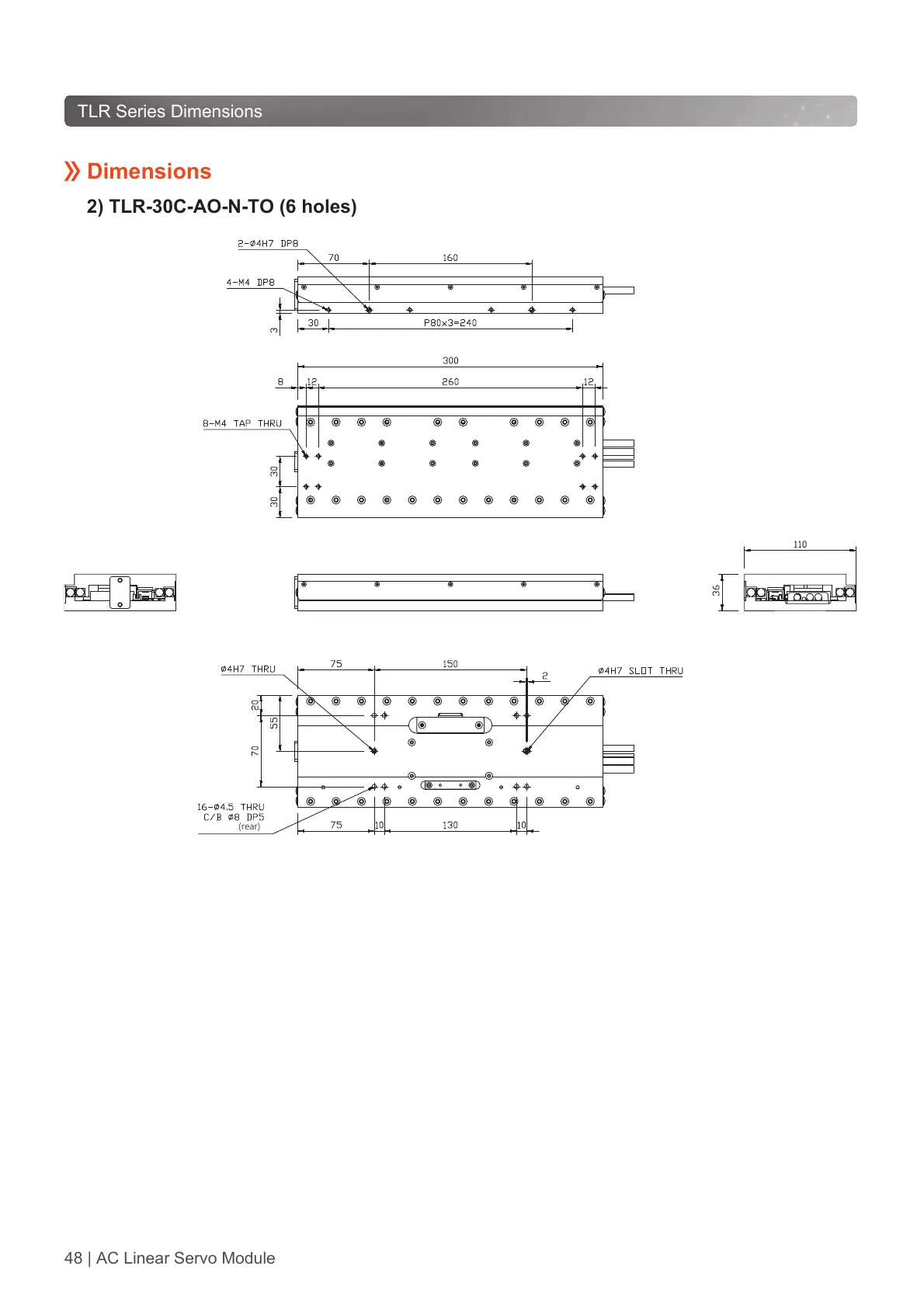
Original · KRTLR catalog, page 1, Korean original
Twin · ENTLR catalog, page 1, English twin
TLR catalog, page 1, Korean original
TLR catalog, page 1, English twin
OriginalTwin
Drag the divider or use the arrow keys50 %
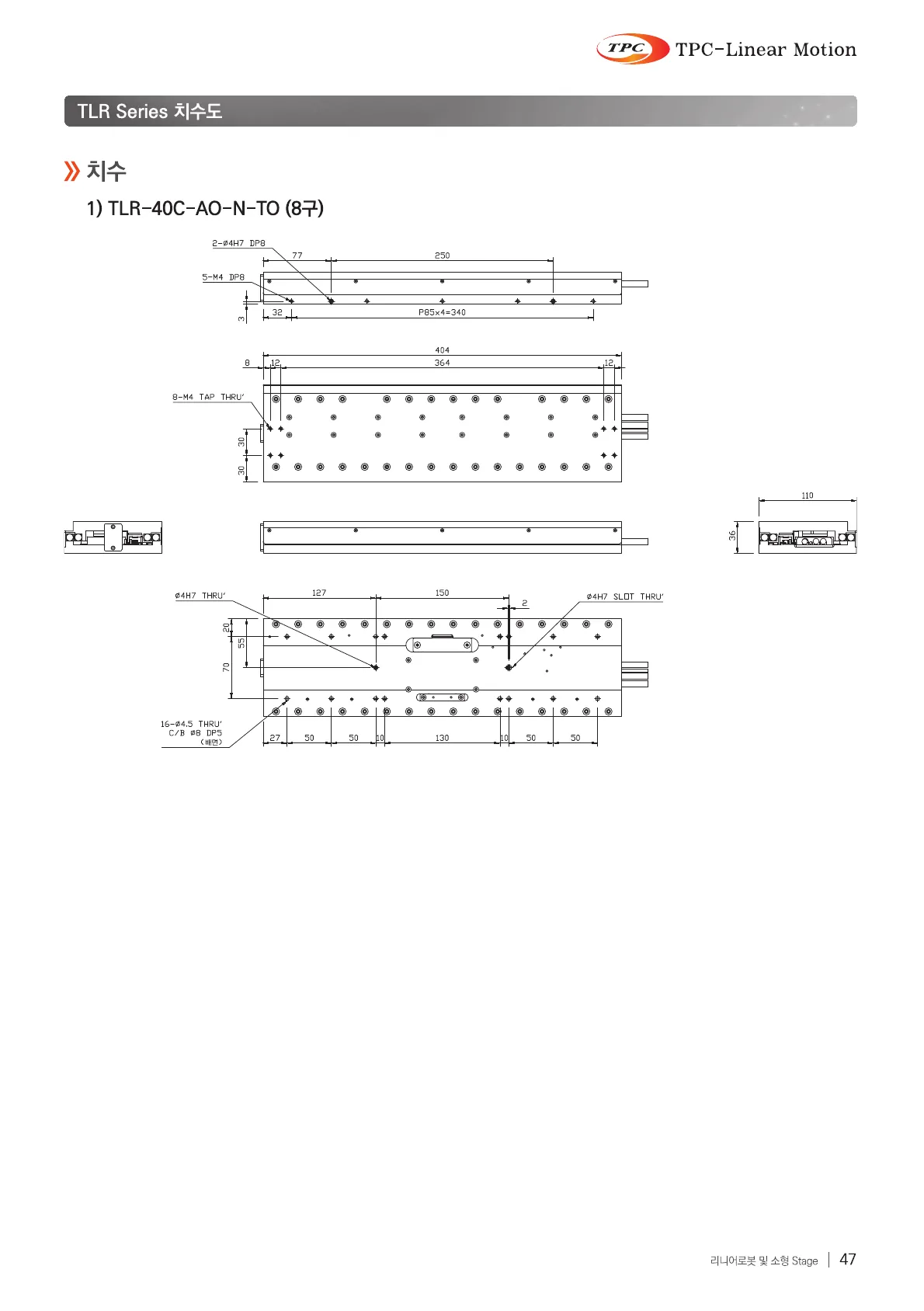
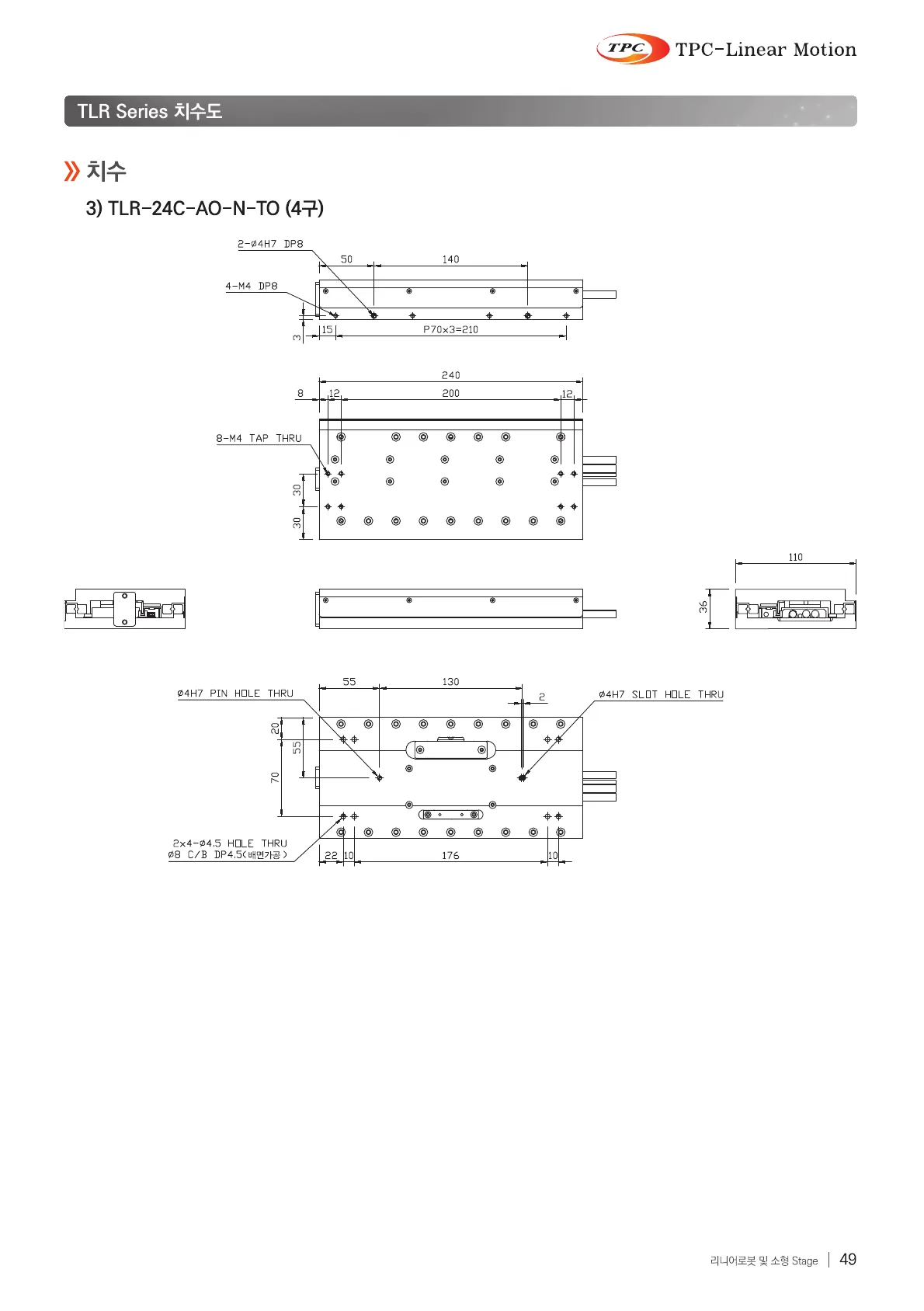
Original · KRTLR catalog, page 2, Korean original
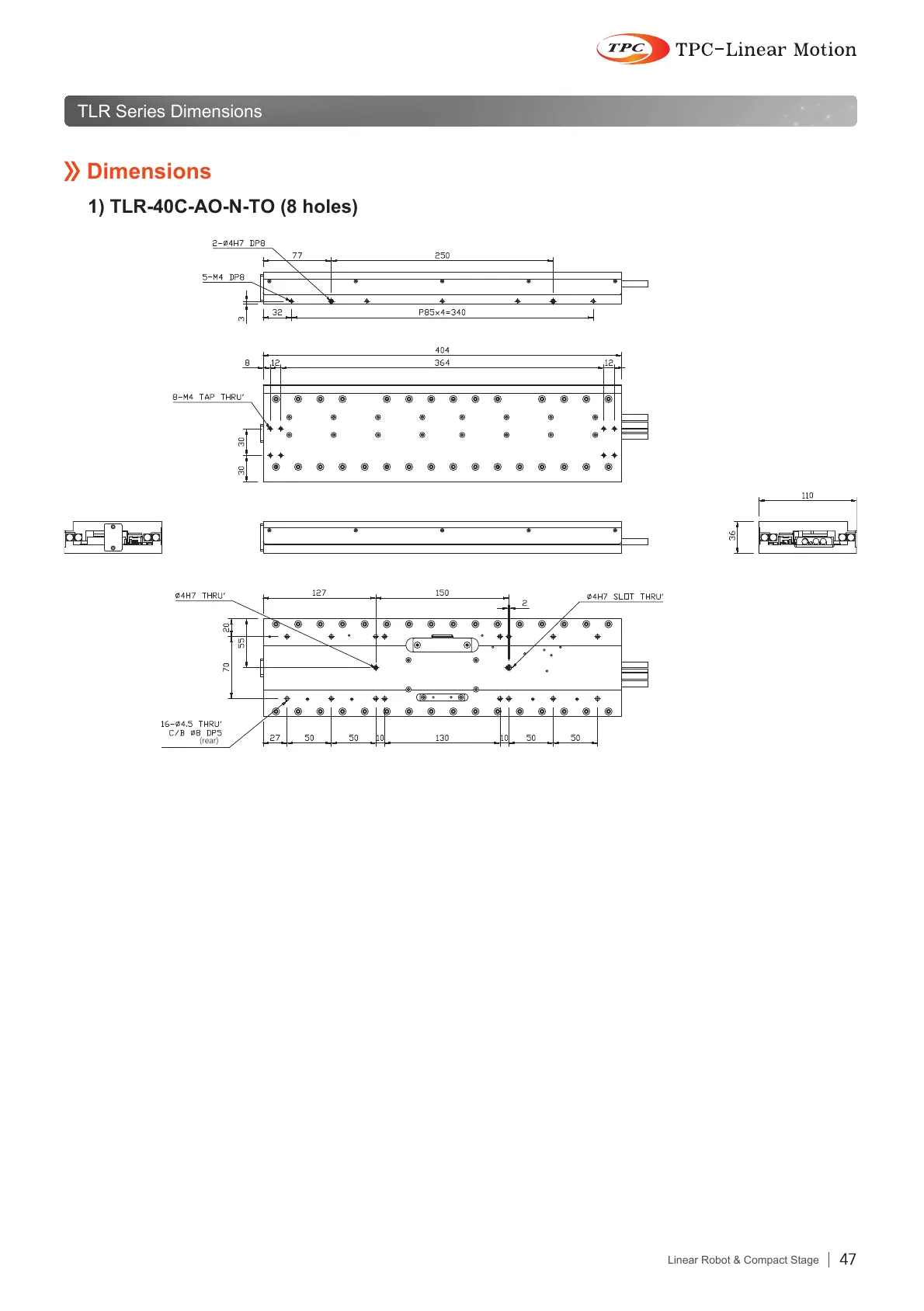
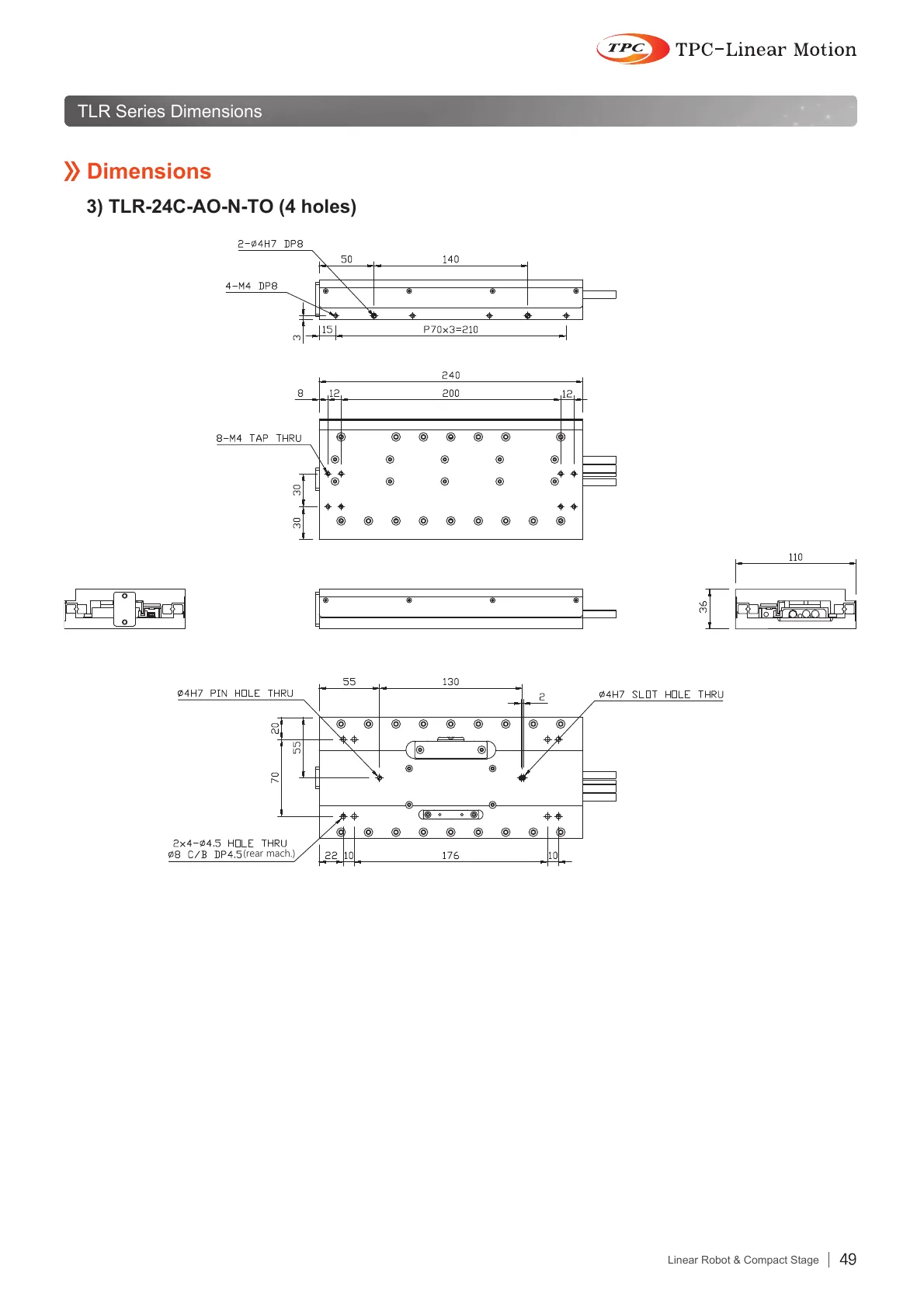
Twin · ENTLR catalog, page 2, English twin
TLR catalog, page 2, Korean original
TLR catalog, page 2, English twin
OriginalTwin
Drag the divider or use the arrow keys50 %
Original · KRTLR catalog, page 3, Korean original
Twin · ENTLR catalog, page 3, English twin
TLR catalog, page 3, Korean original
TLR catalog, page 3, English twin
OriginalTwin
Drag the divider or use the arrow keys50 %
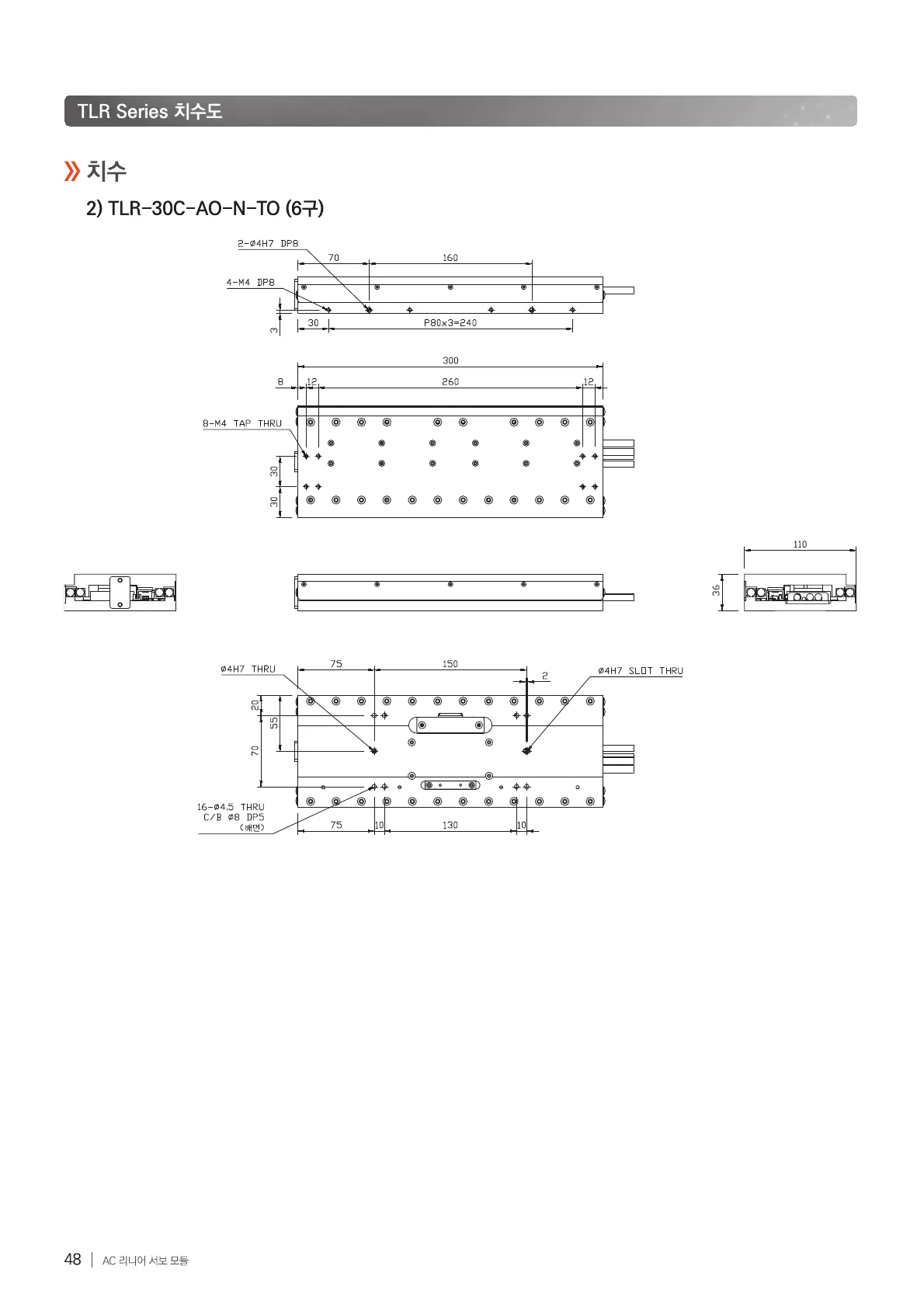
Original · KRTLR catalog, page 4, Korean original
Twin · ENTLR catalog, page 4, English twin
TLR catalog, page 4, Korean original
TLR catalog, page 4, English twin
OriginalTwin
Drag the divider or use the arrow keys50 %
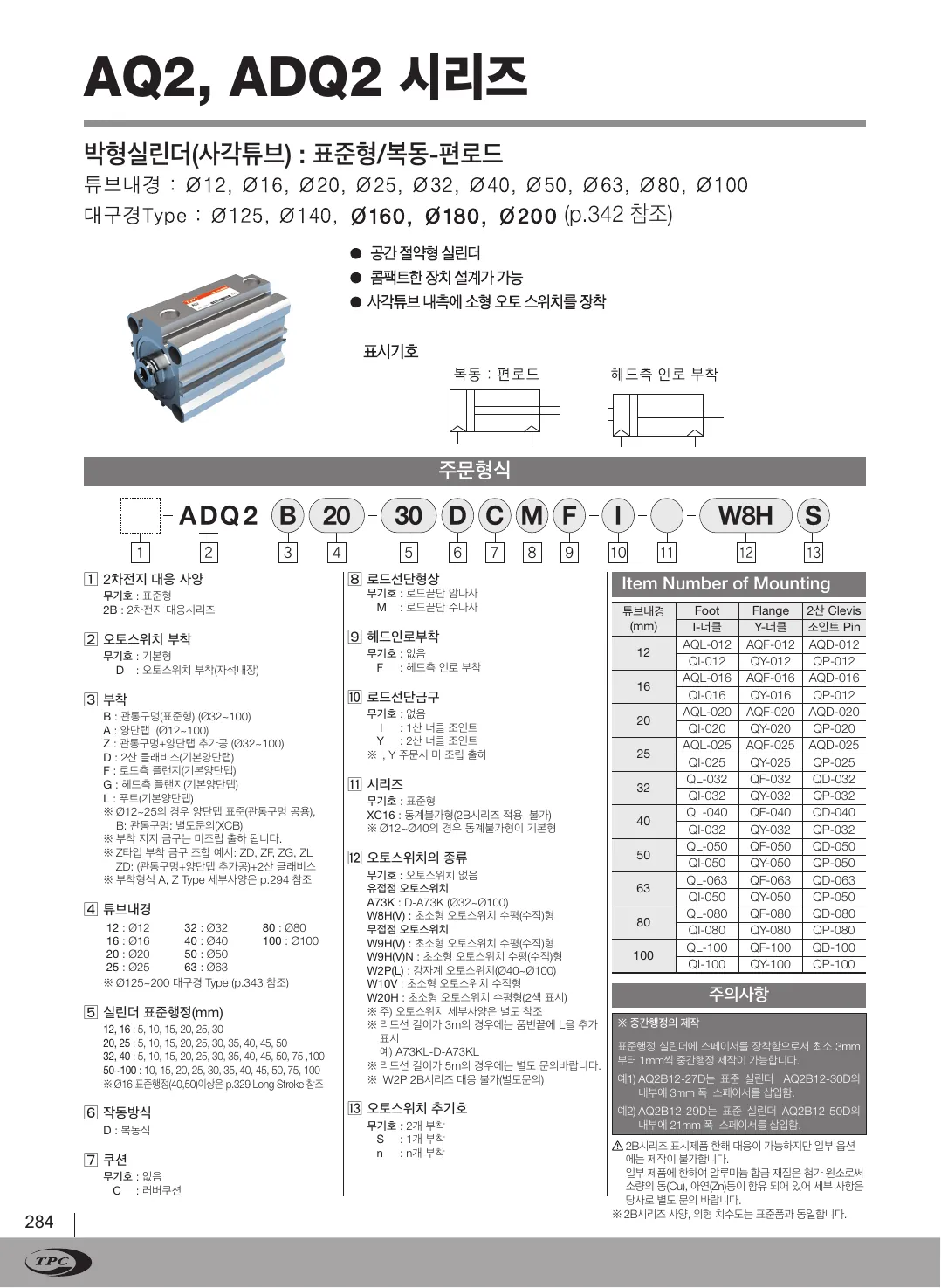
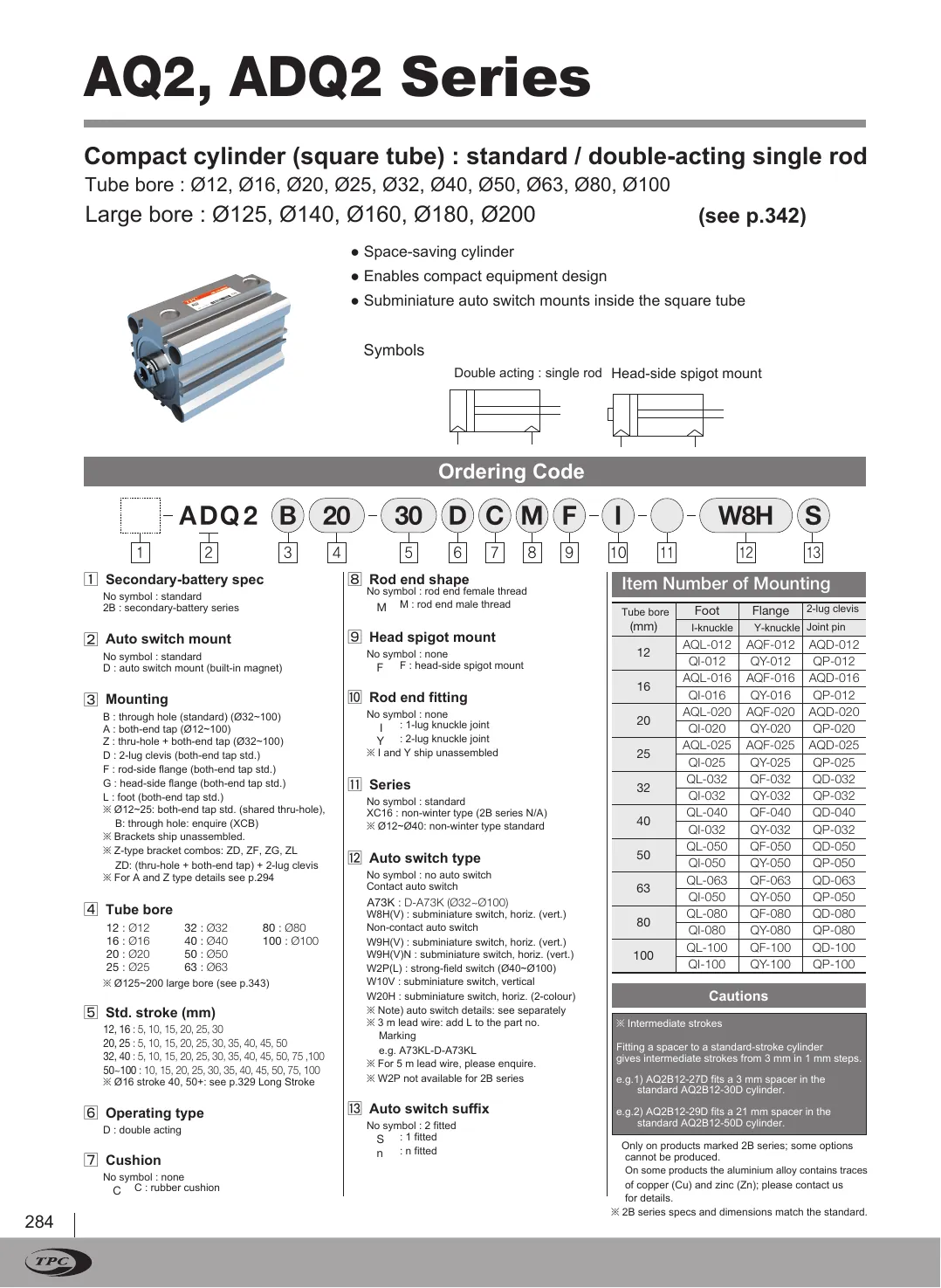
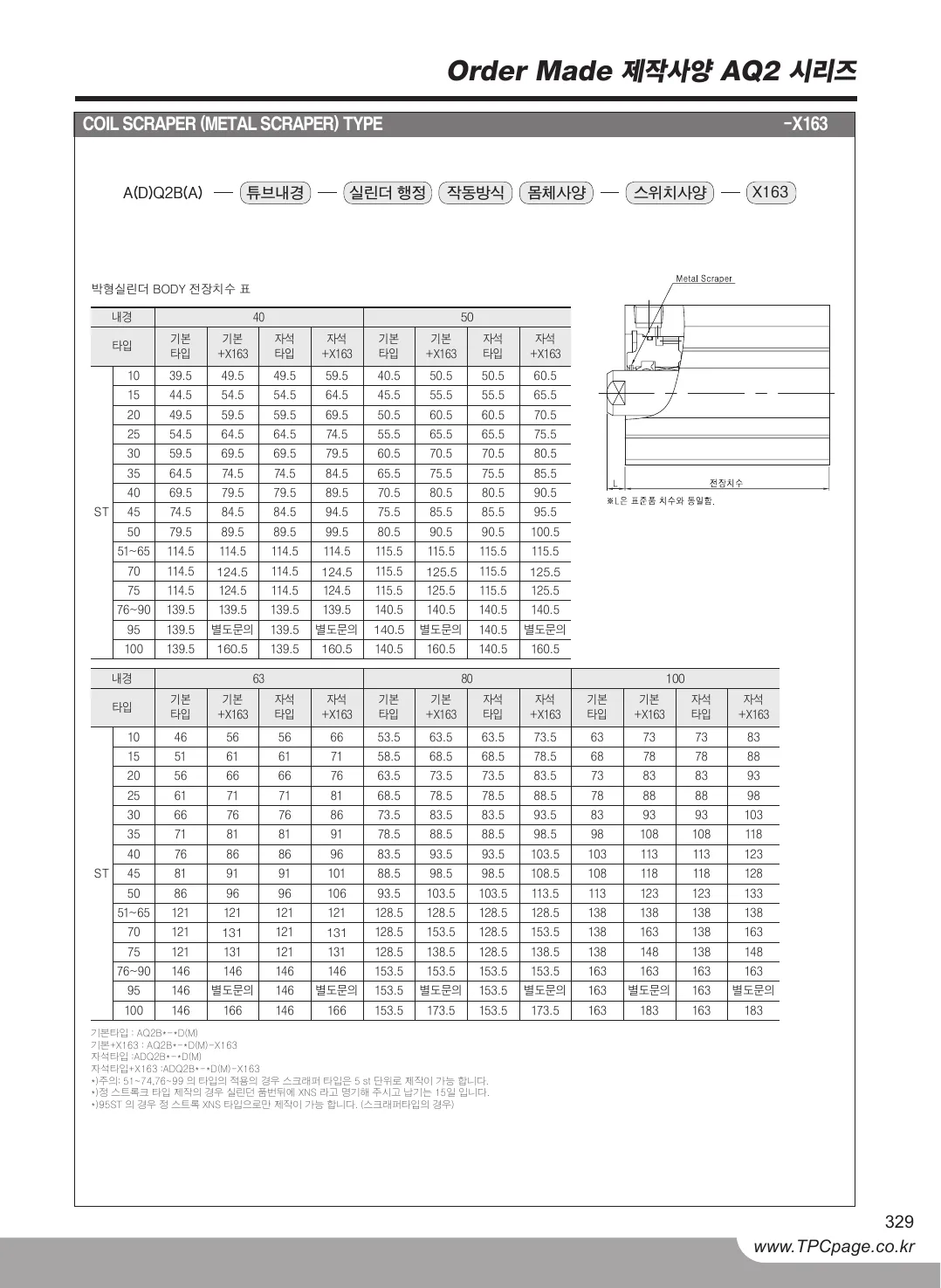
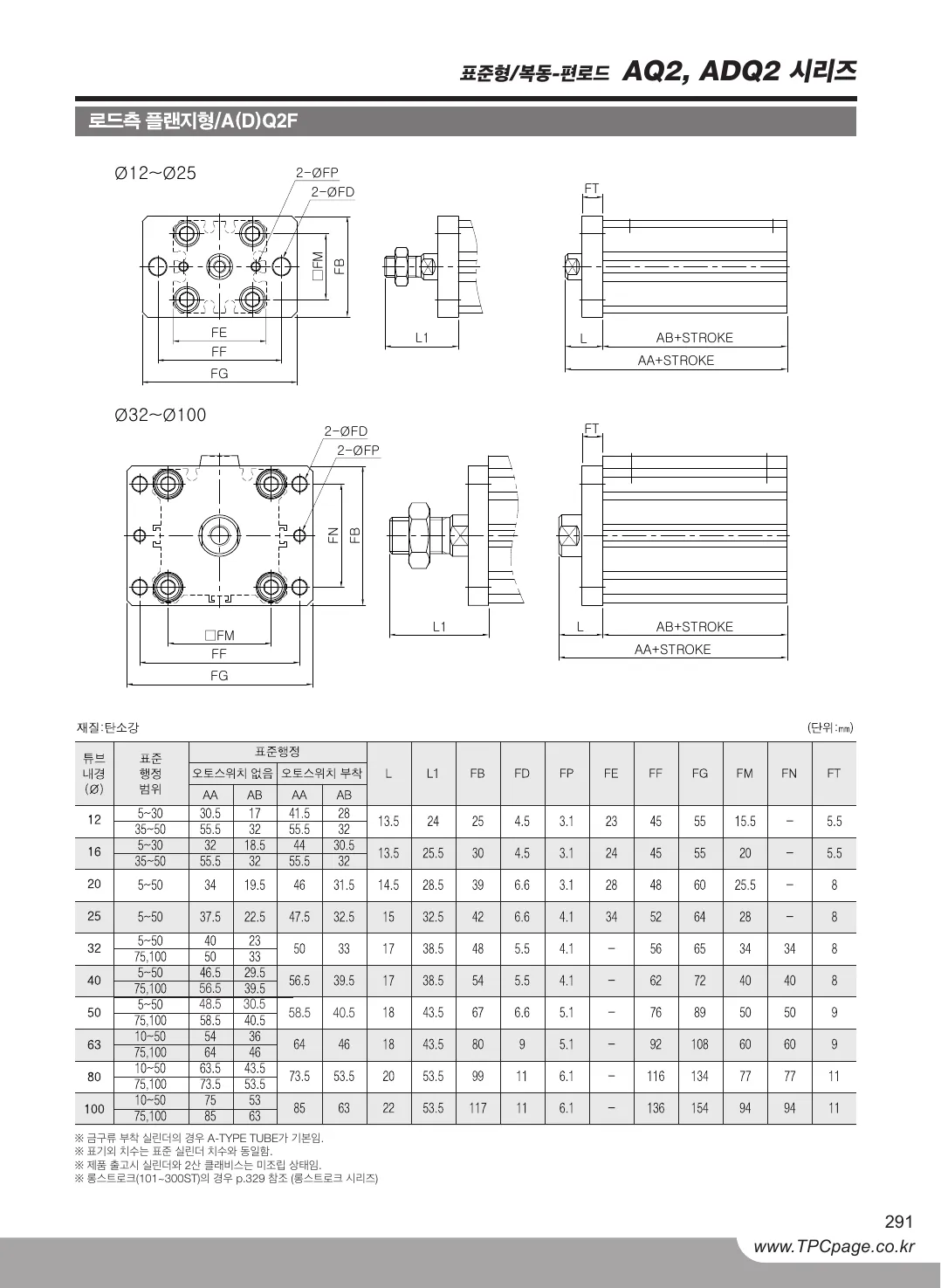
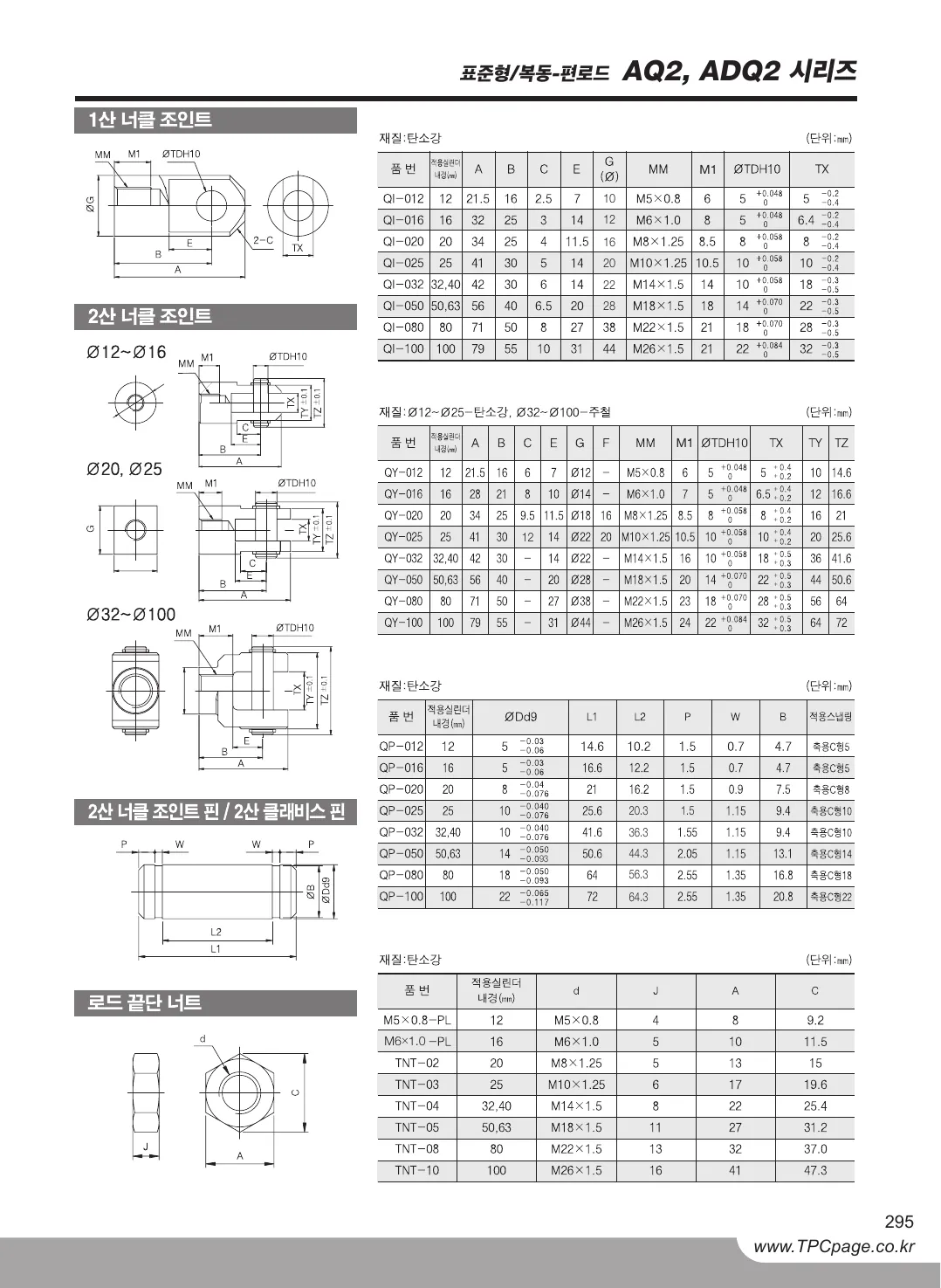
Original · KRAQ2 catalog, page 1, Korean original
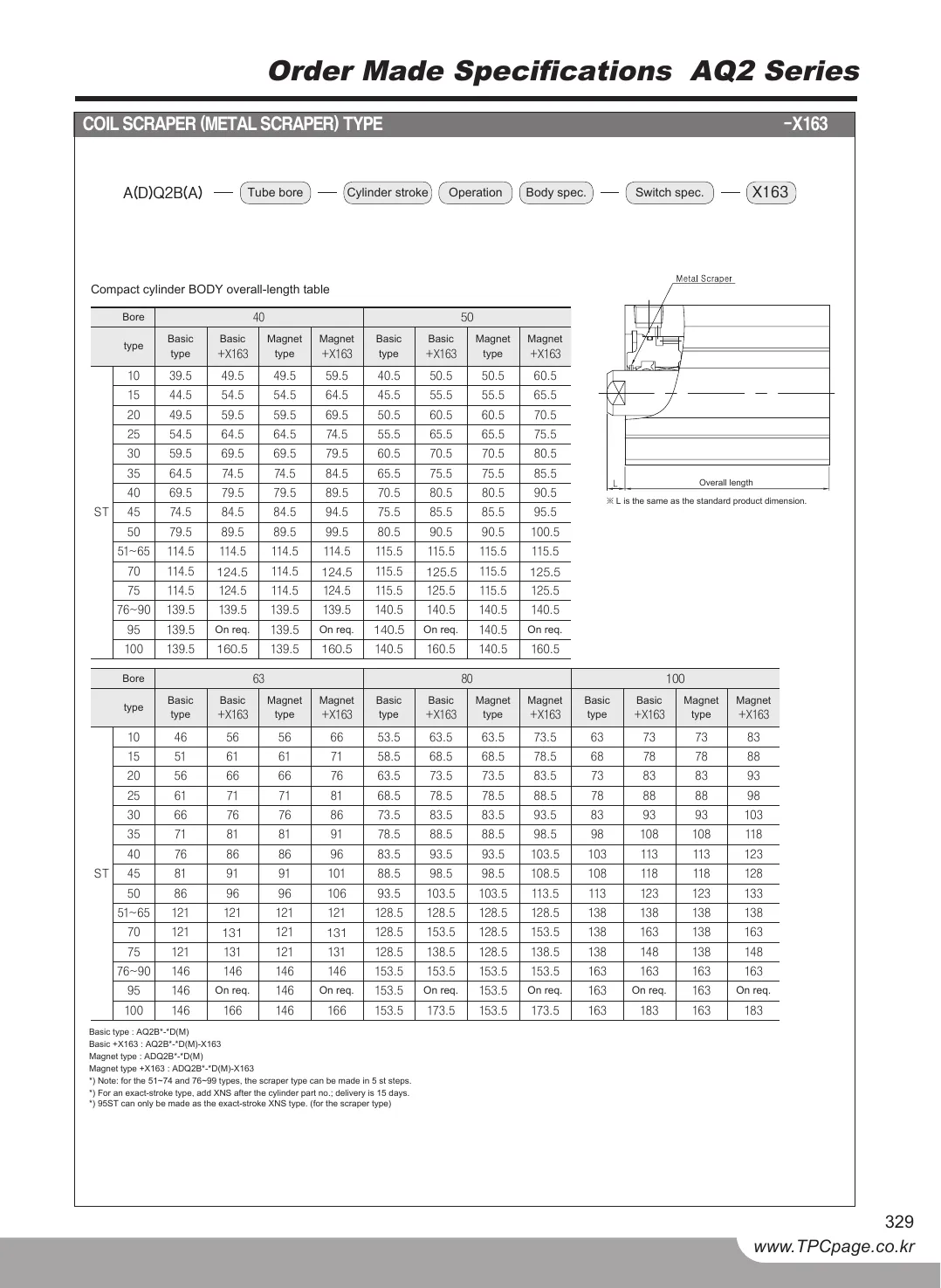
Twin · ENAQ2 catalog, page 1, English twin
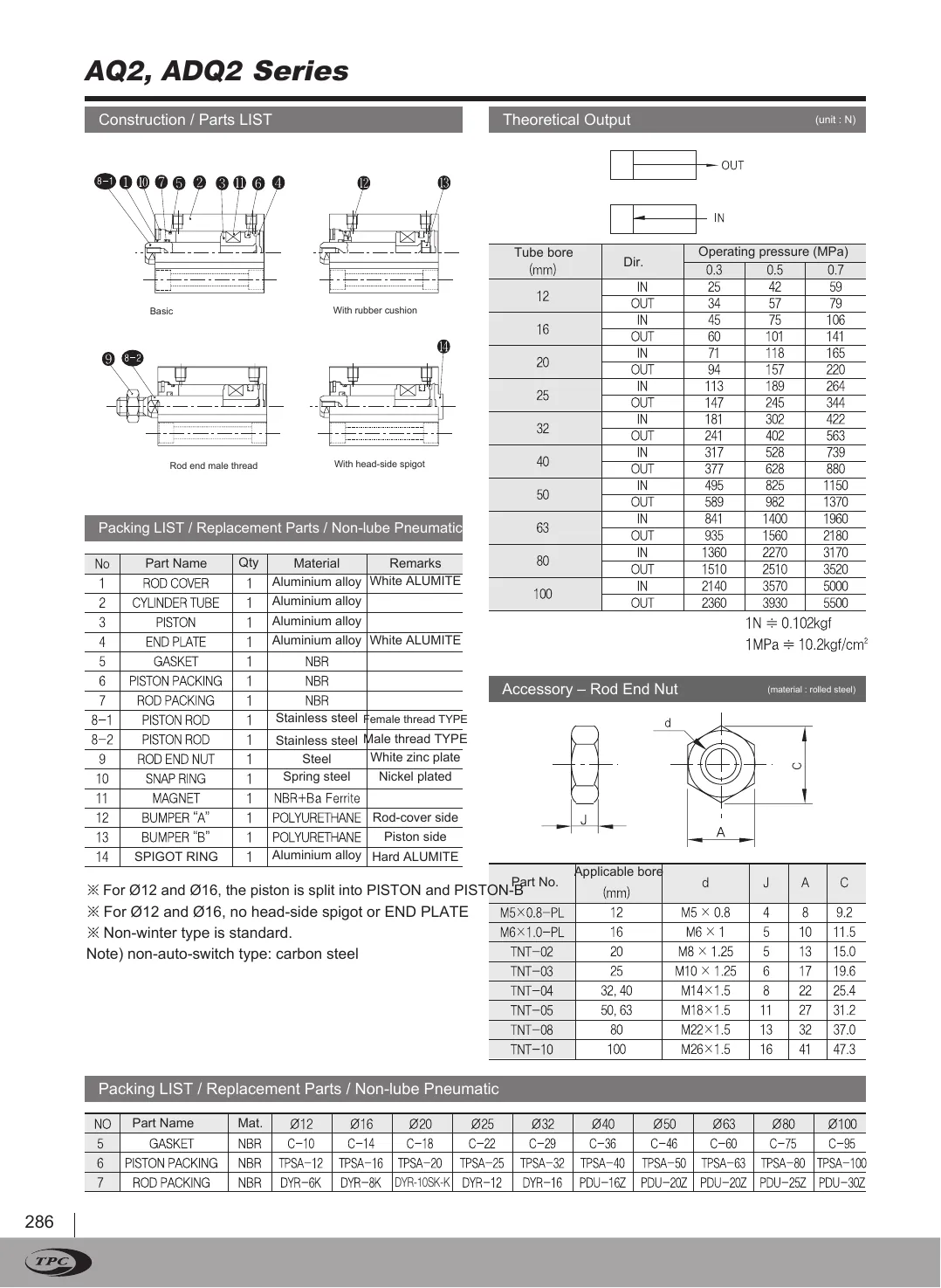
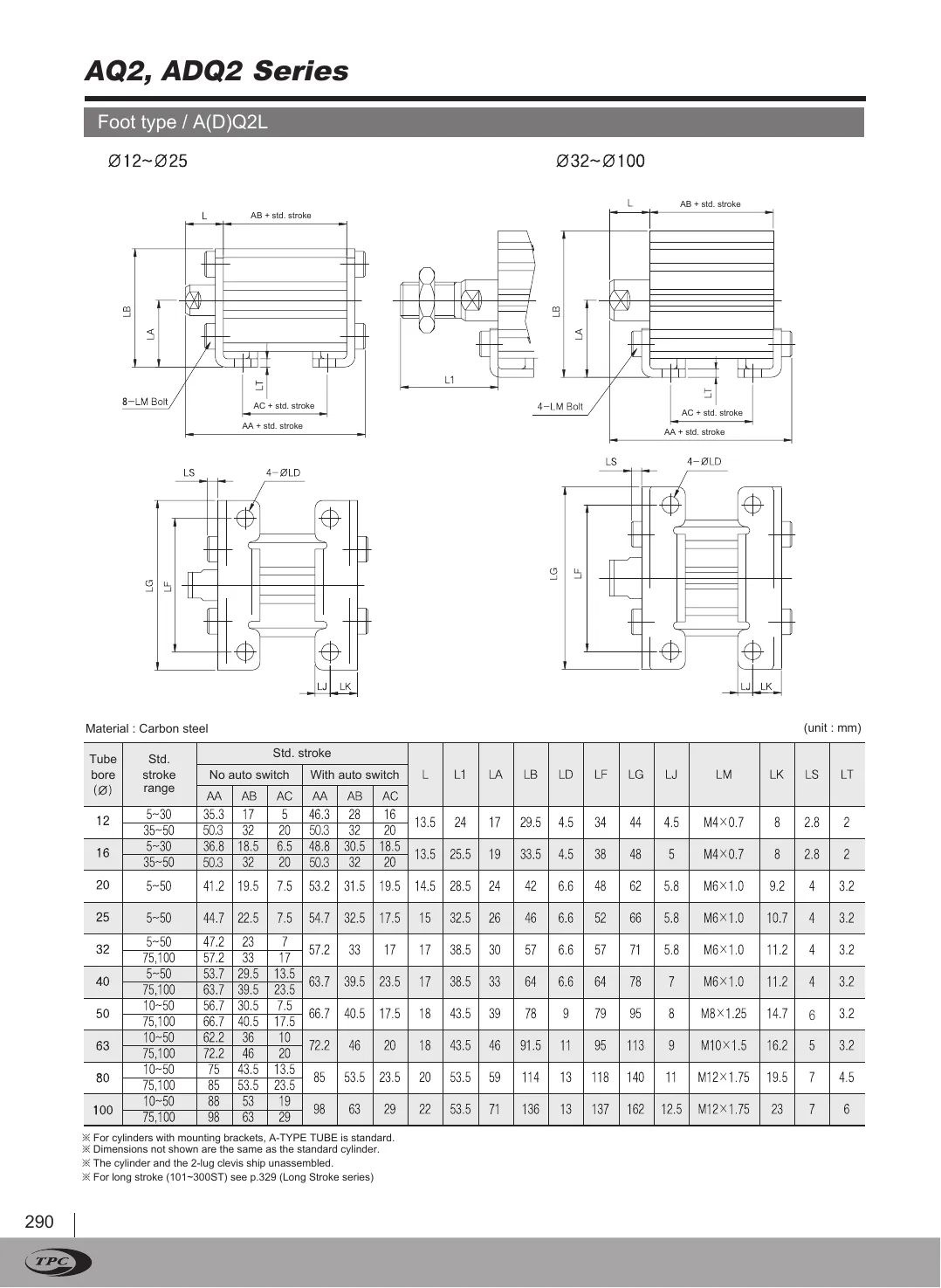
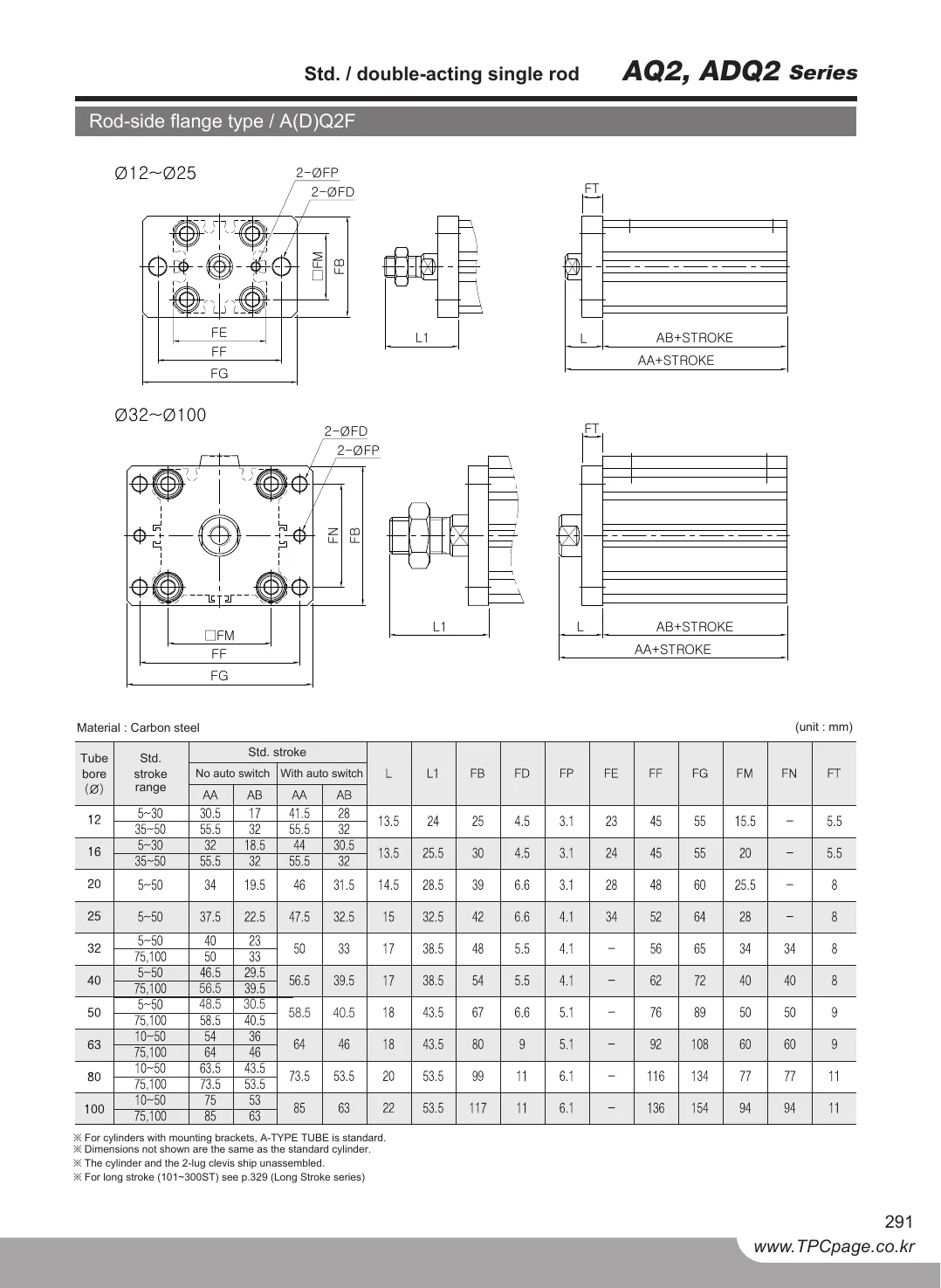
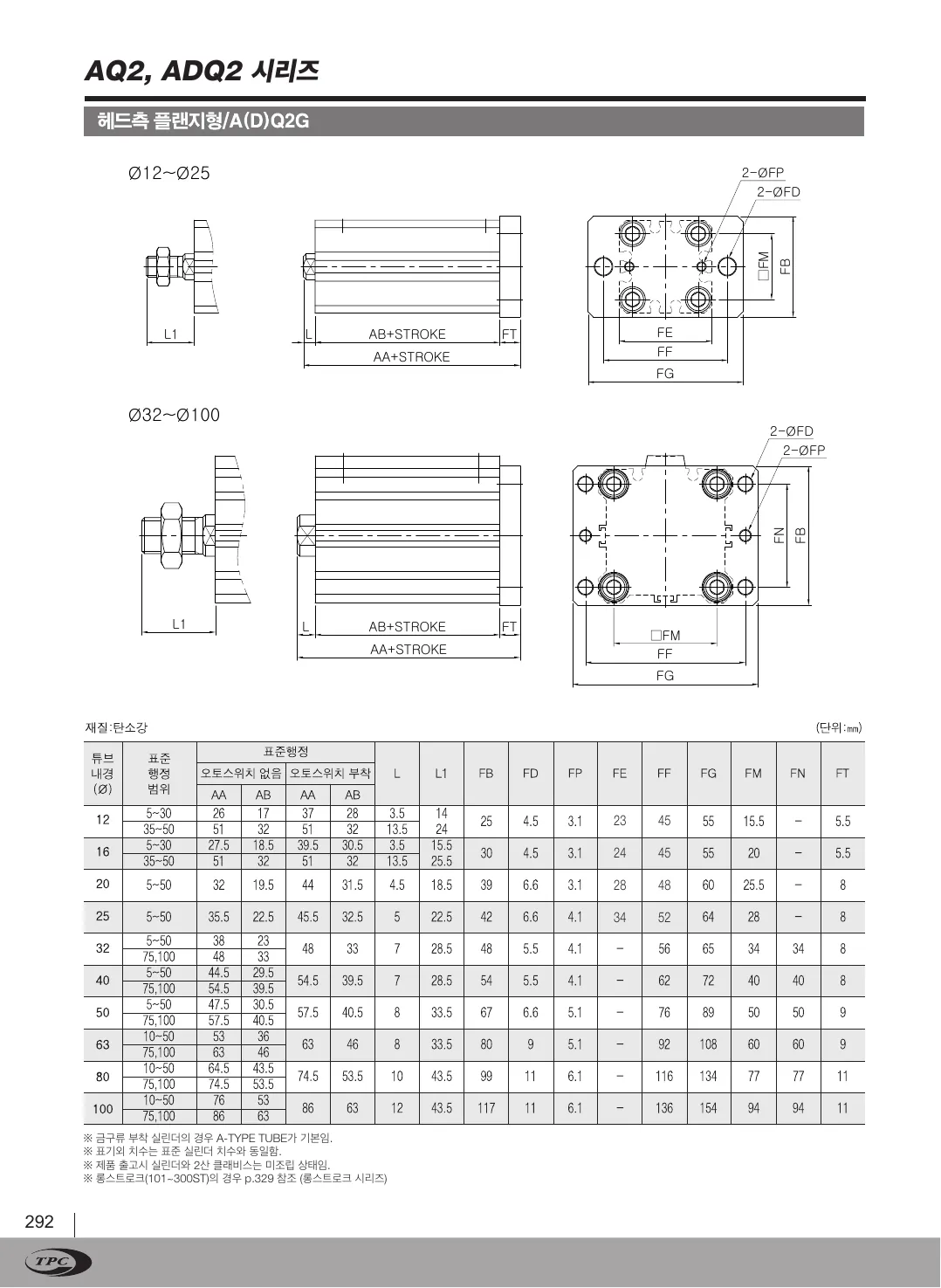
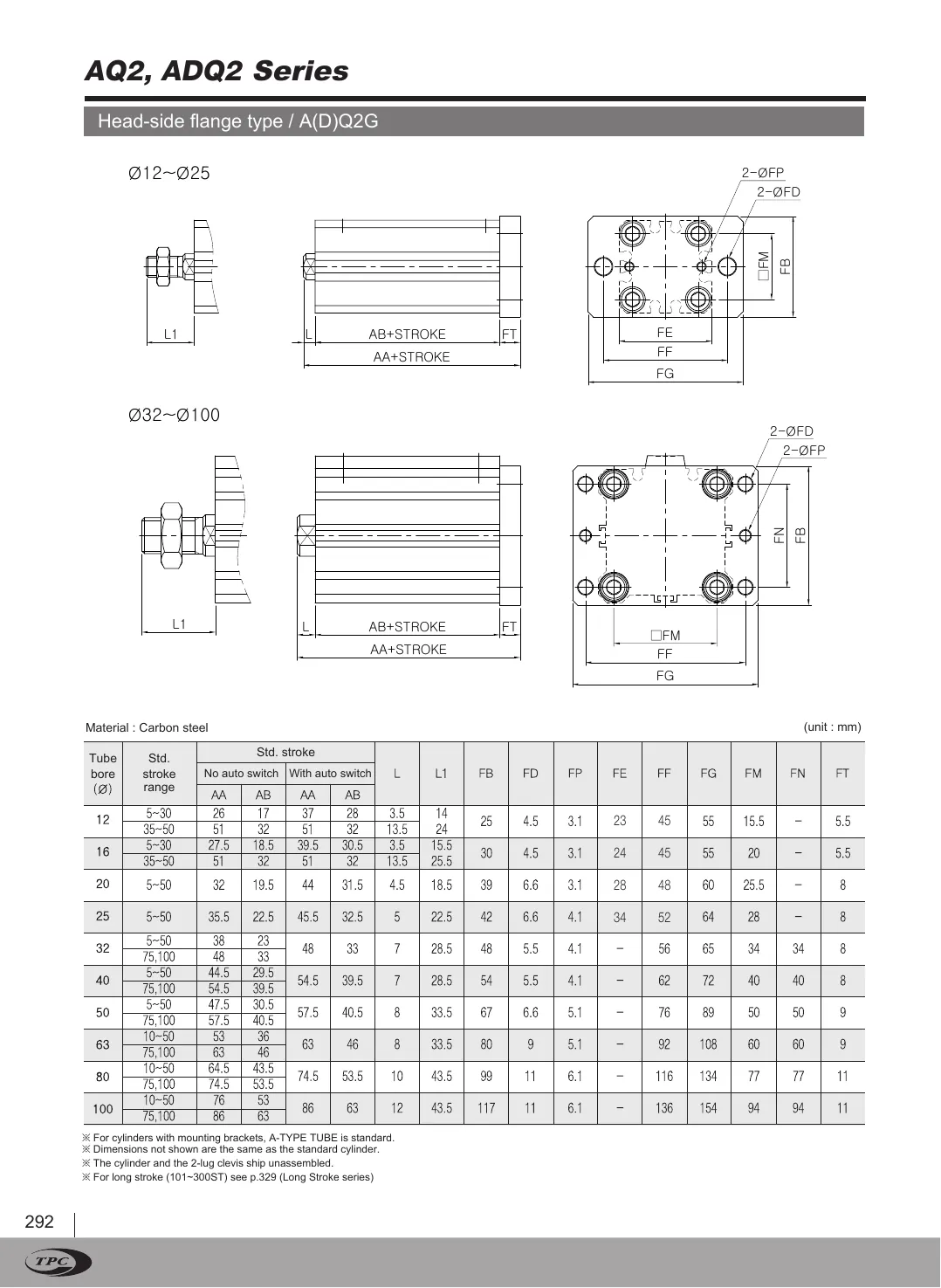
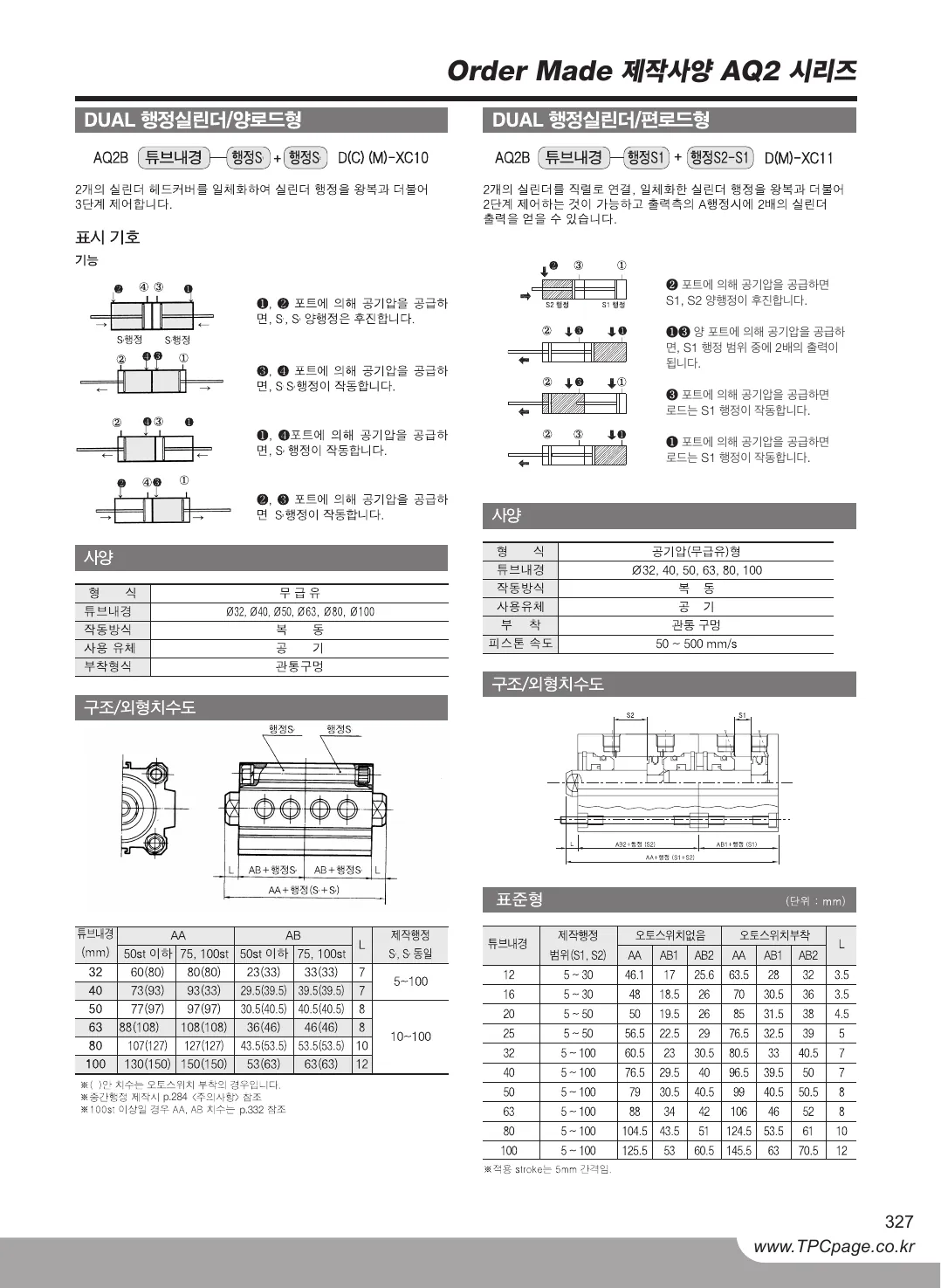
AQ2 catalog, page 1, Korean original
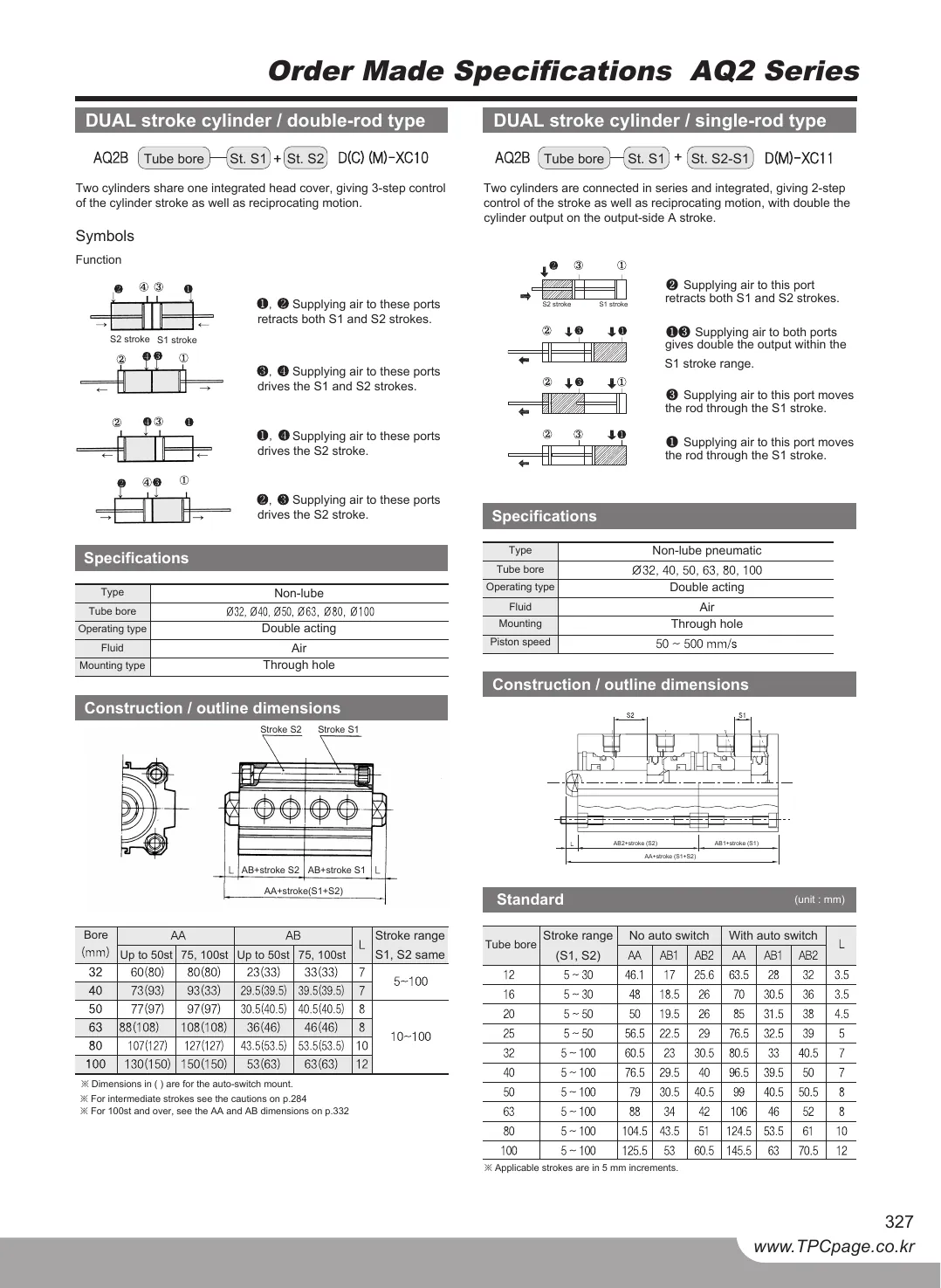
AQ2 catalog, page 1, English twin
OriginalTwin
Drag the divider or use the arrow keys50 %
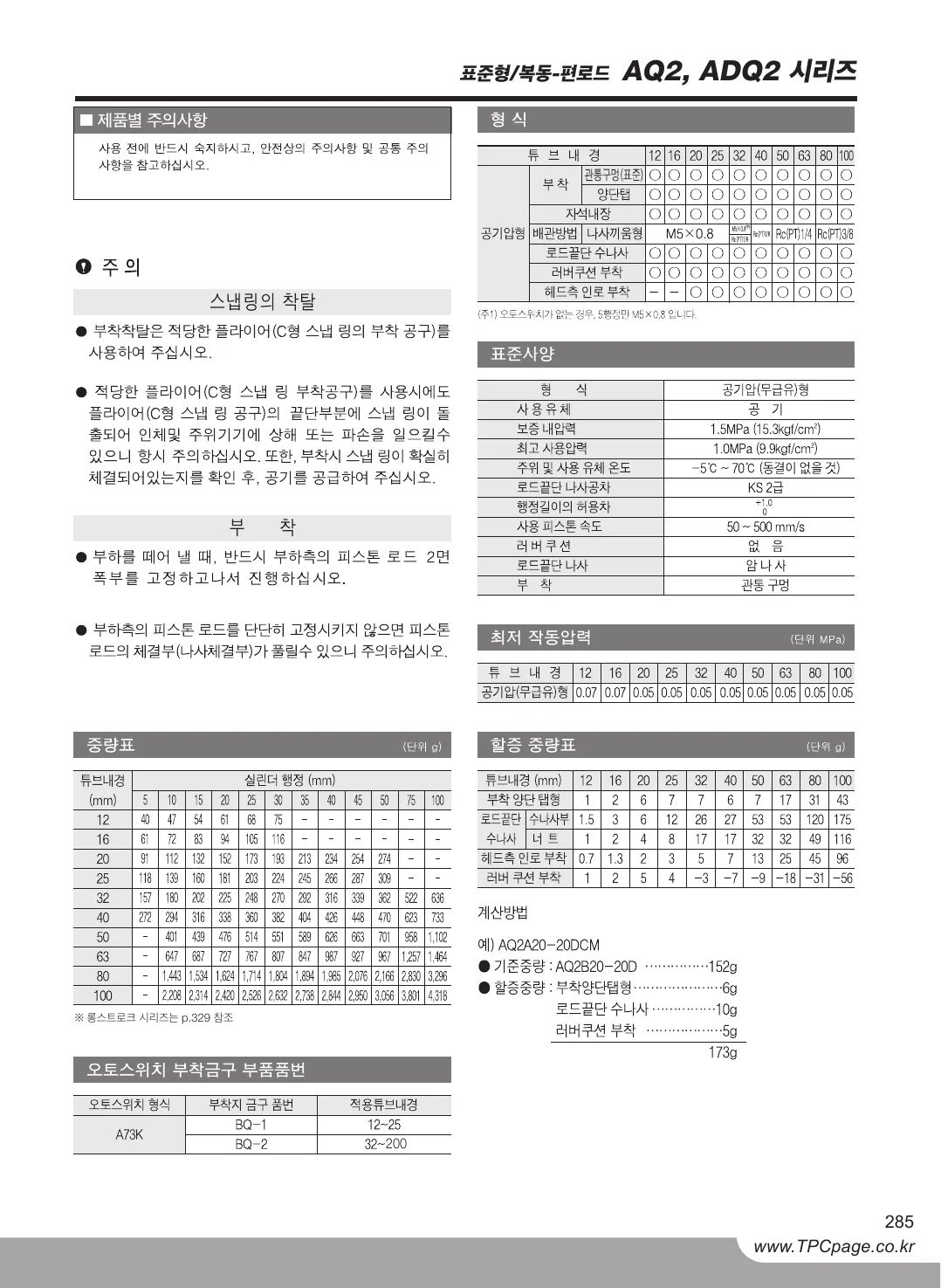
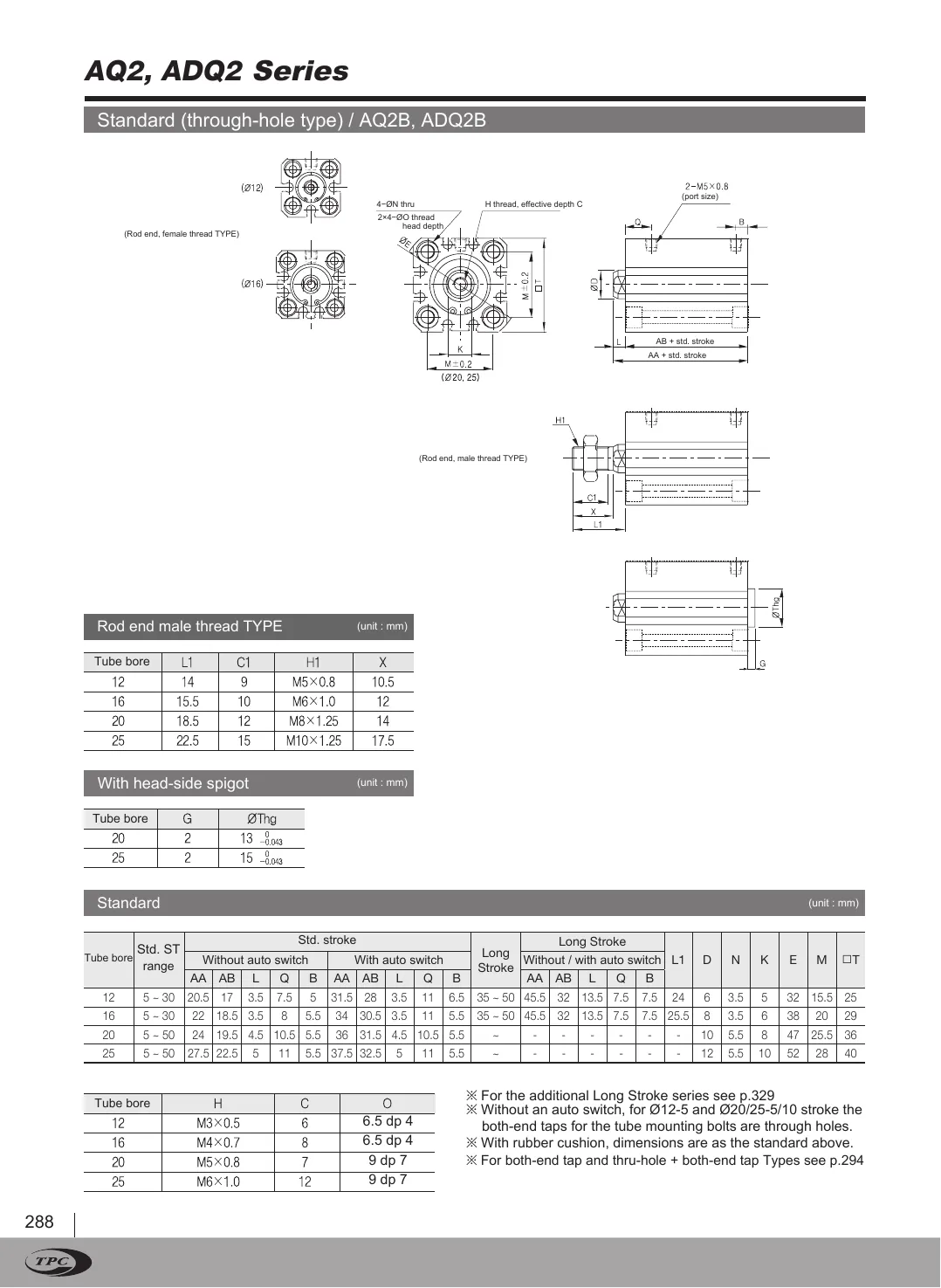
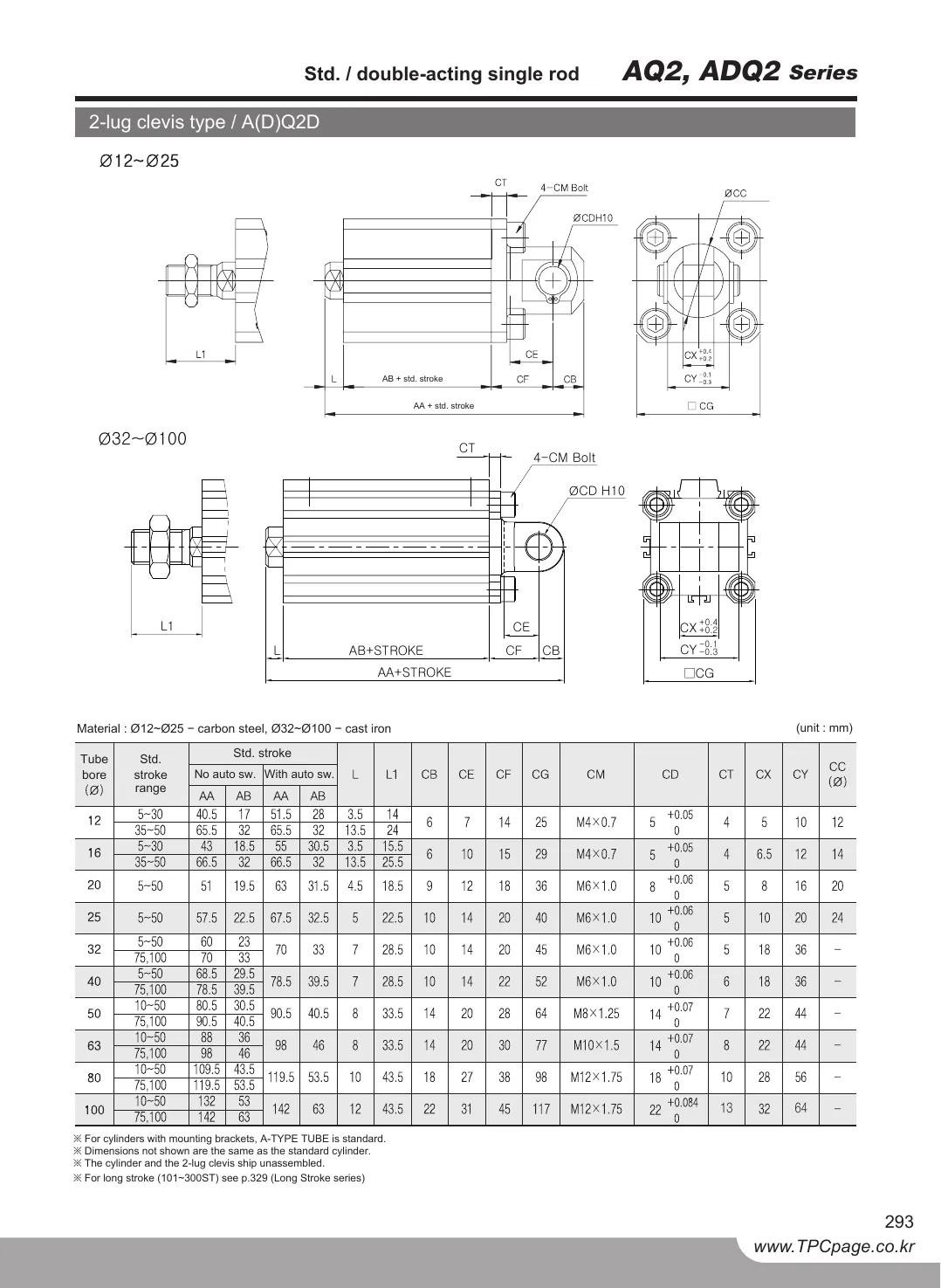
Original · KRAQ2 catalog, page 2, Korean original
Twin · ENAQ2 catalog, page 2, English twin
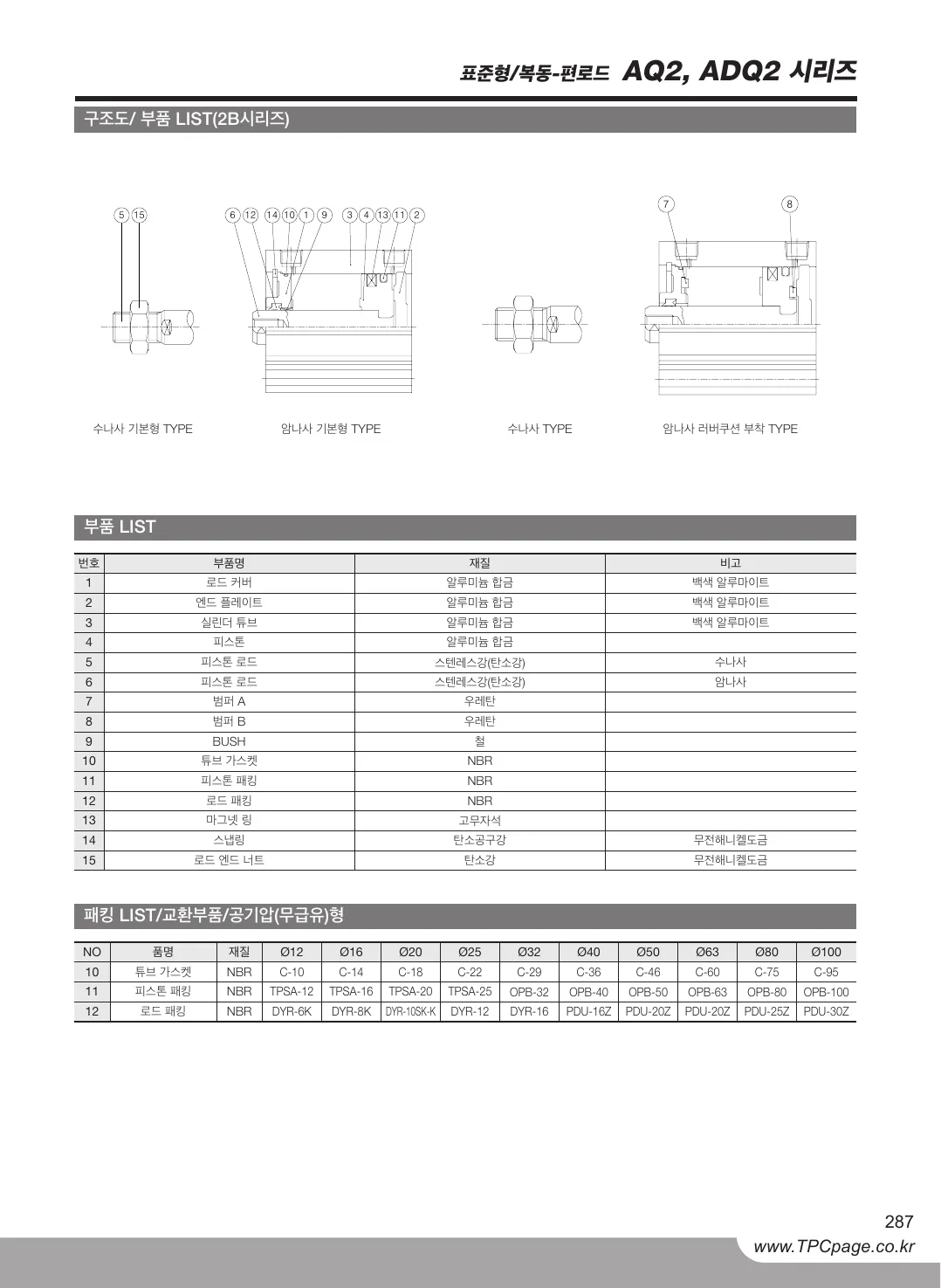
AQ2 catalog, page 2, Korean original
AQ2 catalog, page 2, English twin
OriginalTwin
Drag the divider or use the arrow keys50 %
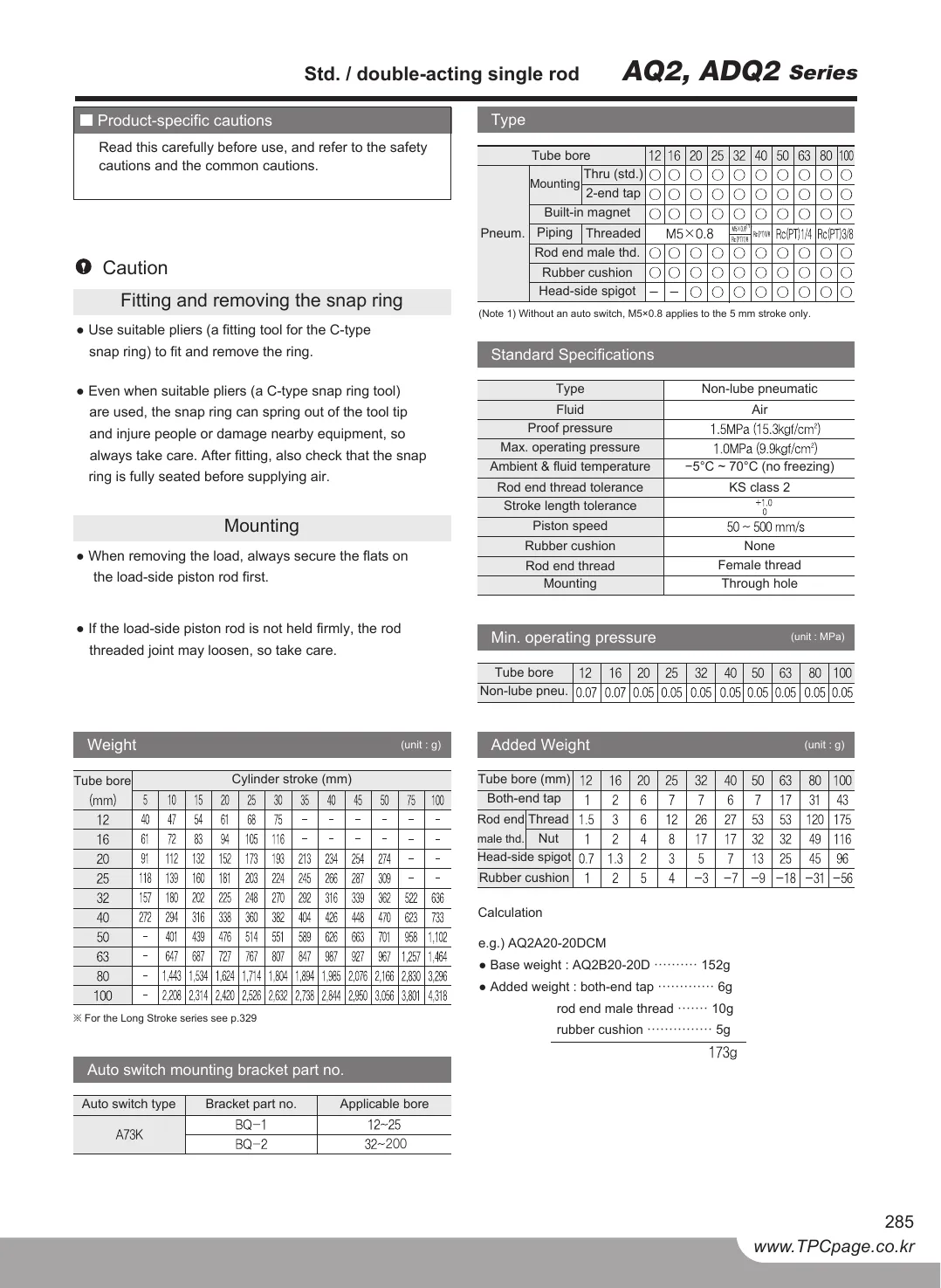
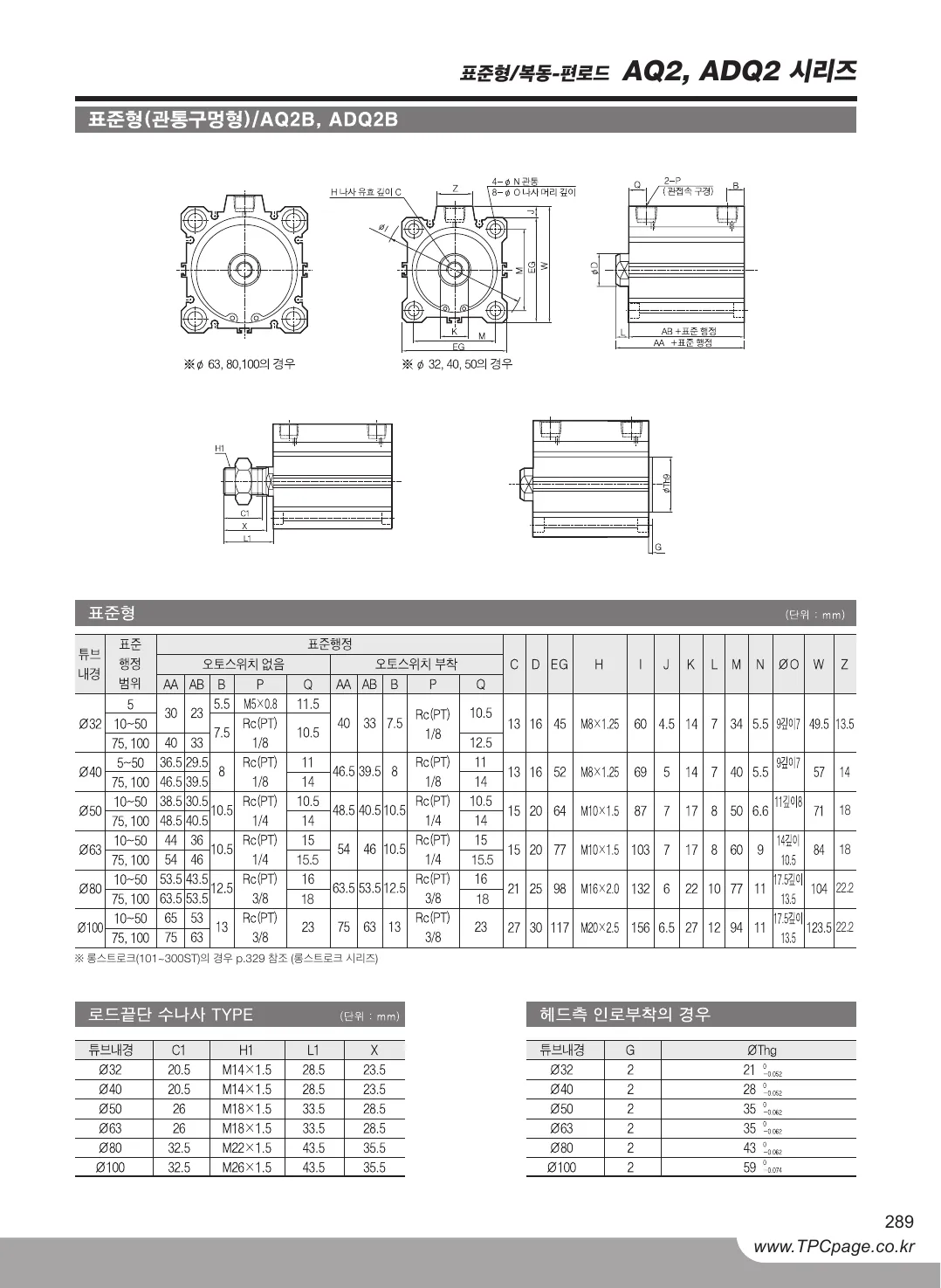
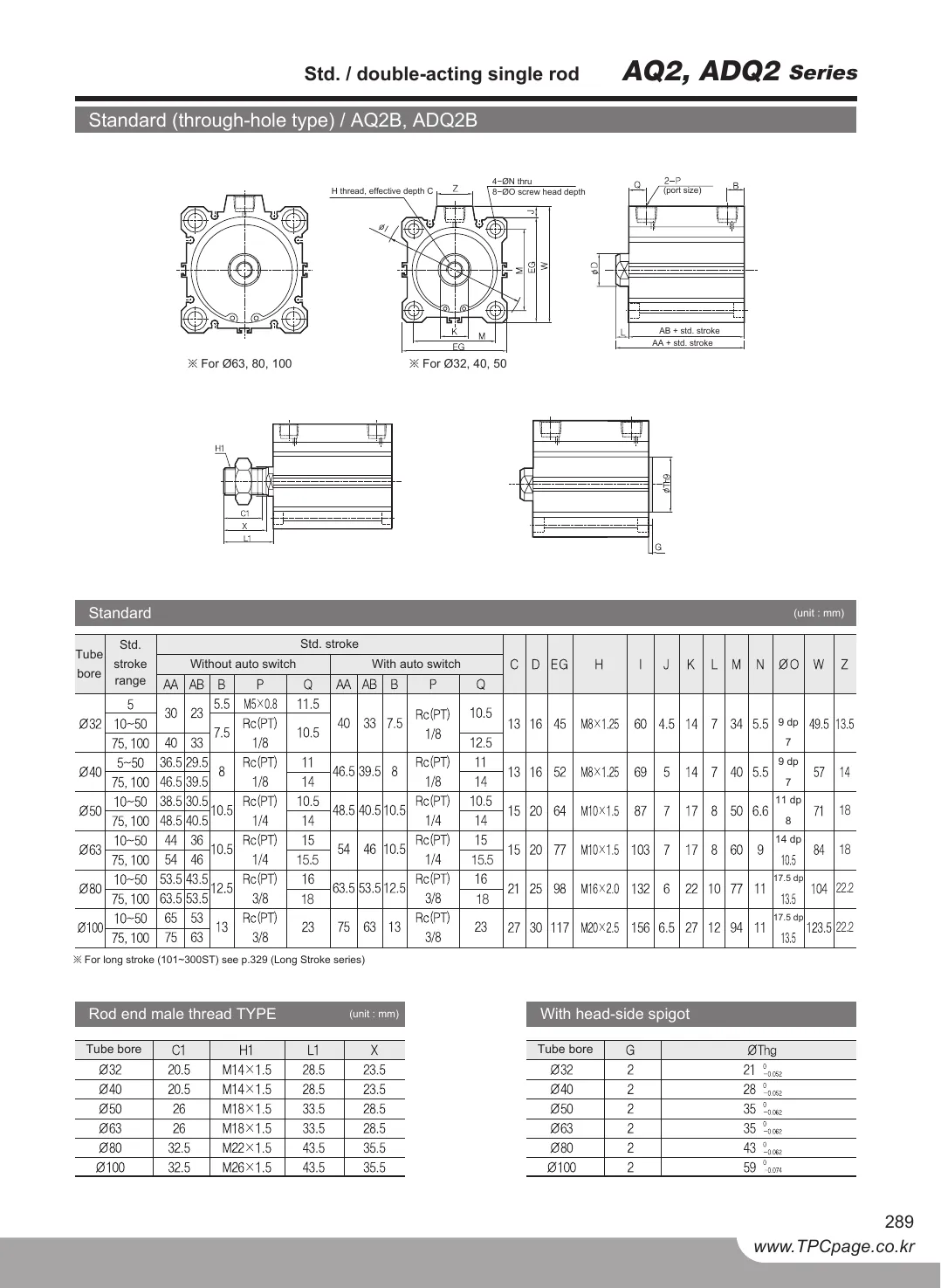
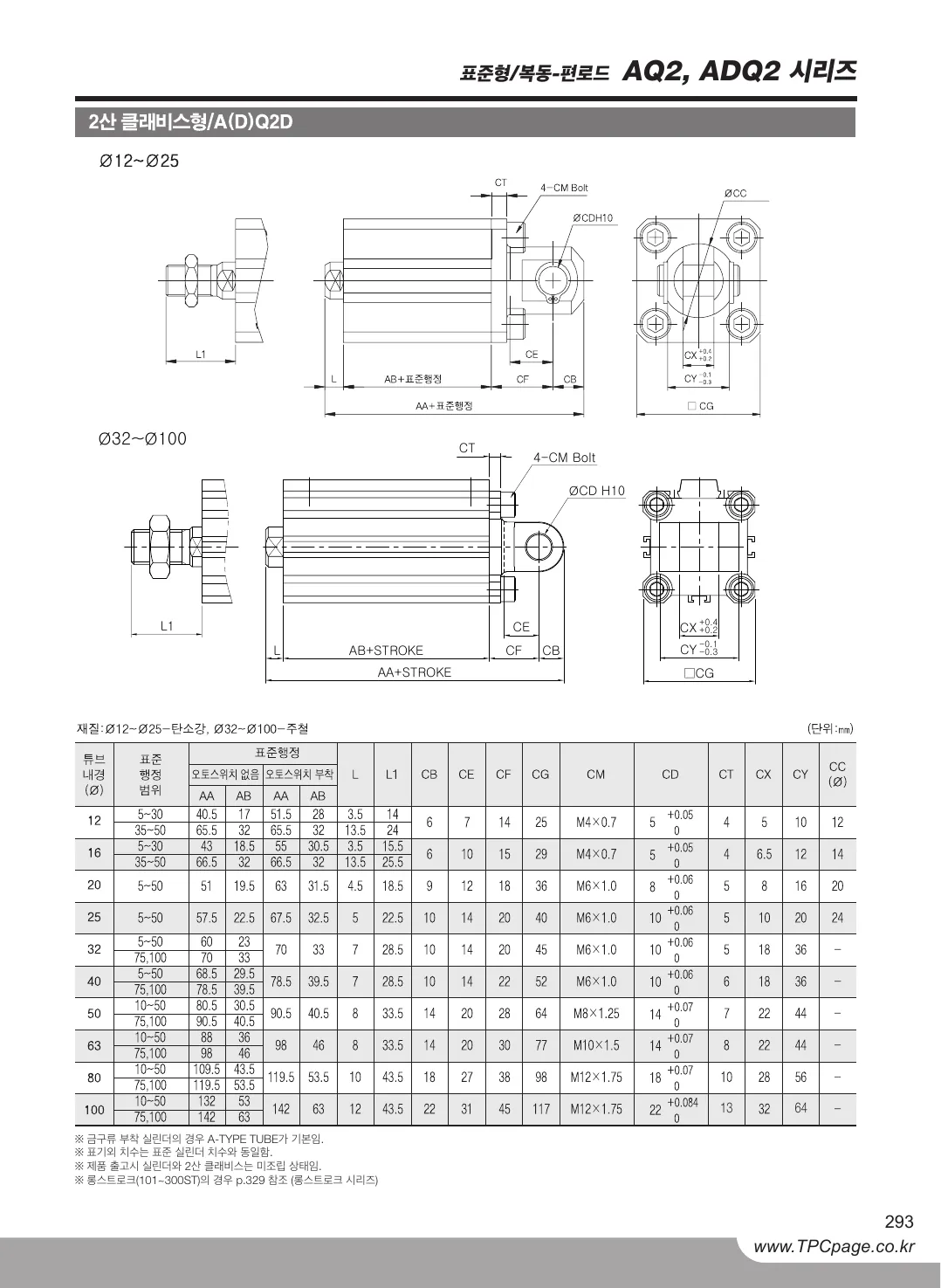
Original · KRAQ2 catalog, page 3, Korean original
Twin · ENAQ2 catalog, page 3, English twin
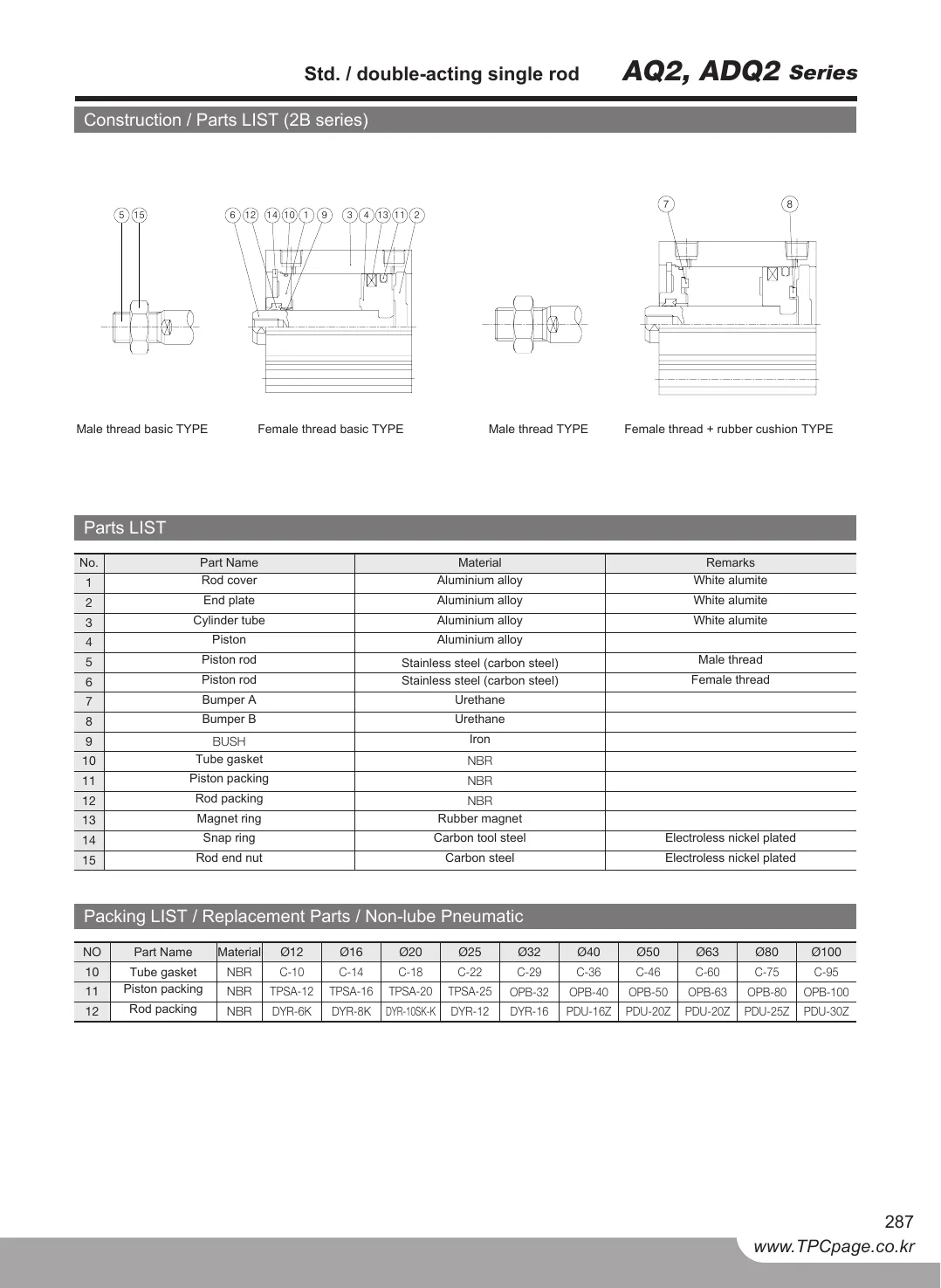
AQ2 catalog, page 3, Korean original
AQ2 catalog, page 3, English twin
OriginalTwin
Drag the divider or use the arrow keys50 %
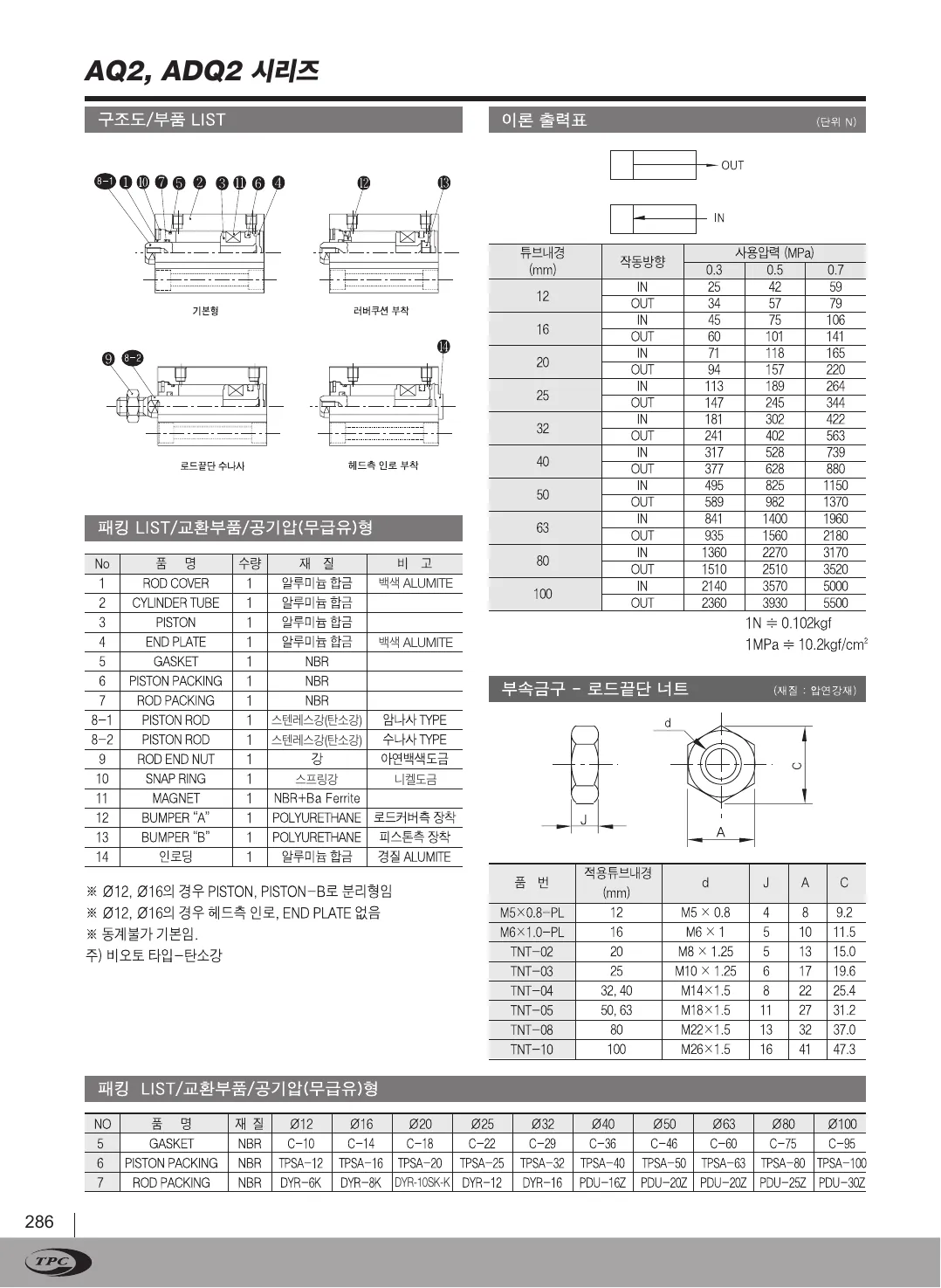
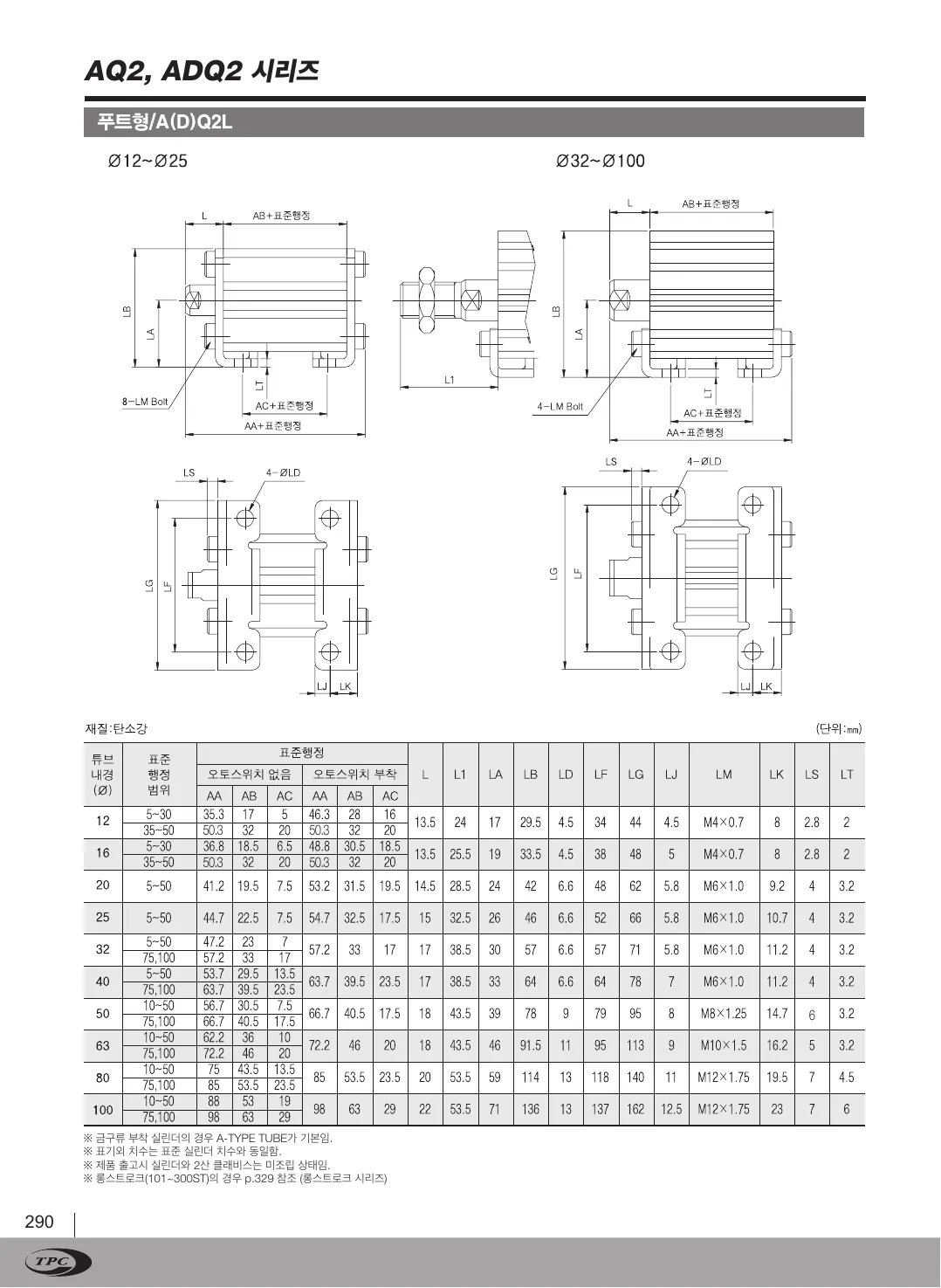
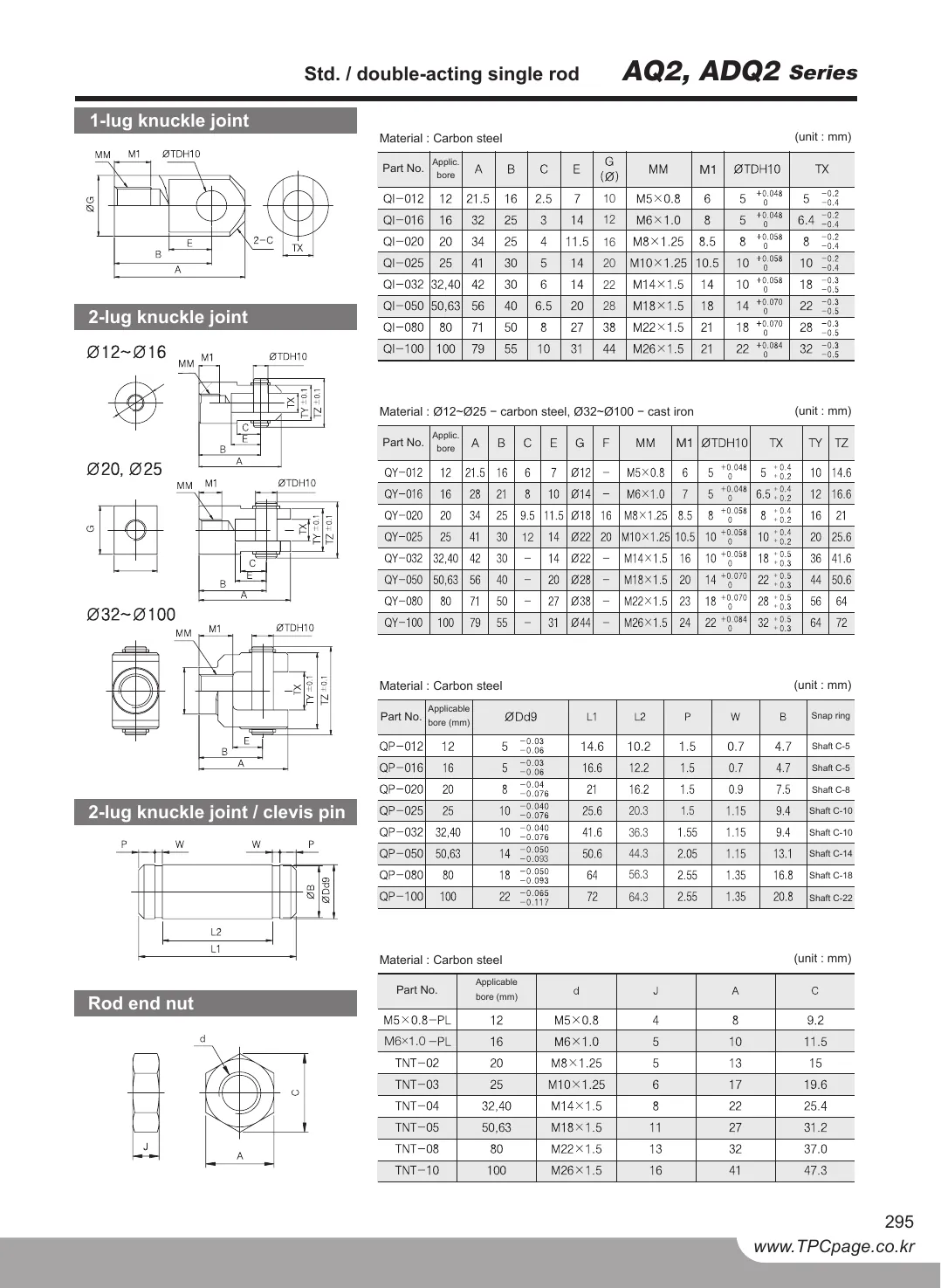
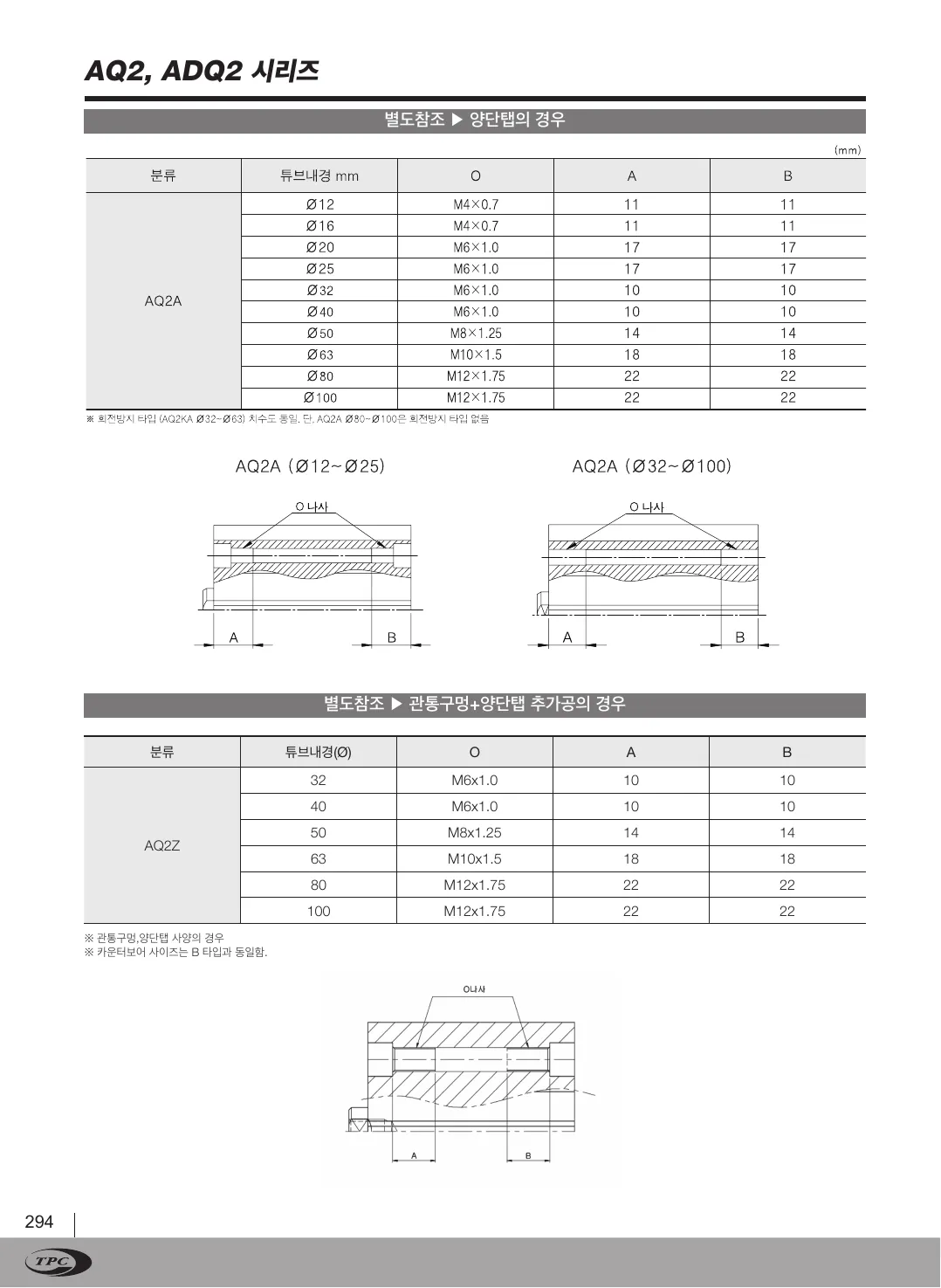
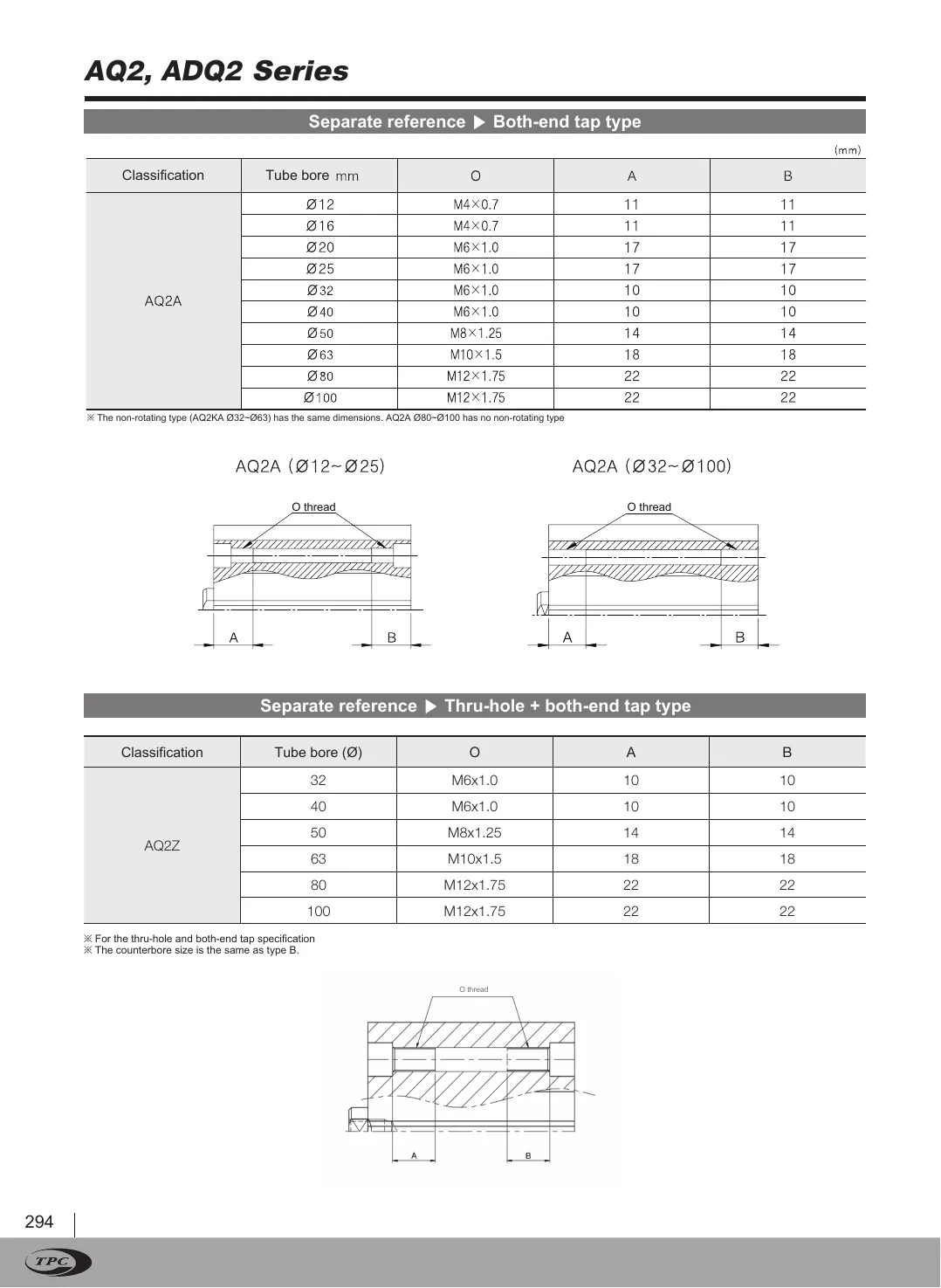
Original · KRAQ2 catalog, page 4, Korean original
Twin · ENAQ2 catalog, page 4, English twin
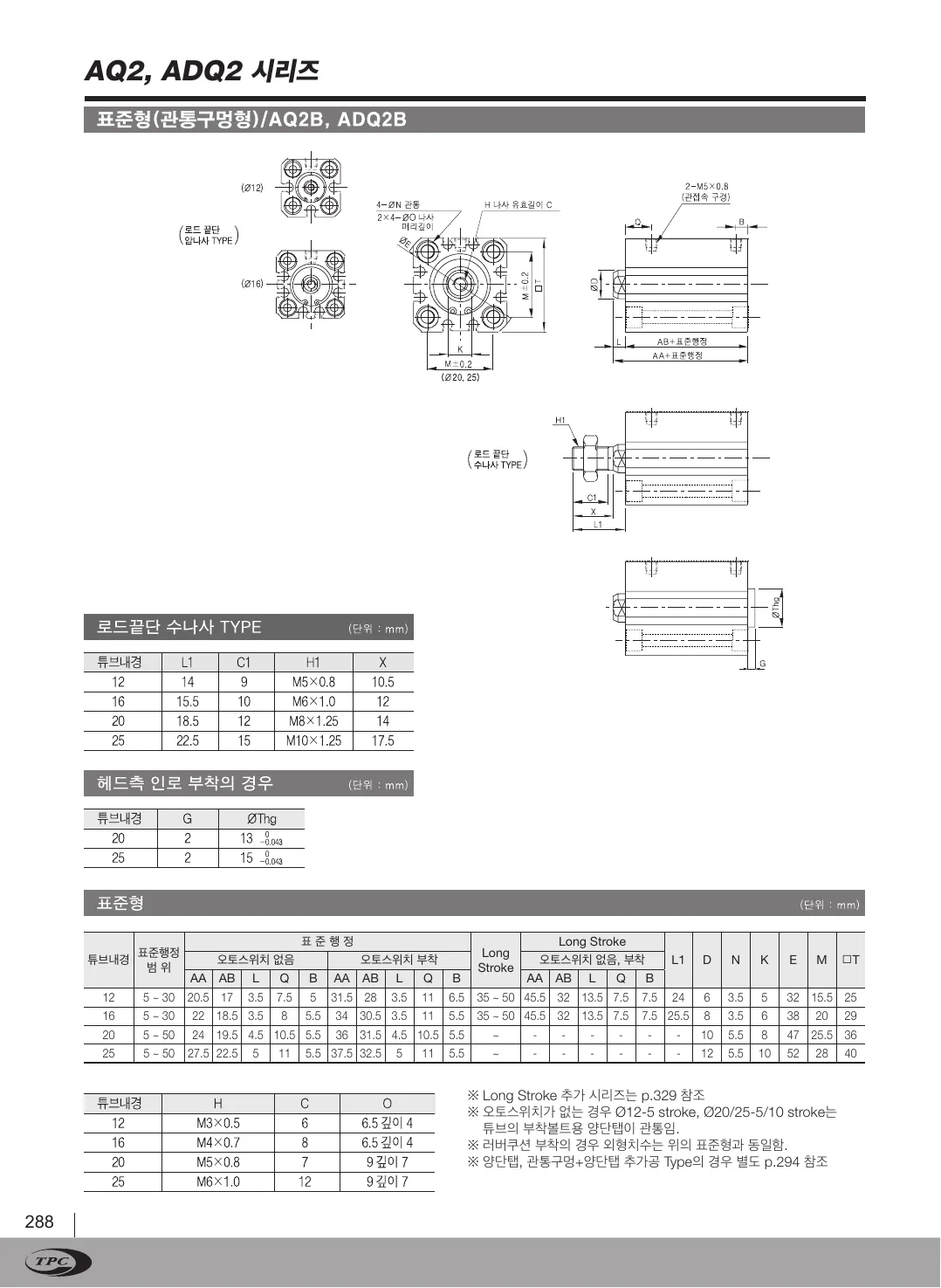
AQ2 catalog, page 4, Korean original
AQ2 catalog, page 4, English twin
OriginalTwin
Drag the divider or use the arrow keys50 %
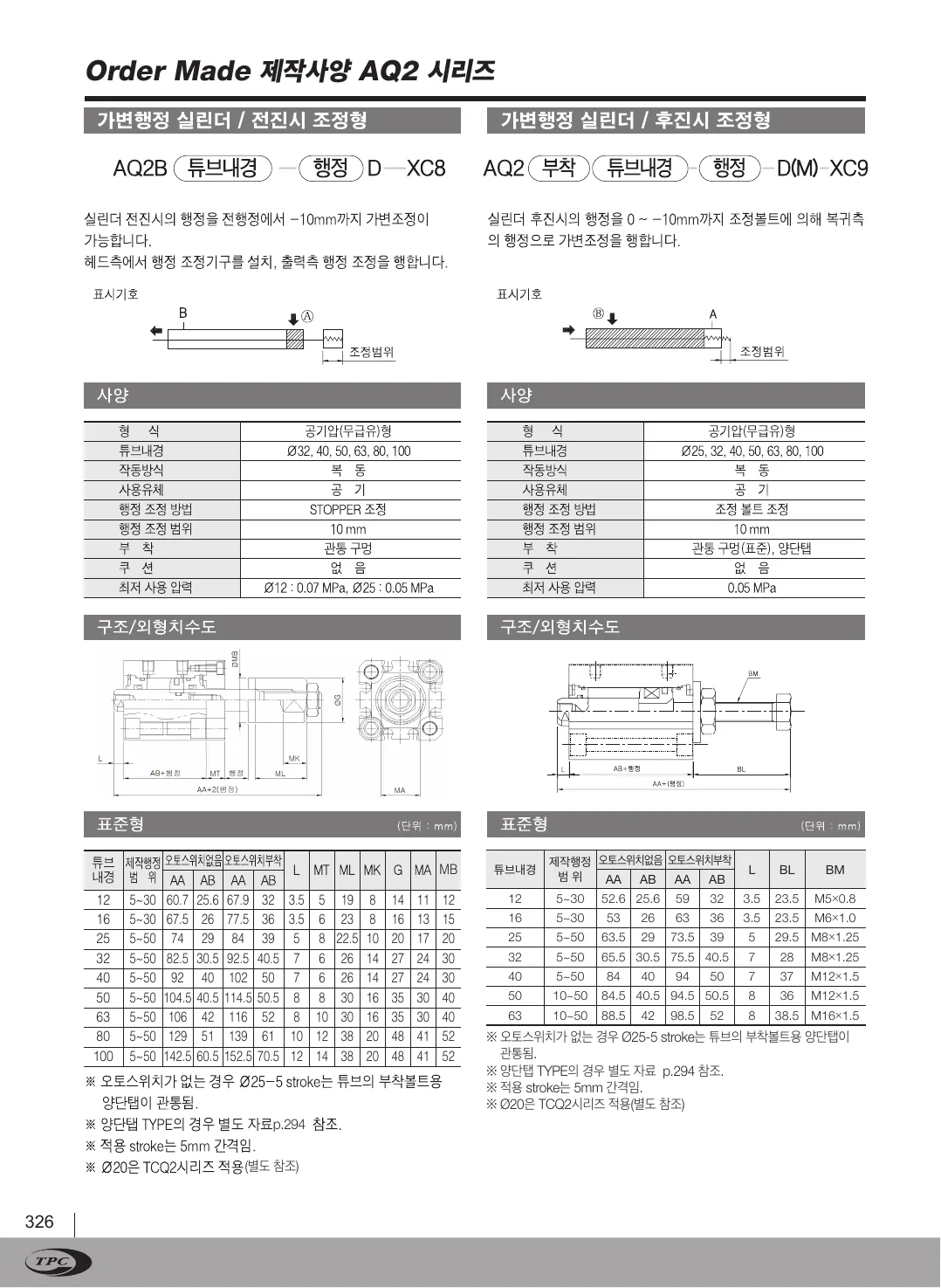
Original · KRAQ2 catalog, page 5, Korean original
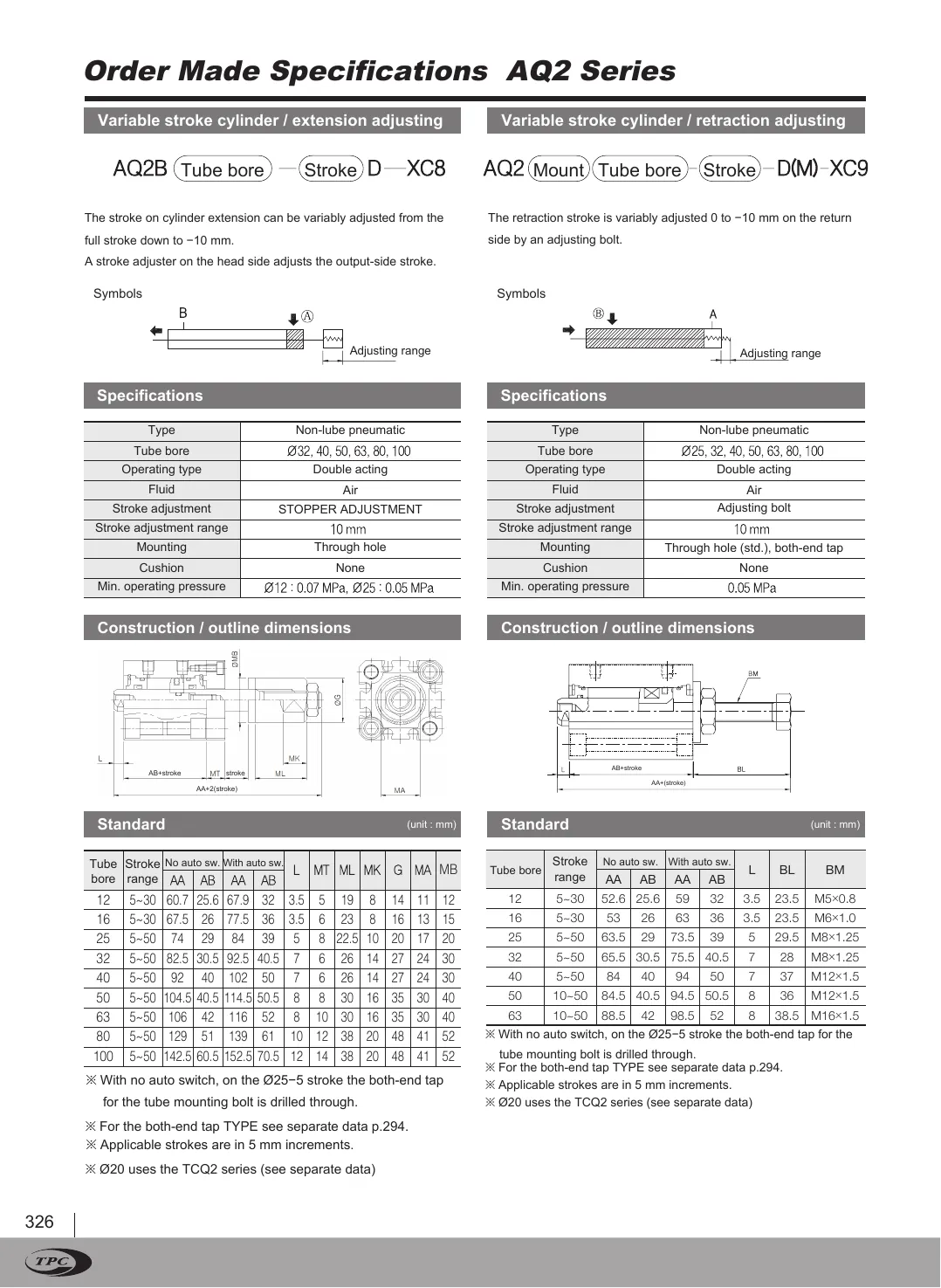
Twin · ENAQ2 catalog, page 5, English twin
AQ2 catalog, page 5, Korean original
AQ2 catalog, page 5, English twin
OriginalTwin
Drag the divider or use the arrow keys50 %
Original · KRAQ2 catalog, page 6, Korean original
Twin · ENAQ2 catalog, page 6, English twin
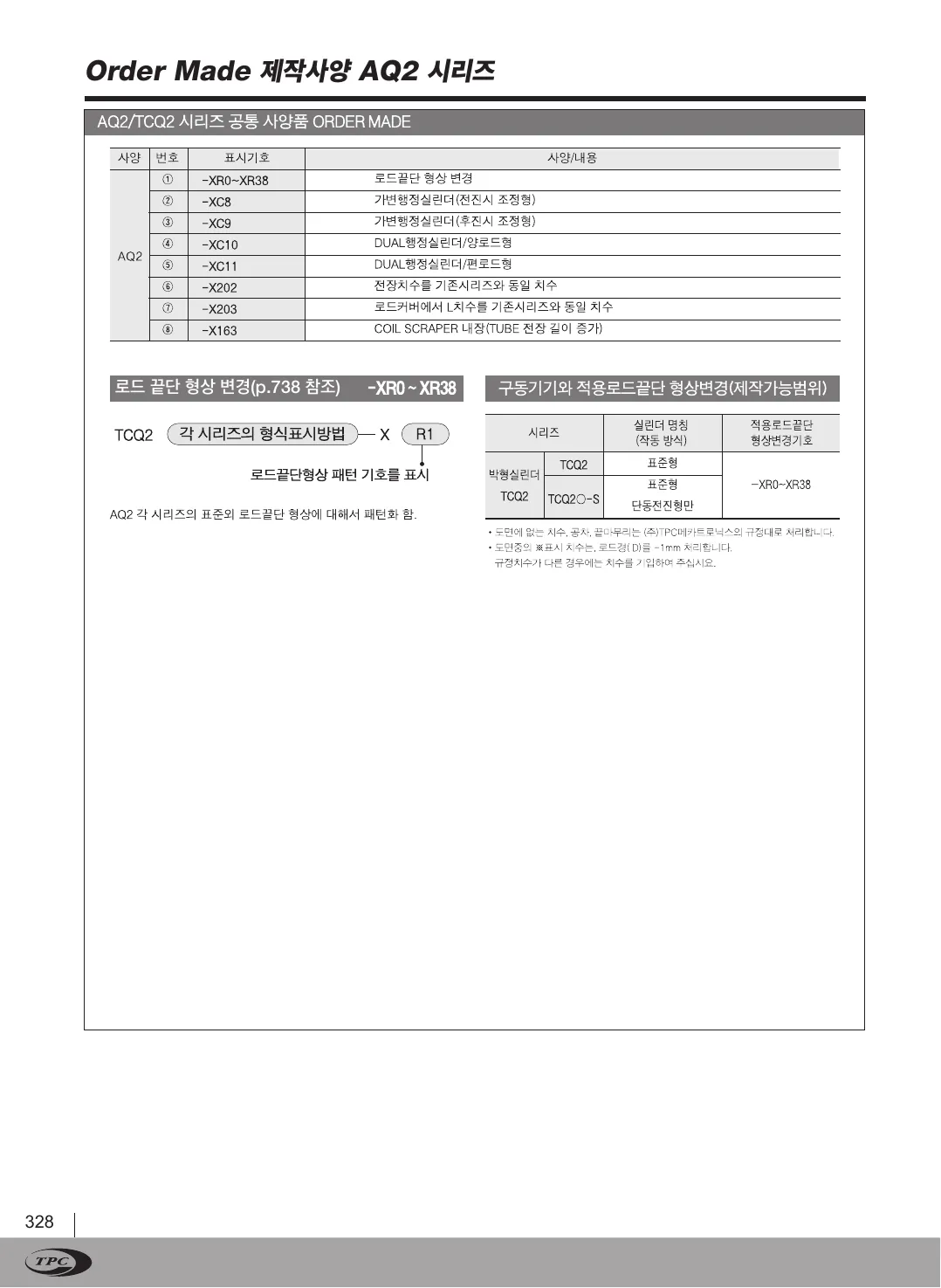
AQ2 catalog, page 6, Korean original
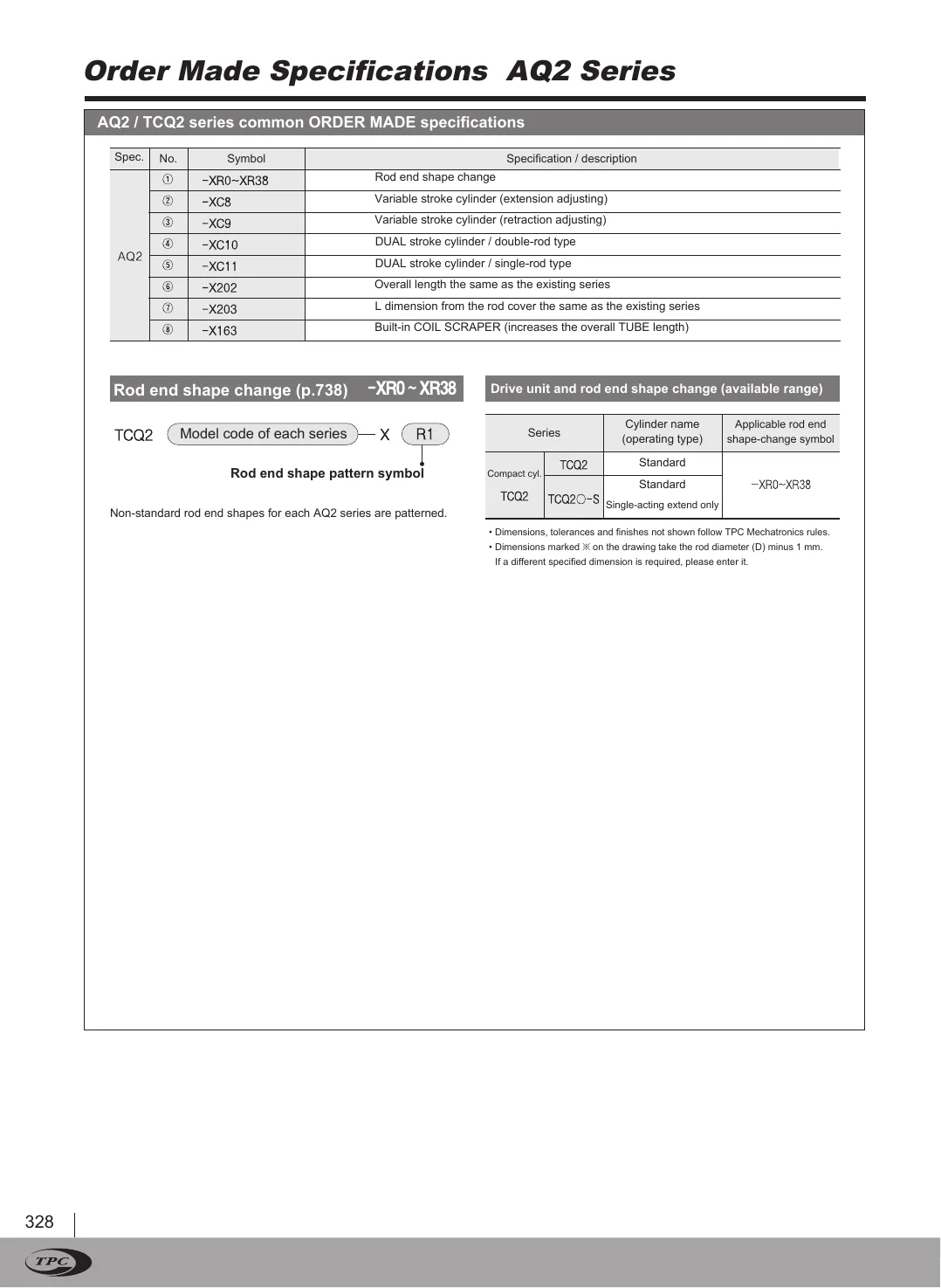
AQ2 catalog, page 6, English twin
OriginalTwin
Drag the divider or use the arrow keys50 %
Original · KRAQ2 catalog, page 7, Korean original
Twin · ENAQ2 catalog, page 7, English twin
AQ2 catalog, page 7, Korean original
AQ2 catalog, page 7, English twin
OriginalTwin
Drag the divider or use the arrow keys50 %
Original · KRAQ2 catalog, page 8, Korean original
Twin · ENAQ2 catalog, page 8, English twin
AQ2 catalog, page 8, Korean original
AQ2 catalog, page 8, English twin
OriginalTwin
Drag the divider or use the arrow keys50 %
Original · KRAQ2 catalog, page 9, Korean original
Twin · ENAQ2 catalog, page 9, English twin
AQ2 catalog, page 9, Korean original
AQ2 catalog, page 9, English twin
OriginalTwin
Drag the divider or use the arrow keys50 %
Original · KRAQ2 catalog, page 10, Korean original
Twin · ENAQ2 catalog, page 10, English twin
AQ2 catalog, page 10, Korean original
AQ2 catalog, page 10, English twin
OriginalTwin
Drag the divider or use the arrow keys50 %
Original · KRAQ2 catalog, page 11, Korean original
Twin · ENAQ2 catalog, page 11, English twin
AQ2 catalog, page 11, Korean original
AQ2 catalog, page 11, English twin
OriginalTwin
Drag the divider or use the arrow keys50 %
Original · KRAQ2 catalog, page 12, Korean original
Twin · ENAQ2 catalog, page 12, English twin
AQ2 catalog, page 12, Korean original
AQ2 catalog, page 12, English twin
OriginalTwin
Drag the divider or use the arrow keys50 %
Original · KRAQ2 catalog, page 13, Korean original
Twin · ENAQ2 catalog, page 13, English twin
AQ2 catalog, page 13, Korean original
AQ2 catalog, page 13, English twin
OriginalTwin
Drag the divider or use the arrow keys50 %
Original · KRAQ2 catalog, page 14, Korean original
Twin · ENAQ2 catalog, page 14, English twin
AQ2 catalog, page 14, Korean original
AQ2 catalog, page 14, English twin
OriginalTwin
Drag the divider or use the arrow keys50 %
Original · KRAQ2 catalog, page 15, Korean original
Twin · ENAQ2 catalog, page 15, English twin
AQ2 catalog, page 15, Korean original
AQ2 catalog, page 15, English twin
OriginalTwin
Drag the divider or use the arrow keys50 %
Original · KRAQ2 catalog, page 16, Korean original
Twin · ENAQ2 catalog, page 16, English twin
AQ2 catalog, page 16, Korean original
AQ2 catalog, page 16, English twin
OriginalTwin
Drag the divider or use the arrow keys50 %
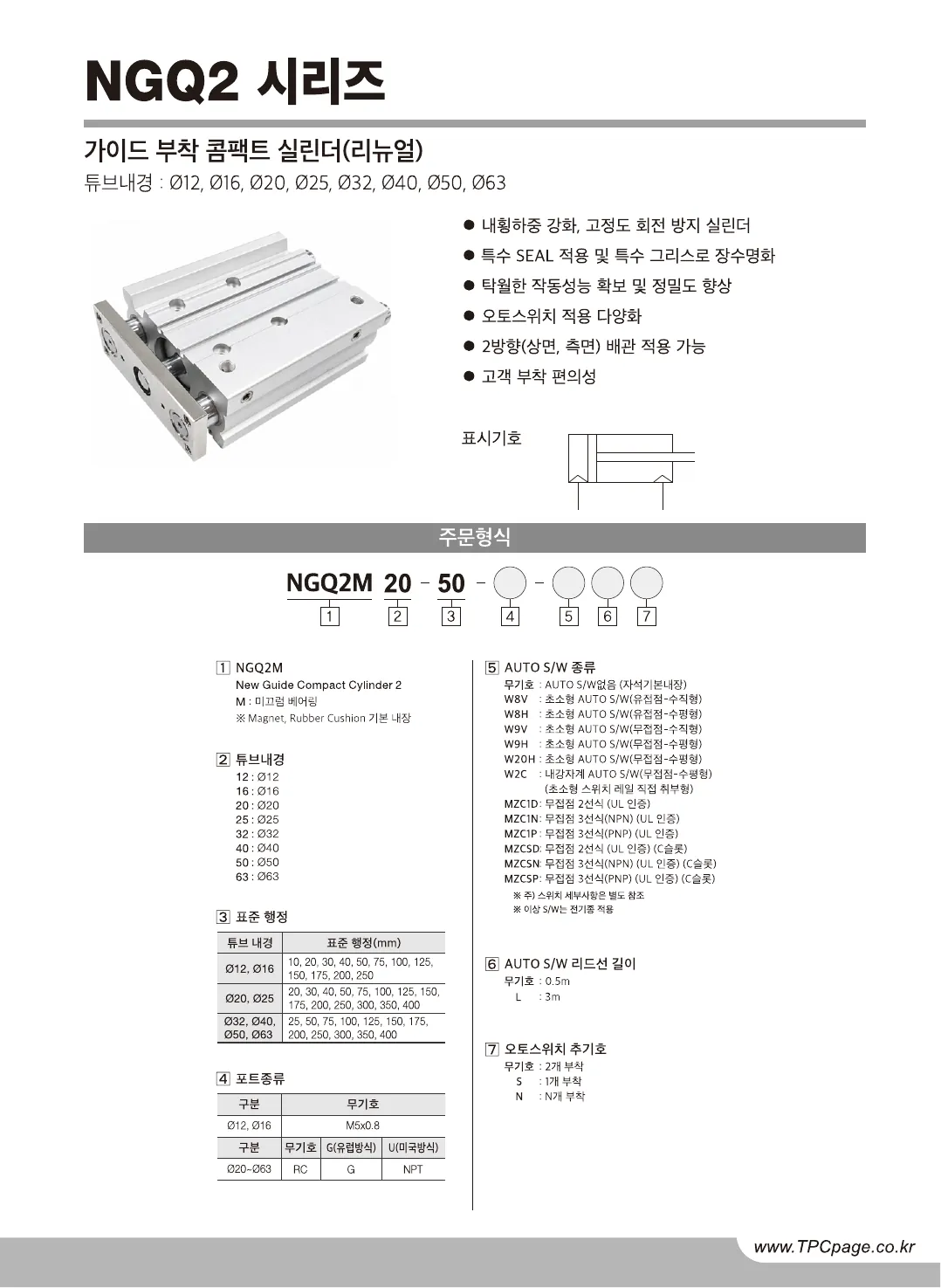
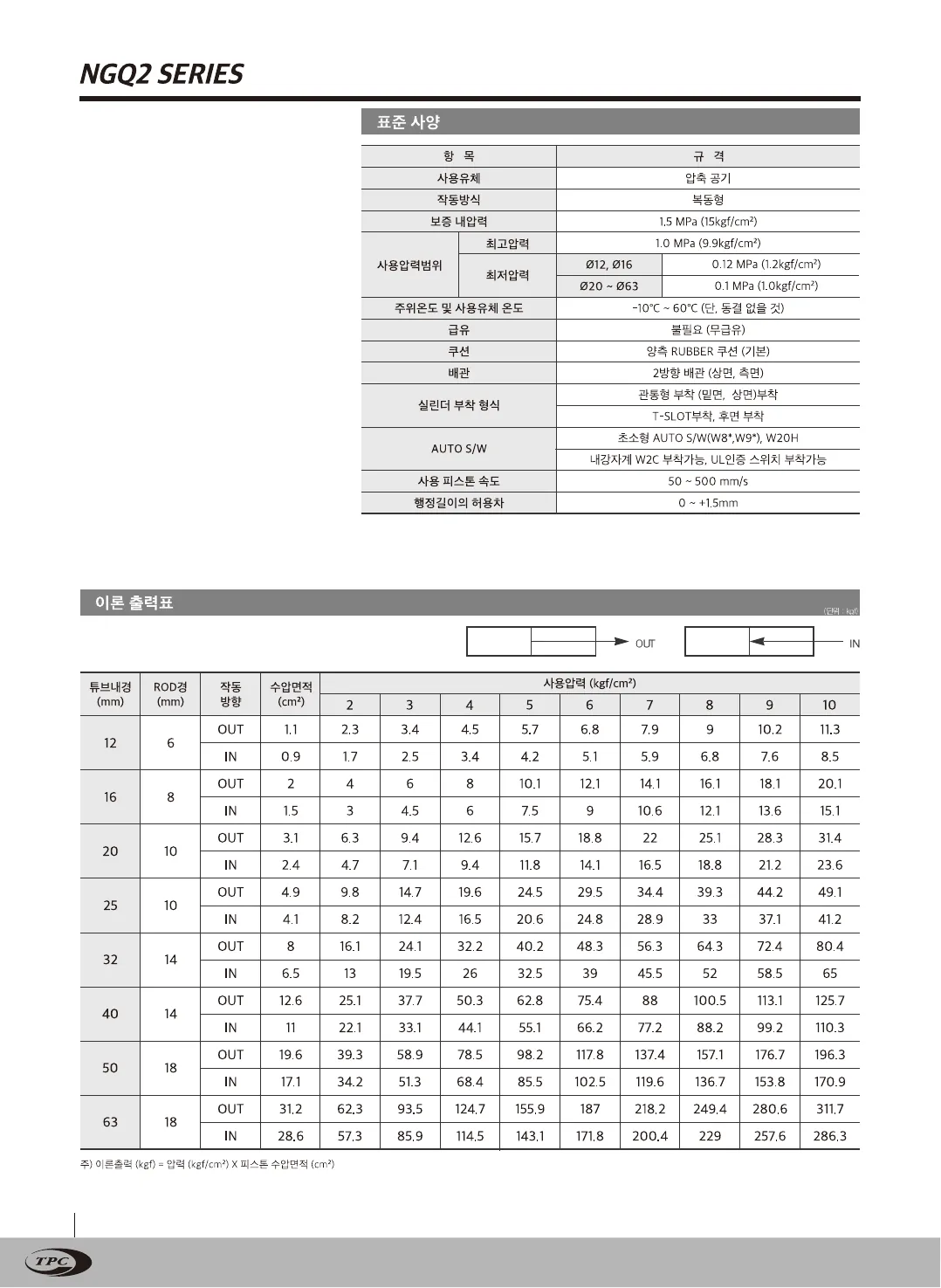
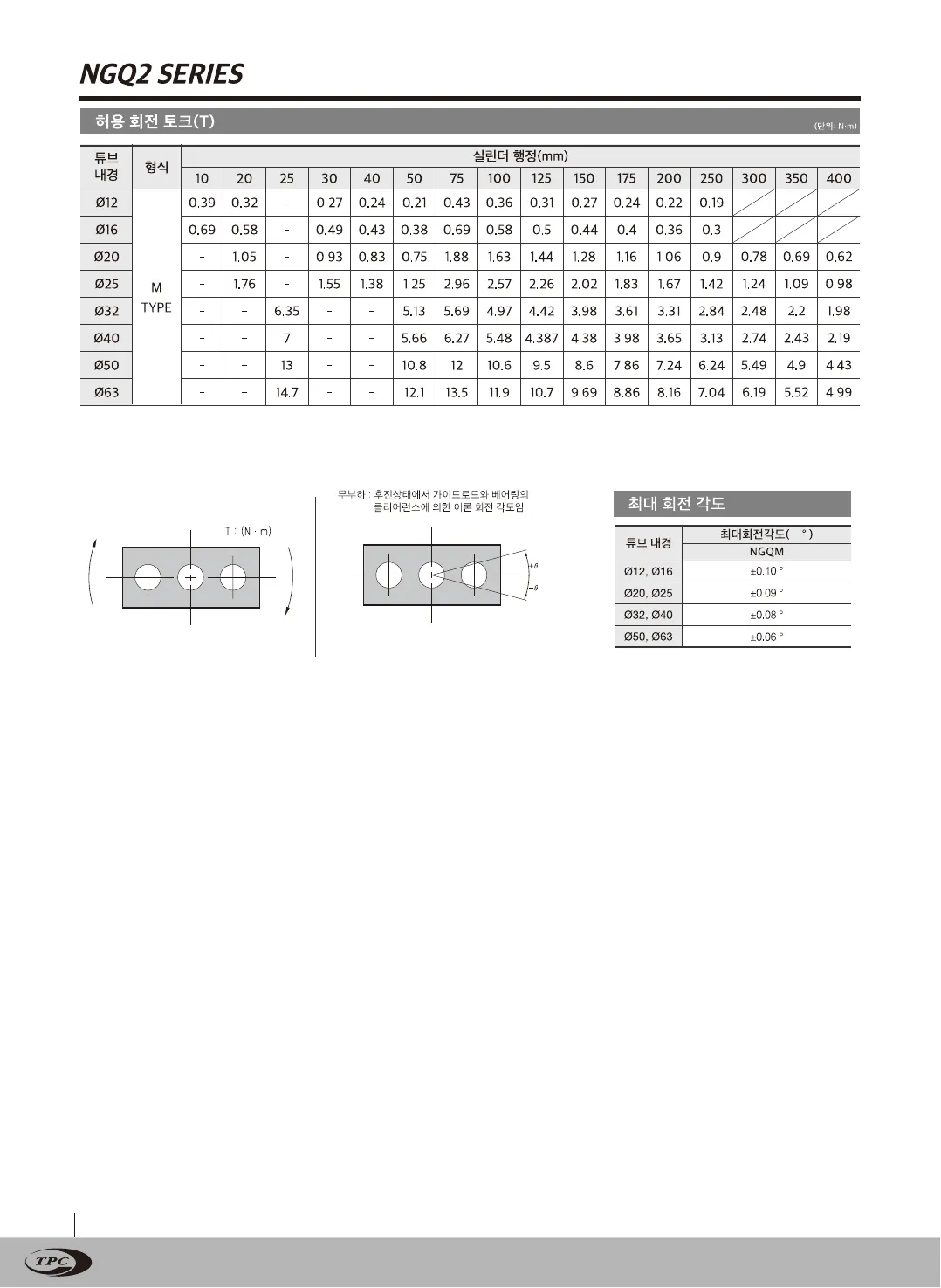
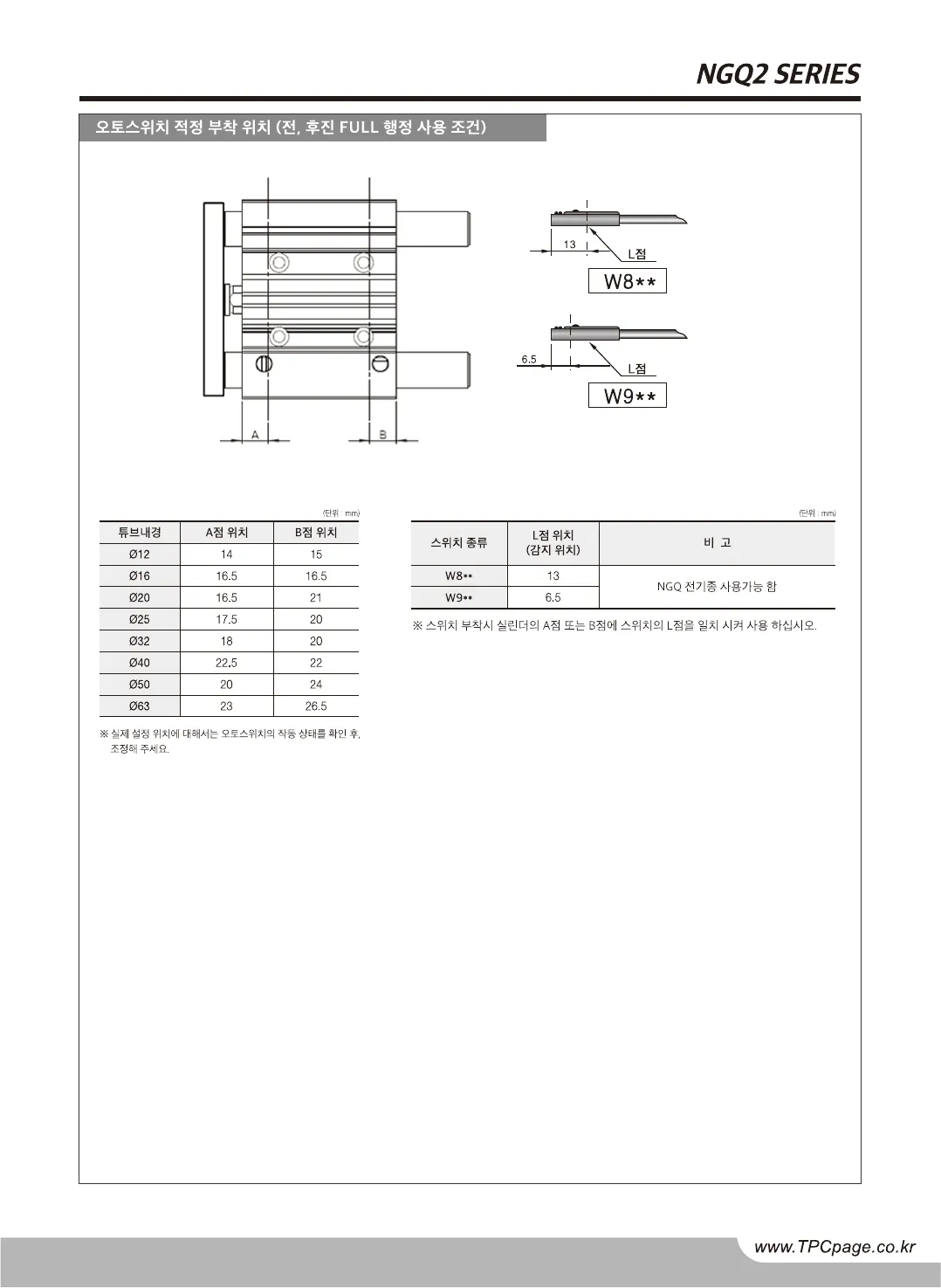
Original · KRNGQ2 catalog, page 1, Korean original
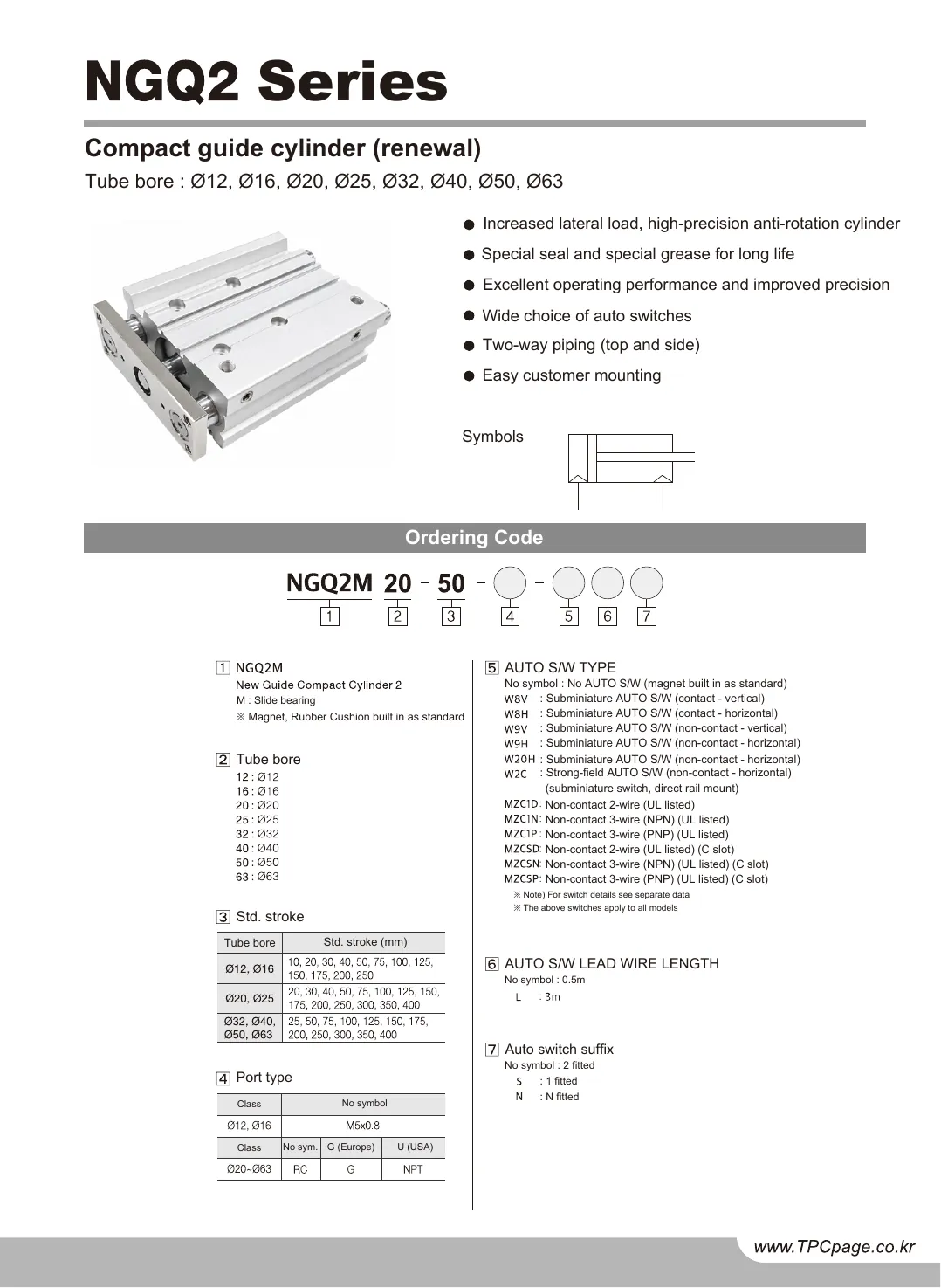
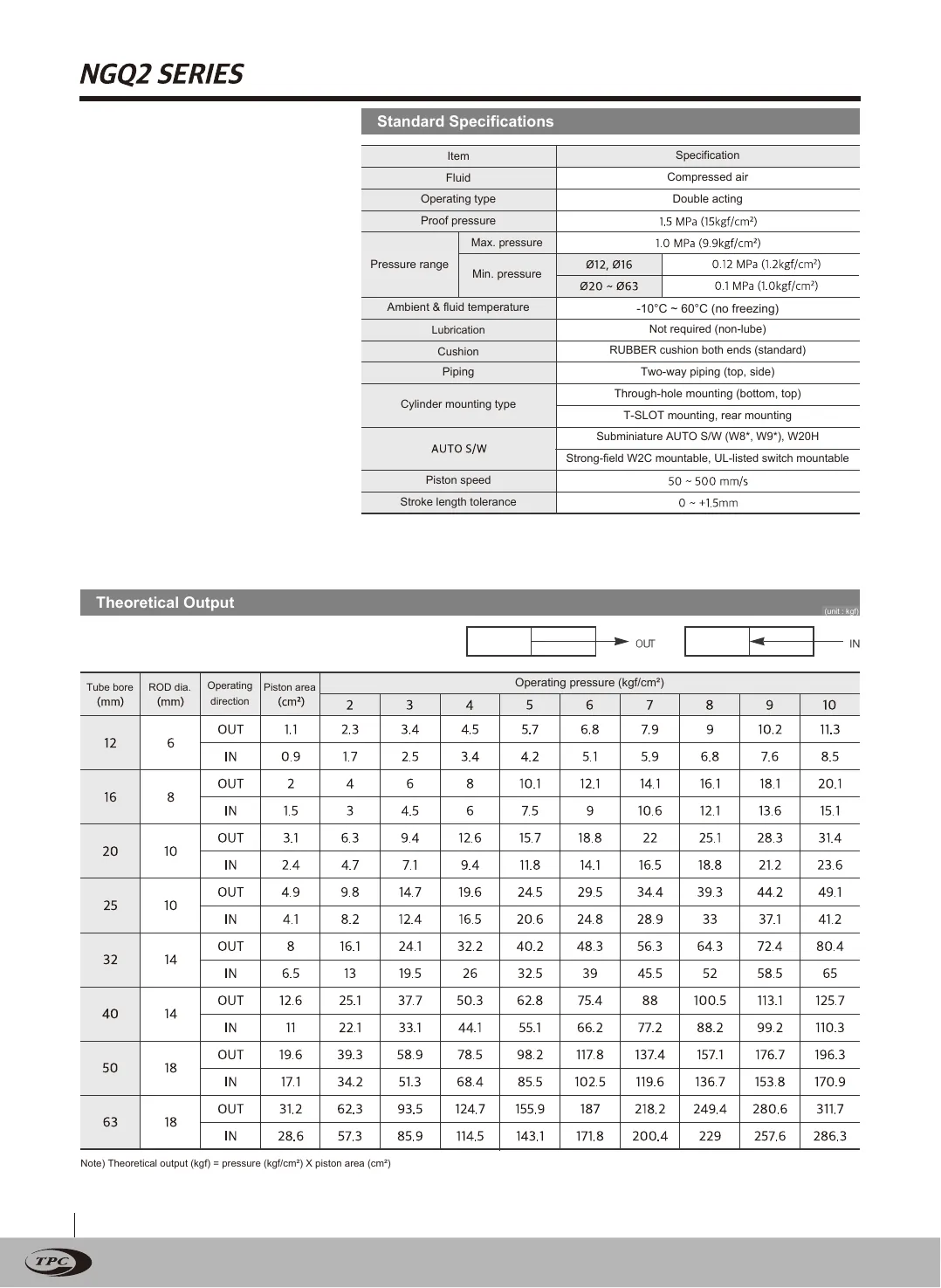
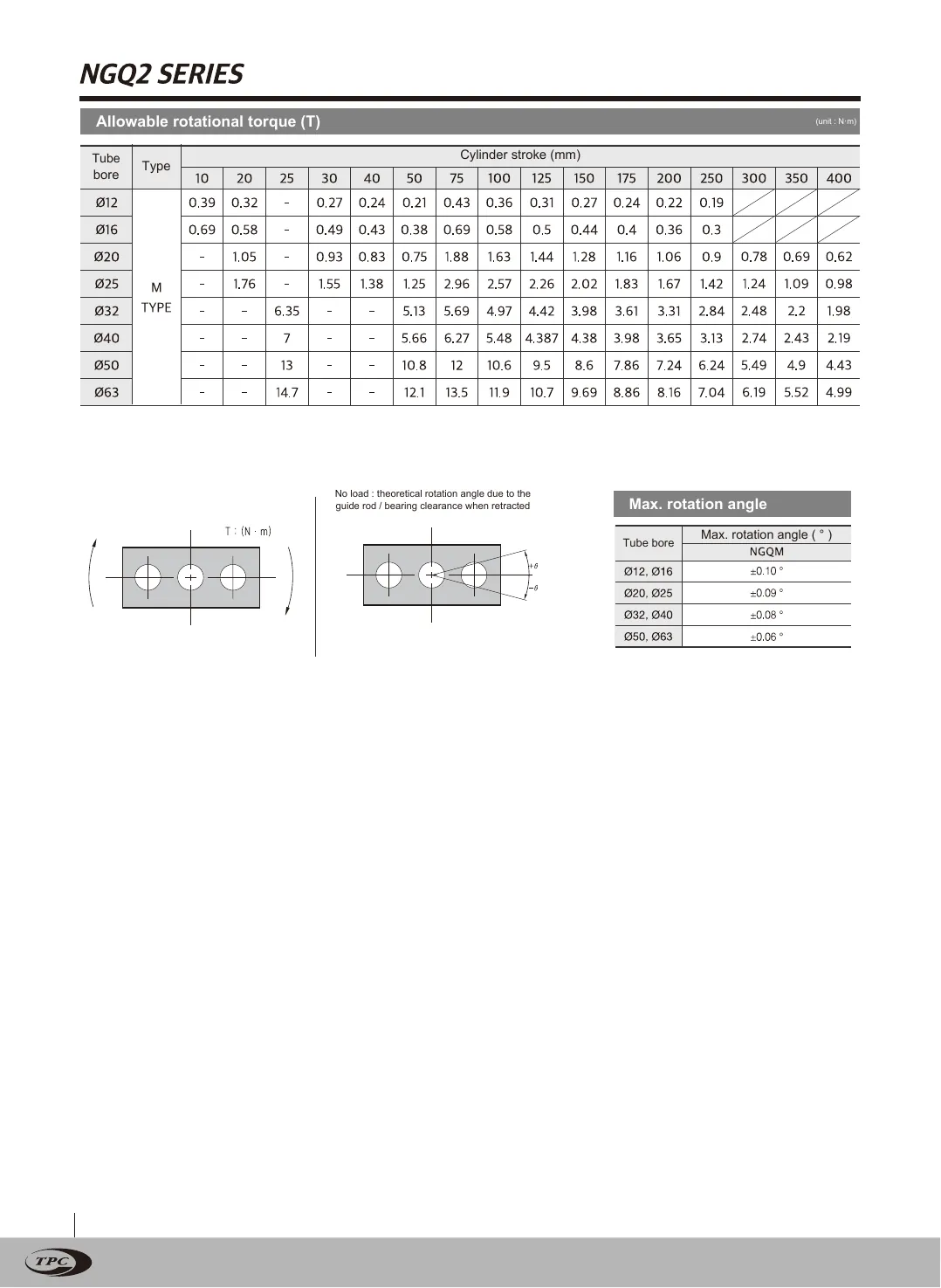
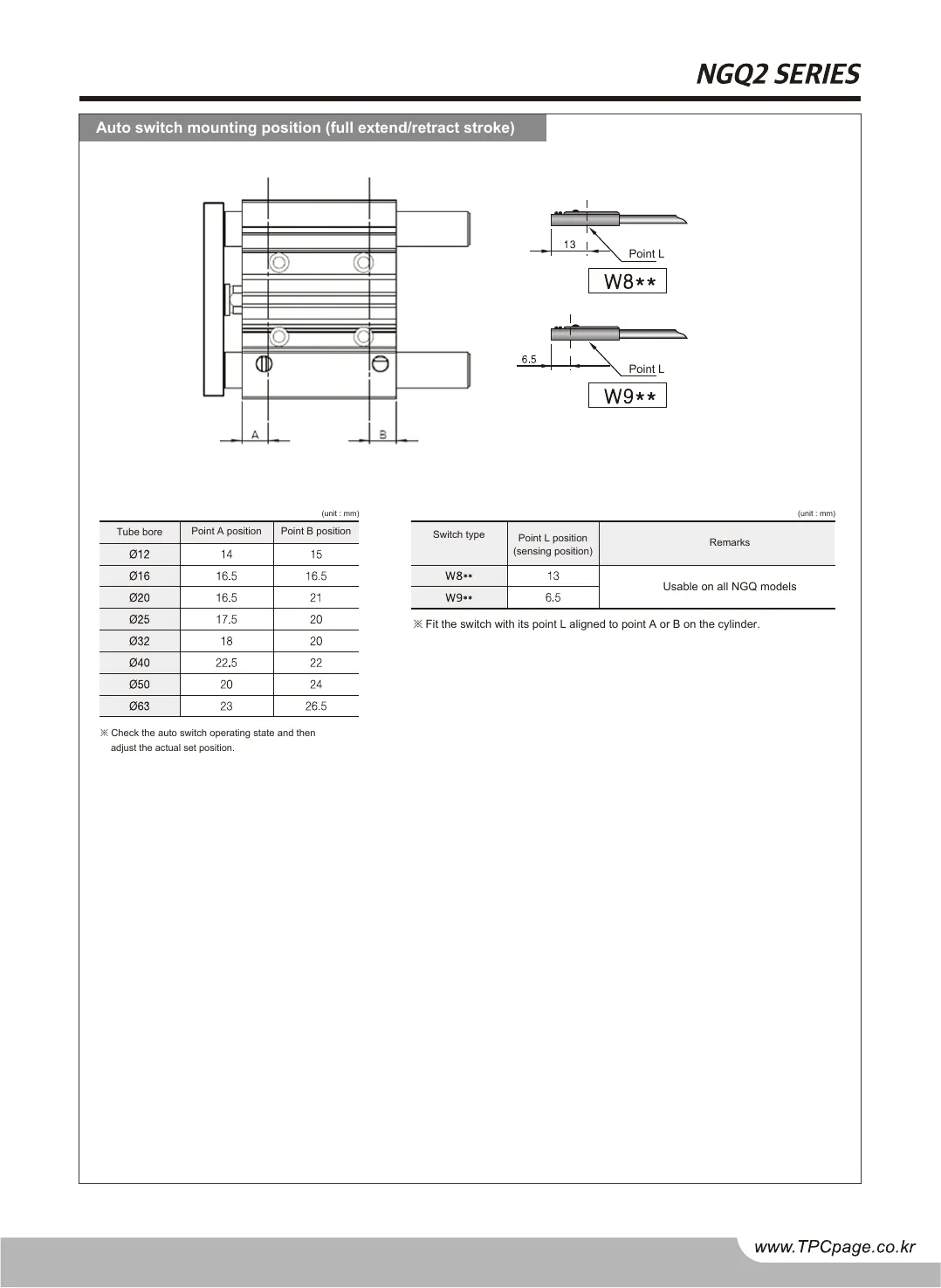
Twin · ENNGQ2 catalog, page 1, English twin
NGQ2 catalog, page 1, Korean original
NGQ2 catalog, page 1, English twin
OriginalTwin
Drag the divider or use the arrow keys50 %
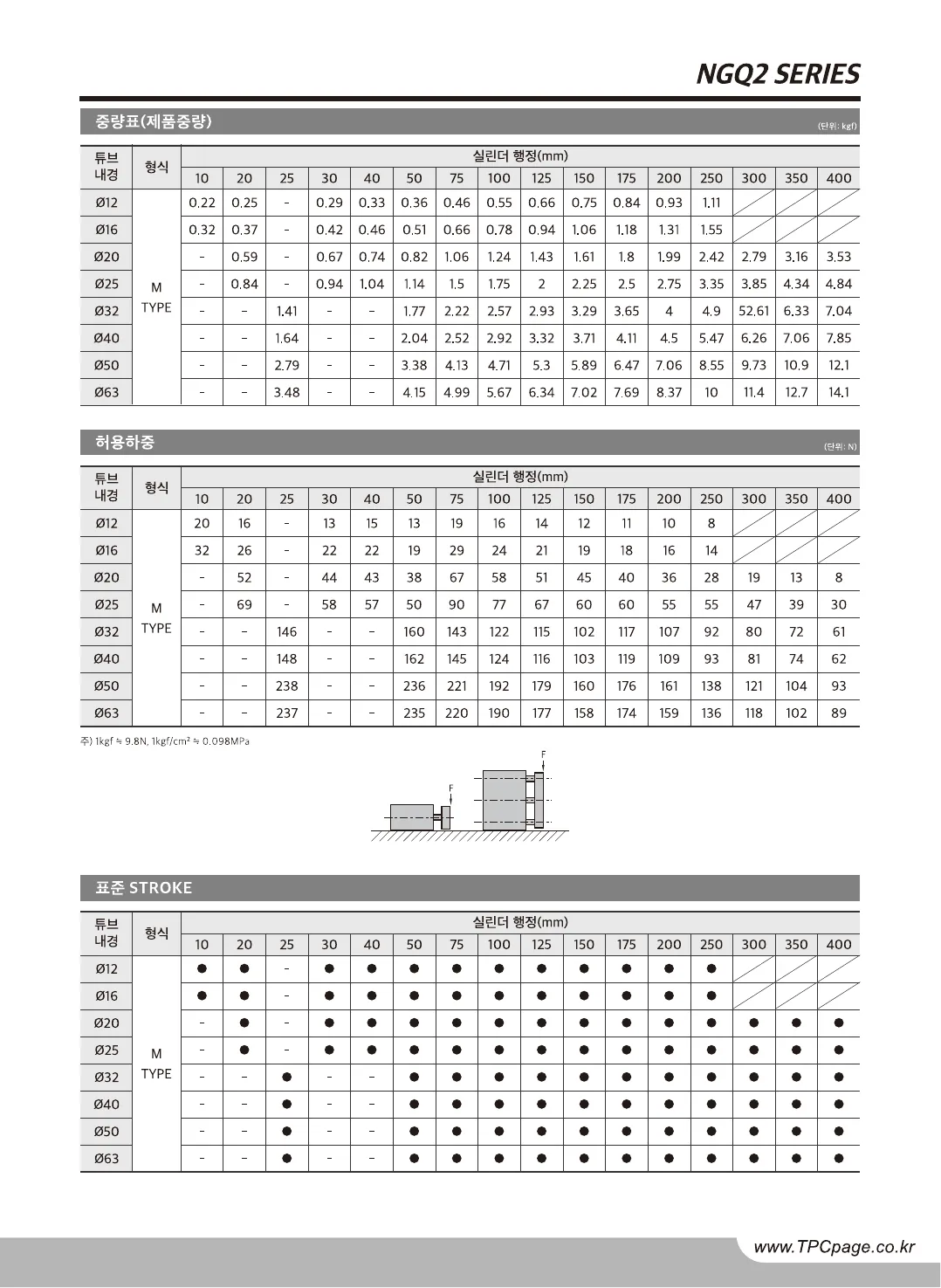
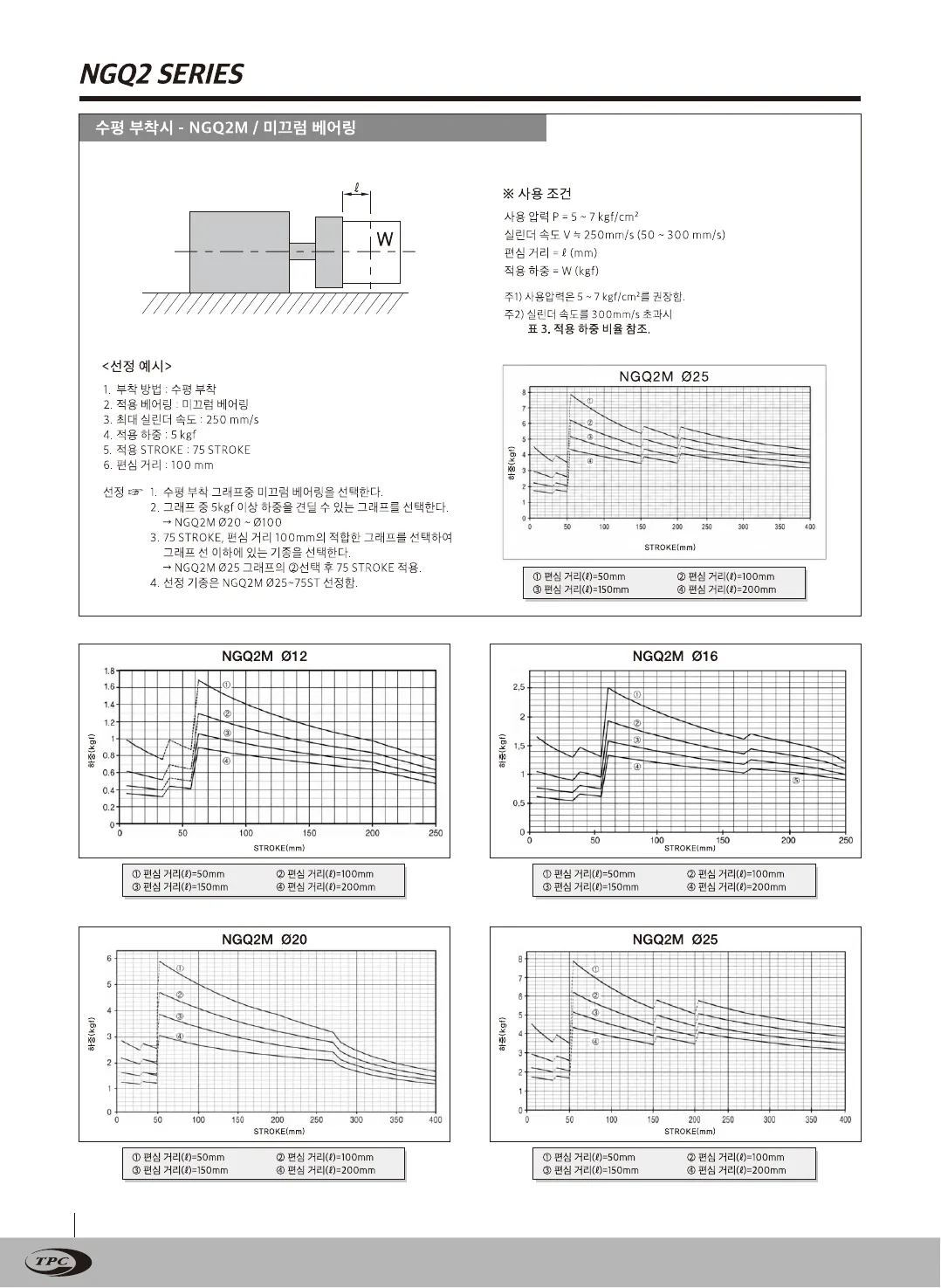
Original · KRNGQ2 catalog, page 2, Korean original
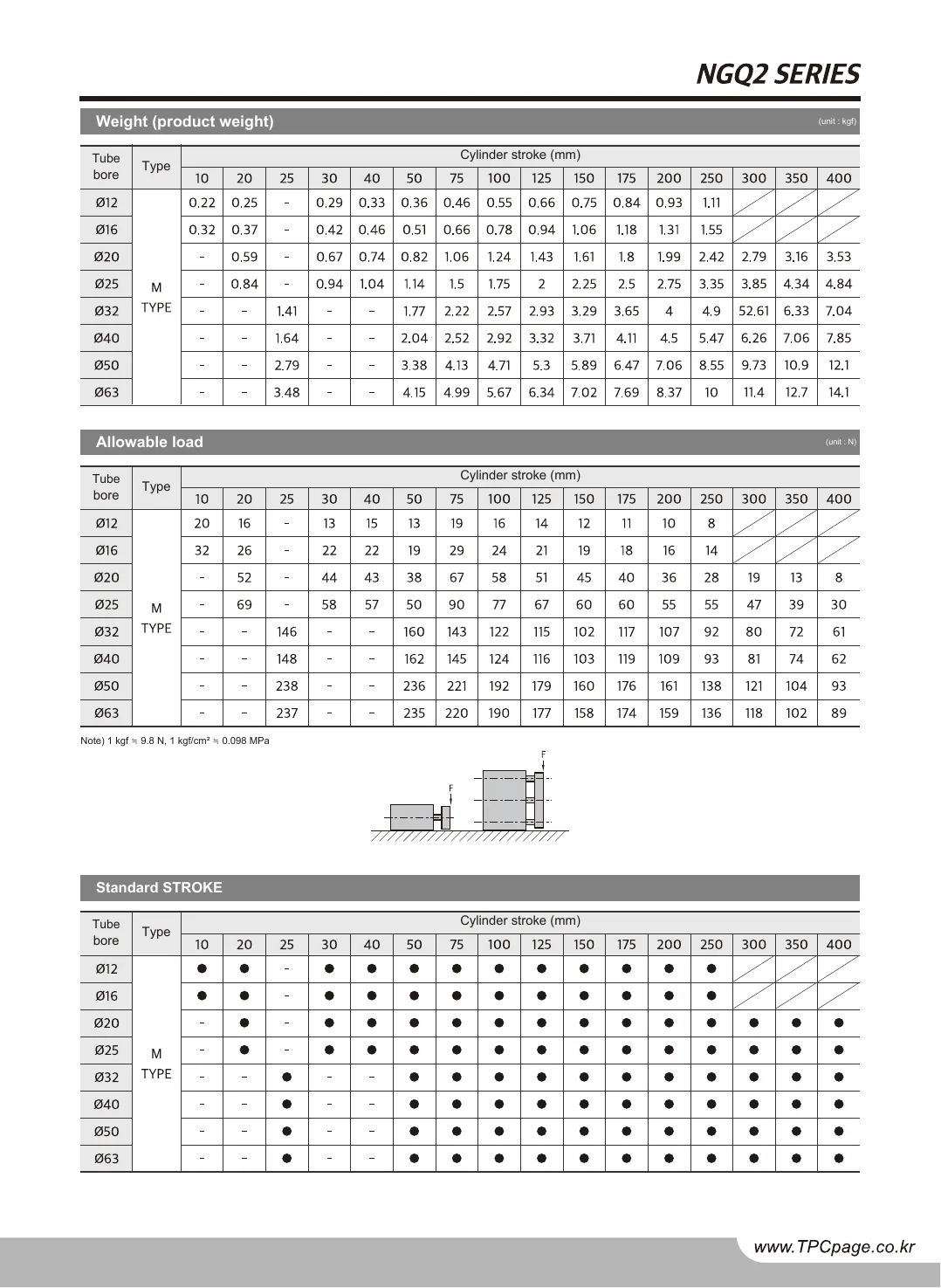
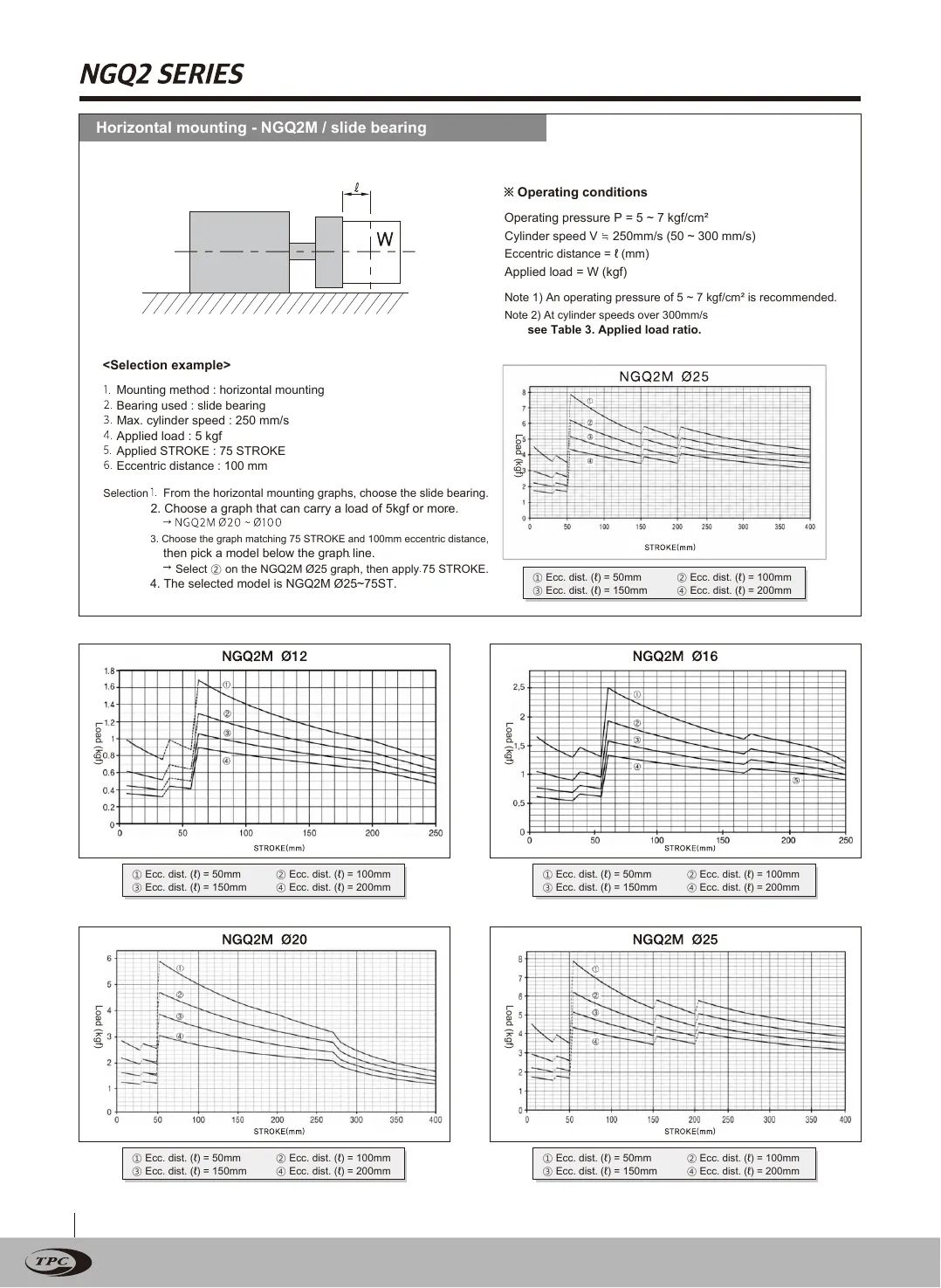
Twin · ENNGQ2 catalog, page 2, English twin
NGQ2 catalog, page 2, Korean original
NGQ2 catalog, page 2, English twin
OriginalTwin
Drag the divider or use the arrow keys50 %
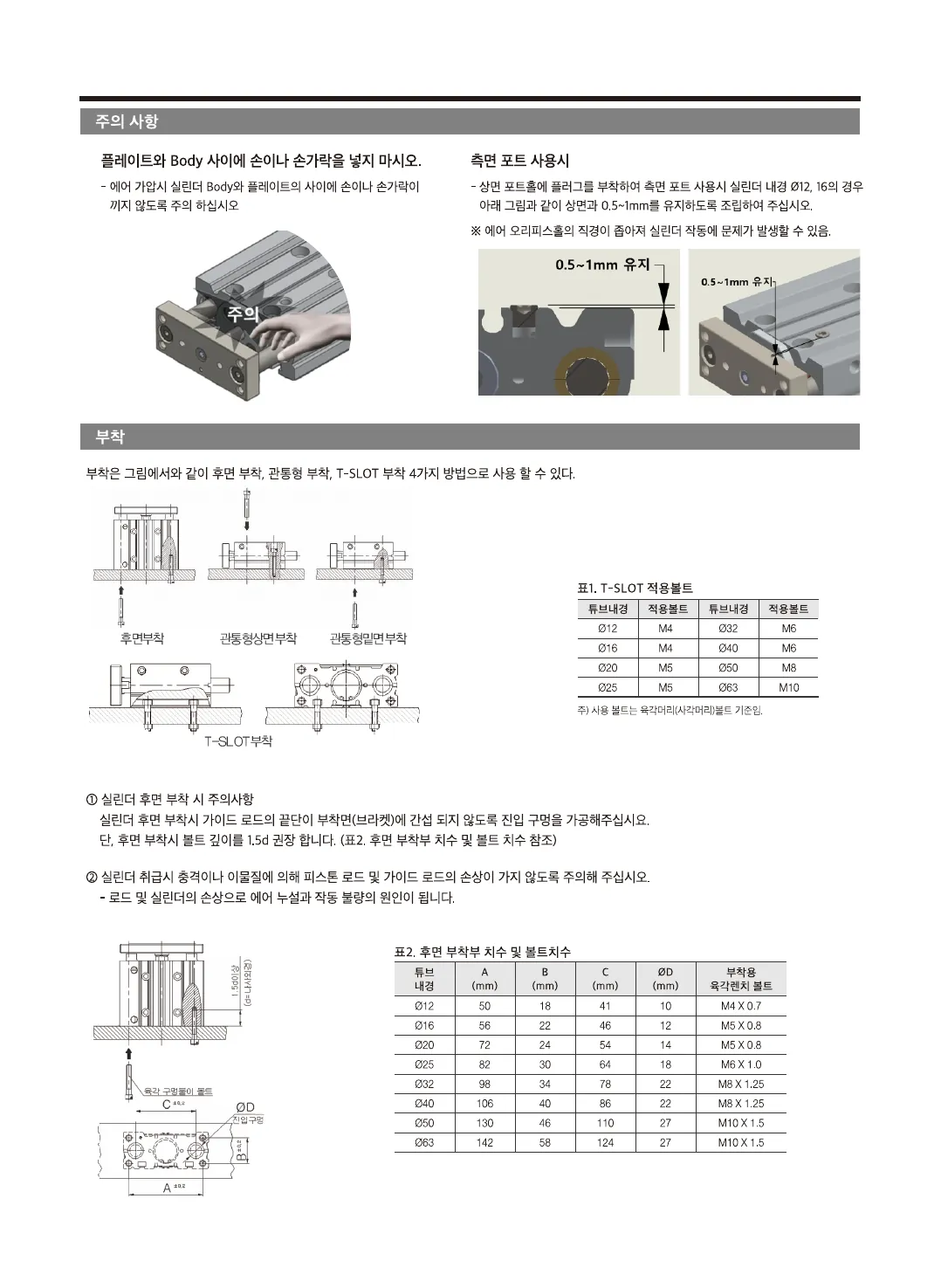
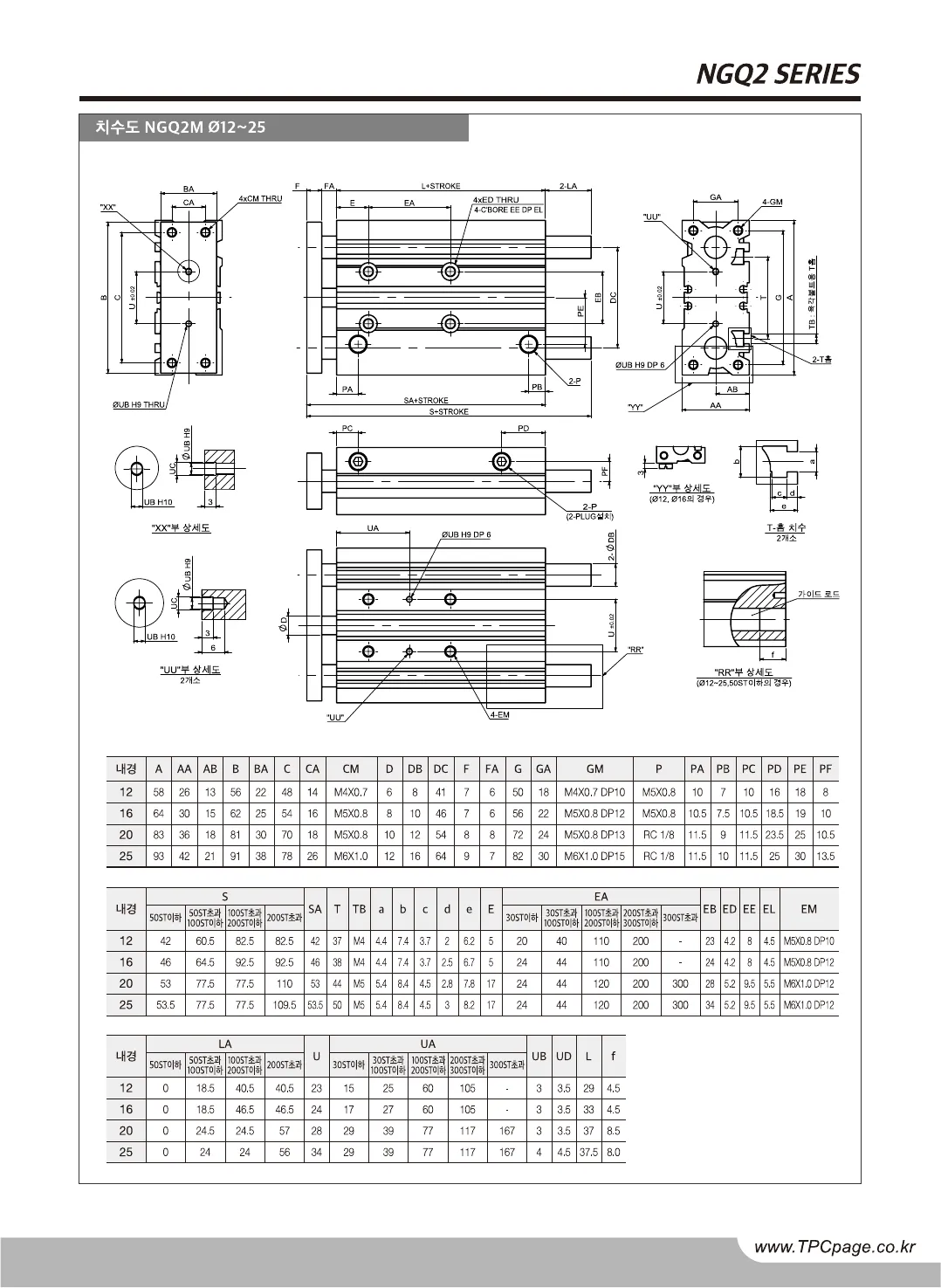
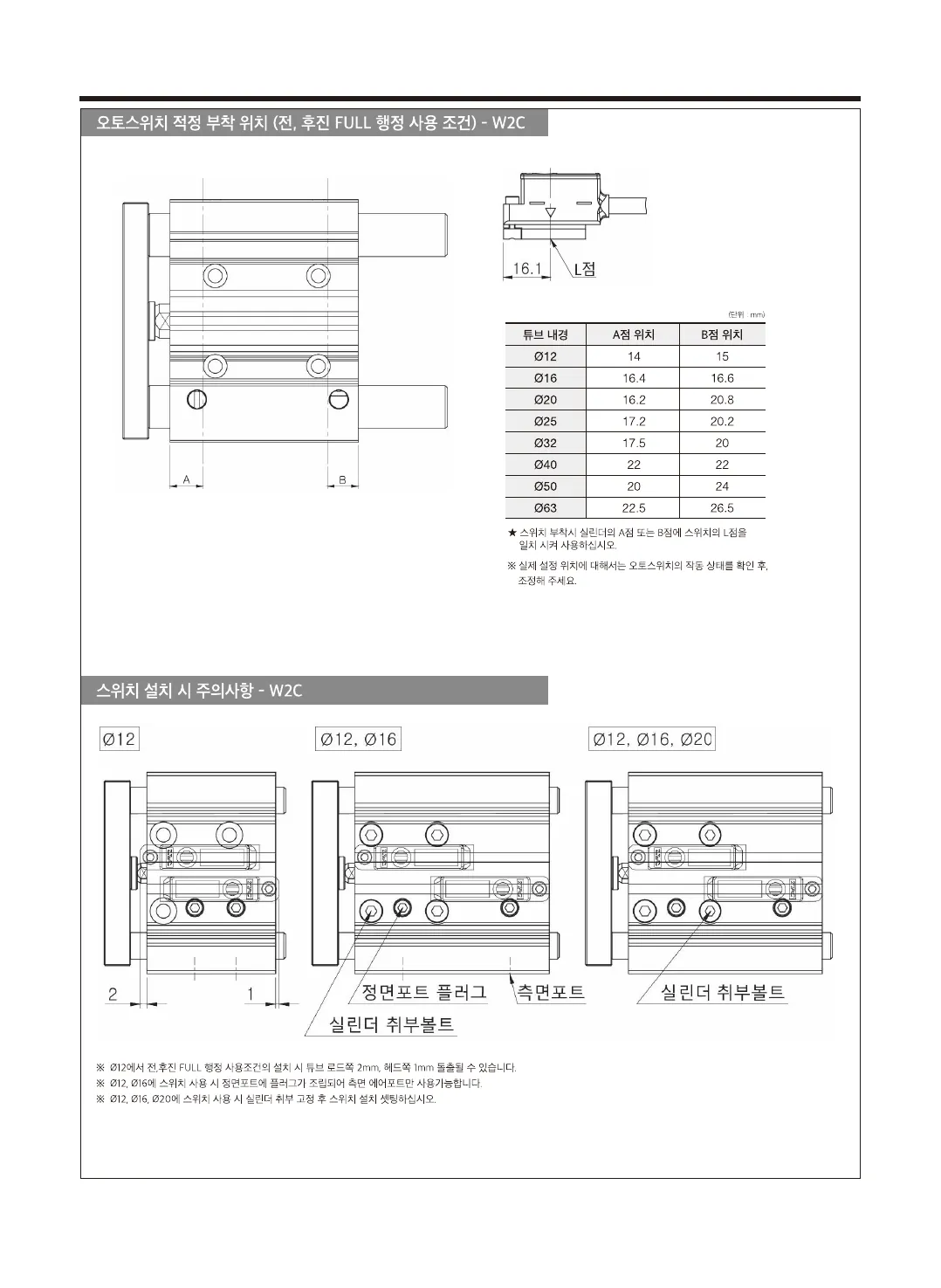
Original · KRNGQ2 catalog, page 3, Korean original
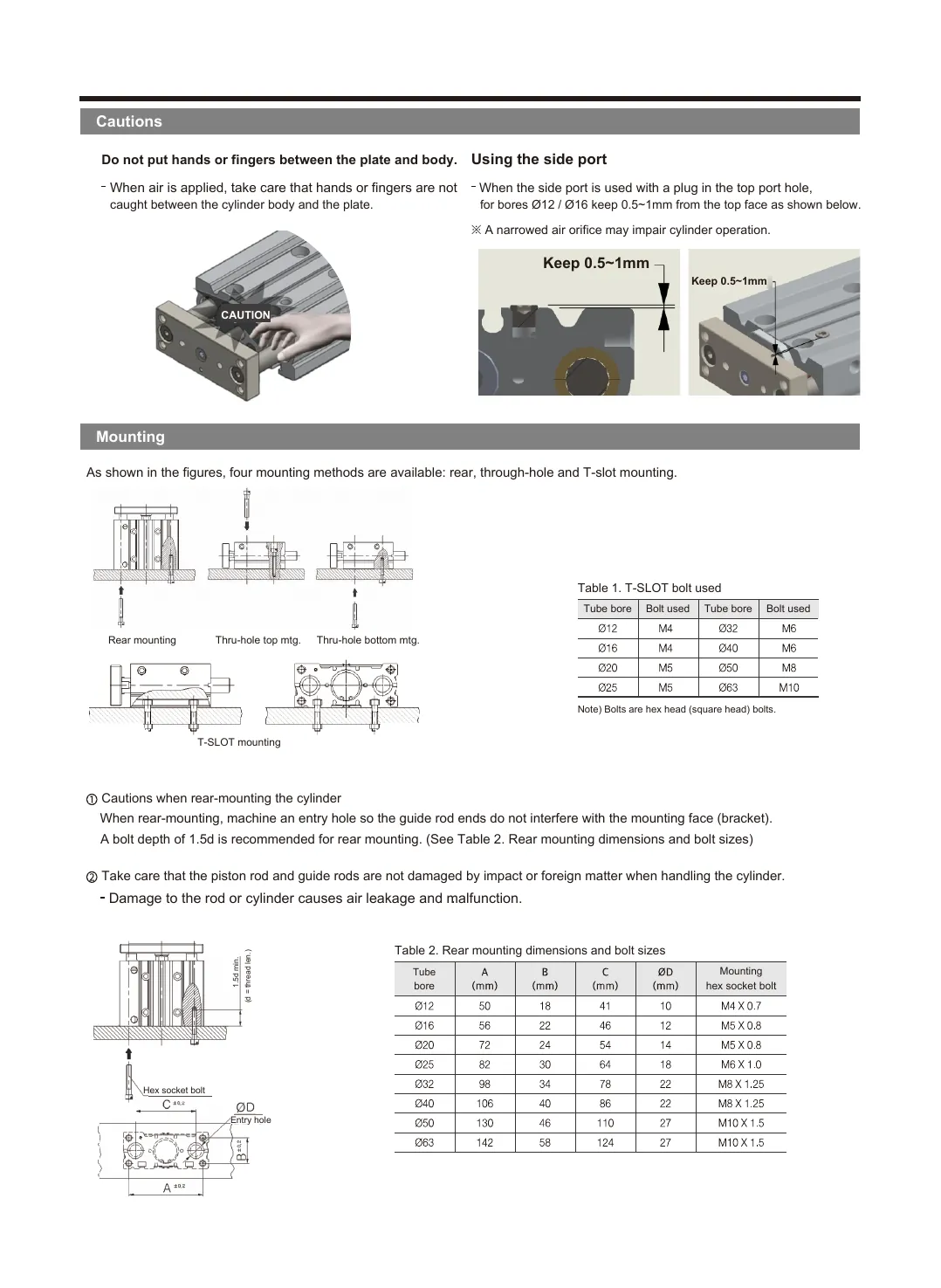
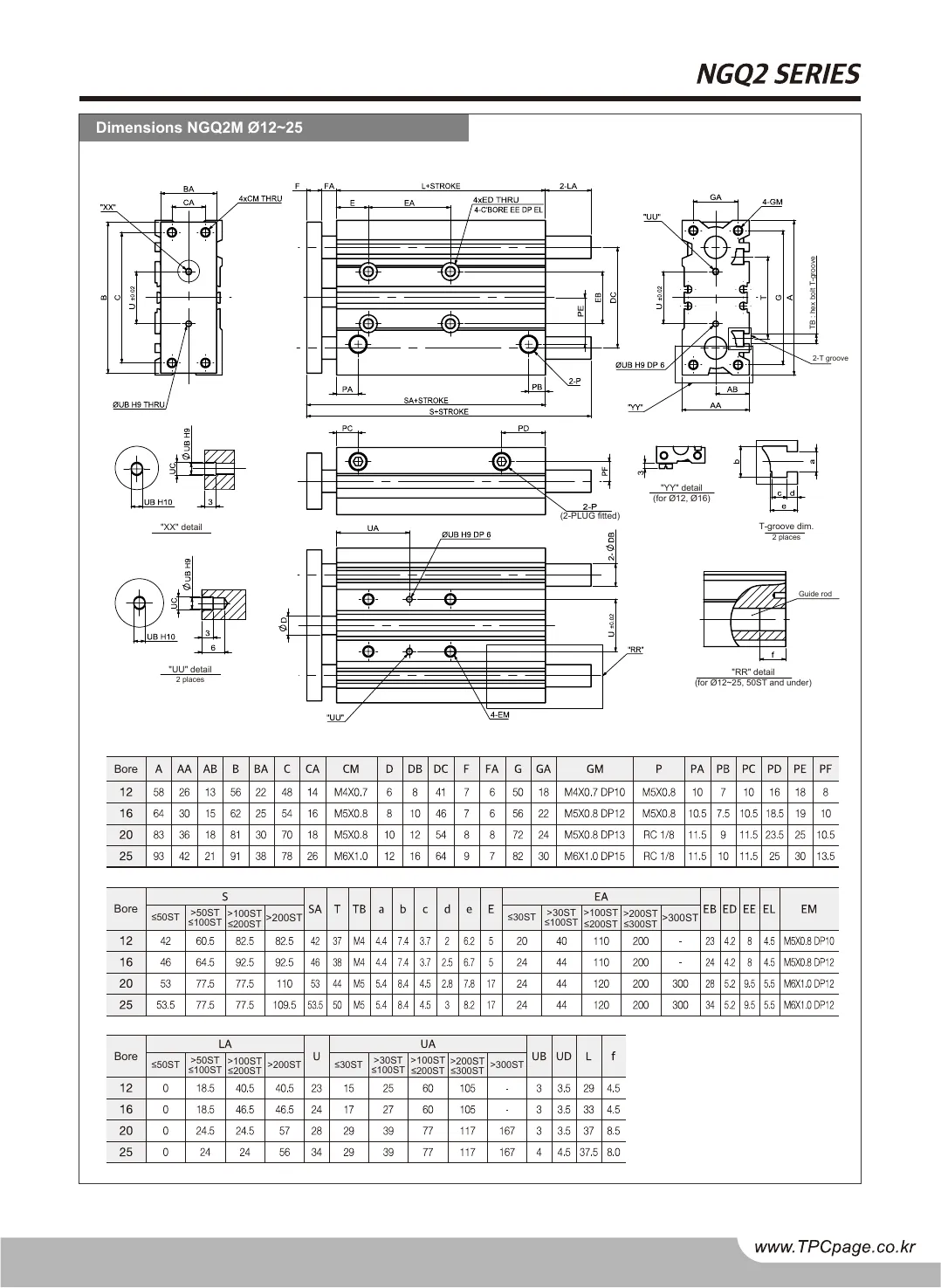
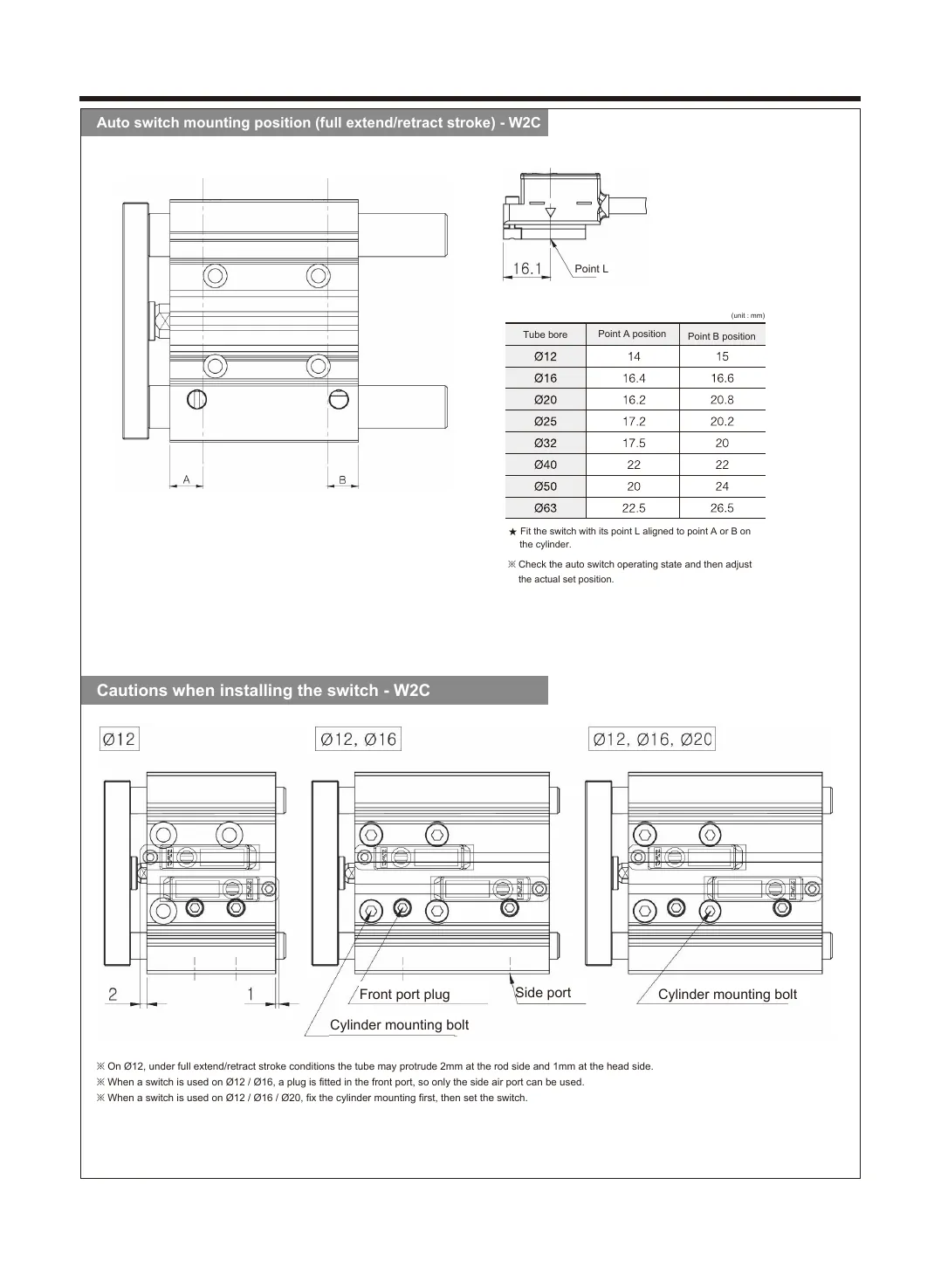
Twin · ENNGQ2 catalog, page 3, English twin
NGQ2 catalog, page 3, Korean original
NGQ2 catalog, page 3, English twin
OriginalTwin
Drag the divider or use the arrow keys50 %
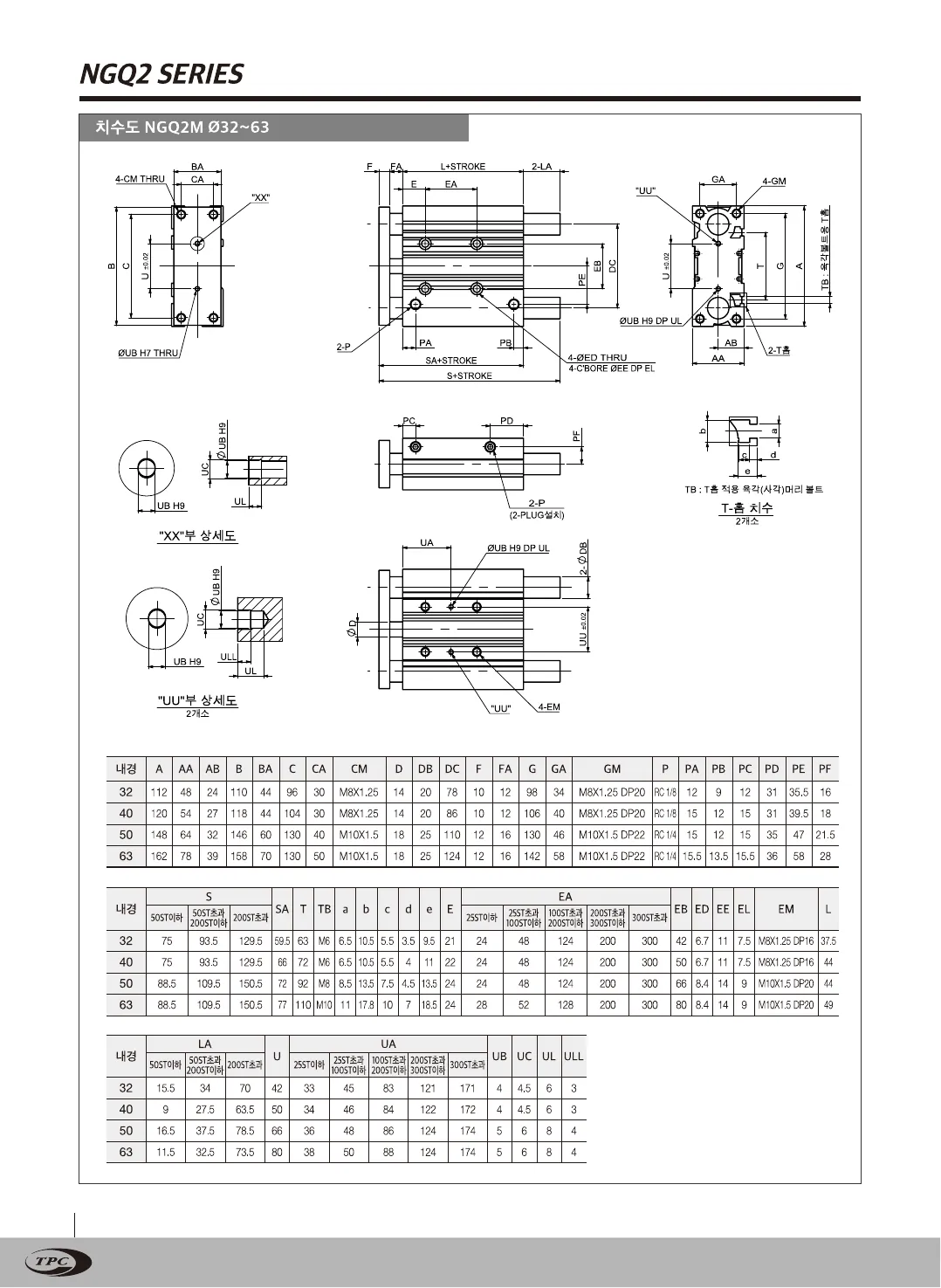
Original · KRNGQ2 catalog, page 4, Korean original
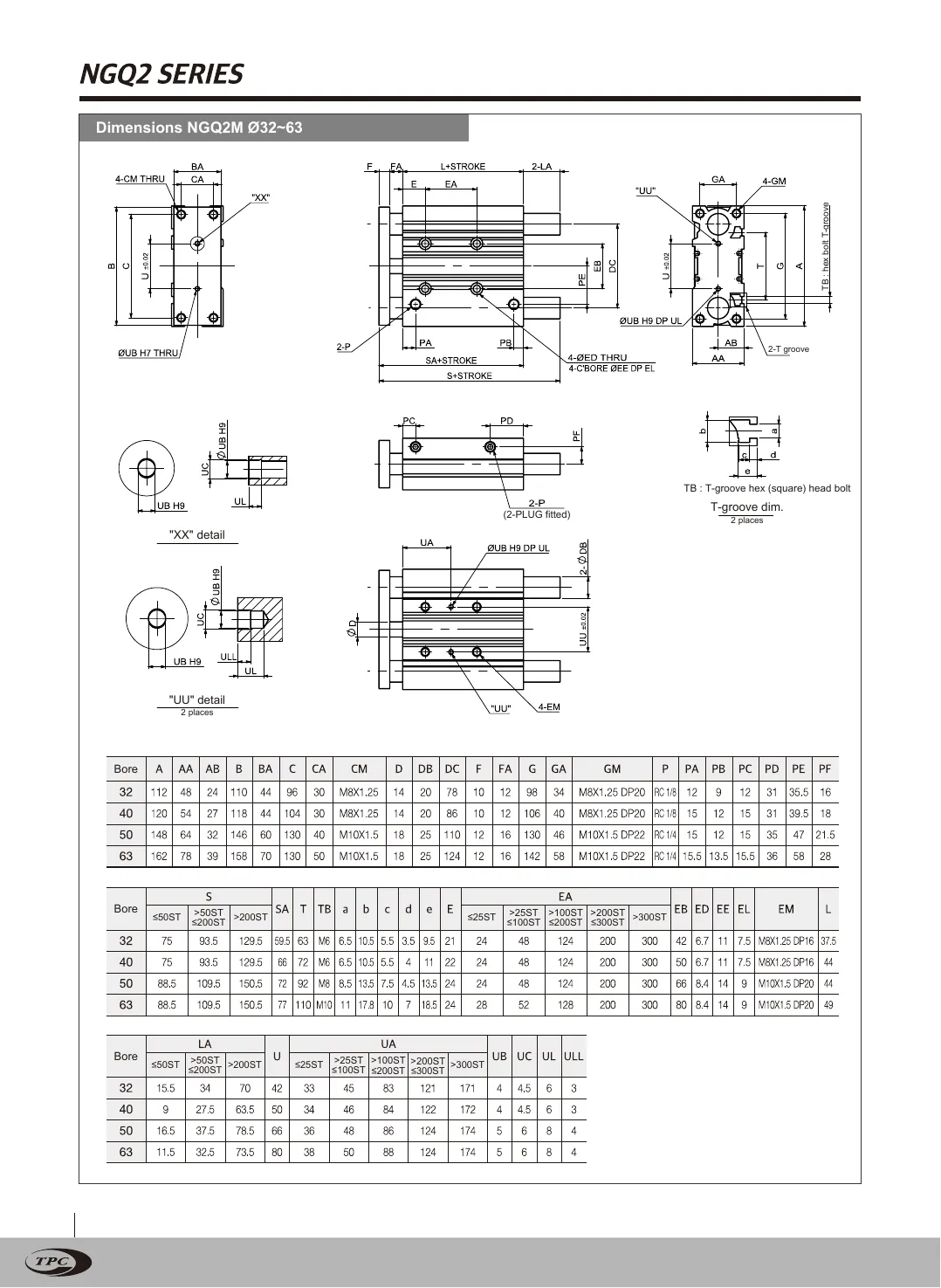
Twin · ENNGQ2 catalog, page 4, English twin
NGQ2 catalog, page 4, Korean original
NGQ2 catalog, page 4, English twin
OriginalTwin
Drag the divider or use the arrow keys50 %
Original · KRNGQ2 catalog, page 5, Korean original
Twin · ENNGQ2 catalog, page 5, English twin
NGQ2 catalog, page 5, Korean original
NGQ2 catalog, page 5, English twin
OriginalTwin
Drag the divider or use the arrow keys50 %
Original · KRNGQ2 catalog, page 6, Korean original
Twin · ENNGQ2 catalog, page 6, English twin
NGQ2 catalog, page 6, Korean original
NGQ2 catalog, page 6, English twin
OriginalTwin
Drag the divider or use the arrow keys50 %
Original · KRNGQ2 catalog, page 7, Korean original
Twin · ENNGQ2 catalog, page 7, English twin
NGQ2 catalog, page 7, Korean original
NGQ2 catalog, page 7, English twin
OriginalTwin
Drag the divider or use the arrow keys50 %
Original · KRNGQ2 catalog, page 8, Korean original
Twin · ENNGQ2 catalog, page 8, English twin
NGQ2 catalog, page 8, Korean original
NGQ2 catalog, page 8, English twin
OriginalTwin
Drag the divider or use the arrow keys50 %
Original · KRNGQ2 catalog, page 9, Korean original
Twin · ENNGQ2 catalog, page 9, English twin
NGQ2 catalog, page 9, Korean original
NGQ2 catalog, page 9, English twin
OriginalTwin
Drag the divider or use the arrow keys50 %
Original · KRNGQ2 catalog, page 10, Korean original
Twin · ENNGQ2 catalog, page 10, English twin
NGQ2 catalog, page 10, Korean original
NGQ2 catalog, page 10, English twin
OriginalTwin
Drag the divider or use the arrow keys50 %
Original · KRNGQ2 catalog, page 11, Korean original
Twin · ENNGQ2 catalog, page 11, English twin
NGQ2 catalog, page 11, Korean original
NGQ2 catalog, page 11, English twin
OriginalTwin
Drag the divider or use the arrow keys50 %
Original · KRNGQ2 catalog, page 12, Korean original
Twin · ENNGQ2 catalog, page 12, English twin
NGQ2 catalog, page 12, Korean original
NGQ2 catalog, page 12, English twin
OriginalTwin
Drag the divider or use the arrow keys50 %
Original · KRNGQ2 catalog, page 13, Korean original
Twin · ENNGQ2 catalog, page 13, English twin
NGQ2 catalog, page 13, Korean original
NGQ2 catalog, page 13, English twin
OriginalTwin
Drag the divider or use the arrow keys50 %
Original · KRNGQ2 catalog, page 14, Korean original
Twin · ENNGQ2 catalog, page 14, English twin
NGQ2 catalog, page 14, Korean original
NGQ2 catalog, page 14, English twin
OriginalTwin
Drag the divider or use the arrow keys50 %
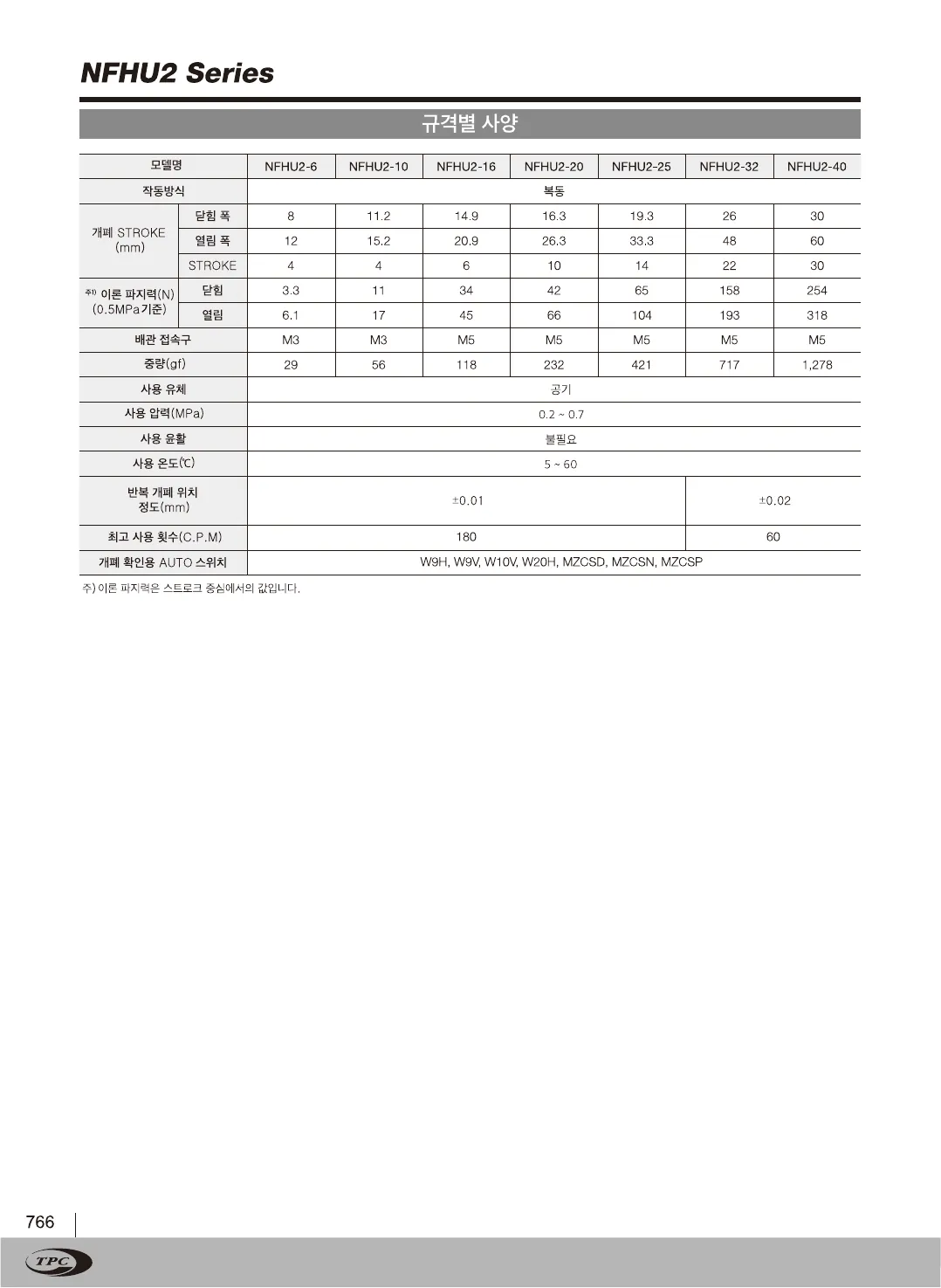
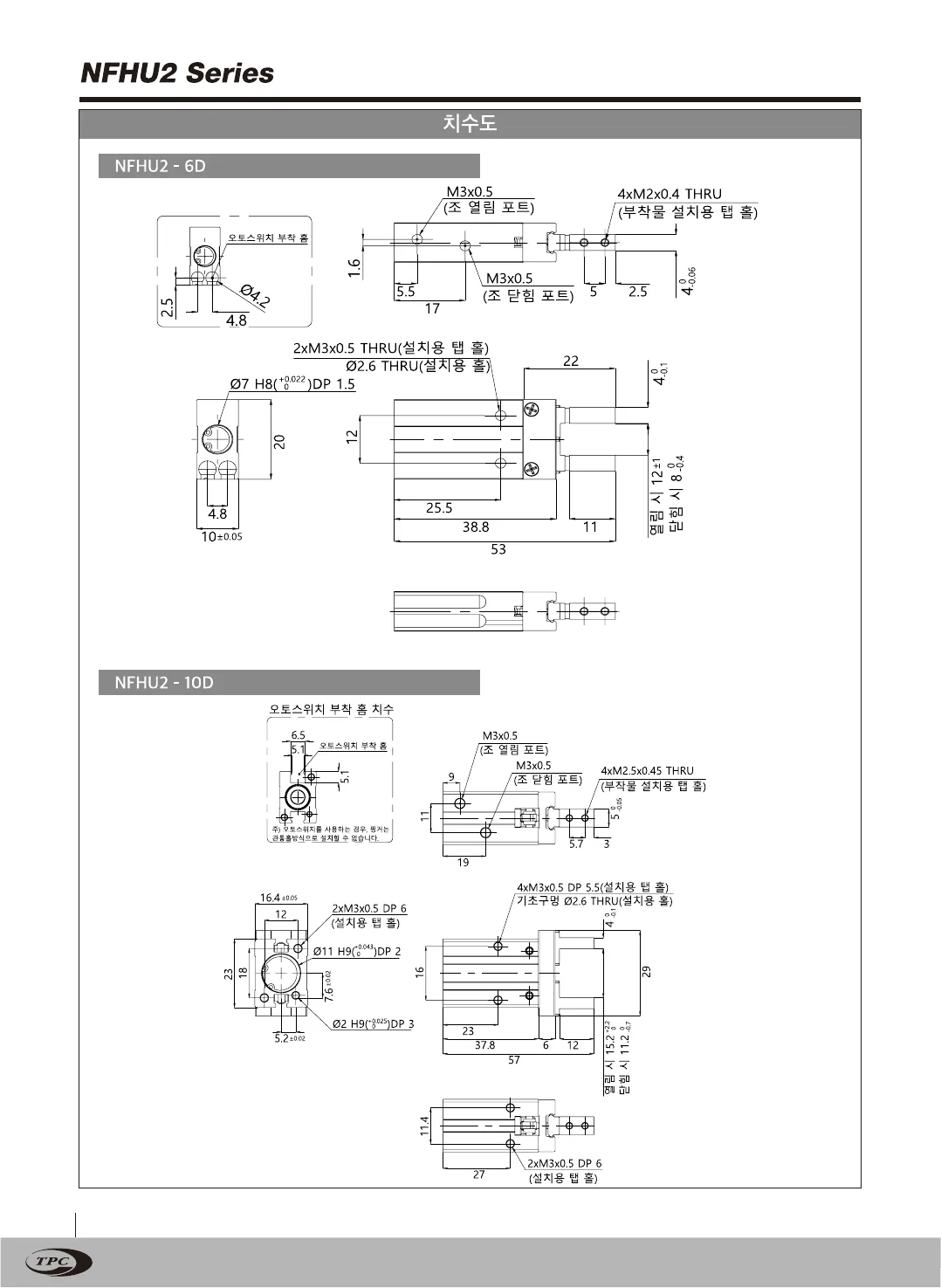
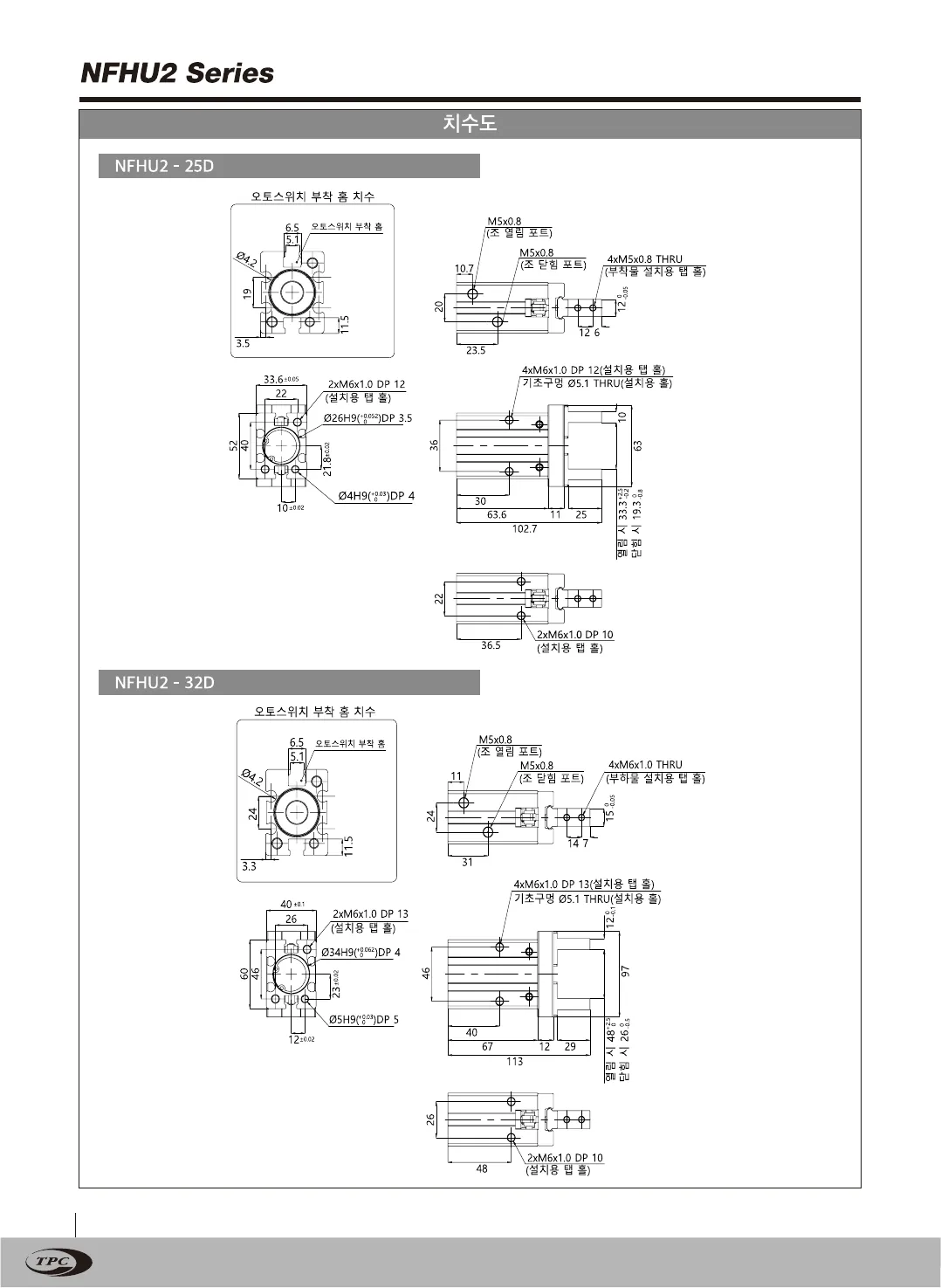
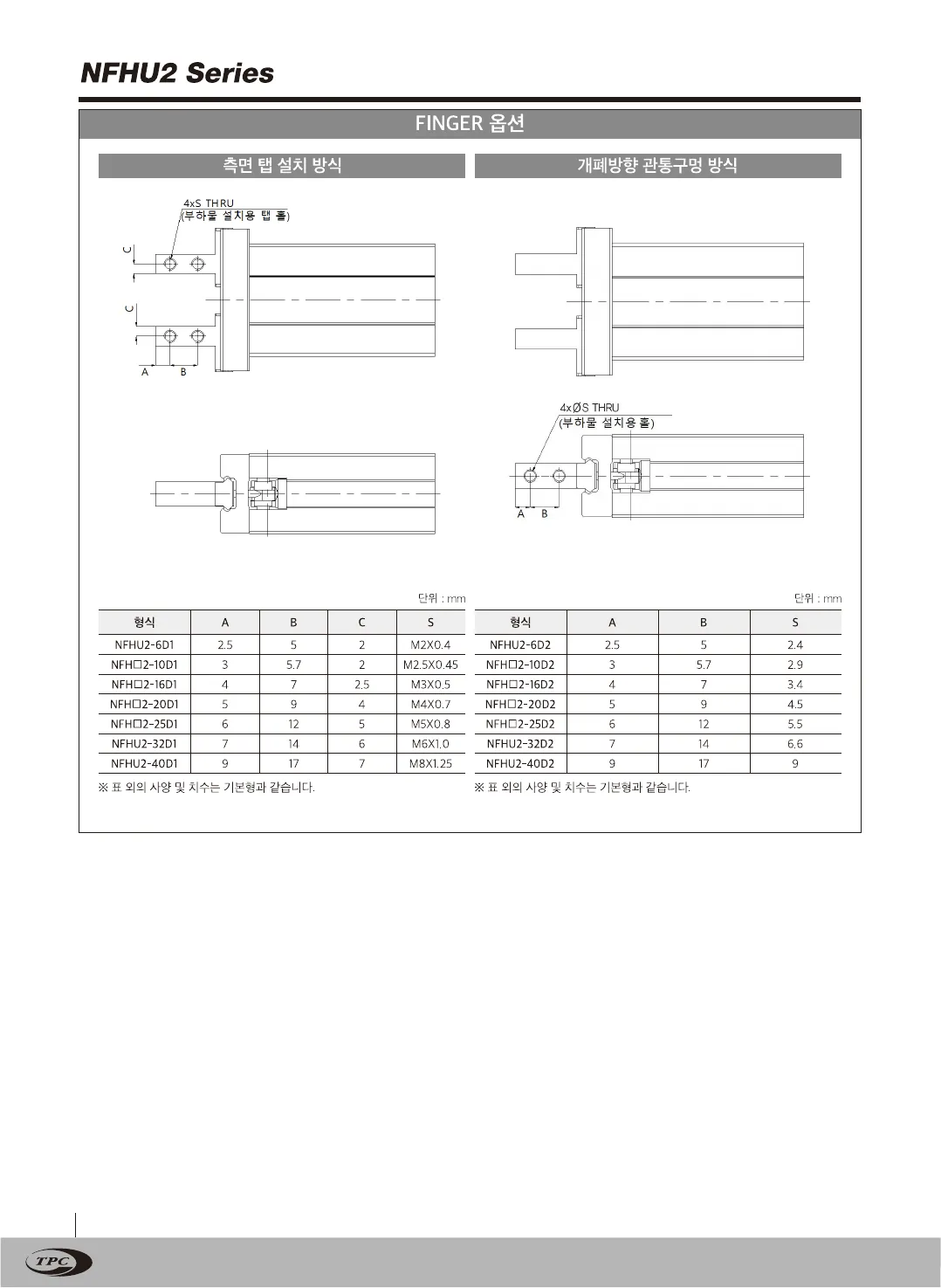
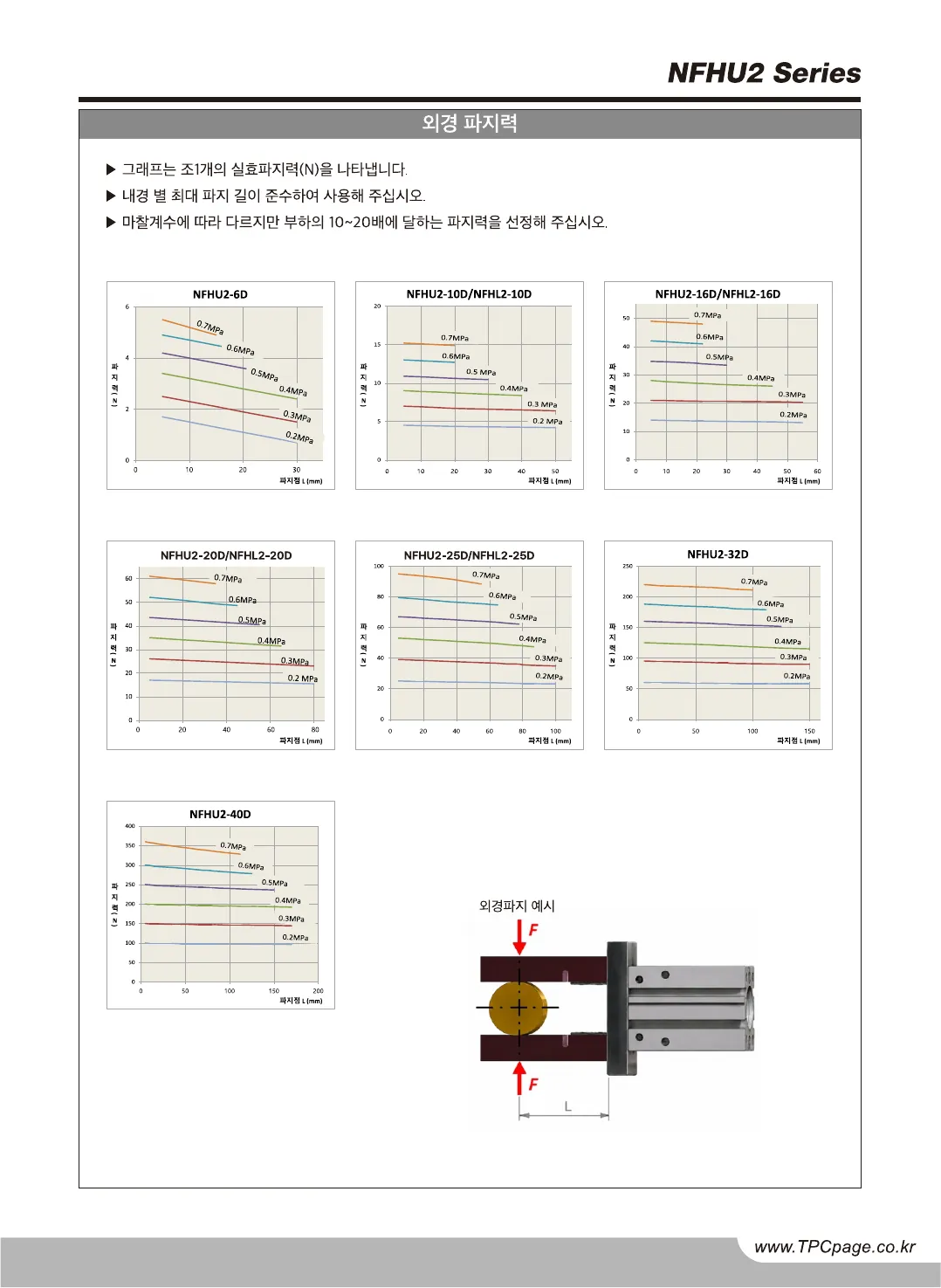
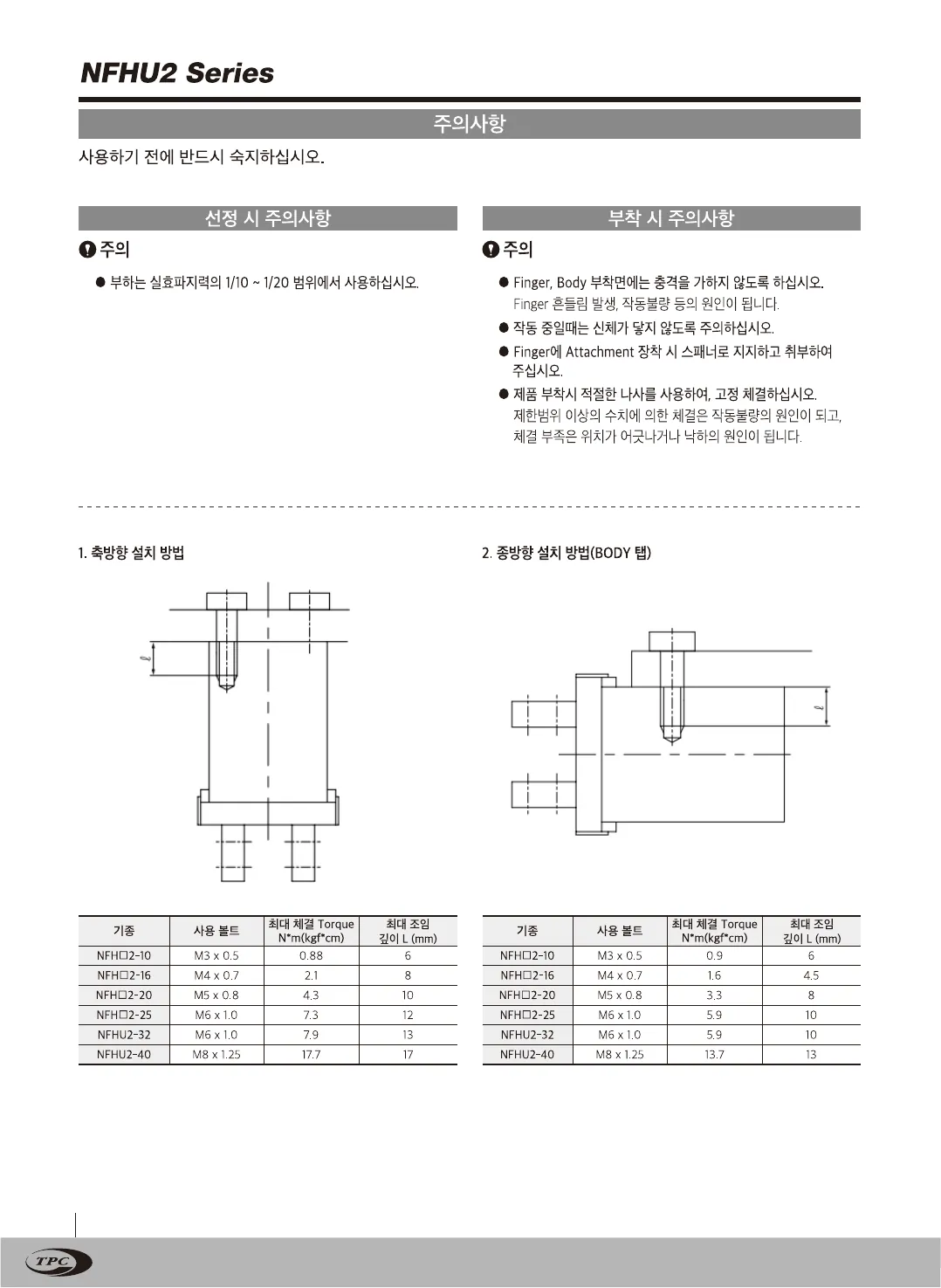
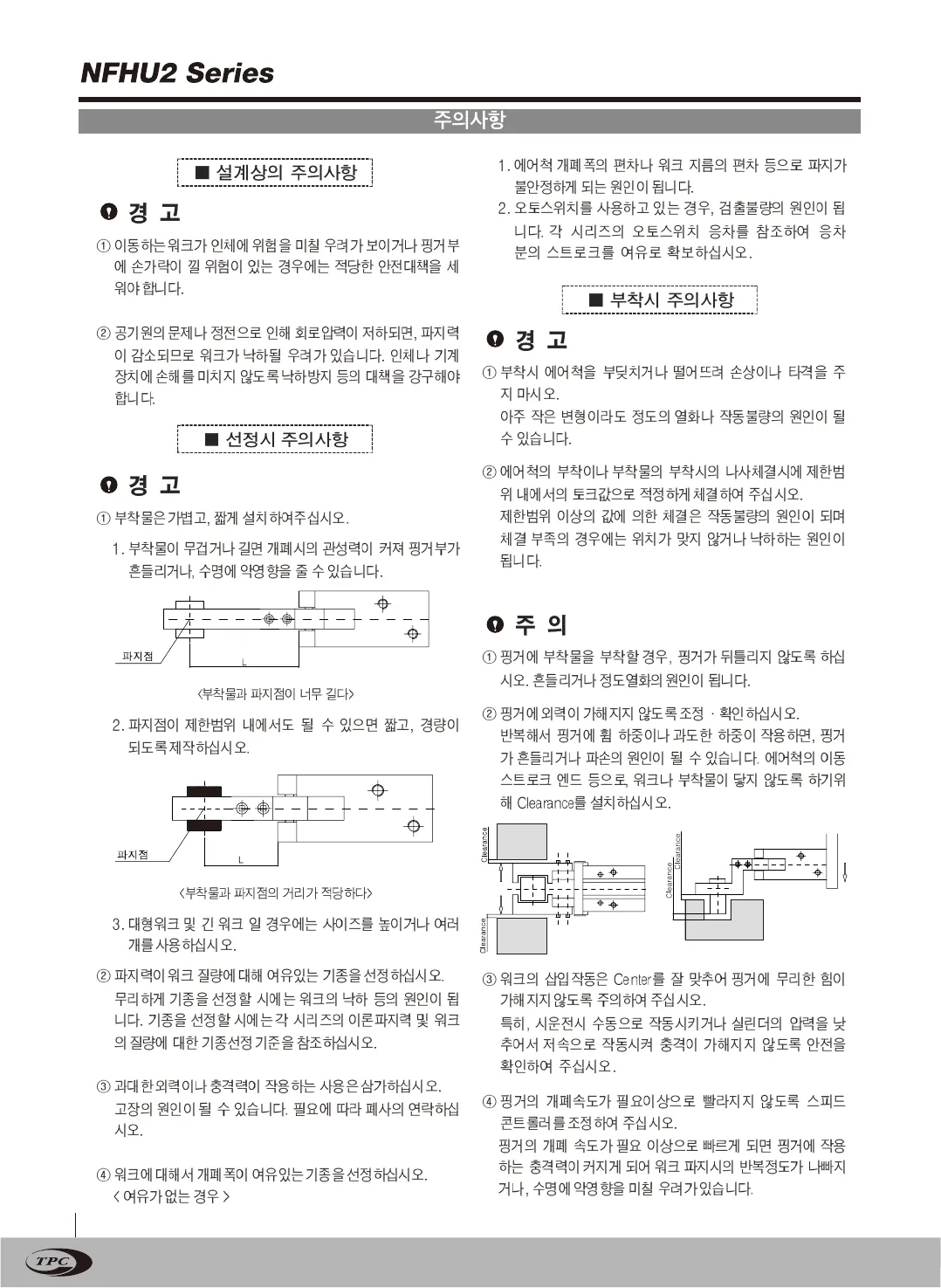
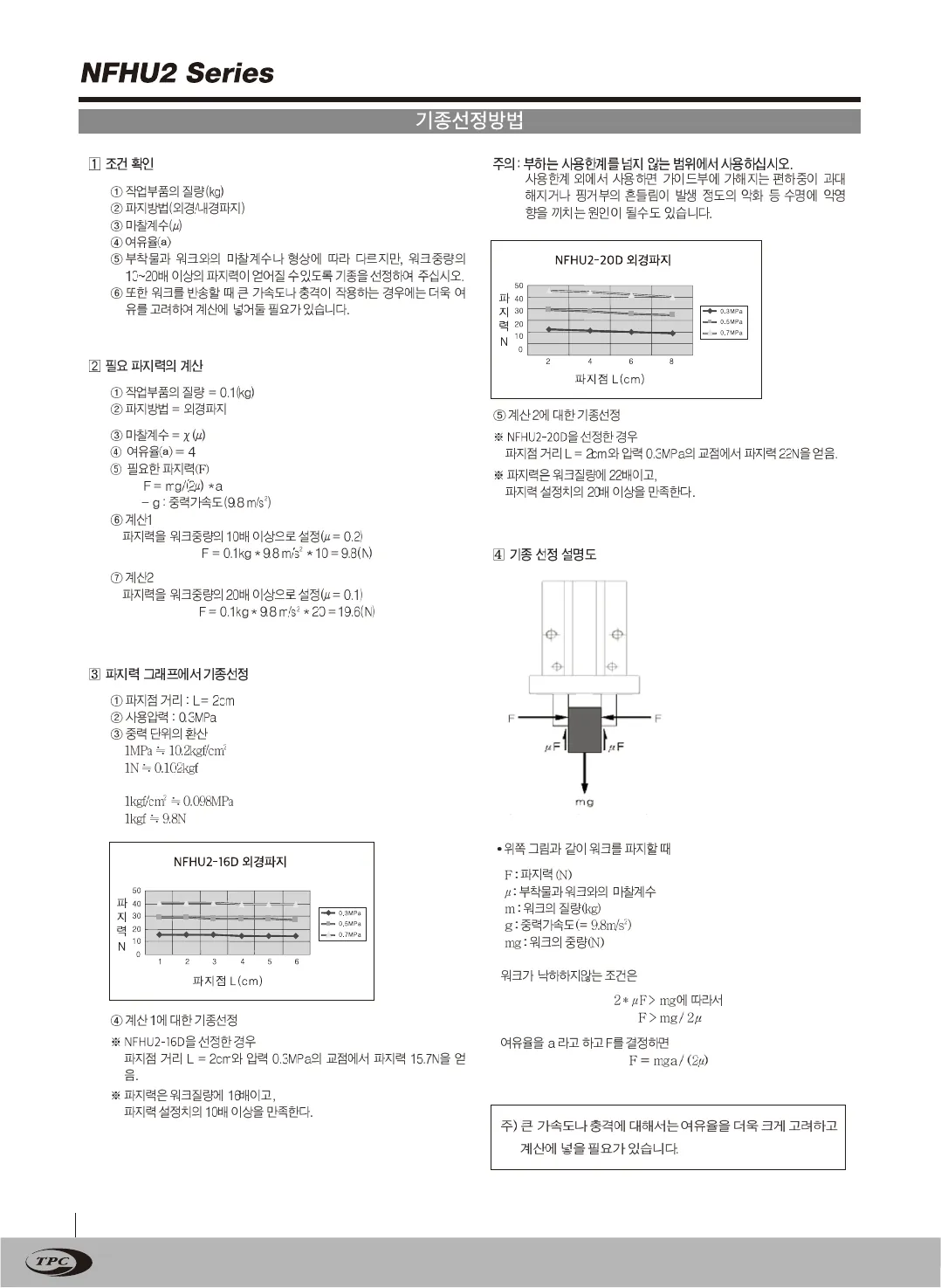
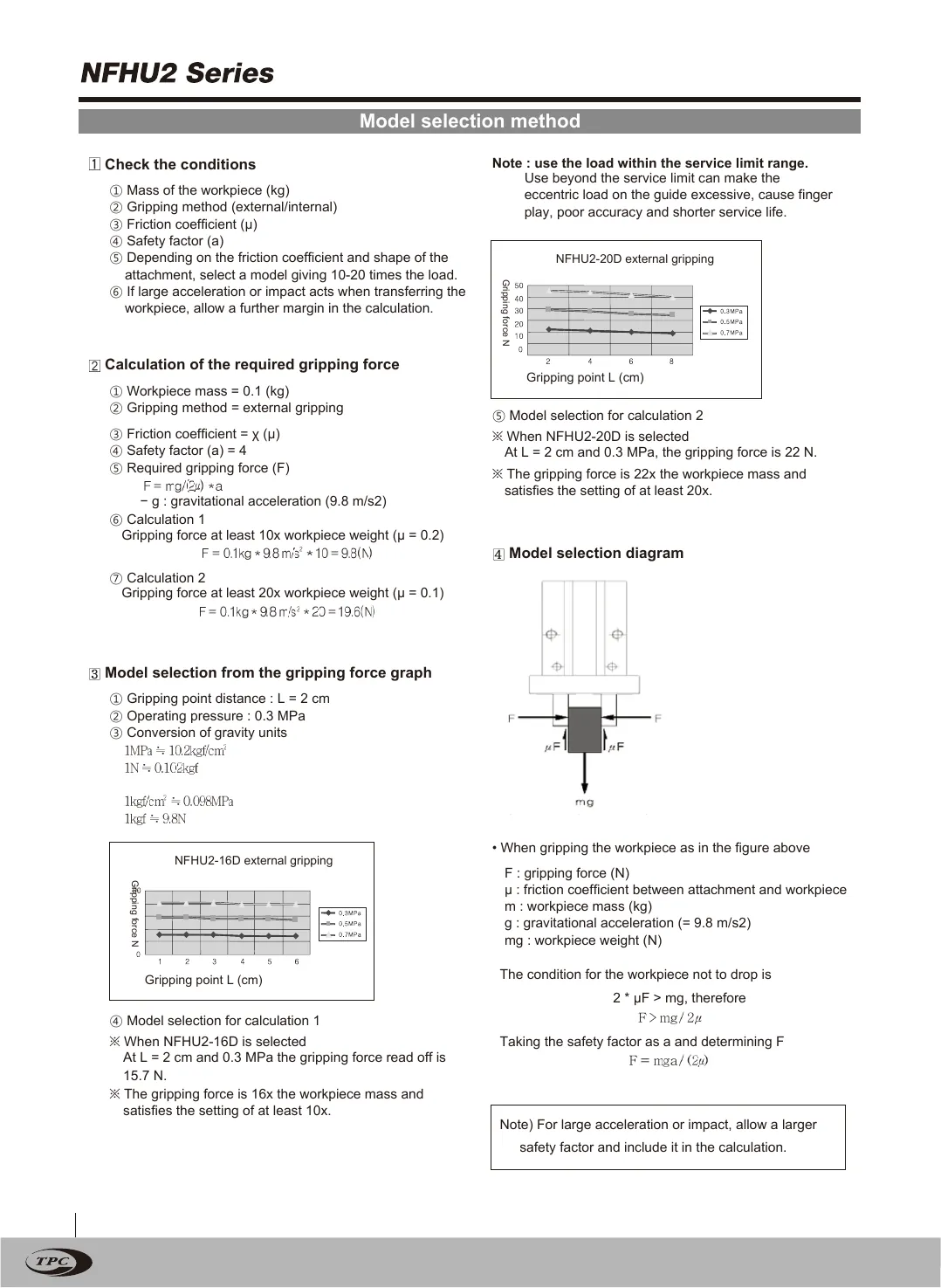
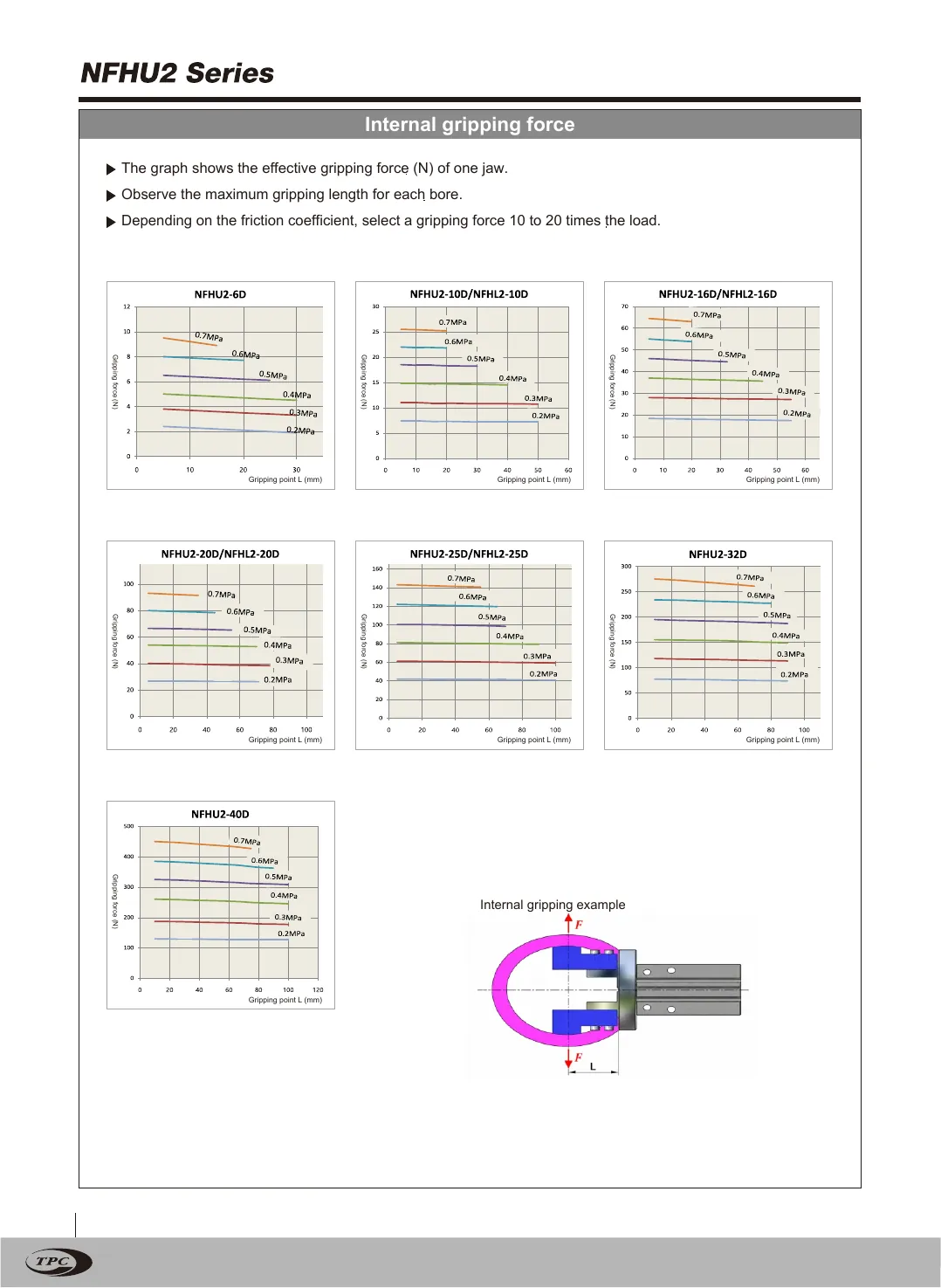
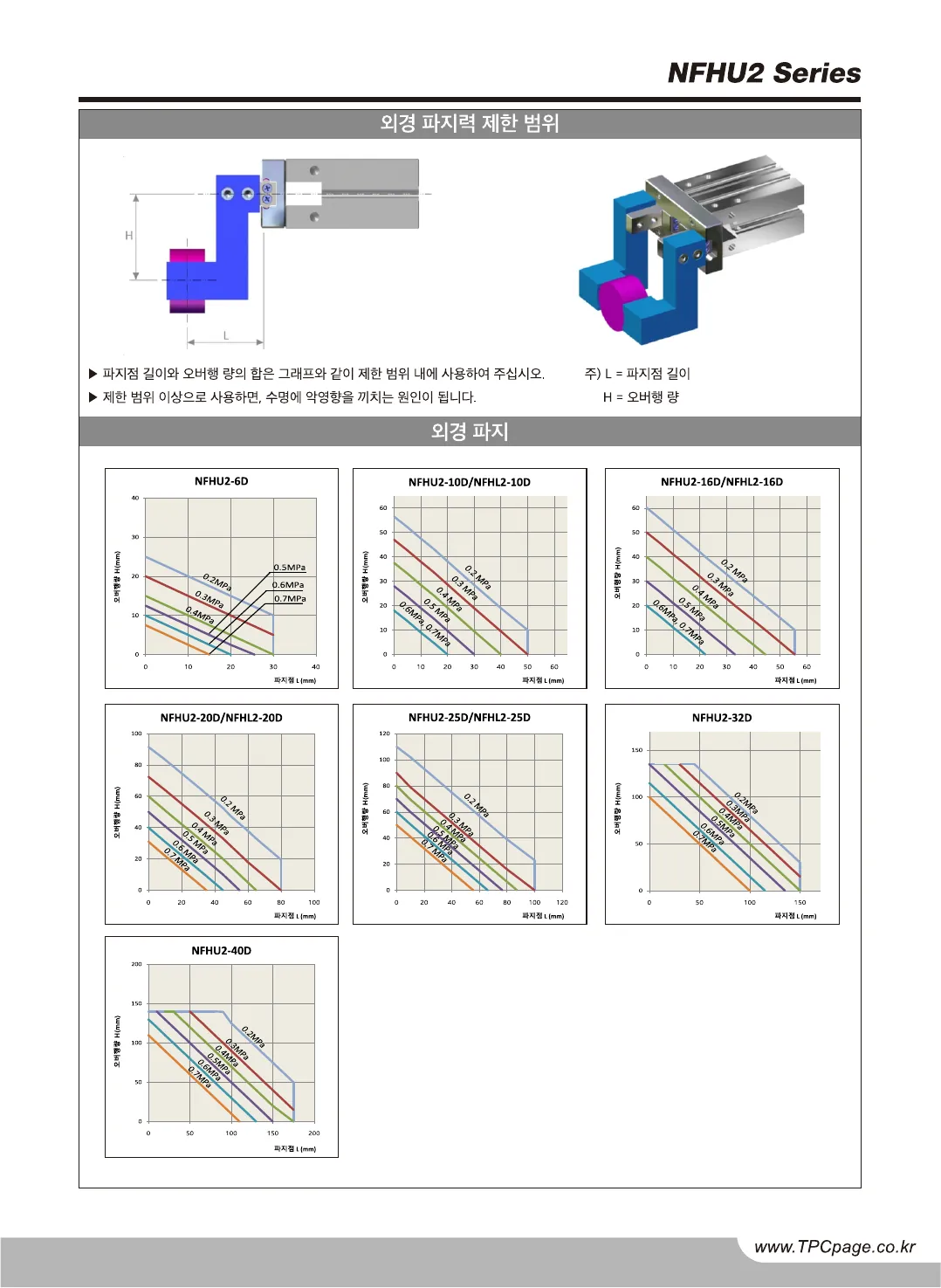
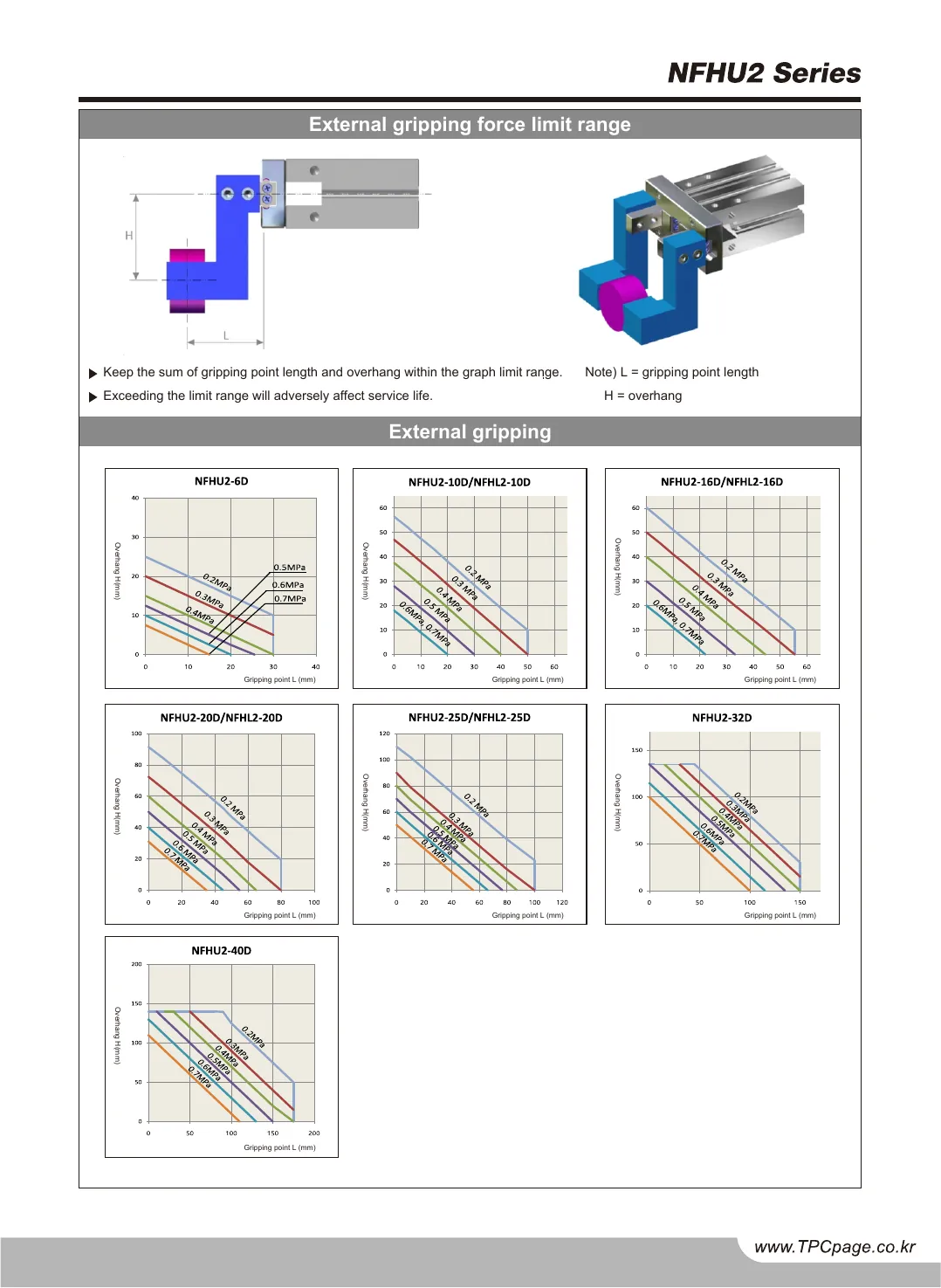
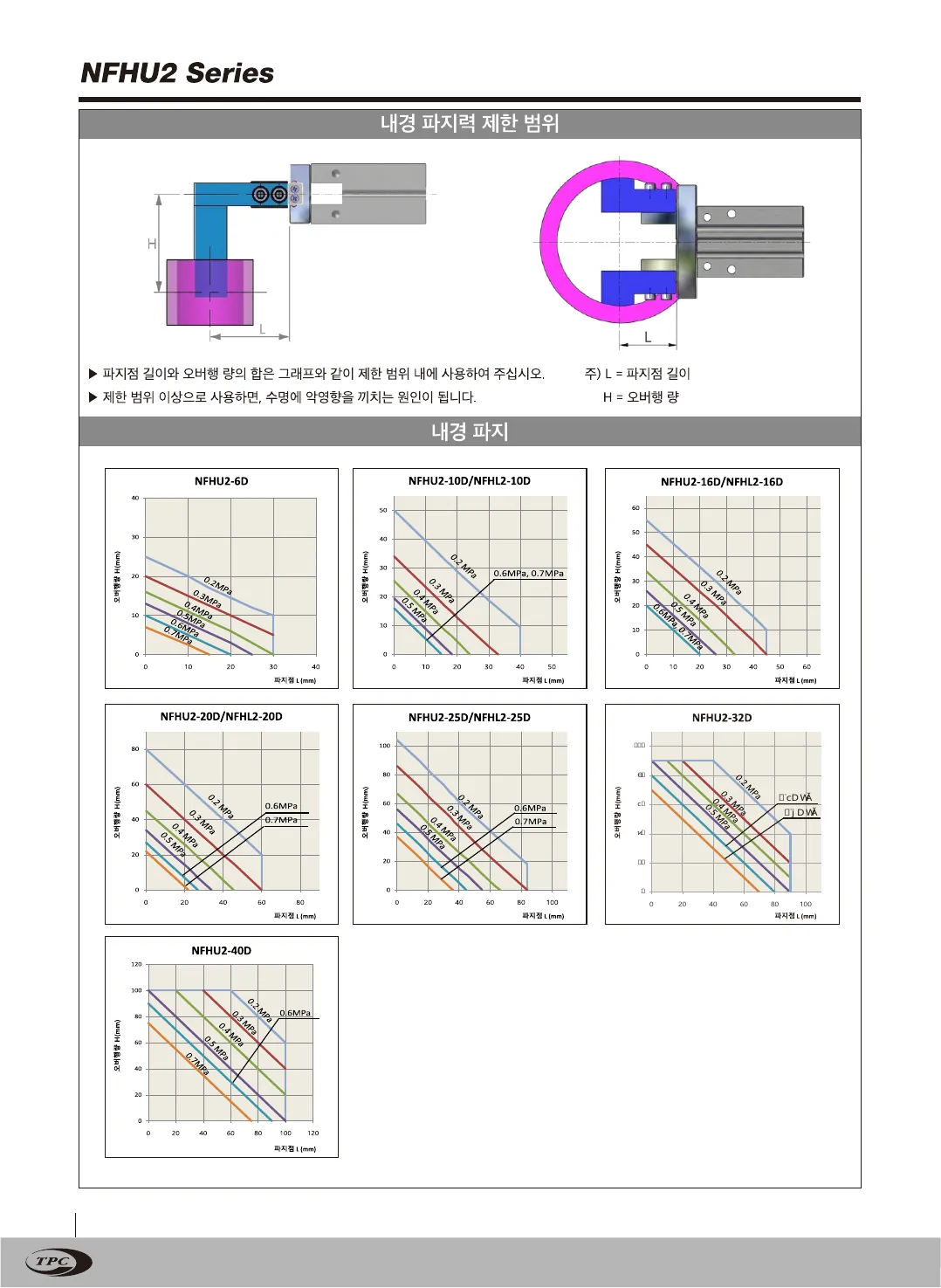
Original · KRNFHU2 catalog, page 1, Korean original
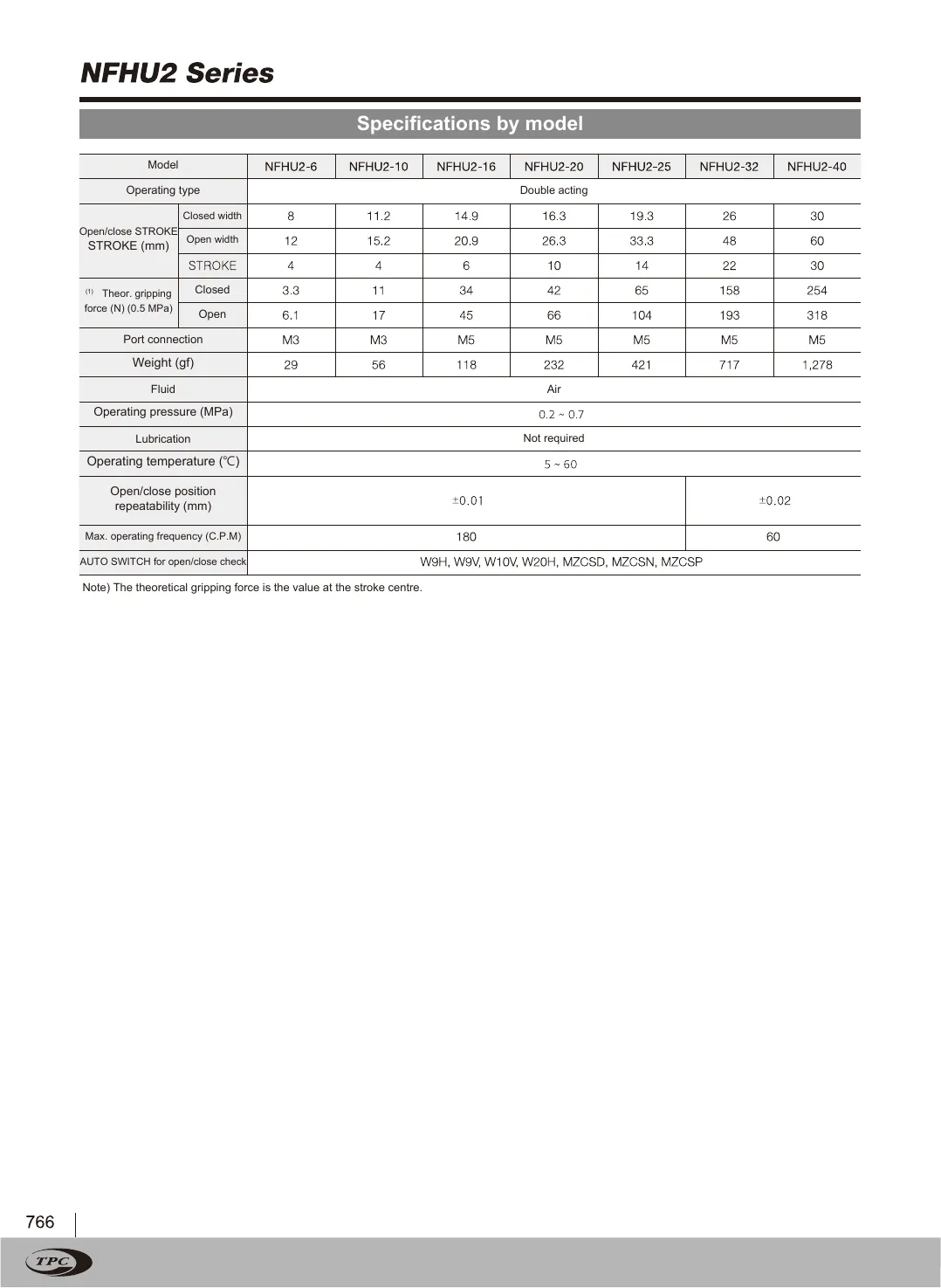
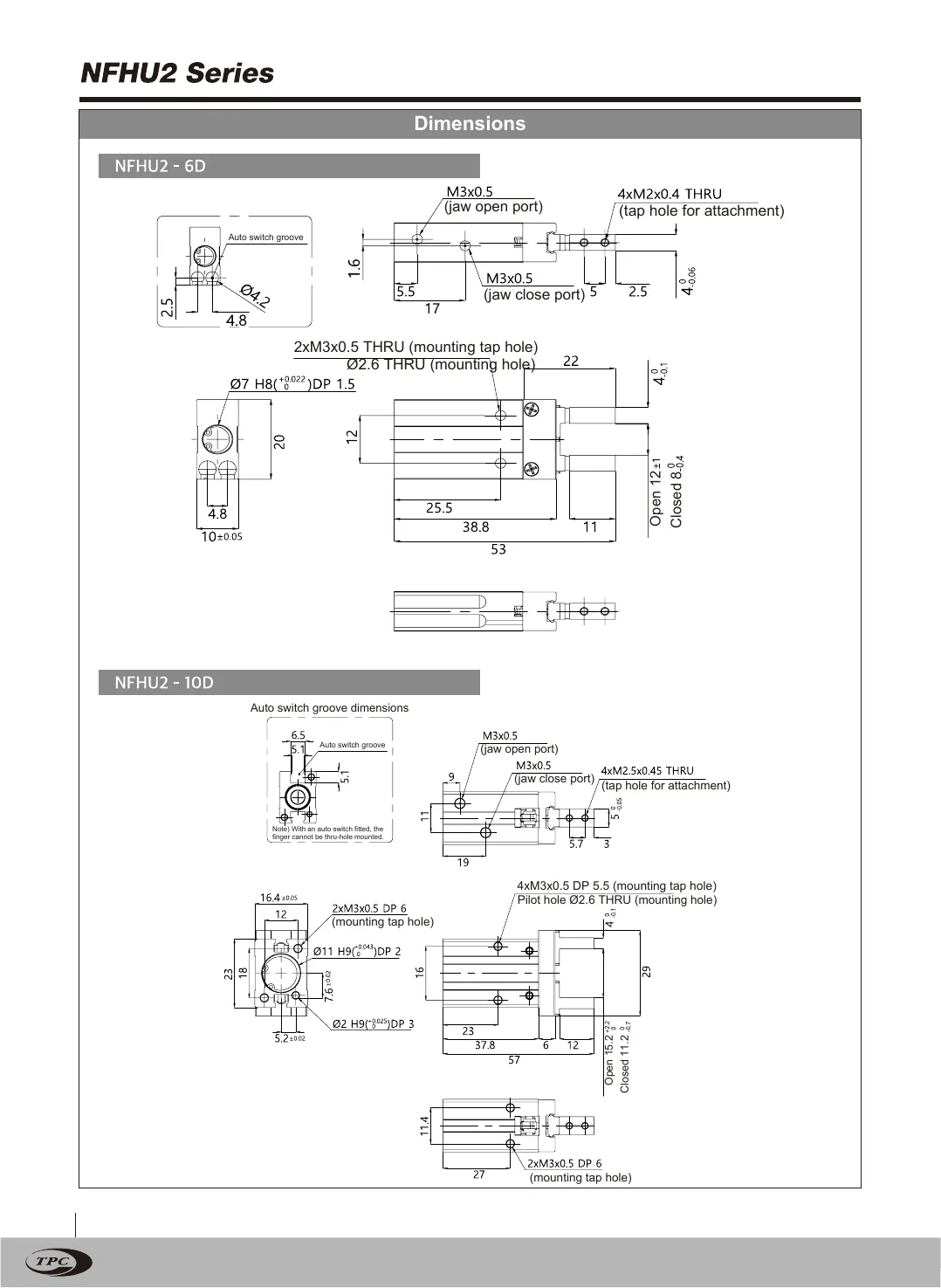
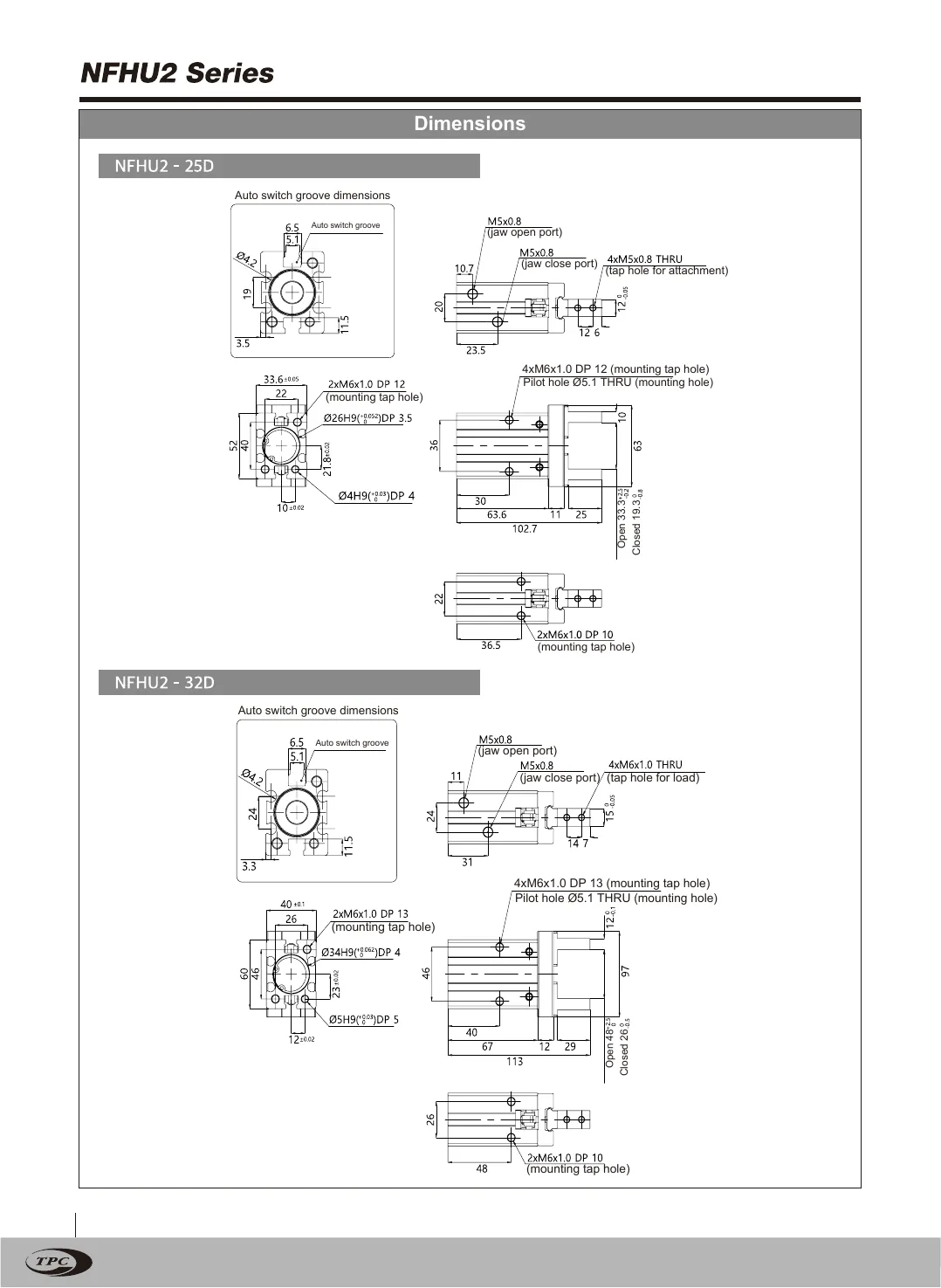
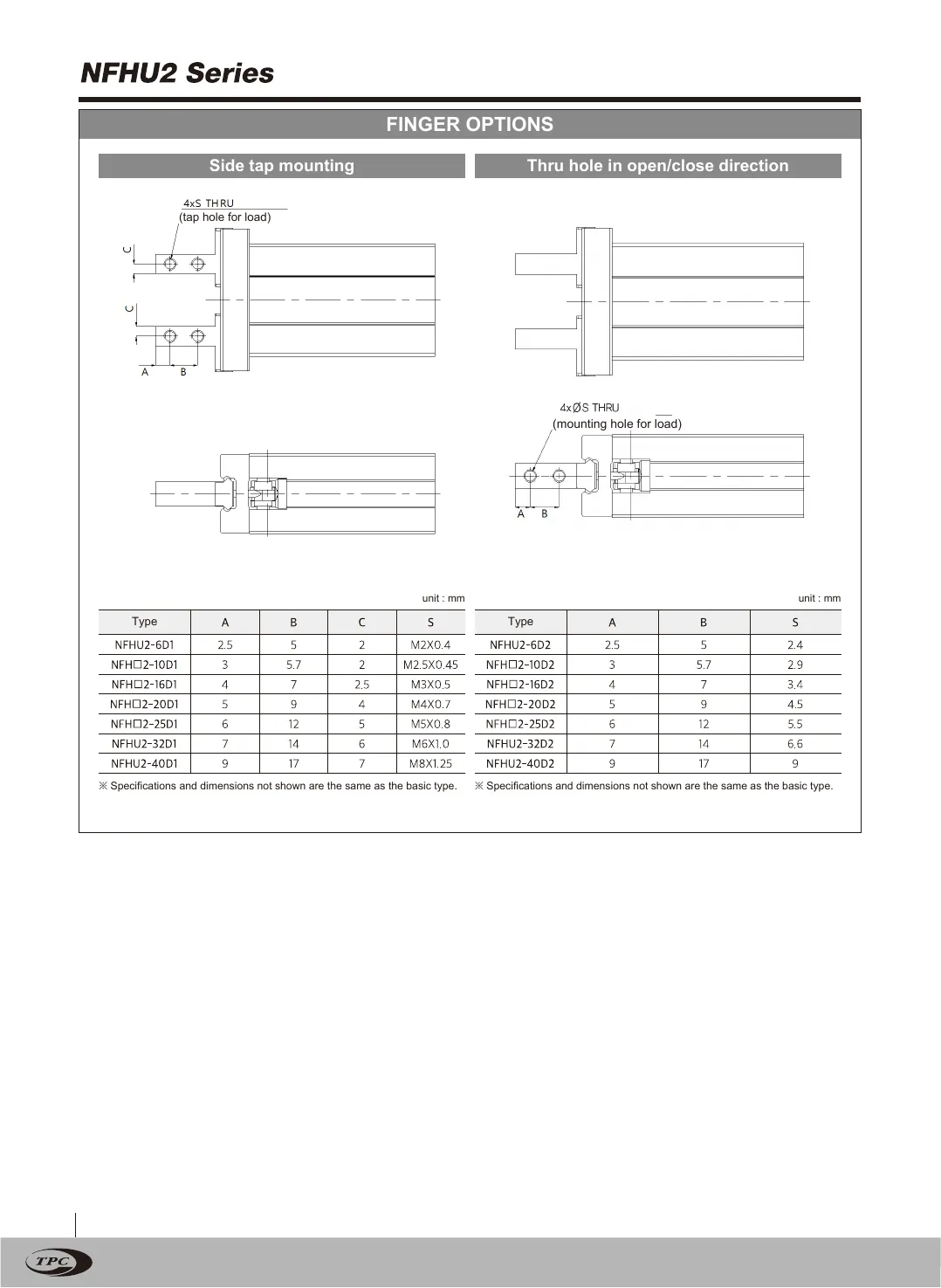
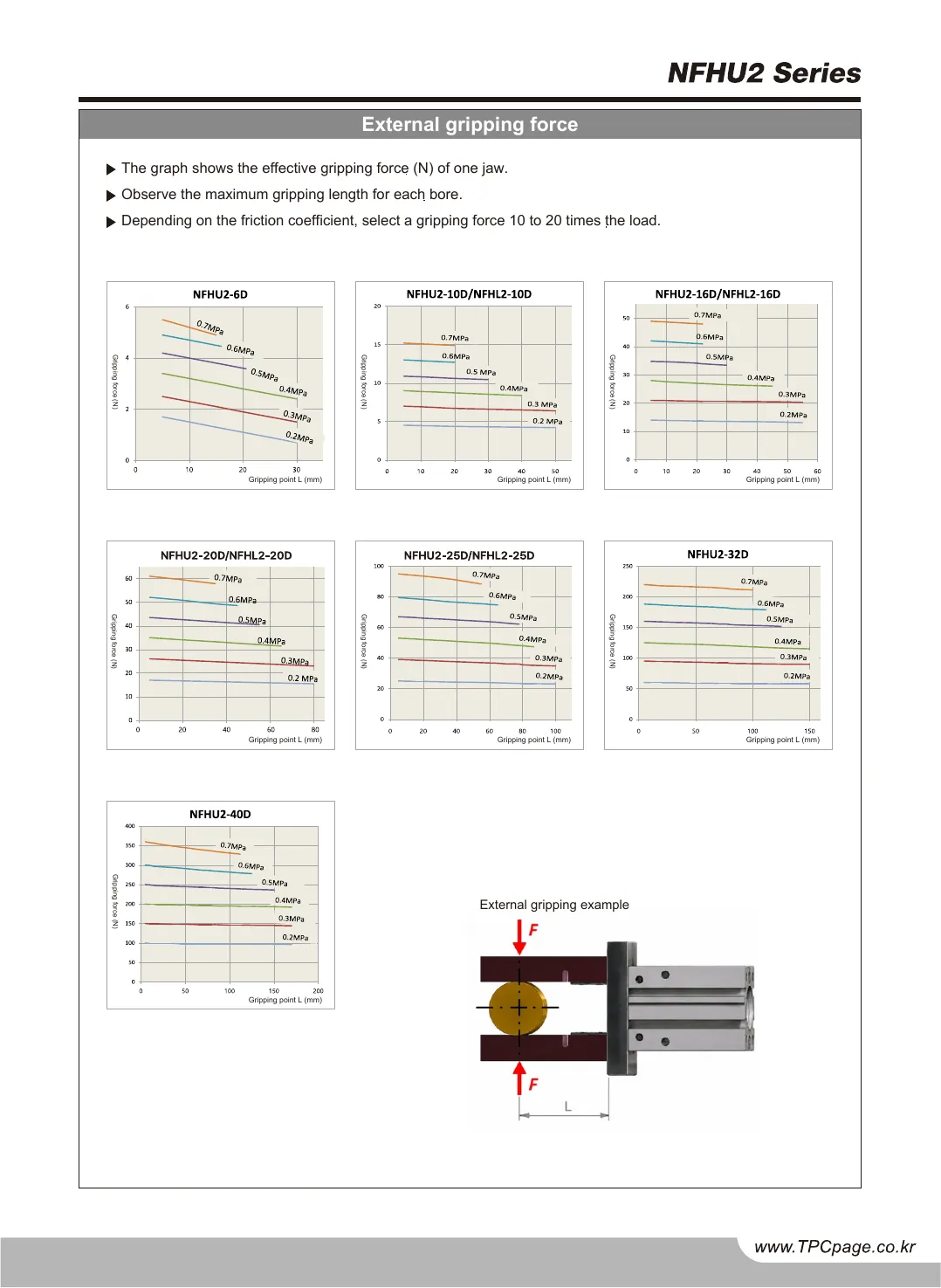
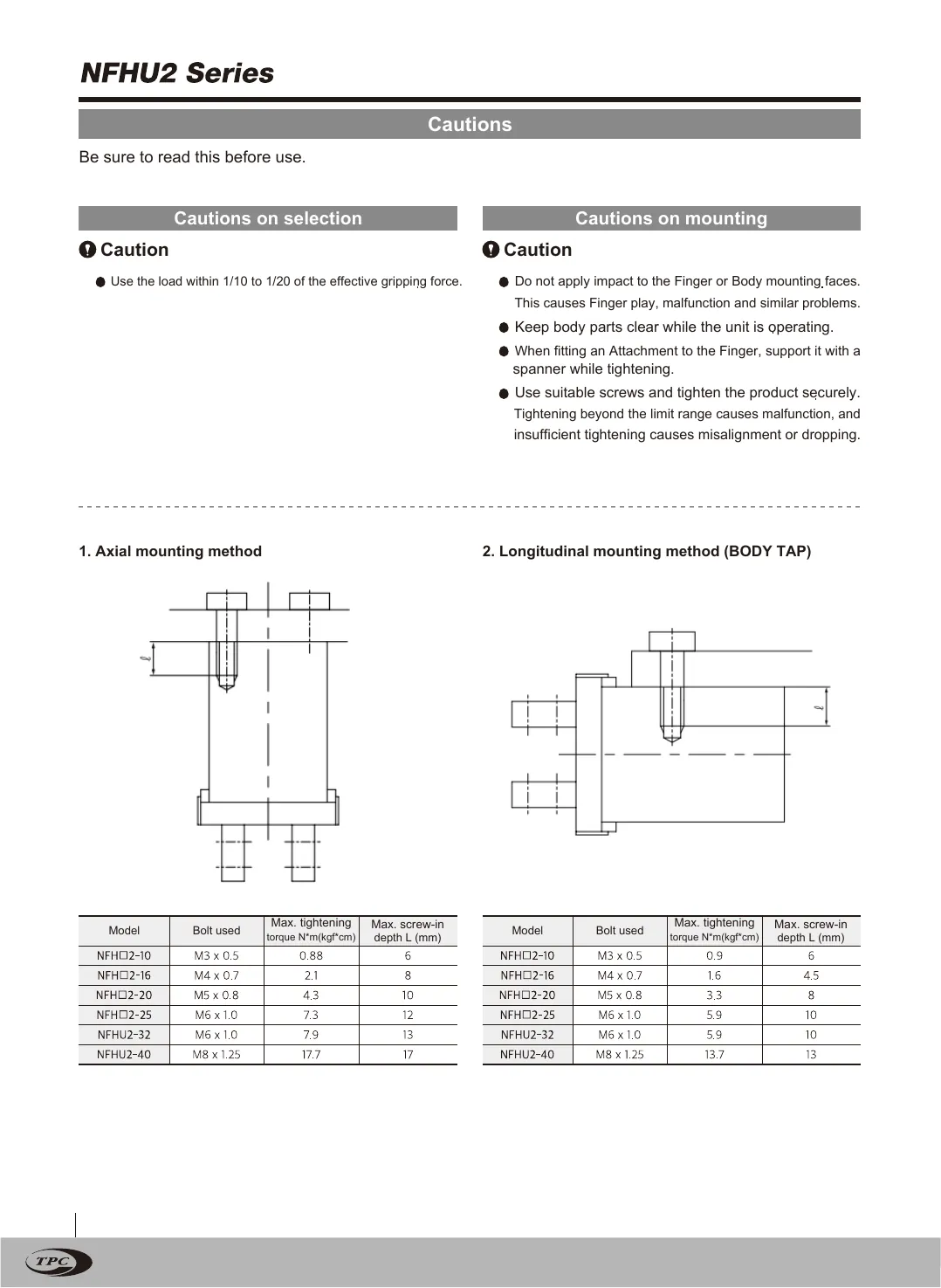
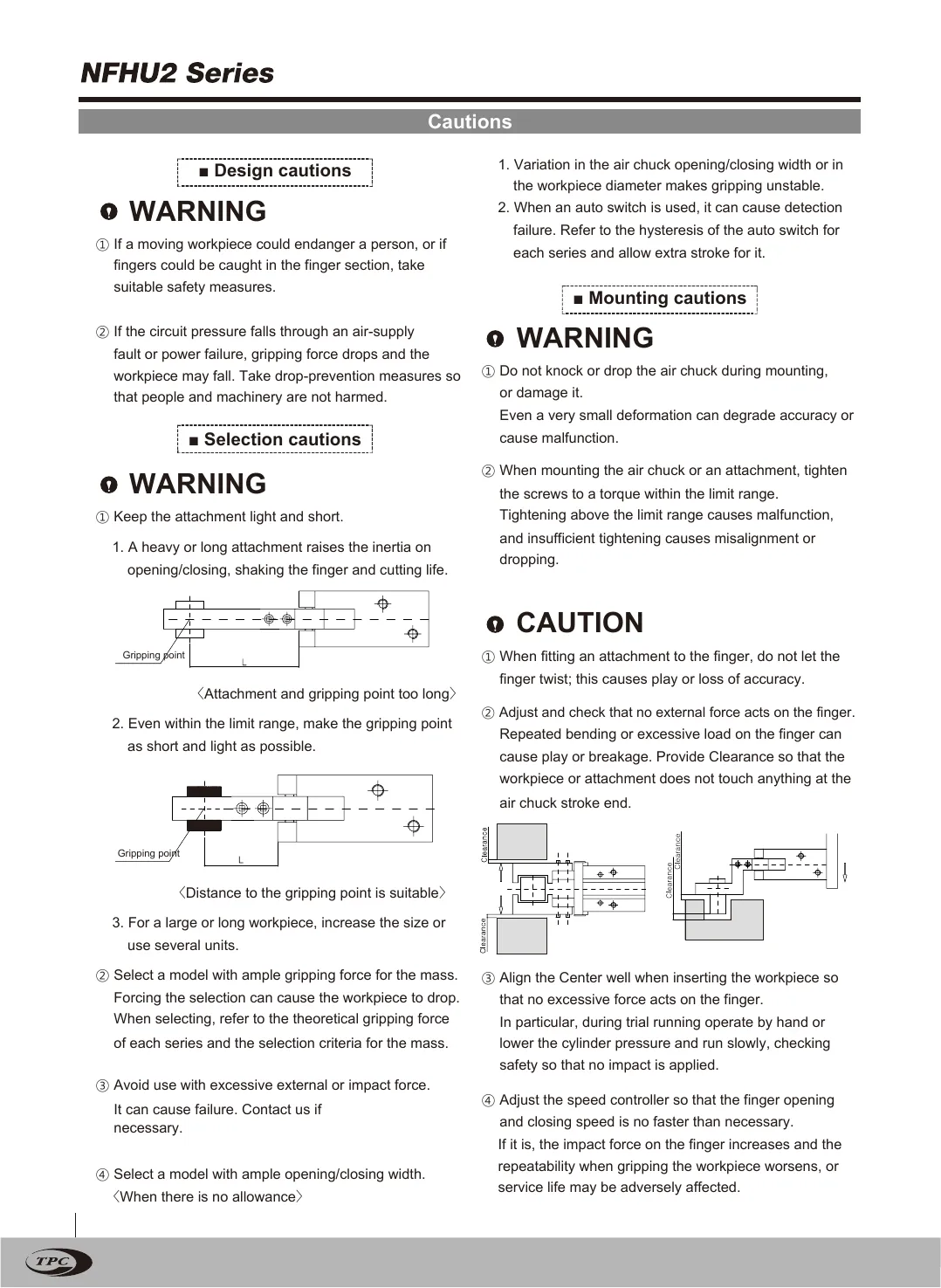
Twin · ENNFHU2 catalog, page 1, English twin
NFHU2 catalog, page 1, Korean original
NFHU2 catalog, page 1, English twin
OriginalTwin
Drag the divider or use the arrow keys50 %
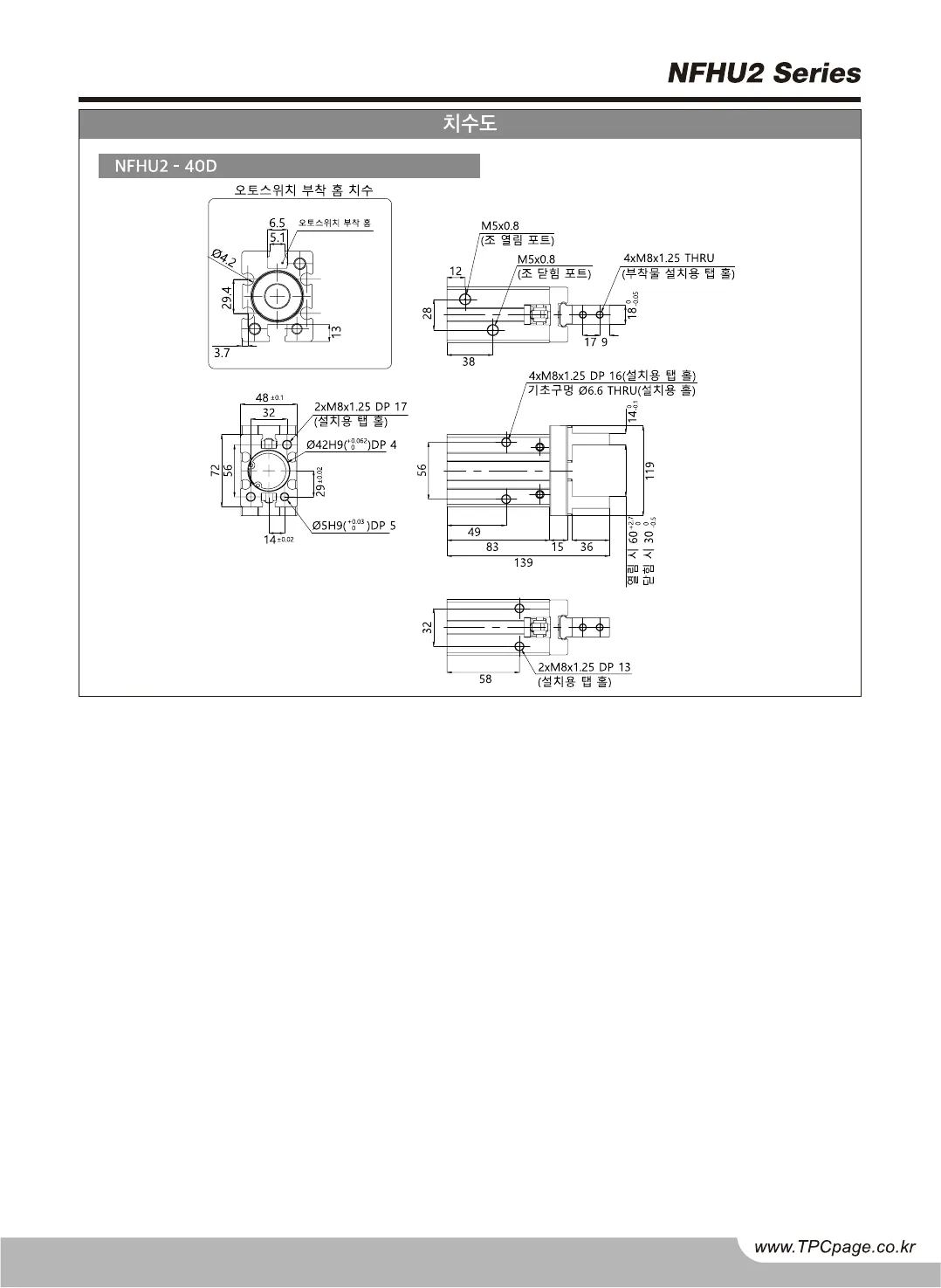
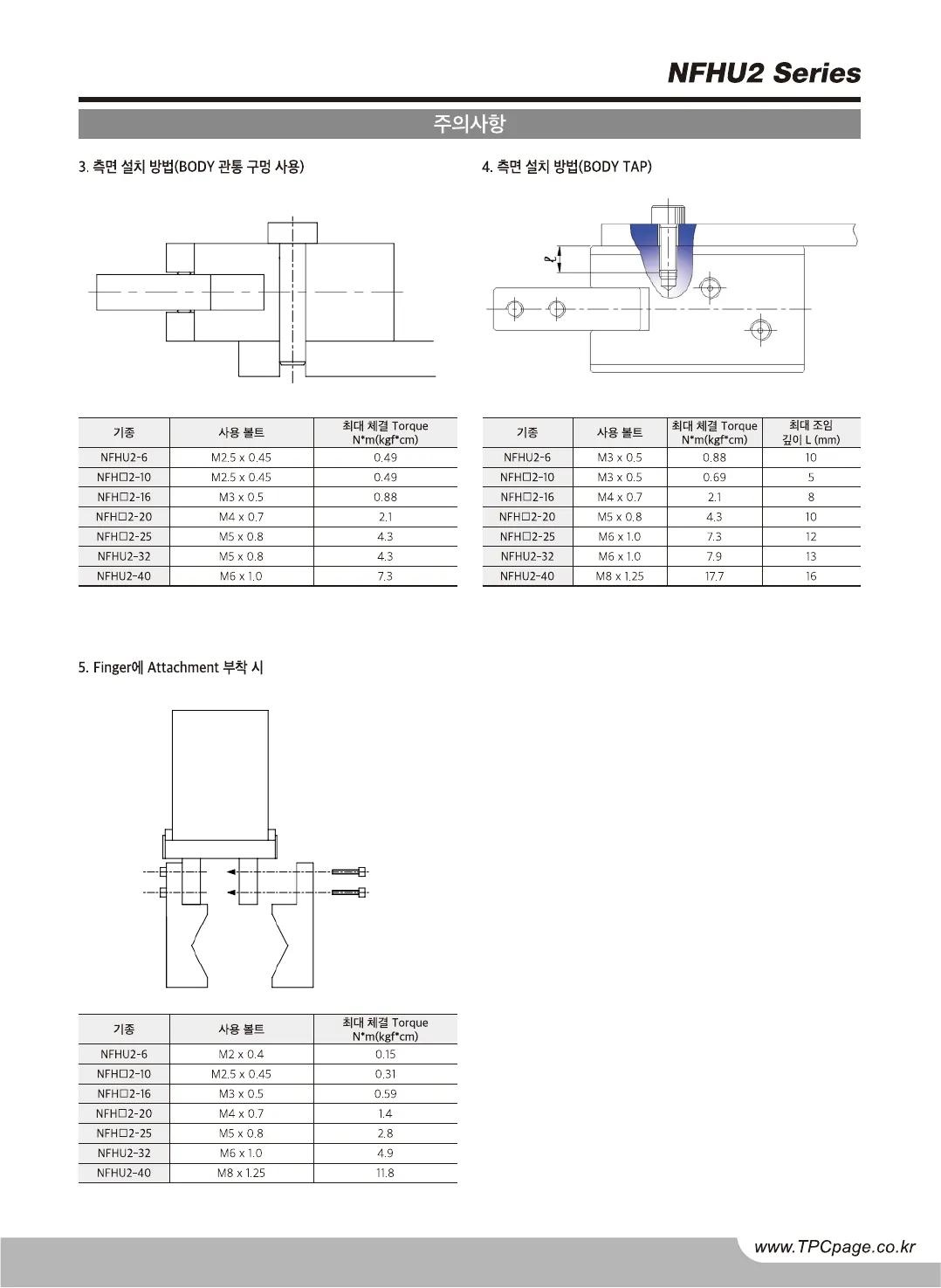
Original · KRNFHU2 catalog, page 2, Korean original
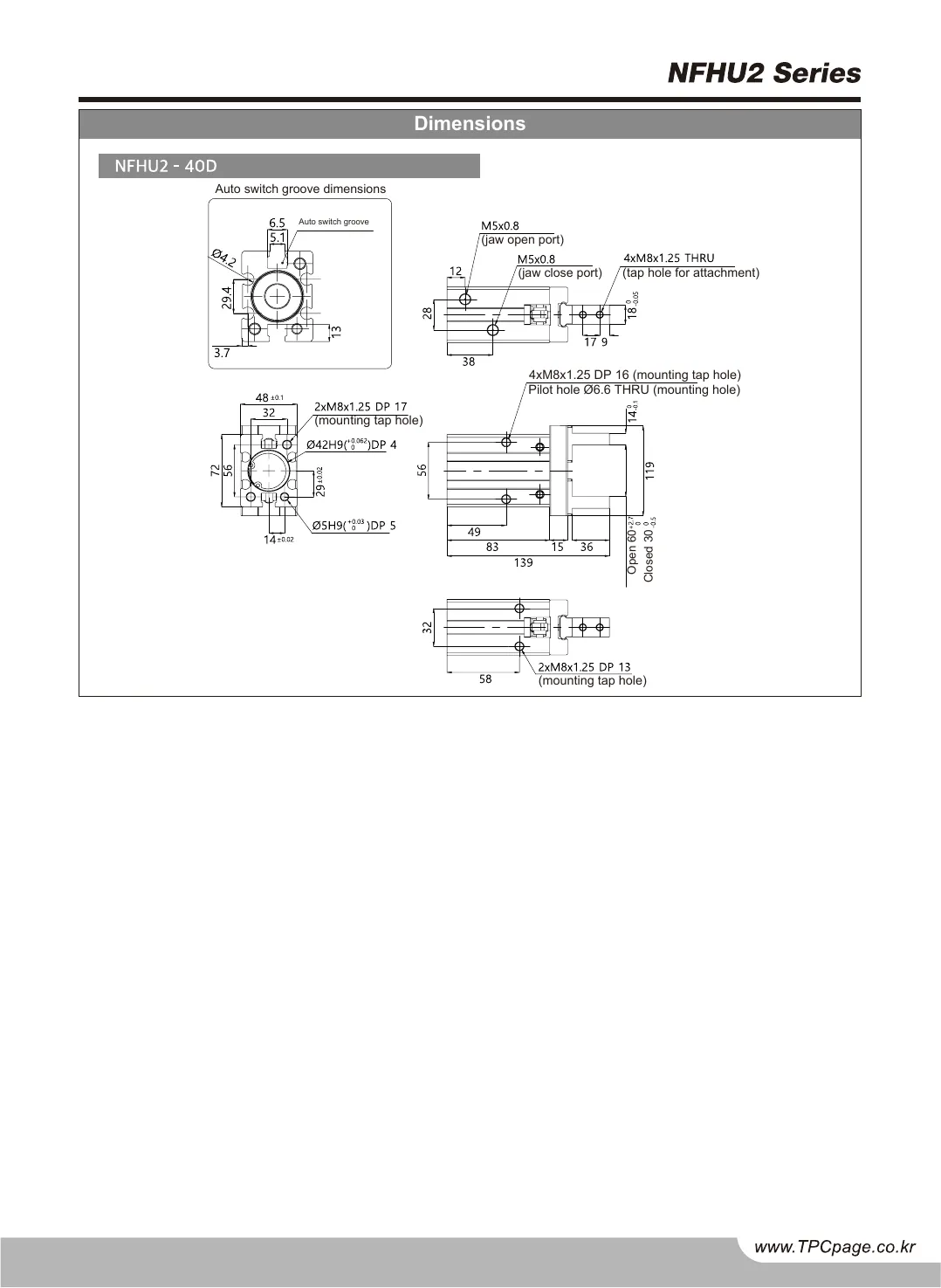
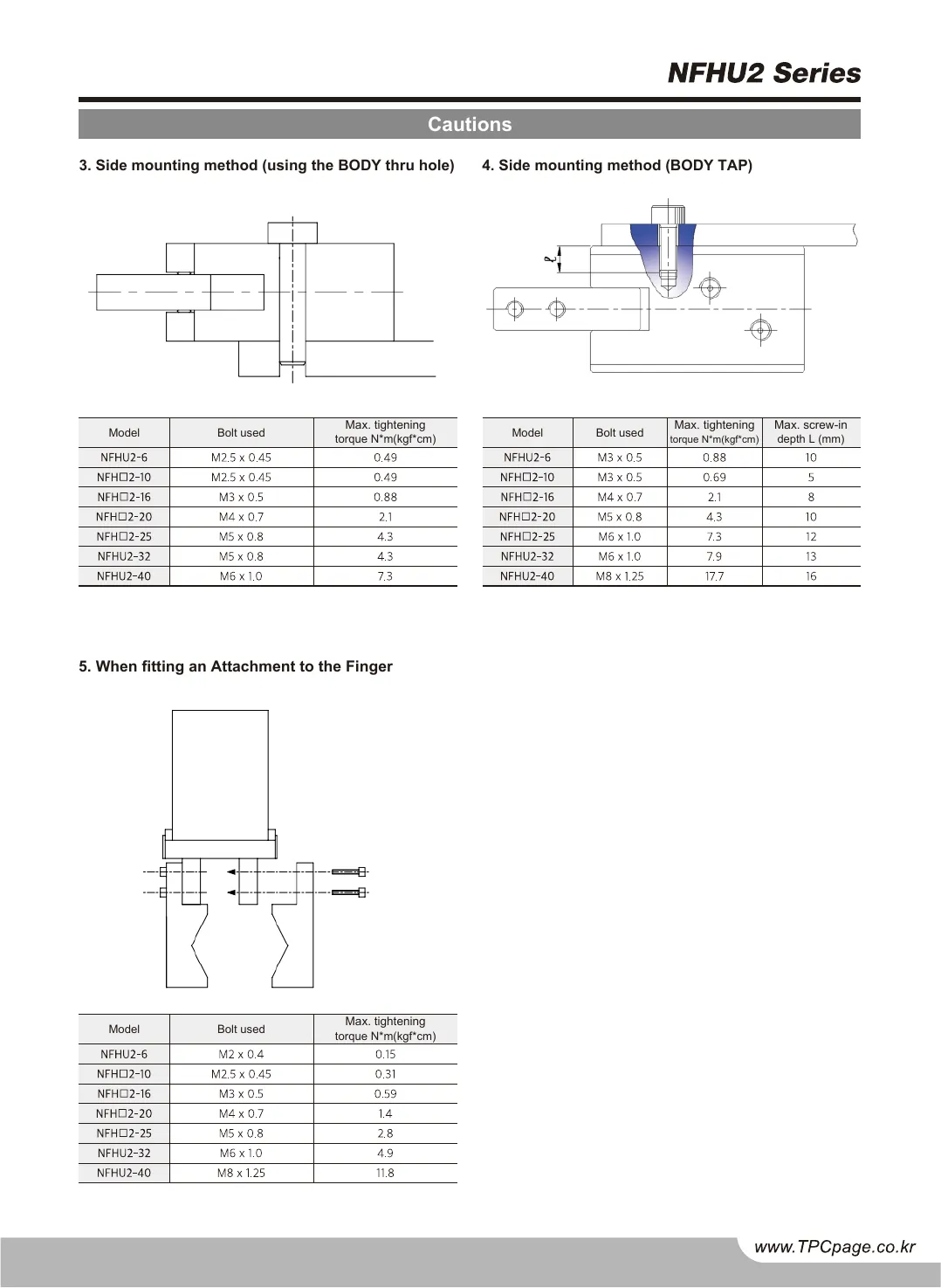
Twin · ENNFHU2 catalog, page 2, English twin
NFHU2 catalog, page 2, Korean original
NFHU2 catalog, page 2, English twin
OriginalTwin
Drag the divider or use the arrow keys50 %
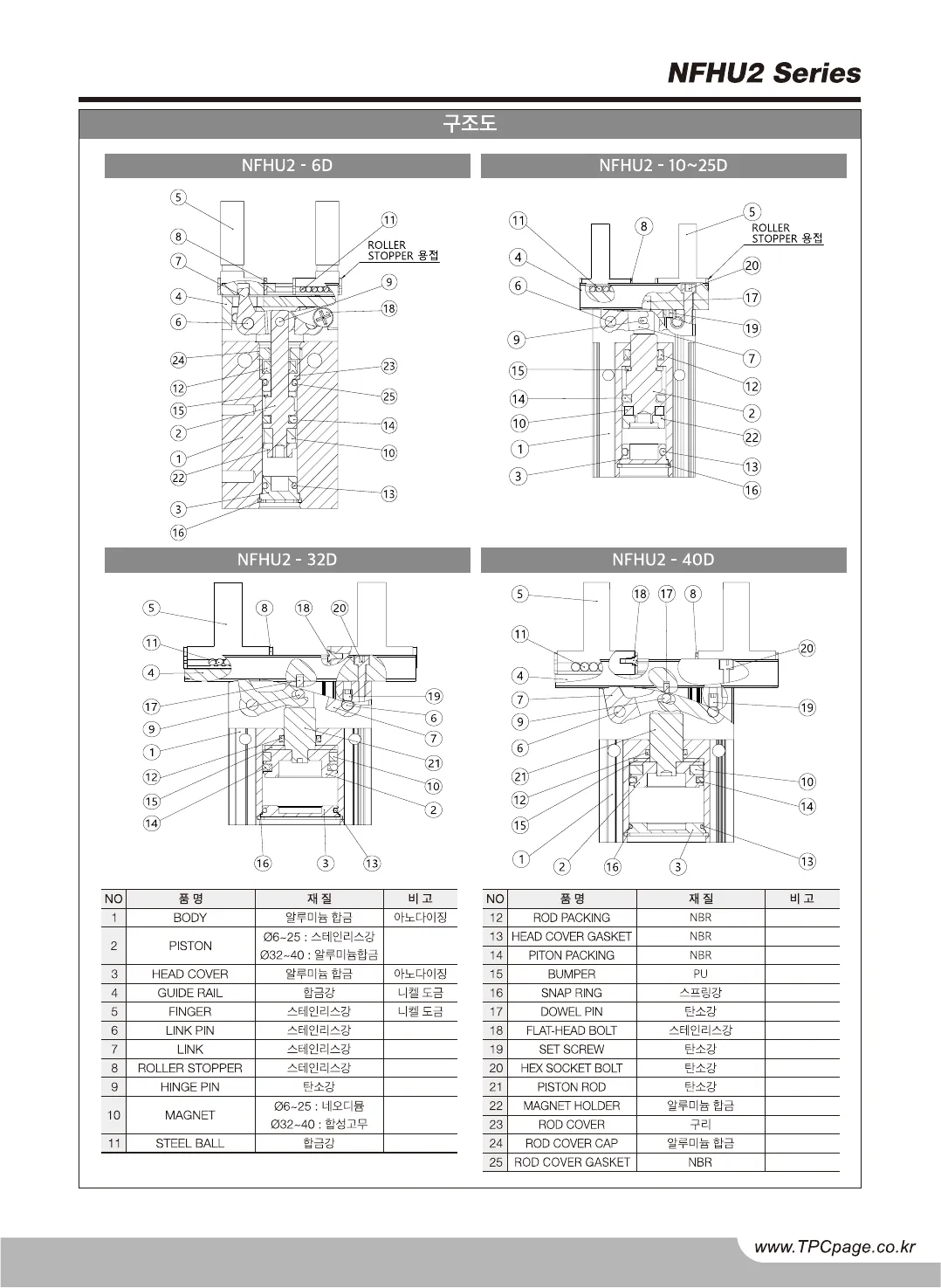
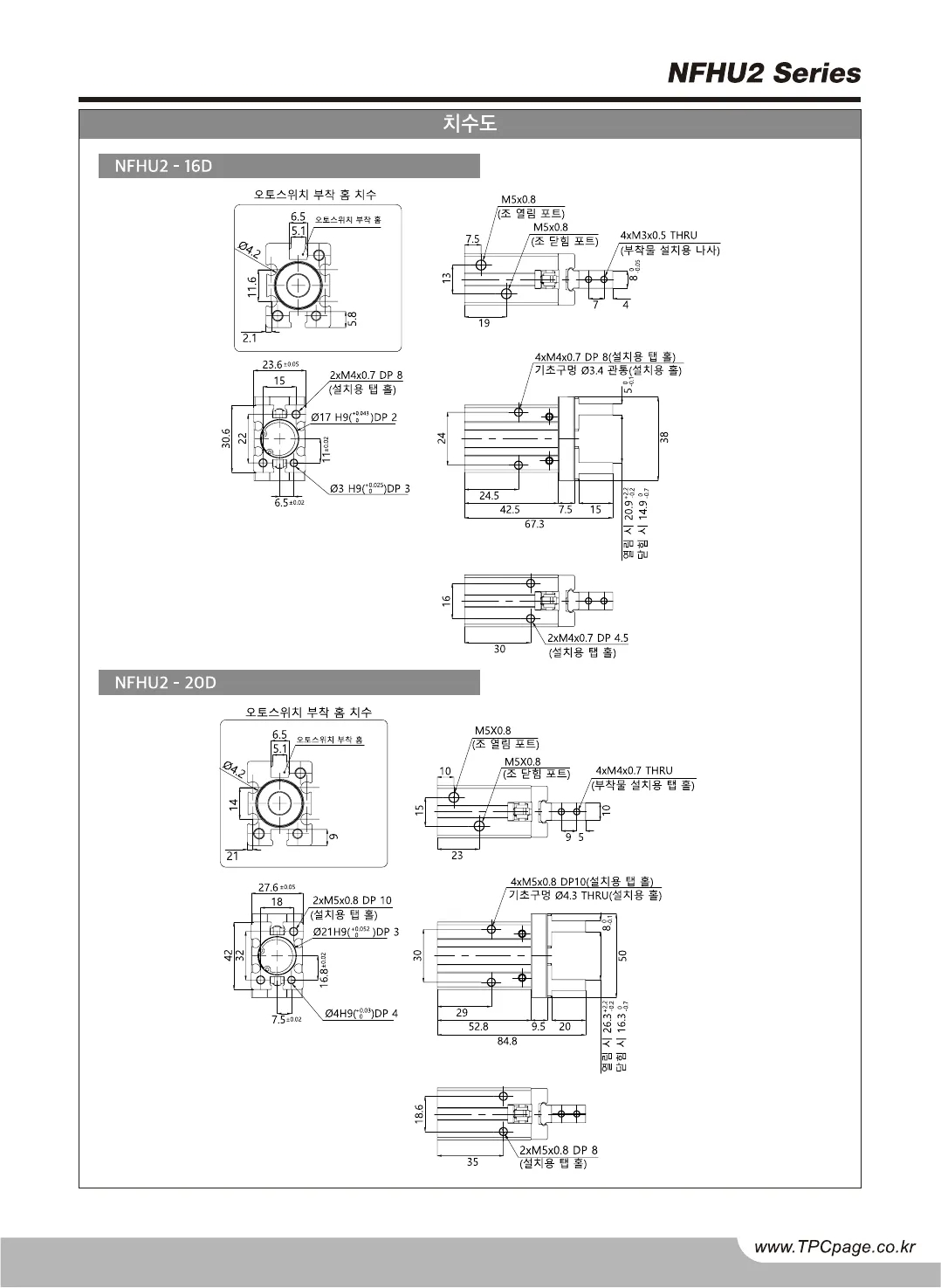
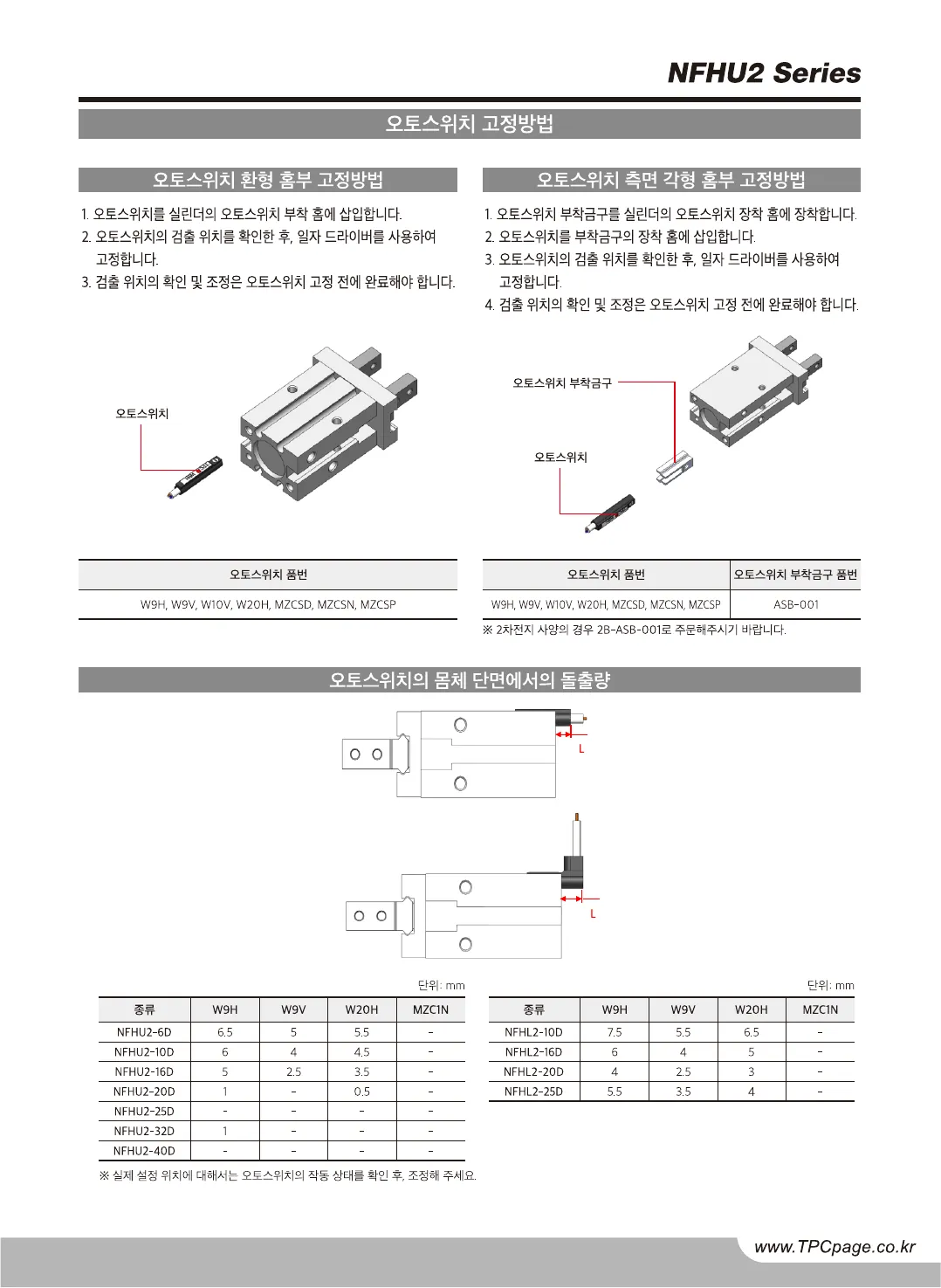
Original · KRNFHU2 catalog, page 3, Korean original
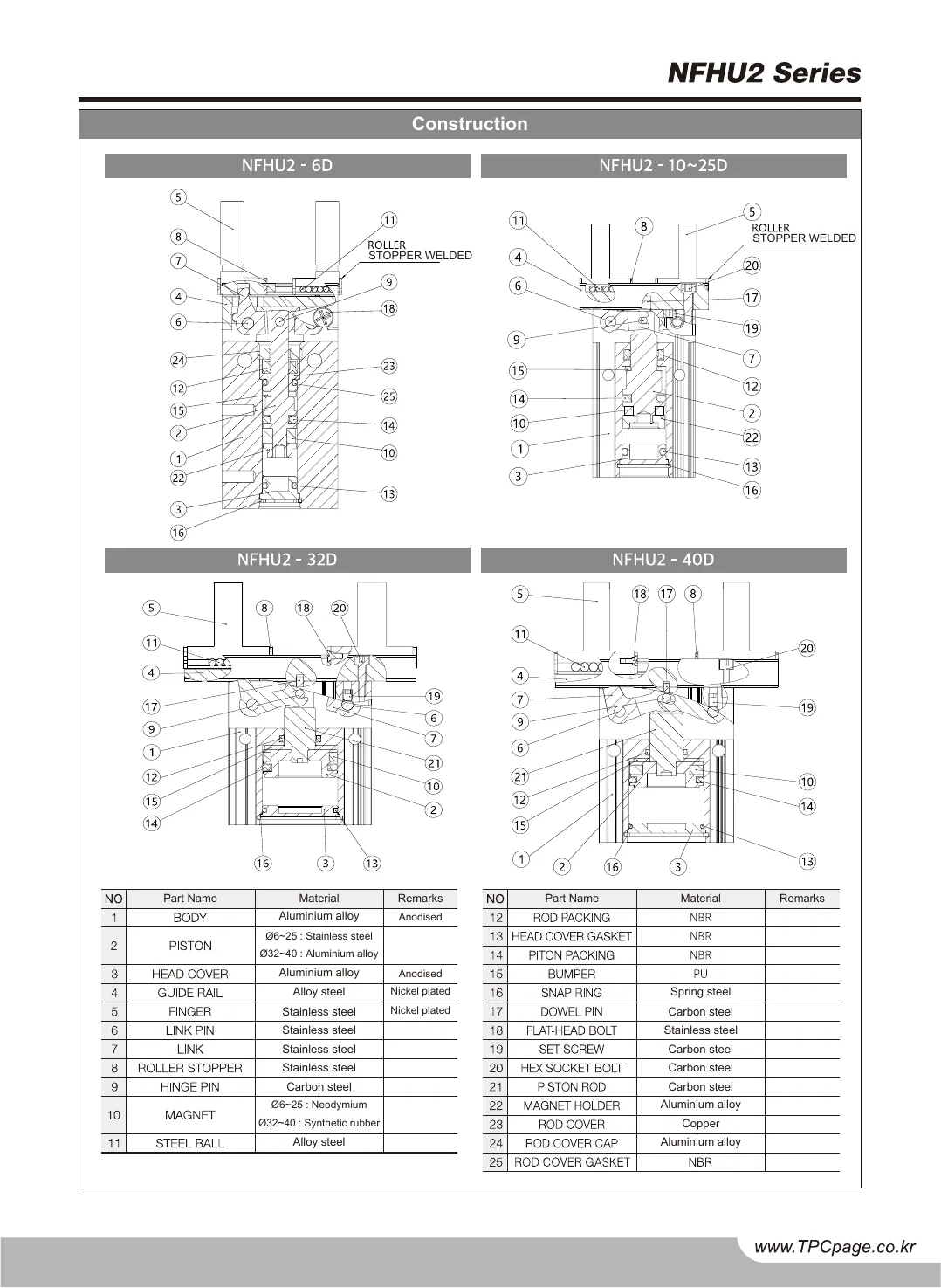
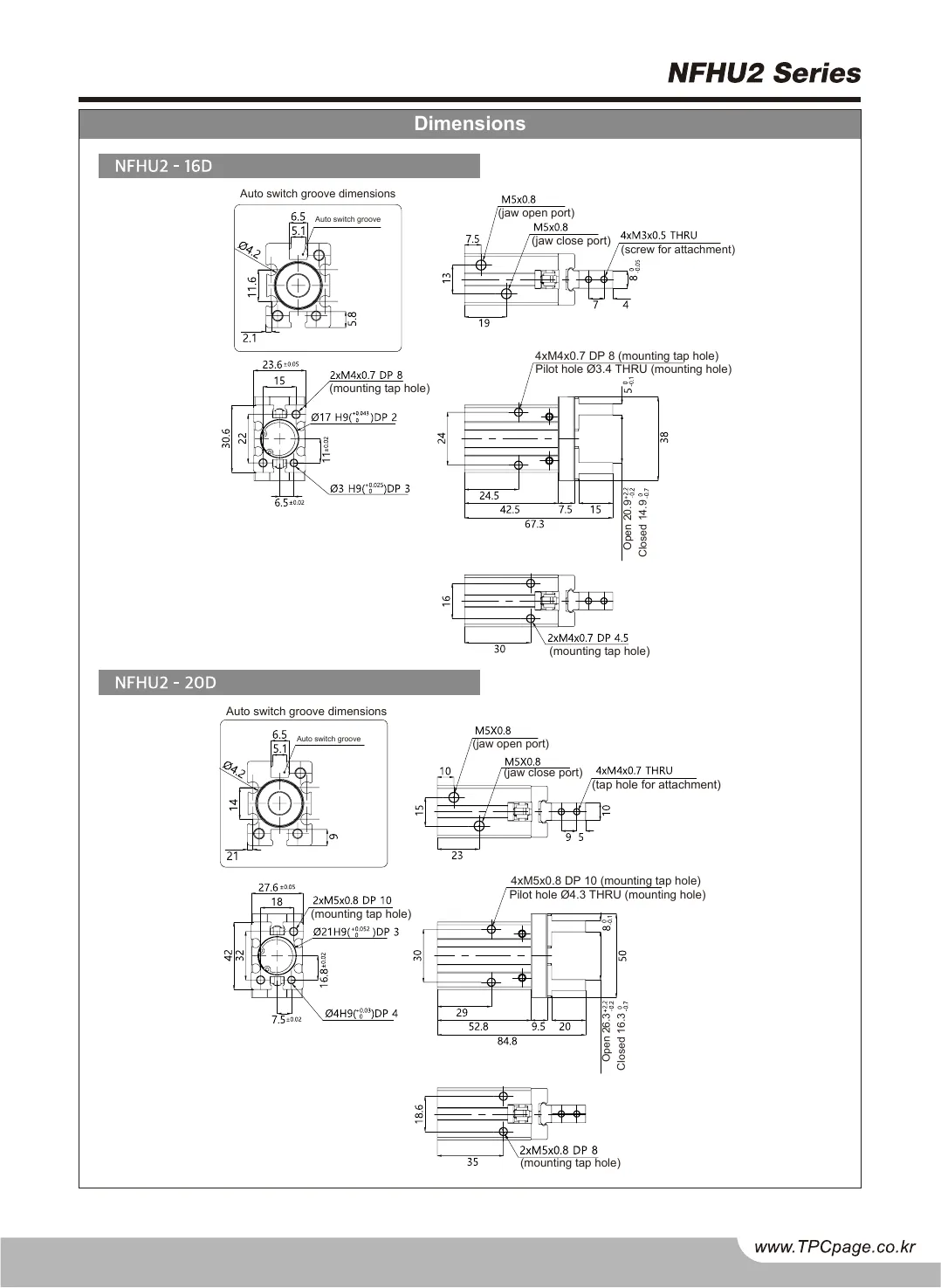
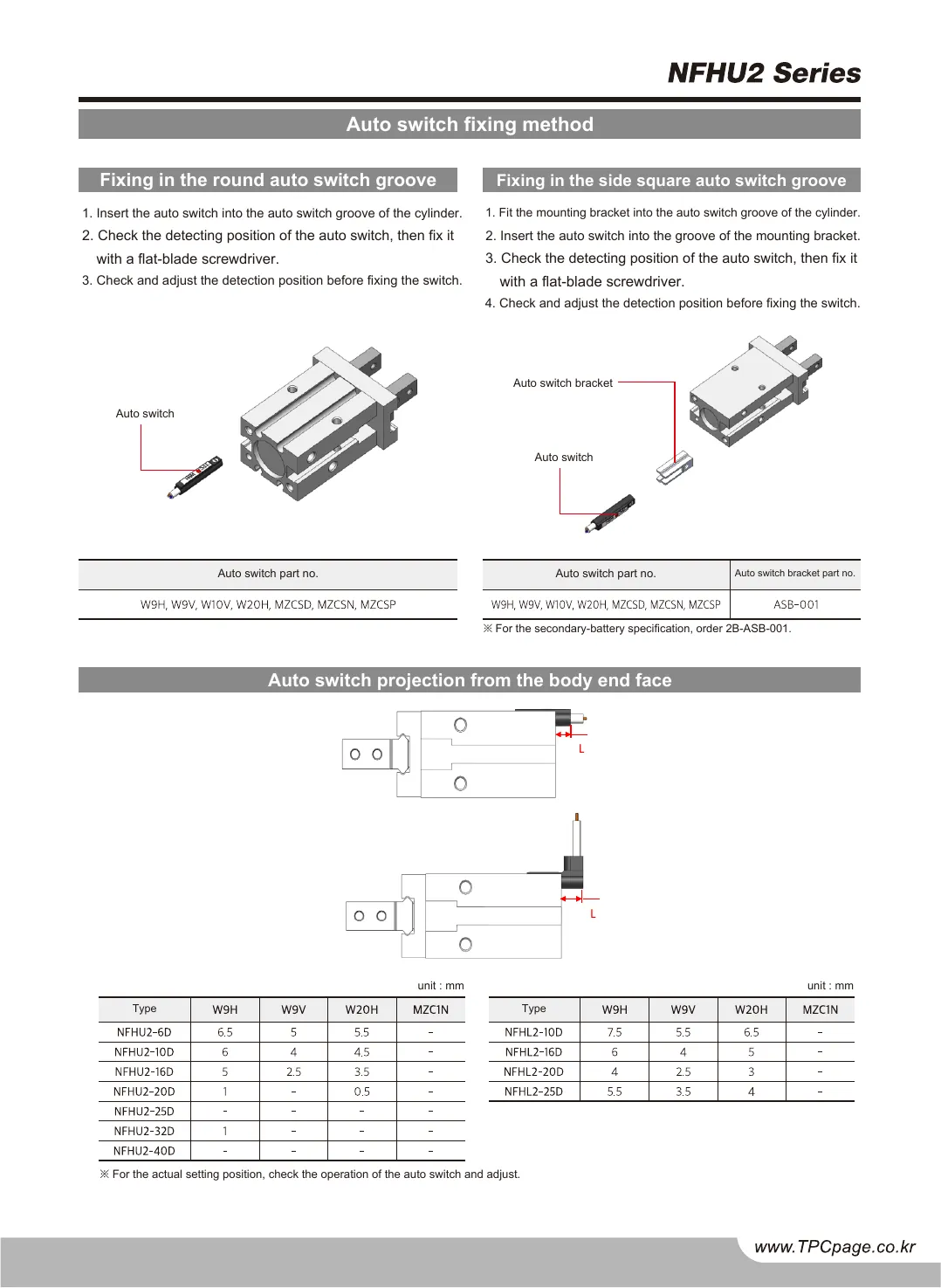
Twin · ENNFHU2 catalog, page 3, English twin
NFHU2 catalog, page 3, Korean original
NFHU2 catalog, page 3, English twin
OriginalTwin
Drag the divider or use the arrow keys50 %
Original · KRNFHU2 catalog, page 4, Korean original
Twin · ENNFHU2 catalog, page 4, English twin
NFHU2 catalog, page 4, Korean original
NFHU2 catalog, page 4, English twin
OriginalTwin
Drag the divider or use the arrow keys50 %
Original · KRNFHU2 catalog, page 5, Korean original
Twin · ENNFHU2 catalog, page 5, English twin
NFHU2 catalog, page 5, Korean original
NFHU2 catalog, page 5, English twin
OriginalTwin
Drag the divider or use the arrow keys50 %
Original · KRNFHU2 catalog, page 6, Korean original
Twin · ENNFHU2 catalog, page 6, English twin
NFHU2 catalog, page 6, Korean original
NFHU2 catalog, page 6, English twin
OriginalTwin
Drag the divider or use the arrow keys50 %
Original · KRNFHU2 catalog, page 7, Korean original
Twin · ENNFHU2 catalog, page 7, English twin
NFHU2 catalog, page 7, Korean original
NFHU2 catalog, page 7, English twin
OriginalTwin
Drag the divider or use the arrow keys50 %
Original · KRNFHU2 catalog, page 8, Korean original
Twin · ENNFHU2 catalog, page 8, English twin
NFHU2 catalog, page 8, Korean original
NFHU2 catalog, page 8, English twin
OriginalTwin
Drag the divider or use the arrow keys50 %
Original · KRNFHU2 catalog, page 9, Korean original
Twin · ENNFHU2 catalog, page 9, English twin
NFHU2 catalog, page 9, Korean original
NFHU2 catalog, page 9, English twin
OriginalTwin
Drag the divider or use the arrow keys50 %
Original · KRNFHU2 catalog, page 10, Korean original
Twin · ENNFHU2 catalog, page 10, English twin
NFHU2 catalog, page 10, Korean original
NFHU2 catalog, page 10, English twin
OriginalTwin
Drag the divider or use the arrow keys50 %
Original · KRNFHU2 catalog, page 11, Korean original
Twin · ENNFHU2 catalog, page 11, English twin
NFHU2 catalog, page 11, Korean original
NFHU2 catalog, page 11, English twin
OriginalTwin
Drag the divider or use the arrow keys50 %
Original · KRNFHU2 catalog, page 12, Korean original
Twin · ENNFHU2 catalog, page 12, English twin
NFHU2 catalog, page 12, Korean original
NFHU2 catalog, page 12, English twin
OriginalTwin
Drag the divider or use the arrow keys50 %
Original · KRNFHU2 catalog, page 13, Korean original
Twin · ENNFHU2 catalog, page 13, English twin
NFHU2 catalog, page 13, Korean original
NFHU2 catalog, page 13, English twin
OriginalTwin
Drag the divider or use the arrow keys50 %
Original · KRNFHU2 catalog, page 14, Korean original
Twin · ENNFHU2 catalog, page 14, English twin
NFHU2 catalog, page 14, Korean original
NFHU2 catalog, page 14, English twin
OriginalTwin
Drag the divider or use the arrow keys50 %
Original · KRNFHU2 catalog, page 15, Korean original
Twin · ENNFHU2 catalog, page 15, English twin
NFHU2 catalog, page 15, Korean original
NFHU2 catalog, page 15, English twin
OriginalTwin
Drag the divider or use the arrow keys50 %
Original · KRNFHU2 catalog, page 16, Korean original
Twin · ENNFHU2 catalog, page 16, English twin
NFHU2 catalog, page 16, Korean original
NFHU2 catalog, page 16, English twin
OriginalTwin
Drag the divider or use the arrow keys50 %
Original · KRNFHU2 catalog, page 17, Korean original
Twin · ENNFHU2 catalog, page 17, English twin
NFHU2 catalog, page 17, Korean original
NFHU2 catalog, page 17, English twin
OriginalTwin
Drag the divider or use the arrow keys50 %
Original · KRNFHU2 catalog, page 18, Korean original
Twin · ENNFHU2 catalog, page 18, English twin
NFHU2 catalog, page 18, Korean original
NFHU2 catalog, page 18, English twin
OriginalTwin
Drag the divider or use the arrow keys50 %
Both PDFs rendered at 2x and shown without retouching. Left is the Korean source as supplied; right is the English twin as delivered. Every page of all five catalogs is here. Switch to Wipe to lay the twin over the original at identical geometry; hover a page for a 3x magnifier of that page; in Wipe, the Original / Twin toggle chooses which page the magnifier reads. Five catalogs, 56 page pairs
source PDF → twin PDF · same pages, other language
01 The objection

Everyone promises the drawings come through
The page that settles it is the one you dread sending

Put that page through whatever you use now: the dimension table, the exploded view thick with callouts. If it comes back wrong, someone on your team rebuilds it by hand, and that was never their job.

02 The twin

Same pages
Other language

bringPDF treats the catalog as a document to preserve, not a text to re-set. The words are replaced in place; the vector drawings, the table rules, the charts and the fonts stay where they were. The result is a twin: open the two PDFs side by side and every page lines up with its counterpart.

The twin stays a vector PDF: the text is replaced in place and nothing is rasterized, so it prints at the original resolution and zooms without blur.

No line overflows its cell: where a translation runs longer than the source, it is rephrased to fit at the original size or, where that is impossible, set to fit, so tables and callouts never break.

Translation as usualbringPDF
Text re-set in a new documentText replaced in place, in the original file
Tables and charts rebuilt by handTables, charts and drawings untouched
Page count and pagination driftSame page count, same page geometry, checked on every page
Terminology from a general dictionaryTerms that match the drawing and the table beside them
Quality judged by readingParity checks on page count and geometry precede every delivery
03 What remains after the file is delivered

The next document is more accurate
A tool starts over on every file
Where a general tool starts

Every file arrives as its first file. A general tool holds no memory of the previous document, so the terms it settled on there never reach this one. Each run is a fresh guess, and nothing obliges one guess to agree with the next.
So the same part is named one way in the catalog, another way in the manual, and a third way on the site. The words drift apart quietly, and the drift is only ever found by a reader.
Where bringPDF starts

Never from zero. The terms are not looked up; they are read out of what your company has already published, in both of your languages. One document you have already issued in both is more accurate than a dictionary. A dictionary is a guess; that document is evidence of how your engineers actually write.

And what produces the result is not a word list but the judgment around it: that two names for one part cannot both be right in the same catalog, that a material would never be used for that part, that a figure sits wrong beside its own table neighbors. None of that judgment fits in a list of words.

What a translation tool does

It pulls the text out (or reads a picture of the page), translates it, and generates a new document. Everything that isn’t text, the drawings, graph curves, table rules, photos, colors and fonts, is re-drawn from the tool’s guess of the layout. That is why titles shift, backgrounds smear and images come back wrong: the original page never survives the round trip.

On engineering catalogs it is worse: in many, the text is not text at all, but drawn outlines or bitmaps. A text tool sees a nearly empty page, translates the little it can find, and returns something that looks finished.

What bringPDF does

This is not translation in the usual sense. The page is not re-created; it is edited. The original page is kept, the source text is replaced with the target language in the exact place it stood, at the original size, and the rest of the page is left untouched.

And we prove it: every page of the twin is compared with its source, page by page, 56 of 56 pages, and checked that no source text remains, including the outlined text no text tool can see.
The same standard carries into the next document. Your catalogs, subtitles, narration and web catalog come to share one standard, so everything you put in front of a customer reads as one company’s writing, and every document added raises the quality of the next one.
Fit, not shrink. A translation rarely runs the same length as its source; English runs about half again as long as Korean. Instead of shrinking the type or letting it overflow, each line is rephrased to fit at the original point size.

Correction is an edit, not a re-translation. Your engineers’ review notes come in as page-level corrections, go straight into the same twin, and the wording they settle on carries into the next document.

Even words printed inside an image are translated, whether that image is a drawing, a table or a photograph. The image itself is kept.

04 The proof

Measured, not asserted
Every page pair, compared
Every page pair was compared pixel for pixel outside the text; the table shows what differed. Every claim on this page rests on the measurements in this table.
DIFF TABLE THR, TLR, AQ2, NGQ2 and NFHU2 · original vs twin · non-text regions
CatalogPagePage size, pt, both versionsText area excludedPixels differing outside textVerdict
THR1595.3 × 841.928.9 %0.009 %match
THR2595.3 × 841.932.5 %0.000 %match
THR3595.3 × 841.98.7 %0.005 %match
THR4595.3 × 841.99.2 %0.005 %match
TLR1595.0 × 843.718.8 %0.038 %match
TLR2595.0 × 843.72.8 %0.014 %match
TLR3595.0 × 843.72.9 %0.018 %match
TLR4595.0 × 843.73.0 %0.014 %match
AQ21538.6 × 737.052.9 %0.002 %match
AQ22538.6 × 737.040.9 %0.043 %match
AQ23538.6 × 737.025.0 %0.004 %match
AQ24538.6 × 737.021.6 %0.000 %match
AQ25538.6 × 737.021.8 %0.000 %match
AQ26538.6 × 737.024.3 %0.000 %match
AQ27538.6 × 737.013.0 %0.000 %match
AQ28538.6 × 737.018.2 %0.000 %match
AQ29538.6 × 737.017.4 %0.000 %match
AQ210538.6 × 737.014.7 %0.000 %match
AQ211538.6 × 737.011.0 %0.000 %match
AQ212538.6 × 737.029.0 %0.000 %match
AQ213538.6 × 737.036.3 %0.006 %match
AQ214538.6 × 737.031.5 %0.002 %match
AQ215538.6 × 737.015.4 %0.000 %match
AQ216538.6 × 737.041.4 %0.000 %match
NGQ21538.6 × 737.019.7 %0.000 %match
NGQ22538.6 × 737.08.2 %0.000 %match
NGQ23538.6 × 737.07.6 %0.002 %match
NGQ24538.6 × 737.04.4 %0.001 %match
NGQ25538.6 × 737.017.4 %0.010 %match
NGQ26538.6 × 737.015.7 %0.001 %match
NGQ27538.6 × 737.013.4 %0.002 %match
NGQ28538.6 × 737.05.9 %0.012 %match
NGQ29538.6 × 737.07.4 %0.024 %match
NGQ210538.6 × 737.017.8 %0.000 %match
NGQ211538.6 × 737.07.1 %0.000 %match
NGQ212538.6 × 737.017.3 %0.000 %match
NGQ213538.6 × 737.08.5 %0.000 %match
NGQ214538.6 × 737.07.7 %0.000 %match
NFHU21538.6 × 737.019.4 %0.000 %match
NFHU22538.6 × 737.08.6 %0.001 %match
NFHU23538.6 × 737.011.0 %0.000 %match
NFHU24538.6 × 737.09.9 %0.000 %match
NFHU25538.6 × 737.09.1 %0.000 %match
NFHU26538.6 × 737.09.0 %0.000 %match
NFHU27538.6 × 737.05.1 %0.000 %match
NFHU28538.6 × 737.03.8 %0.000 %match
NFHU29538.6 × 737.07.4 %0.000 %match
NFHU210538.6 × 737.07.0 %0.000 %match
NFHU211538.6 × 737.08.7 %0.000 %match
NFHU212538.6 × 737.010.5 %0.000 %match
NFHU213538.6 × 737.07.7 %0.016 %match
NFHU214538.6 × 737.09.6 %0.004 %match
NFHU215538.6 × 737.03.9 %0.000 %match
NFHU216538.6 × 737.040.1 %0.049 %match
NFHU217538.6 × 737.013.7 %0.000 %match
NFHU218538.6 × 737.025.4 %0.011 %match
Page count4 = 4 · 4 = 4 · 16 = 16 · 14 = 14 · 18 = 18 original = twin
Result56 of 56 pairs same size, drawings match
Fonts269 of 270 embedded
Rasterized pages0 of 56 none
Largest image16 % of page area photos and bitmaps carried over from the source
Text layer56 of 56 pages twin text stays selectable
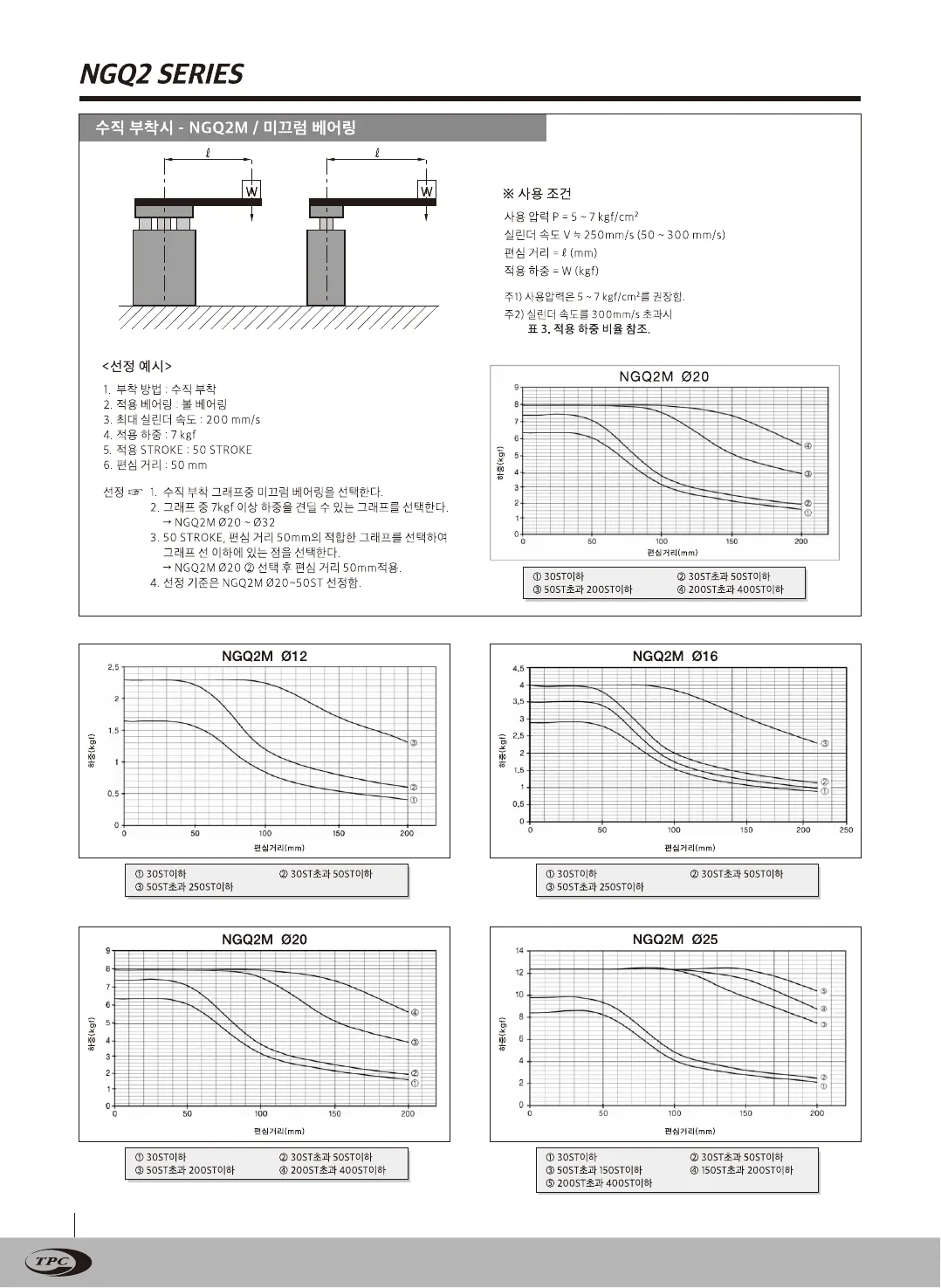
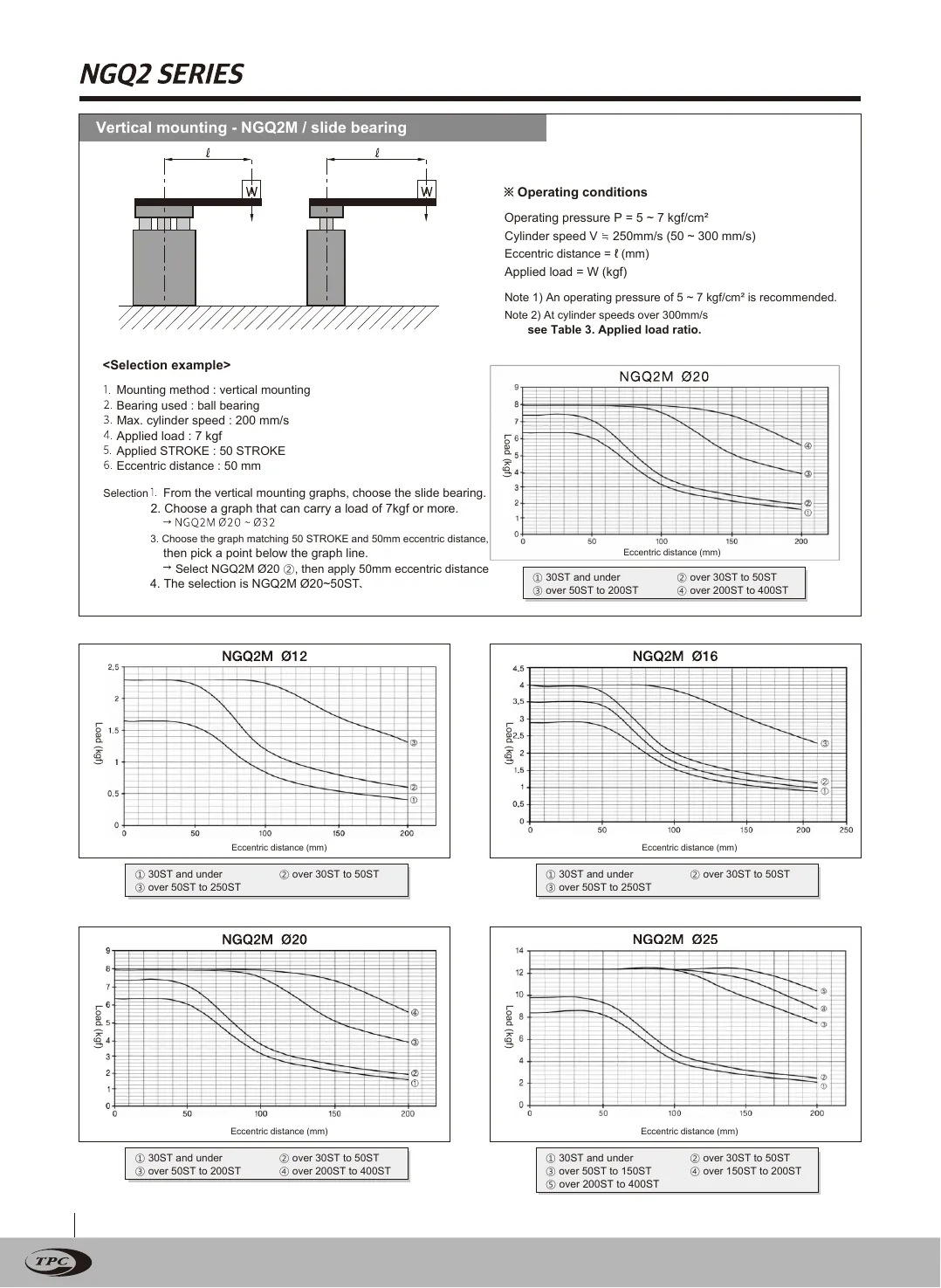
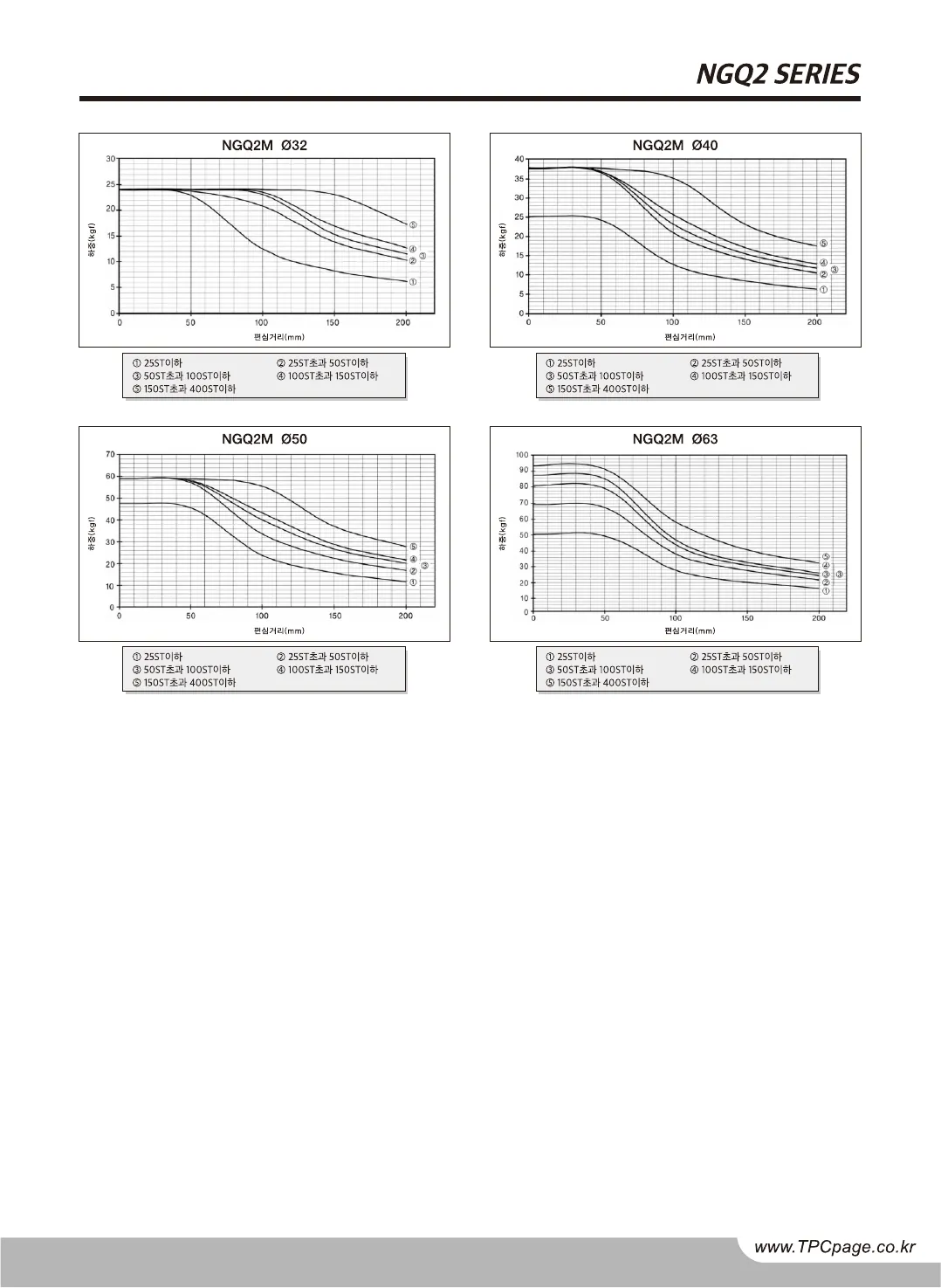
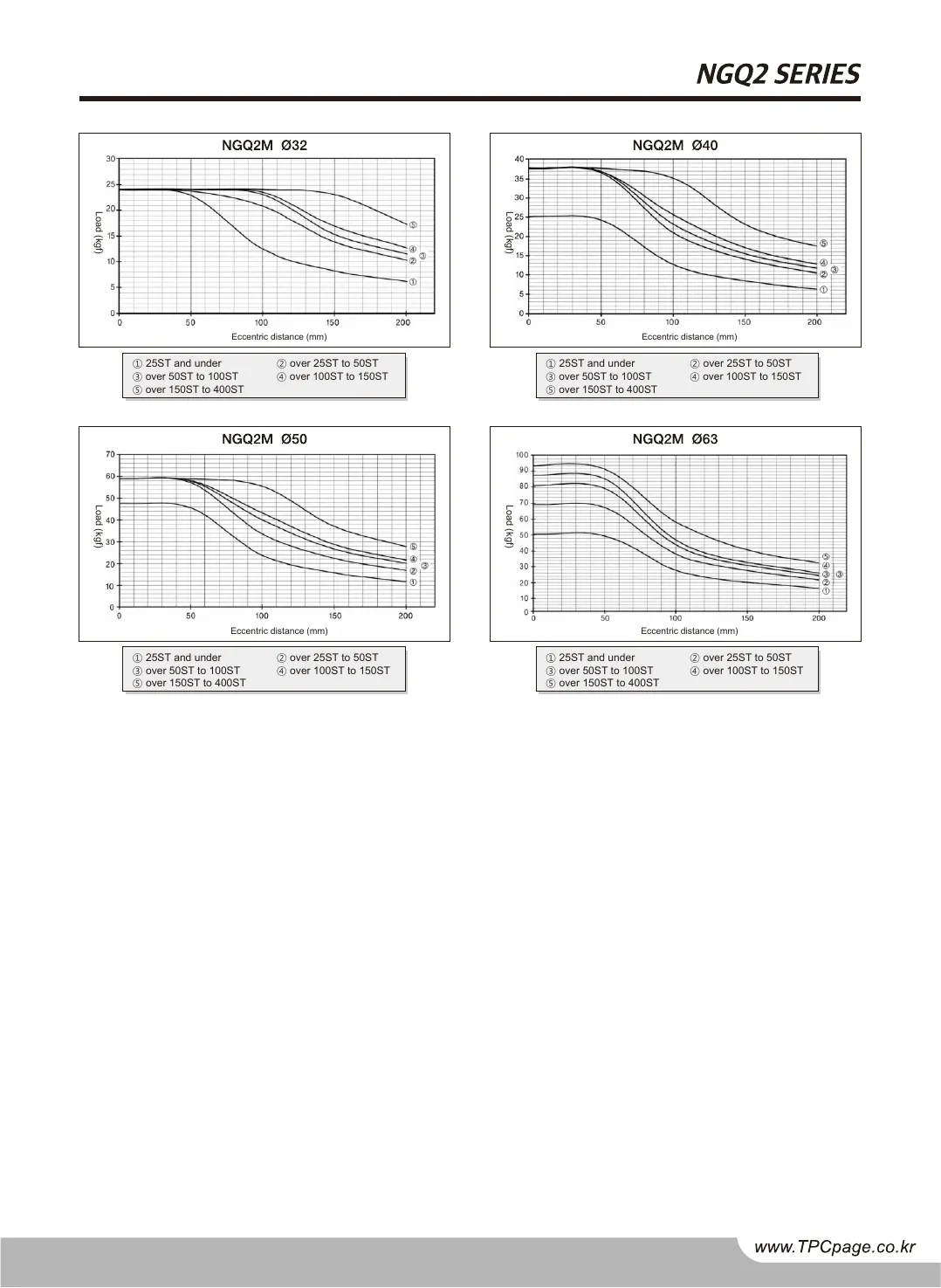
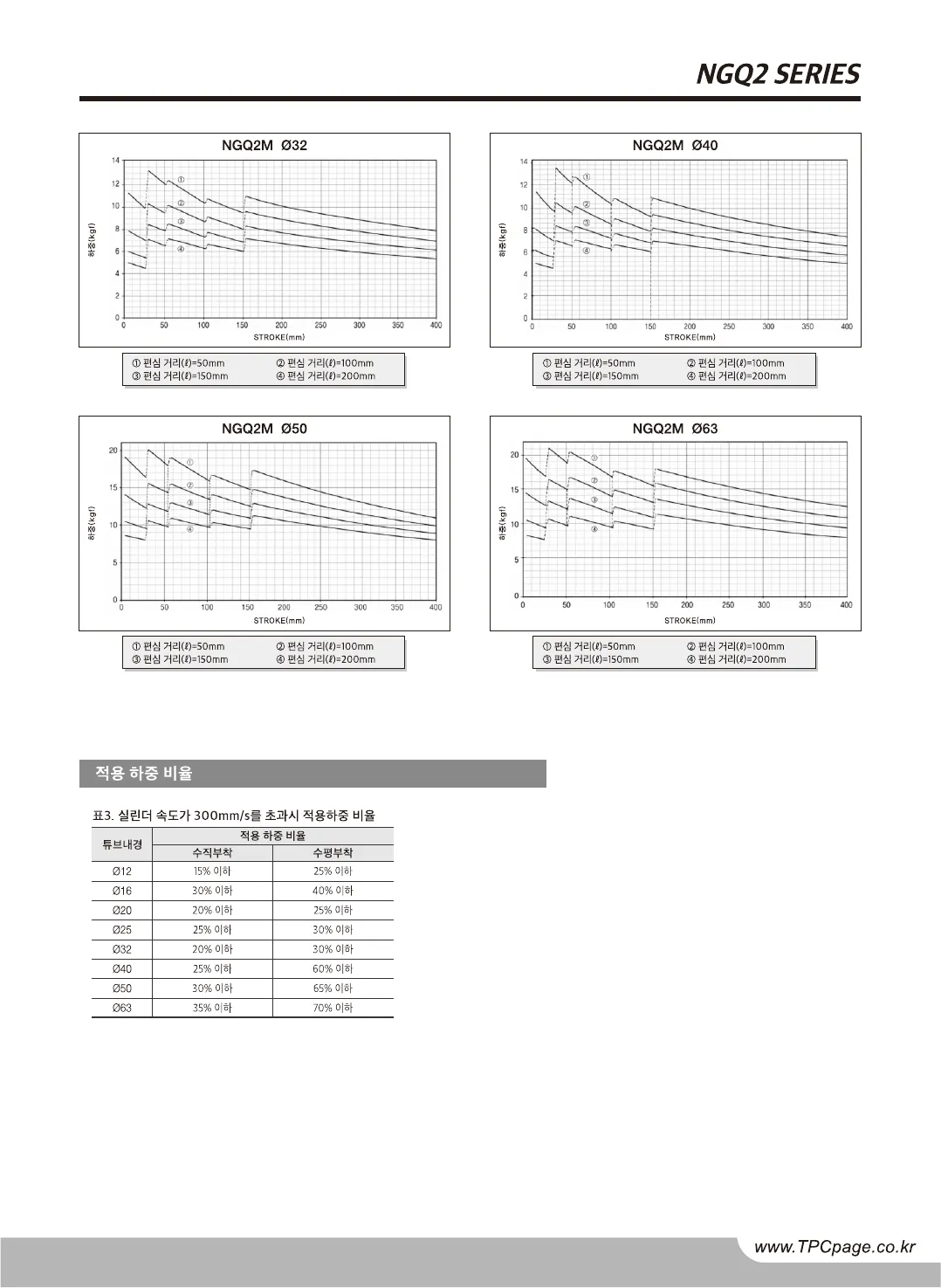
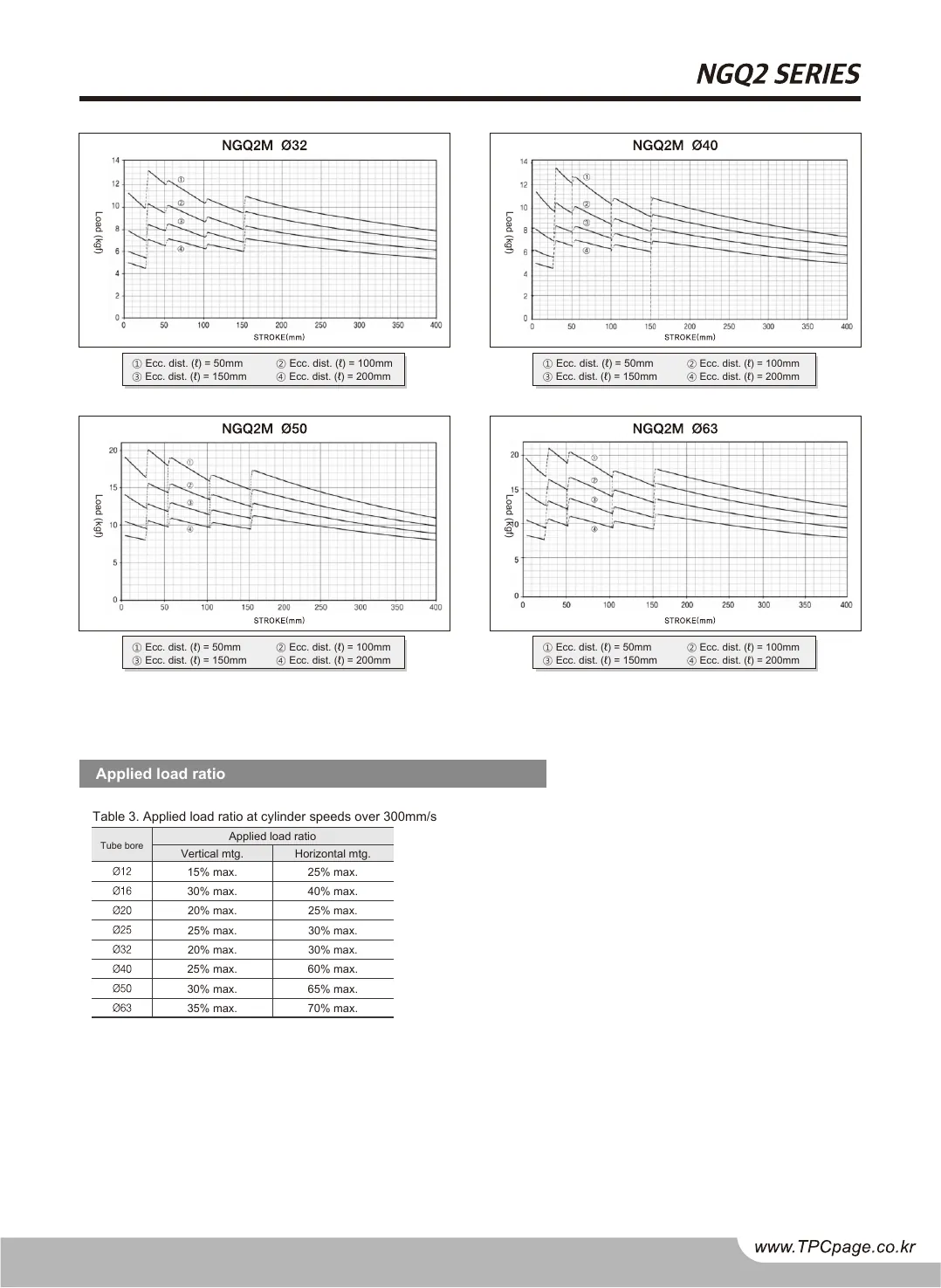
NGQ2 graphsUnchanged outside text pp. 10–13, pixel for pixel
NFHU2 text layerSelectable on every page including two pages that were images in the source
This table measures geometry, not words; the word-level reading is your engineers’ review before acceptance. Readout from the check, not retouched

Send one catalog. The first call settles the page count, the language pair and the terms.

Request a demo →
5 Catalogs twinned THR, TLR, AQ2, NGQ2 and NFHU2, for TPC
56 of 56 Page pairs, same size to a tenth of a point
0.049 % Non-text difference, at most 32 of 56 pages are zero
0 Pages re-drawn drawings and tables untouched
05 The technology

Replacement, not re-setting

A general translator produces text. bringPDF produces the same document again, in the other language, and checks that it is the same document before it leaves.

01

Terms in context

Every CAD and manufacturing term is translated to match the drawing and the table it belongs to.

02

Text replaced in place

The new text goes back in place. Vector drawings, table rules, charts and fonts are never touched, which is why the non-text pixels in the table above match.

03

Parity, checked

Page count and page geometry are compared on every page before a twin is delivered. A twin with a different page count or a moved page does not ship.

04

Reviewed by your engineers

The twin comes with its page-by-page comparison. Your engineers read it against the source on the pages where a wrong term costs money: specifications, dimensions and ordering codes. Their sign-off is the acceptance bar.

Notes
  • KR to EN and EN to KR, from the PDF you print from.
  • Your catalog PDFs never leave the project.
source PDF → twin · checked page by page
06 How to order

Each catalog ships with its own proof pack
Ordered per project

bringPDF is delivered per project, not on a subscription. Send the PDF, name the target language, and a twin comes back with its page-pair comparison attached. Terms are agreed per catalog.

ORDER One catalog · what you send, what you receive
01

Send the printed catalog PDFThe file you already print from. No InDesign, no packaged fonts, no working files to dig out of an archive.

1 × PDF
02

Receive the twinThe same document in the other language: same page count, same geometry, drawings and tables untouched.

1 × PDF
03

Receive the proofThe per-page comparison for your catalog, in the form shown above, so your team can see what was checked.

diff table
04

Review on your scheduleYour engineers read the twin against the source. Their sign-off is the acceptance bar.

your sign-off
Every twin on this page shipped this way. A twin is a deliverable, not a tool to run.

Let's talk

We skip the pitch decks. Bring one catalog and leave with the page count, the language pair, and the terms.

First call → twin delivered: scheduled per catalog

Your data

Your catalog PDFs never leave the project. The twin is checked page by page against them before it ships.

Built for manufacturers whose catalogs are drawings with sentences in them.

Every twin checked page by page against your source before it ships.

Founder & CEO
Former robotics company President
20 yrs Korea & US market experience

Read by the team that builds it. Nothing shared, no mailing lists.